Are you thinking about using a budget router for your VoIP calls? You might wonder if saving money on your router could affect the quality of your phone conversations.
The truth is, not all routers are created equal when it comes to handling VoIP traffic. But can a low-cost router really keep your calls clear and stable? You’ll discover what makes a router suitable for VoIP, the risks of choosing a cheap model, and smart tips to get the best call quality without breaking the bank.
Keep reading to make sure your voice calls never drop or crackle again.
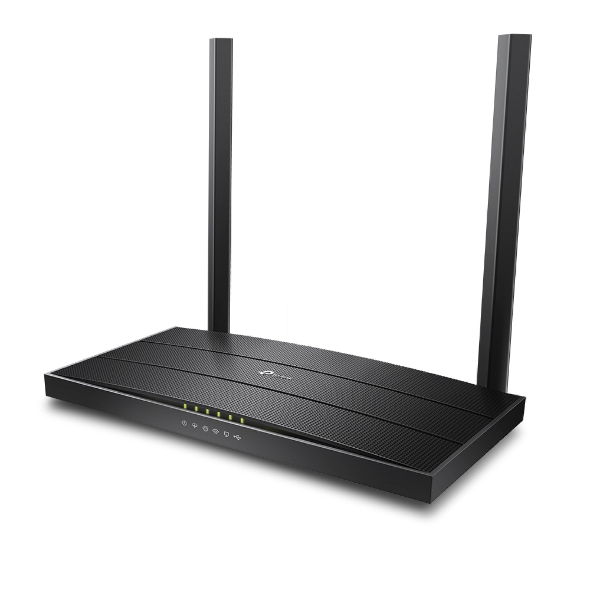
Credit: fgtechstore.com
Budget Routers And Voip Compatibility
Choosing a budget router for your VoIP setup can seem like a smart way to save money. But not all routers handle voice traffic the same way. Understanding how budget routers work with VoIP services is crucial to avoid call drops, delays, or poor sound quality.
Key Features Needed For Voip
VoIP demands stable and prioritized network traffic. Your router should support Quality of Service (QoS) to give voice packets higher priority over other data. This helps reduce delays and jitter, which are common issues that affect call clarity.
Look for routers that offer:
- QoS settings:Ability to prioritize voice traffic.
- Low latency:Fast packet processing for smooth calls.
- Bandwidth management:To prevent other devices from hogging the network during calls.
Without these features, your VoIP calls might sound robotic or get dropped unexpectedly.
Common Limitations Of Budget Routers
Budget routers often cut corners on hardware and software designed for real-time communication. Many lack advanced QoS or only offer basic settings that are hard to configure properly. This can lead to poor voice quality and frustration during calls.
Another frequent issue is limited processing power, which struggles to handle multiple simultaneous connections. If you run a home office or small business with several VoIP lines, a cheap router might not keep up.
Have you noticed crackling or delays during your VoIP calls? Your router could be the culprit. Sometimes, investing a little more in a router with better VoIP support saves you hours of troubleshooting and improves your daily communication.

Credit: www.nextiva.com
Network Requirements For Voip
Understanding the network requirements for VoIP is crucial before deciding if a budget router can handle your calls. VoIP relies heavily on your internet connection’s quality to provide clear, uninterrupted voice communication. Even a slight hiccup in your network can lead to dropped calls, echoes, or delays that ruin the experience.
Bandwidth And Speed Considerations
VoIP doesn’t demand massive bandwidth, but it does need a consistent minimum speed. Typically, each call requires around 100 kbps both up and down. However, if you have multiple calls or other devices using the network, you’ll need more bandwidth to keep everything running smoothly.
Think about your internet speed during peak hours. Does it dip? If yes, your calls may suffer. A budget router can sometimes struggle to manage bandwidth efficiently, especially with several devices connected.
- Check your upload and download speeds regularly.
- Prioritize VoIP traffic if your router supports Quality of Service (QoS).
- Consider how many simultaneous calls you expect.
Latency And Jitter Impact
Latency is the time it takes for your voice data to travel from your phone to the receiver. Jitter is the variation in that travel time. Both must be low for a smooth conversation.
High latency or jitter causes delays, awkward pauses, or words overlapping during calls. Budget routers often lack advanced features to reduce latency or jitter, leading to frustrating call quality.
Ask yourself: Does your router provide a stable connection without frequent drops? Can it handle traffic prioritization? Testing call quality during different times can reveal if your current setup meets these demands.
Configuring Budget Routers For Voip
Configuring budget routers for VoIP can improve call quality significantly. Budget routers often lack advanced features by default. Adjusting settings like Quality of Service and port forwarding helps prioritize voice traffic. These tweaks reduce delays and dropped calls. Small changes can make a big difference in your VoIP experience.
Enabling Quality Of Service (qos)
Quality of Service (QoS) controls how your router handles different types of traffic. Enabling QoS lets you give VoIP data higher priority. This reduces lag and jitter during calls. Most budget routers have a simple QoS option in their settings.
- Log into your router’s web interface.
- Find the QoS or traffic management section.
- Enable QoS and set voice traffic as a top priority.
- Save changes and restart the router if needed.
QoS helps keep your voice calls clear, even during heavy internet use.
Port Forwarding And Firewall Settings
VoIP services require specific ports to be open for smooth communication. Port forwarding directs incoming VoIP traffic to the right device on your network. Budget routers may block some ports by default.
- Identify the ports your VoIP provider uses.
- Access your router’s port forwarding section.
- Add new rules to forward these ports to your VoIP device’s IP address.
- Check firewall settings to allow VoIP traffic.
Proper port forwarding and firewall adjustments reduce call drops and improve connection stability.
Troubleshooting Voip Issues On Budget Routers
Budget routers can work for VoIP but may cause call drops and delays. Adjusting settings and updating firmware often helps fix common issues. Choosing a router with better quality of service (QoS) features improves voice call performance.
Troubleshooting VoIP Issues on Budget Routers can be a bit tricky. Many users face problems when using budget routers for VoIP. These routers might not have the advanced features of pricier models. But they can still work well with some adjustments.Common Call Quality Problems
Users often report issues like dropped calls. Other common problems include echoes or delays. Sometimes, voices sound robotic or choppy. These issues can stem from weak signals or network congestion. It’s frustrating, but solutions exist.Steps To Improve Connection Stability
Improving connection stability can enhance VoIP performance. Here are some steps to follow:- Ensure your router firmware is up-to-date. Manufacturers release updates to fix bugs.
- Position your router centrally in your home. This ensures better signal coverage.
- Reduce interference by keeping the router away from microwaves and cordless phones.
- Limit the number of devices connected to the router. This reduces bandwidth strain.
- Use a wired connection if possible. Ethernet cables provide stable connections.
When To Upgrade Your Router
Knowing when to upgrade your router is key for smooth VoIP calls. A router that works fine for browsing may not support VoIP well. Slow or dropped calls often signal it is time for an upgrade. Good voice quality needs a router that handles data quickly and steadily. Upgrading can improve call clarity and reduce interruptions.
Signs Your Router Isn’t Meeting Voip Needs
- Frequent call drops during conversations
- Delays or echoes in voice transmission
- Slow internet speed affecting call quality
- Router overheating or restarting often
- Old router lacking Quality of Service (QoS) features
- Multiple devices causing network congestion
Choosing The Right Router For Voip
Select a router with strong QoS controls. This feature prioritizes voice traffic over other data. Choose routers with dual-band or tri-band support to reduce interference. Ensure the router supports the latest Wi-Fi standards like Wi-Fi 5 or Wi-Fi 6. Look for routers with gigabit Ethernet ports for stable wired connections. Easy setup and firmware updates help maintain performance.
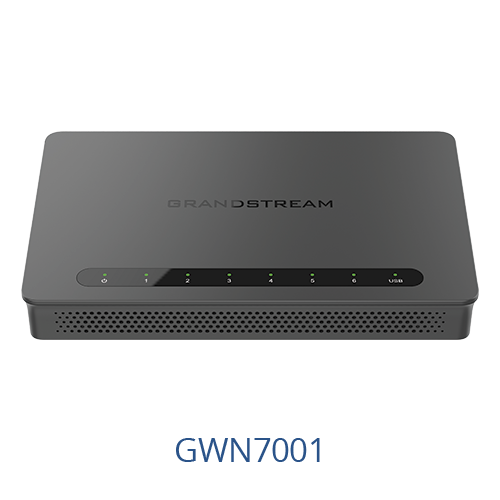
Credit: fgtechstore.com
Frequently Asked Questions
Can Budget Routers Handle Voip Calls Effectively?
Budget routers can support VoIP calls but may lack advanced features. They often handle basic VoIP but might cause occasional lag or call drops under heavy use.
What Features Should A Router Have For Voip?
A good VoIP router needs Quality of Service (QoS) to prioritize voice traffic. It should also offer stable connectivity and low latency for clear calls.
Are Budget Routers Reliable For Business Voip Use?
Budget routers may work for small-scale or home VoIP setups. However, for business use, investing in a higher-quality router ensures better call reliability and performance.
How Does Router Quality Impact Voip Call Clarity?
Router quality affects data flow and latency. Poor routers can cause jitter, delays, and dropped calls, reducing overall VoIP call clarity and user experience.
Conclusion
Budget routers can handle basic VoIP calls well. They work fine for small homes or offices with low call volume. But, they might struggle with many users or high call quality needs. Quality of Service (QoS) settings help improve call clarity.
Still, investing in a better router can reduce dropped calls and delays. Choose a router that supports VoIP features for smoother experience. Simple setups do not always need expensive gear. Assess your needs before deciding on a budget router. VoIP can work on budget routers, but know their limits.