Are you wondering if your budget router can work with a mesh system? If you want better Wi-Fi coverage without spending a fortune, this question matters a lot.
Imagine enjoying strong, seamless internet in every corner of your home without complicated setups or extra costs. You’ll discover the truth about connecting budget routers to mesh systems and learn simple tips to boost your network. Keep reading to find out how to make the most of your existing devices and get the best Wi-Fi experience possible.
Budget Router Basics
Budget routers serve as affordable options for home internet connections. They provide basic networking functions without many advanced features. Many people choose them for small spaces or light internet use. Understanding their core features and limits helps in deciding if they suit mesh system setups.
Key Features
- Basic wireless connectivity for multiple devices
- Simple setup and user-friendly interfaces
- Standard security protocols like WPA2
- Limited range suitable for small homes or apartments
- Supports common internet speeds up to a certain limit
Common Limitations
- Lower processing power affecting network performance
- Fewer antennas result in weaker signal strength
- Lack of advanced features like MU-MIMO or QoS
- Limited firmware updates and security patches
- Compatibility issues with some mesh networking systems
Mesh System Essentials
Understanding mesh systems is key to knowing their connection with budget routers. Mesh systems use several devices to create one big Wi-Fi network. This helps cover large areas without losing signal strength. Each device in the system talks to the others, sharing the internet smoothly. This setup is different from traditional routers, which rely on just one device.
How Mesh Networks Work
Mesh networks use multiple nodes placed around your home. Each node acts as a mini router. They work together to spread Wi-Fi evenly. If one node has a weak signal, others help out. This avoids dead spots and keeps devices online.
The nodes create a single network name. Devices switch between nodes automatically. This makes moving around the house easier. No need to change networks or lose connection.
Benefits Over Traditional Routers
- Better coverage across large or multi-story homes.
- Stronger and more stable Wi-Fi signals.
- Easy to expand by adding more nodes.
- Simple setup and management through apps.
- Devices switch nodes without dropping the connection.
Traditional routers often struggle with range and signal strength. Mesh systems solve these problems by working as a team. This makes them ideal for modern homes full of connected devices.
Compatibility Factors
Compatibility plays a key role in connecting budget routers to mesh systems. Not all routers work smoothly with mesh networks. Several factors affect their ability to connect and perform well together. Understanding these factors helps ensure a stable and fast internet experience.
Router And Mesh System Types
Routers come in different types, like single-band, dual-band, and tri-band models. Mesh systems also vary in design and technology. Some mesh systems need a router that supports specific frequencies or protocols.
Budget routers often have fewer features than premium models. They may lack advanced wireless standards or multiple frequency bands. This can limit their compatibility with mesh systems.
- Single-band routers work on one frequency, usually 2.4 GHz.
- Dual-band routers support both 2.4 GHz and 5 GHz bands.
- Tri-band routers add an extra 5 GHz band for better performance.
Choosing a mesh system that matches your router’s capabilities improves connection stability. Some mesh nodes also require a router with specific ports or settings.
Firmware And Software Requirements
Firmware controls how routers and mesh devices communicate. Budget routers might not receive regular firmware updates. This can cause compatibility issues with newer mesh systems.
Mesh systems often rely on proprietary software to manage connections. This software may not support all router brands or models. Some mesh systems require routers with open firmware or certain settings enabled.
- Check if your router’s firmware supports mesh networking features.
- Ensure the router can handle the mesh system’s software demands.
- Look for routers that allow custom firmware if needed.
Staying up to date with firmware helps maintain smooth connections. It fixes bugs and adds support for new devices.

Credit: www.youtube.com
Connecting Budget Routers To Mesh
Connecting budget routers to mesh systems is a smart way to enhance your home network without breaking the bank. Many people assume that a high-end mesh system is necessary for seamless connectivity across their homes. However, with the right setup, even budget routers can be part of a robust mesh network, offering improved coverage and reliability. Let’s explore how you can achieve this.
Setup Methods
Setting up a budget router to connect with a mesh system can be more straightforward than you might think. Most modern routers have built-in features like WDS (Wireless Distribution System) or bridge mode that facilitate this connection. These features allow your budget router to act as a part of the mesh network, extending coverage without creating separate networks.
Start by checking the compatibility of your router with mesh systems. Look for options in your router settings that support mesh integration. It’s often a matter of enabling a few settings and ensuring your router firmware is up to date. Keep your router’s manual handy for specific instructions related to your model.
Using Budget Routers As Access Points
One of the simplest ways to integrate a budget router into a mesh system is by using it as an access point. By doing this, you can extend your Wi-Fi coverage without setting up an entirely separate network. This setup requires connecting the budget router to the main mesh router via Ethernet cable.
Once connected, configure your budget router to operate in access point mode. This configuration disables its routing capabilities, allowing it to function solely as a transmitter of the existing network. The benefit here is seamless connectivity with minimal configuration changes.
Potential Challenges
While connecting budget routers to mesh systems is feasible, there are challenges you might face. Compatibility issues can arise if your router does not support the necessary features for mesh integration. It’s crucial to research your specific router model to ensure it can function effectively within a mesh system.
Network speed may also be a concern, especially if you’re using older budget routers. They might not support the latest Wi-Fi standards, potentially leading to slower internet speeds. Balancing cost savings with performance needs is essential in deciding if this approach suits your home network.
Have you considered how much coverage you actually need? Sometimes, a simple repositioning of your existing router might solve connectivity issues without additional hardware. Always assess your real requirements before diving into new tech solutions.
Performance Expectations
Expectations around performance are crucial when you’re thinking about connecting budget routers to mesh systems. It’s not just about whether they can link up, but how well they will handle the demands of your home network. Understanding the real impact on speed, coverage, and stability will help you decide if this setup meets your needs or holds you back.
Speed And Coverage Impact
Budget routers often come with lower hardware specs, which means they may not support the fastest Wi-Fi standards or multiple simultaneous connections as efficiently. When you add a mesh system, the overall speed can be limited by the slowest device in the chain.
Coverage might improve since mesh nodes extend your Wi-Fi, but if your budget router struggles to keep up, you could see slower connections at the edges of your network. Think about the size of your home and the number of devices you use daily. Are you streaming 4K videos, gaming online, or just browsing? Your activities will influence how much the router’s limitations show.
Stability Considerations
Stability is where budget routers sometimes falter. Cheaper models may experience dropped connections or frequent resets when pushed hard, which disrupts your mesh system’s seamless experience. You might notice devices disconnecting briefly or slower response times during peak usage.
However, not all budget routers behave the same. Some surprisingly hold up well under load, especially if they receive regular firmware updates. Have you checked if your router’s manufacturer provides ongoing support? This can make a big difference in keeping your network stable.

Credit: www.youtube.com
Tips For Optimal Setup
Setting up a budget router with a mesh system requires careful attention to detail. Small adjustments can make a big difference in your network’s speed and reliability. Let’s look at some key tips to help you get the most out of your setup.
Placement Strategies
Where you put your devices matters a lot. Place your main router in a central spot to reduce dead zones. Avoid hiding it inside cabinets or behind thick walls, as this blocks the signal.
Mesh nodes should be spaced evenly but still close enough to catch a strong signal from the main router. If you have a two-story home, try placing nodes on different floors but vertically aligned to improve coverage.
Have you noticed certain rooms always have weak Wi-Fi? Try moving a mesh node closer to those areas and see if the connection improves.
Firmware Updates
Keeping your router and mesh system updated is crucial. Manufacturers often release updates to fix bugs and improve performance. Check the router’s admin panel regularly for new firmware versions.
Sometimes updates enable new features or improve compatibility between budget routers and mesh nodes. I once delayed an update and faced frequent disconnections until I finally updated the firmware.
Don’t ignore these updates—they can be the difference between a smooth network and constant frustration.
Network Configuration
Make sure your budget router and mesh system are configured to work together without conflicts. Use the same Wi-Fi name (SSID) and password across all nodes for seamless switching.
Disable the router’s DHCP server if your mesh system has its own to avoid IP address conflicts. Also, check if your router supports bridge or access point mode, which often improves mesh compatibility.
Have you explored your router’s settings? Sometimes toggling features like QoS (Quality of Service) helps prioritize important devices and ensures smoother streaming or gaming.
Alternative Solutions
If your current budget router struggles to connect seamlessly with a mesh system, don’t worry—there are practical alternatives that can enhance your home network without a full overhaul. These solutions can help you enjoy better coverage and faster speeds, even if your router isn’t designed specifically for mesh compatibility.
Upgrading To Mesh-ready Routers
One straightforward option is upgrading your existing router to a mesh-ready model. These routers are built to work smoothly with mesh nodes, allowing you to expand your network easily.
Switching to a mesh-ready router doesn’t mean breaking the bank. Many affordable models now support mesh technology and come with user-friendly apps for setup and management.
Think about your current network demands. Are you streaming 4K videos or gaming online? Upgrading can reduce buffering and lag, making your online experience smoother and more reliable.
Using Hybrid Network Models
If replacing your router isn’t an option, consider a hybrid network model. This setup combines your budget router with mesh nodes working in tandem to extend coverage.
In a hybrid system, your main router handles core tasks while mesh nodes fill in dead zones. This approach can be a cost-effective way to boost signal strength without buying a new primary router.
Have you noticed weak Wi-Fi spots in certain rooms? Adding mesh nodes to your current router can target those trouble areas without disrupting your entire network.
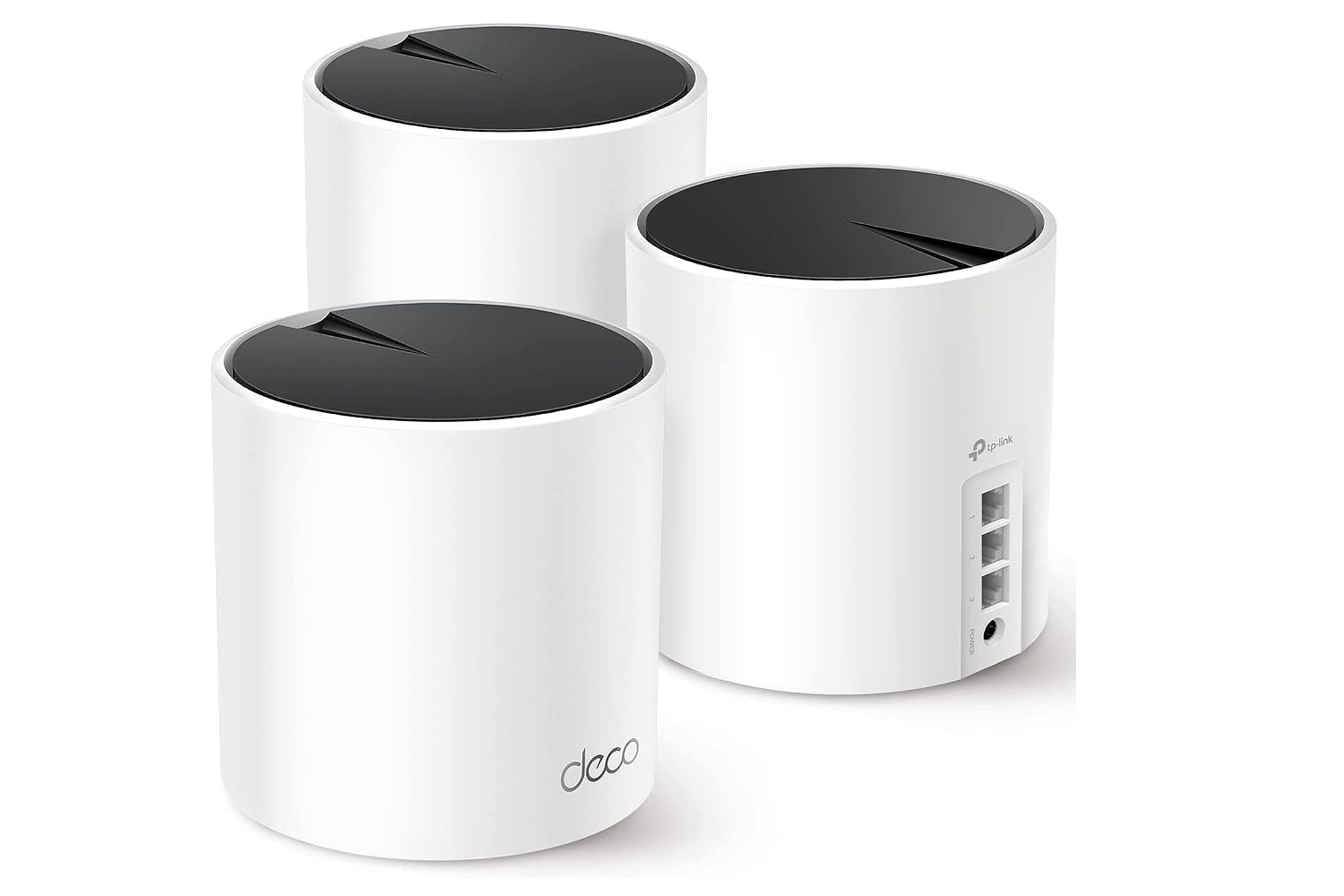
- Connect mesh nodes via Ethernet to your router for the best performance.
- Use mesh nodes with seamless roaming features to avoid manual switching between networks.
- Monitor network performance regularly to spot improvements or areas needing adjustment.
Credit: www.digitaltrends.com
Frequently Asked Questions
Can Budget Routers Work With Mesh Wi-fi Systems?
Yes, many budget routers can connect to mesh systems. However, compatibility depends on router features and mesh system protocols. Some budget routers support bridge or access point mode, enabling mesh integration. Always check the router’s specifications to confirm compatibility before purchase.
Do Budget Routers Affect Mesh Network Performance?
Budget routers may limit mesh system performance due to lower processing power and older Wi-Fi standards. This can cause slower speeds and increased latency. For best results, use routers with modern Wi-Fi technology and sufficient hardware to handle mesh networking demands.
How To Connect A Budget Router To A Mesh System?
To connect, set the budget router to bridge or access point mode. Then, link it to the primary mesh node via Ethernet or Wi-Fi. This setup extends the network without conflicting IP addresses, ensuring smooth mesh system operation.
Are Budget Routers Suitable As Mesh Nodes?
Budget routers generally lack mesh firmware and features, making them unsuitable as mesh nodes. Mesh systems require compatible hardware and software for seamless communication. Using dedicated mesh nodes ensures better coverage and network stability.
Conclusion
Budget routers can work with mesh systems, but with limits. They may not support all mesh features or offer top speeds. For better coverage and performance, consider mesh systems designed for easy connection. Still, budget routers can be a good start for simple setups.
Choose based on your needs and home size. This helps keep your internet strong without extra cost. Simple steps can improve your Wi-Fi experience.