Are you wondering if your budget router can handle streaming 4K video without hiccups? You want crystal-clear picture quality, but you don’t want to spend a fortune on expensive equipment.
The truth is, not all routers are created equal when it comes to streaming ultra-high-definition content. Imagine settling in for your favorite movie night only to face buffering and lag—frustrating, right? Keep reading to discover what really makes a difference in streaming 4K smoothly and how your current router stacks up.
This could change the way you watch TV forever.

Credit: www.youtube.com
4k Streaming Requirements
Streaming 4K video is a demanding task for any network setup. It requires more than just a fast internet connection; your router must handle specific technical needs to deliver smooth, high-quality playback. Understanding these requirements helps you decide if a budget router can meet your 4K streaming goals without constant buffering or lag.
Bandwidth Needs
4K streaming needs a steady flow of data, typically around 25 Mbps per stream. If multiple devices are active, your router must support higher combined speeds to avoid interruptions.
Think about your internet plan and how many devices share the connection. Even if your plan offers high speeds, a router that can’t handle the load will bottleneck your network.
Wi-fi Standards
The Wi-Fi standard your router supports plays a big role in streaming quality. Older standards like 802.11n may struggle with 4K video, especially in crowded or large homes.
Look for routers with 802.11ac or the newer 802.11ax (Wi-Fi 6). These standards provide faster speeds and better signal stability, which directly impact 4K streaming performance.
Router Processing Power
Your router’s processor handles all the data traffic and manages multiple devices simultaneously. A weak processor can cause delays, resulting in choppy video or buffering even if your bandwidth is sufficient.
Budget routers often have less powerful CPUs, so check the specs. A dual-core processor is a good starting point for smooth 4K streaming, especially if you connect many devices or run smart home gadgets alongside.
Budget Router Capabilities
Budget routers often get overlooked when it comes to demanding tasks like streaming 4K video. But can these affordable devices really handle the high data rates and low latency needed for smooth playback? Understanding the capabilities of budget routers helps you decide if your current setup meets your streaming goals or if an upgrade is necessary.
Common Features
Most budget routers support the essential wireless standards like 802.11n and sometimes 802.11ac. They usually offer dual-band support, meaning you can connect on 2.4 GHz or 5 GHz frequencies, which helps reduce interference.
These routers come with basic security protocols like WPA2, and simple management interfaces. Some include guest networks and parental controls, which add convenience without extra cost.
Performance Limitations
Budget routers often have limited hardware resources, like slower processors and less memory. This can cause bottlenecks when multiple devices stream simultaneously or when high-resolution videos demand consistent bandwidth.
Another challenge is the antenna quality and placement. Cheaper models may have weaker signals, resulting in spotty coverage and buffering in certain rooms.
Are you experiencing lag or pixelation during 4K streams? That might be your router struggling to keep up.
Real-world Speed Tests
Testing a budget router in a typical home environment reveals mixed results. In my own experience, a $30 router managed to stream 4K video smoothly in the same room, but performance dropped noticeably two rooms away.
Speed tests often show fluctuating download rates that hover just above the minimum requirement for 4K streaming (around 25 Mbps). This leaves little room for error, especially if other devices share the network.
Trying a speed test app during your usual streaming time can give you a clear picture of your router’s real-world capabilities. If speeds fall below the needed threshold, upgrading might be the only way to improve your 4K viewing experience.
Factors Affecting 4k Streaming
Streaming 4K video smoothly depends on several key factors beyond just the router’s price tag. Understanding these elements helps you identify why your budget router may struggle or succeed with high-quality streams. Let’s break down what really impacts your 4K streaming experience.
Network Congestion
Network congestion happens when many devices share the same internet connection or router at once. This creates traffic jams that slow down your streaming speed and cause buffering. Have you noticed your 4K video pause during peak hours when others in your home start streaming or gaming?
To reduce congestion, limit the number of active devices or schedule heavy internet use during off-peak times. Some budget routers have basic Quality of Service (QoS) settings that let you prioritize streaming traffic, but these features can be limited compared to higher-end models.
Device Compatibility
Not every device supports the same Wi-Fi standards or speeds required for 4K streaming. Older smartphones, laptops, or smart TVs might only connect via slower Wi-Fi protocols, dragging down your streaming quality. Check if your device supports at least Wi-Fi 5 (802.11ac) for better 4K performance.
Your budget router may also lack support for the latest Wi-Fi standards, affecting compatibility. Pairing a newer 4K streaming device with an outdated router might leave you wondering why the picture isn’t as sharp as expected.
Distance And Interference
The farther your device is from the router, the weaker the Wi-Fi signal becomes. Walls, furniture, and other electronics can interfere with the signal, causing dropped connections or lower video quality. Have you tried watching a 4K movie in a room farthest from your router, only to see constant buffering?
Budget routers often have weaker antennas and fewer frequency bands to combat interference. Positioning your router centrally or using Wi-Fi extenders can make a big difference in maintaining a stable 4K stream throughout your home.
Tips To Improve 4k Streaming
Budget routers can stream 4K video but may struggle with speed and stability. Choosing a router with strong Wi-Fi and good range helps improve streaming quality. Reducing other device use during streaming also supports smoother playback.
Streaming 4K videos can be a demanding task for budget routers, but with a few tweaks, you can enjoy seamless viewing without constant buffering. Whether you’re setting up a new router or trying to optimize an existing one, these simple tips can make a world of difference. Let’s dive into how you can enhance your 4K streaming experience.Firmware Updates
Keeping your router’s firmware up-to-date is crucial for optimal performance. Manufacturers often release updates that improve speed, security, and overall functionality. Regularly check your router’s settings page for available updates, and install them to ensure your device is running at its best.Optimal Router Placement
The location of your router can significantly impact your streaming quality. Place your router in a central location, away from walls and obstructions, to maximize coverage. Elevate it on a shelf or table to help the signal reach further, and avoid placing it near electronic devices that might cause interference.Using Wired Connections
While Wi-Fi is convenient, a wired connection can offer a more stable and faster connection for streaming 4K content. If possible, connect your streaming device directly to the router using an Ethernet cable. This reduces the chances of interference and provides a consistent, high-speed connection that can handle the demands of 4K video. Implementing these tips can transform your streaming experience. Have you tried any of these adjustments yet? If not, why not give it a shot and see the difference it makes?When To Upgrade Your Router
Knowing when to upgrade your router can make a big difference in your streaming experience. A router that worked fine last year might struggle with the demands of 4K video today. Pay attention to your network’s performance to avoid frustration and buffering during your favorite shows and movies.
Signs Of Bottlenecks
Buffering, slow video start times, and frequent disconnections are clear signs your router might be holding you back. If your 4K streams often drop to lower resolutions or pause to load, your current router could be the bottleneck.
Also, notice if multiple devices slow down when streaming simultaneously. This often happens with older or budget routers that can’t handle many connections at once.
Choosing The Right Router
Look for routers that support the latest Wi-Fi standards, like Wi-Fi 5 (802.11ac) or Wi-Fi 6 (802.11ax). These provide faster speeds and better handling of multiple devices.
Check the router’s maximum speed ratings and ensure they match or exceed your internet plan. Remember, a router with good range is just as important if your streaming device is far from the router.
Think about your home size and the number of devices connected regularly. A powerful router with features like MU-MIMO or beamforming can keep your 4K streams smooth even with many users online.
Cost Vs. Performance
Budget routers can surprise you with decent performance, but they often lack advanced features that improve 4K streaming quality. Spending a bit more can unlock faster speeds and stronger signals, reducing frustration.
Consider how much time you spend streaming and how many devices you use. Investing in a better router might save you from upgrading other parts of your network later.
Ask yourself: Is it worth paying extra for a router that keeps your videos crisp and uninterrupted? Sometimes a modest upgrade can make a big difference in your daily entertainment.
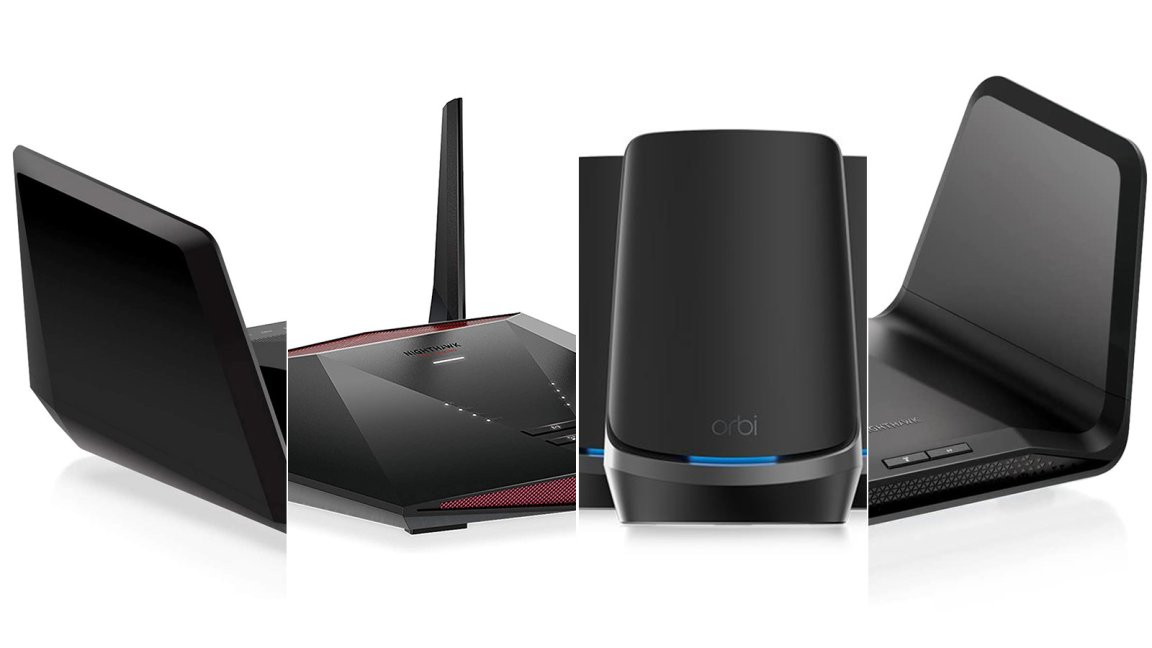
Credit: www.popsci.com

Credit: www.popularmechanics.com
Frequently Asked Questions
Can Budget Routers Handle 4k Video Streaming?
Yes, some budget routers can stream 4K video smoothly. Look for models supporting dual-band Wi-Fi and at least 802. 11ac standard. These features ensure faster speeds and stable connections for 4K streaming without buffering or lag.
What Internet Speed Is Needed For 4k Streaming?
A minimum internet speed of 25 Mbps is recommended for 4K streaming. Higher speeds provide better quality and reduce buffering. Budget routers must support these speeds to ensure seamless 4K video playback.
Do Budget Routers Support Multiple 4k Streams?
Most budget routers can handle one or two 4K streams simultaneously. However, streaming multiple 4K videos may require higher-end routers with advanced features like MU-MIMO and beamforming for better performance.
How Does Router Range Affect 4k Streaming Quality?
Router range impacts Wi-Fi signal strength, affecting 4K streaming quality. Budget routers may have limited range, causing buffering in distant rooms. Positioning the router centrally improves coverage and streaming experience.
Conclusion
Budget routers can stream 4K video, but with some limits. They may struggle with multiple devices or heavy internet use. A stable and fast internet connection helps improve streaming quality. Choose a router that supports your internet speed and home needs.
Simple upgrades often make a big difference. Streaming 4K on a budget is possible with the right setup. Keep your expectations realistic for smooth viewing. Enjoy your movies without spending too much.