Are you tired of lagging behind in your favorite games? You might have heard that gaming routers can boost your FPS, but is it really true?
Imagine smoother gameplay and faster response times just by upgrading your router. You’ll discover how the right router can make a difference in your gaming experience—and whether it’s worth the investment. Keep reading to find out how to get the most out of your setup and finally enjoy the edge you’ve been looking for.
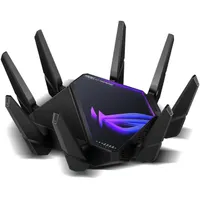
Credit: www.pcgamer.com
How Gaming Routers Differ
Gaming routers are built with special featuresto help players. They prioritize gaming trafficso games get faster data. This means less lag and better gameplay.
These routers use advanced hardwarelike faster processors and more memory. This helps handle many devices without slowing down. It keeps your game running smooth.
- Traffic Prioritization:Gives gaming data top priority over other internet use.
- Low Latency:Reduces delay between your device and game servers.
- Powerful Processors:Handle multiple tasks quickly for stable connection.
- Better Antennas:Improve Wi-Fi range and signal strength.
Impact On Fps
Network latencymeans delay in sending data between your device and the game server. Lower latency helps the game respond faster. Gaming routers often have features that reduce latency. This can give smoother gameplay, especially in online games. But latency depends on many things, like your internet service and distance to servers.
FPS (frames per second)mostly depends on your computer’s hardware, not the internet. A good internet connection stops lag and disconnections, but it does not increase FPS directly. Gaming routers help keep your connection stable and reduce packet loss, which may improve your gaming experience.
Routers cannot make your computer run games faster. They do not affect the graphics cardor processor speed. Even the best router cannot increase FPS if your hardware is weak. Gaming routers help with network quality, but FPS depends mainly on your system.
Reducing Lag And Ping
Quality of Service (QoS) Settingshelp control internet traffic. They give priority to gaming data. This reduces lag and keeps ping low. You can set your router to favor gaming apps. This makes your connection more stable.
Wired vs Wireless Connectionsmatter a lot. Wired connections are faster and more reliable. They cut down on lag and improve game response time. Wireless can be slower and face interference. For better FPS, use an Ethernet cable.
Optimizing Router Placementcan improve your signal. Place your router in a central, open space. Avoid walls and metal objects near it. Keep the router high, not on the floor. This helps the signal reach your gaming device better.

Credit: www.playstationlifestyle.net
Choosing The Right Router
Choosing the Right Router Gaming routers can enhance your online gaming experience. Faster connections reduce lag, potentially improving frames per second (FPS). Select a router with advanced features to optimize gaming performance.
Key Specs To Consider
Speedmatters a lot for gaming. Look for routers with high Mbpsratings. Low latencyreduces lag and improves gameplay. Dual-band or tri-band routers help avoid network traffic. Quality of Service (QoS)prioritizes gaming devices. Strong Wi-Fi standardslike Wi-Fi 6 ensure faster, stable connections.
Budget-friendly Options
Affordable routers can still offer good performance. Focus on routers with basic QoSand decent speed. Avoid very old models with slow Wi-Fi. Check user reviews for real experiences. Balance cost with features you really need.
Future-proofing Your Setup
Invest in routers with the latest technology. Wi-Fi 6 or newer helps keep your setup ready. Extra Ethernet ports allow wired connections for stability. Firmware updates can fix bugs and add features. A router that lasts saves money in the long run.
Additional Tips To Boost Performance
Regular firmware updateskeep your router running smoothly. These updates fix bugs and improve speed. Check for updates often and install them quickly.
Network traffic managementhelps reduce lag. Routers with QoS (Quality of Service) can prioritize gaming traffic. This means less delay and better game response.
Combining a gaming router with other hardware upgrades can boost performance. A fast CPU, more RAM, and a good graphics card all help. These upgrades work together to improve your gaming experience.

Credit: www.ign.com
Frequently Asked Questions
Can Gaming Routers Boost Fps In Online Games?
Gaming routers improve network stability and reduce lag, but they don’t directly increase FPS. FPS depends mostly on your PC’s hardware and game settings.
Do Gaming Routers Reduce Game Latency Effectively?
Yes, gaming routers prioritize gaming traffic, lowering latency. Reduced latency improves responsiveness, making online games smoother and more enjoyable.
Are Gaming Routers Worth Buying For Better Fps?
Gaming routers help reduce lag and improve ping but won’t boost FPS. They’re worth it for online multiplayer, not for single-player FPS gains.
How Does A Gaming Router Affect Online Game Performance?
A gaming router optimizes data flow, reducing packet loss and lag. This results in a more stable connection and better online gaming experience.
Conclusion
Gaming routers can help reduce lag and improve connection speed. This may lead to a smoother gaming experience. They prioritize gaming traffic to lower delays during play. Still, they do not directly increase your FPS. Your computer’s hardware and game settings mainly control FPS.
Choosing a good router supports stable online play and fewer interruptions. It is a useful tool for serious gamers with slow or crowded networks. Remember, a router alone cannot fix all gaming issues. Balance your setup for the best results.