Are you tired of your voice chat cutting out or lagging while you’re deep in a game? Imagine if your router could give your voice chat the attention it deserves, making your conversations crystal clear and delay-free.
Gaming routers promise to do just that by prioritizing voice traffic over other internet activities. But can they really make a difference in your gaming experience? Keep reading to find out how gaming routers handle voice chat and whether investing in one could level up your online communication.
Gaming Routers And Voice Chat
Gaming routers play a key role in improving online play. They help manage data traffic to reduce lag and keep connections stable. Voice chat is vital during multiplayer games. Clear, fast voice communication helps teams work together and win. Gaming routers can prioritize voice chat data. This means voice messages get sent faster and clearer.
Role Of Routers In Online Gaming
Routers connect your device to the internet. They send and receive data packets. In gaming, data flows constantly between players and servers. A regular router treats all data equally. Gaming routers can prioritize important traffic. They give priority to gaming and voice chat data. This lowers delays and packet loss. A smoother connection means better gameplay.
Importance Of Voice Communication
Voice chat allows players to talk in real time. This helps with teamwork and strategy. Text chat is slower and less natural. Voice lets players react quickly to events. Clear voice communication avoids confusion. Poor voice quality or delays hurt the game experience. Prioritizing voice chat makes communication crisp and reliable.
Credit: medium.com
How Routers Prioritize Traffic
Routers manage many types of data at once. This includes web browsing, video streaming, gaming, and voice chat. Prioritizing traffic helps important data move faster. It reduces lag and keeps conversations clear. Gaming routers use special techniques to handle this task efficiently.
What Is Qos Technology
QoS stands for Quality of Service. It is a technology that controls data flow on a network. QoS tells the router which data to send first. This ensures critical information reaches its destination quickly. Voice chat and gaming data often get higher priority. This reduces delays and interruptions during play.
Types Of Traffic Prioritization
- Application-Based:Prioritizes specific apps like voice chat or games.
- Device-Based:Gives priority to devices like gaming consoles or PCs.
- Port-Based:Uses network ports to identify and prioritize data types.
- Packet-Based:Prioritizes small data packets vital for real-time communication.
Packet Management In Gaming
Packets are small pieces of data sent over networks. Gaming routers track these packets closely. They identify voice chat packets and give them priority. This reduces jitter and packet loss. The result is smooth, clear voice communication in games. Proper packet management helps keep players connected and heard.
Benefits Of Prioritizing Voice Chat
Prioritizing voice chat on a gaming router can transform your multiplayer experience in ways you might not expect. It ensures your communication stays sharp and timely, which is crucial during intense gameplay moments. Here’s why giving voice chat priority matters for your gaming setup.
Reduced Latency And Lag
Voice chat needs to be instant. If your router treats voice data as just another type of traffic, delays can happen.
By prioritizing voice chat, your router sends voice packets ahead of less urgent data. This reduces latency and prevents lag from interrupting conversations.
Have you ever tried to call out an enemy’s position only to hear a delay or cut-out? That frustration disappears when latency is minimized.
Clearer Communication
Clear, uninterrupted voice chat keeps your team on the same page. Prioritizing voice traffic avoids garbled or choppy audio.
This means you won’t miss important calls or misunderstand instructions, even during network congestion.
Imagine coordinating a strategy without repeating yourself multiple times. Prioritizing voice chat keeps your communication crisp and effective.
Impact On Team Coordination
Good coordination depends on fast and reliable communication. When voice chat is prioritized, your team reacts quicker and adapts better.
This edge can turn a close match in your favor. You can call out enemy moves, share resources, and plan attacks without delay.
Think about your last gaming session—did delayed voice chat cause confusion? Prioritizing it can prevent those costly mix-ups.
Setting Up Voice Chat Priority
Setting up voice chat priority on your gaming router enhances communication. It ensures your voice chat remains clear and uninterrupted during intense gaming sessions. Configuring your router to prioritize voice chat can make a significant difference. It helps reduce lag and improve audio quality, making your gaming experience smoother.
Configuring Qos On Gaming Routers
Quality of Service (QoS) settings help prioritize network traffic. Access your router’s admin panel using its IP address. Look for the QoS settings in the menu. Enable QoS and set voice chat applications as a high priority. This setting ensures smooth voice transmission during gameplay.
Common Router Interfaces
Routers may have different interfaces, but they share common elements. Most routers display settings under categories like “Advanced” or “Traffic Management.” Some routers provide a simple interface with sliders for priority levels. Others offer dropdown menus for specific applications. Familiarize yourself with your router’s interface for better navigation.
Troubleshooting Priority Settings
Encountering issues with priority settings is common. First, check if the QoS feature is enabled. Ensure your voice chat application is correctly prioritized. Restart your router to apply changes. If problems persist, consult your router’s manual or support website. They often provide specific troubleshooting steps for your model.
Comparing Popular Gaming Routers
Choosing the right gaming router can improve your voice chat quality significantly. Some routers offer special features to prioritize voice traffic. This helps reduce delays and keeps conversations clear during intense gaming sessions. Below is a comparison of popular gaming routers focusing on their voice chat prioritization abilities.
Top Models With Voice Prioritization
- ASUS ROG Rapture GT-AX11000:Tri-band router with built-in QoS for voice and gaming traffic.
- Netgear Nighthawk Pro Gaming XR500:Features Geo-Filter and QoS that prioritize voice chat packets.
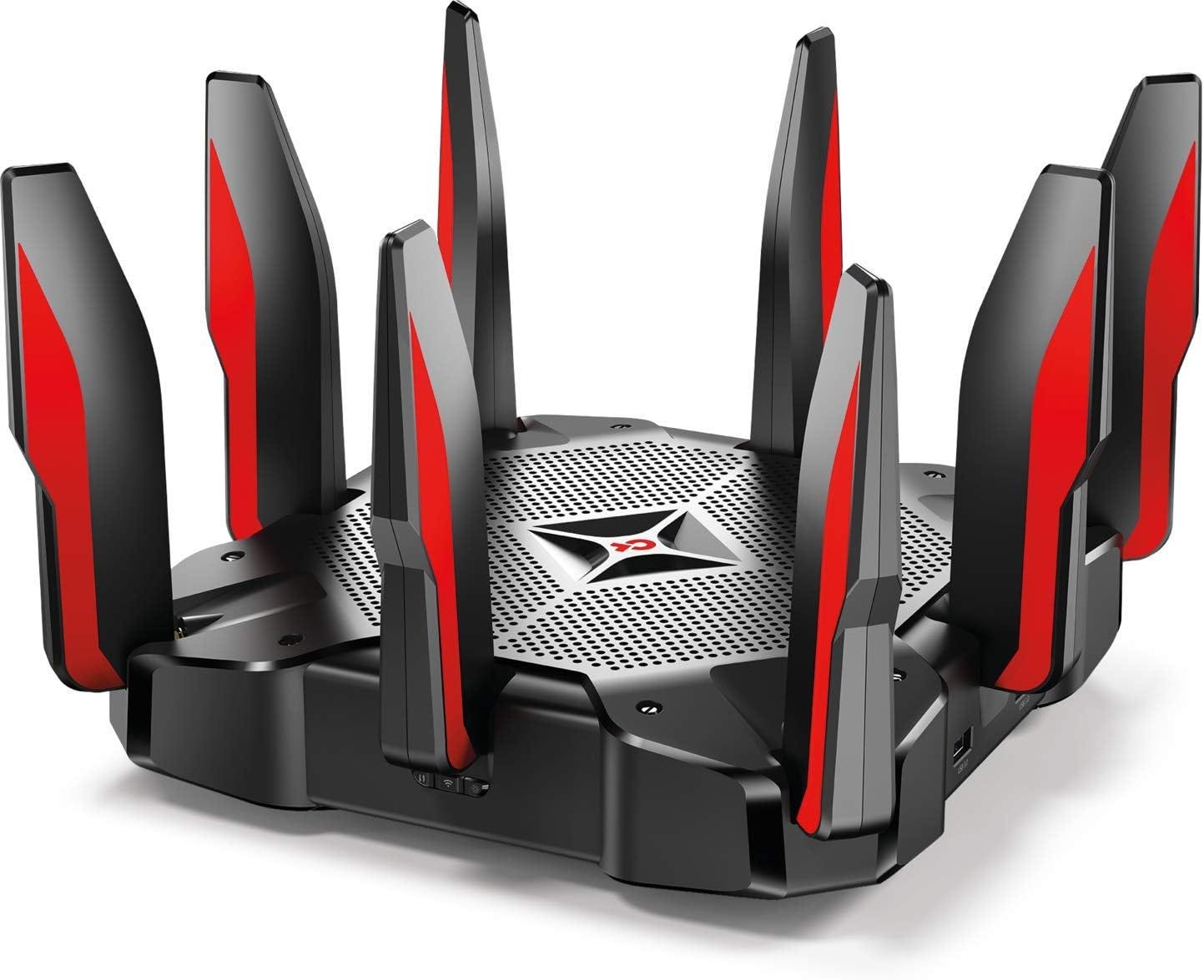
- TP-Link Archer GX90:Offers Game Accelerator with voice traffic prioritization.
- Linksys WRT32X:Focuses on reducing lag with Killer Prioritization Engine for voice and game data.
Feature Differences
| Router Model | Voice Chat Prioritization | Additional Gaming Features | Wi-Fi Standard |
|---|---|---|---|
| ASUS ROG Rapture GT-AX11000 | Advanced QoS for voice and game packets | Tri-band, WTFast VPN, Game Boost | Wi-Fi 6 (802.11ax) |
| Netgear Nighthawk Pro XR500 | Geo-Filter and QoS prioritizing voice | Custom dashboard, anti-bufferbloat | Wi-Fi 5 (802.11ac) |
| TP-Link Archer GX90 | Game Accelerator with voice priority | Tri-band, 6-stream Wi-Fi | Wi-Fi 6 (802.11ax) |
| Linksys WRT32X | Killer Prioritization Engine | Dual-band, open-source firmware | Wi-Fi 5 (802.11ac) |
Price Vs Performance
High-end routers often deliver stronger voice prioritization features. The ASUS ROG Rapture GT-AX11000 costs more but offers Wi-Fi 6 and advanced QoS. The Netgear XR500 and Linksys WRT32X provide solid voice prioritization at mid-range prices. TP-Link Archer GX90 balances price and performance with modern Wi-Fi 6 tech. Consider your budget and required features before choosing.

Credit: lifehacker.com
Additional Tips To Enhance Game Talk
Enhancing game talk is key for clear and smooth communication. Good voice chat helps teammates coordinate and react fast. Simple steps can improve your voice chat quality and reduce delays.
Optimizing Network Settings
Adjust your router settings to reduce lag and improve voice chat. Enable Quality of Service (QoS) to give priority to voice packets. Set your gaming device or app as the highest priority.
Check for firmware updates on your router. Updated software can fix bugs and improve performance. Avoid heavy downloads or streaming during gaming sessions to keep bandwidth free.
Using Wired Connections
Use Ethernet cables instead of Wi-Fi for a stable connection. Wired connections reduce interference and lower latency. This makes voice chat clearer and more reliable.
Place your router close to your gaming setup. Shorter cable lengths help maintain strong signals. Avoid using old or damaged cables for best results.
Choosing The Right Voice Chat Apps
Select apps known for low latency and clear audio. Apps like Discord, TeamSpeak, and Mumble offer great voice quality. Check app settings for options to optimize voice clarity and reduce noise.
Close other apps that use the microphone or internet. This frees up resources and avoids audio conflicts. Test your setup before playing to ensure good sound quality.

Credit: dongknows.com
Frequently Asked Questions
Can Gaming Routers Improve Voice Chat Quality?
Yes, gaming routers can prioritize voice chat traffic. They use Quality of Service (QoS) settings to reduce lag and ensure clear communication during gameplay.
How Do Gaming Routers Prioritize Voice Chat?
Gaming routers prioritize voice chat by allocating more bandwidth. They identify voice packets and give them higher priority over other data.
Are All Gaming Routers Capable Of Voice Chat Prioritization?
Not all gaming routers offer voice chat prioritization. Look for routers with advanced QoS features designed specifically for gaming and voice traffic.
Does Prioritizing Voice Chat Affect Other Internet Activities?
Prioritizing voice chat may slightly reduce bandwidth for other tasks. However, it improves overall gaming experience by minimizing voice communication delays.
Conclusion
Gaming routers can help improve voice chat quality during gameplay. They prioritize voice data to reduce lag and interruptions. This makes communication clearer and faster. Choosing a router with voice prioritization benefits all players in multiplayer games. It supports smoother teamwork and better coordination.
Not every router has this feature, so check before buying. Good voice chat can make gaming more fun and less frustrating. Prioritizing voice traffic helps keep conversations steady and reliable. Overall, gaming routers play a key role in better voice communication online.