Are you tired of your internet slowing down every time more devices connect to your network? You’re not alone.
As your home or office fills up with smartphones, laptops, smart TVs, and other gadgets, the question becomes: can a high-end router really handle all these devices without dropping speed or causing delays? Understanding how these powerful routers work can help you decide if upgrading is the solution you need.
Keep reading to discover what makes high-end routers different and whether they can keep your entire digital life running smoothly.

Credit: edgeup.asus.com
High-end Router Features
High-end routers come with powerful hardwarelike faster processors and more memory. This helps them manage many devices at once without slowing down. They use advanced wireless technologiessuch as Wi-Fi 6 or Wi-Fi 6E. These technologies improve speed and reduce interference.
Many high-end routers support multi-bandconnections. This means they can use different frequency bands to spread out the traffic. MU-MIMO(Multi-User, Multiple Input, Multiple Output) lets the router talk to several devices at the same time. This reduces waiting time for devices and keeps connections smooth.
- Fast CPU and large RAM for better performance
- Wi-Fi 6/6E for faster, clearer signals
- Multi-band (2.4 GHz, 5 GHz, 6 GHz) for less traffic
- MU-MIMO to serve many devices simultaneously
Device Capacity Limits
High-end routerscan connect many devices at once, but each has a limit. Most can handle 20 to 50 devicessmoothly. This depends on the router’s design and hardware.
Device typesaffect performance. Simple devices like phones use less power. Streaming or gaming devices need more bandwidth. This can slow down the network if many heavy users connect.
Managing network trafficis important. Routers use special tools to share speed fairly. Some have features to prioritize devices or apps. This helps keep the connection steady.
Performance Testing Setup
The test environmentused a typical home setup with a high-end router. It included multiple deviceslike laptops, phones, and smart home gadgets. The goal was to check how well the router handles many devices at once.
Device load simulationcreated traffic from 50 to 200 devices. Each device sent data to mimic real use like streaming, browsing, and gaming. This helped measure router performance under heavy load.
| Metric | What It Measures |
|---|---|
| Speed | Data transfer rate across devices |
| Latency | Delay in communication between devices |
| Packet Loss | Data lost during transmission |
| Connection Stability | How steady the network remains over time |

Credit: www.ign.com
Real-world Performance Results
High-end routers often manage multiple devices with steady speed and low lag. Real tests show they keep connections strong even with many users. This helps maintain smooth streaming and gaming across busy networks.
Speed And Latency Under Load
High-end routerskeep speeds steady even with many devices connected. Latency stays low, making video calls and games smoother. Lower-end routers often slow down and show delays when many devices use the network.
Stability With Multiple Devices
High-end models handle many devices without dropping connections. They manage traffic better, so all devices get good signal strength. Mid-range routers may lose connection or slow when many devices connect at once.
Comparison With Mid-range Routers
| Feature | High-End Routers | Mid-Range Routers |
|---|---|---|
| Speed under load | Consistent and fast | Slows down noticeably |
| Latency | Low and stable | Higher and fluctuates |
| Device handling | Supports many devices well | Struggles with many devices |
| Connection stability | Very reliable | Sometimes unstable |
Optimizing Router Performance
Keeping your router’s firmware updatedensures it runs smoothly and securely. Updates fix bugs and add new features. Check the router’s admin page regularly for updates. Adjusting settings like channel selection and transmit power can improve connection quality. Avoid overcrowded channels to reduce interference.
- Network segmentationdivides devices into groups.
- This limits traffic and reduces congestion.
- Separate work and entertainment devices for better speed.
- Create guest networks to protect your main network.
Quality of Service (QoS)helps prioritize important traffic. It lets you give more speed to video calls or gaming. Set QoS rules based on device or application. This avoids slowdowns when many devices use the network.
When To Upgrade Your Router
Slow internetand frequent disconnections can signal an overloaded network. Devices lagging or buffering often means your router struggles to keep up. Too many devices connected at once can cause this issue. If video calls drop or downloads take too long, your network is likely stressed. Older routers may not support newer, faster Wi-Fi standards, limiting device capacity.
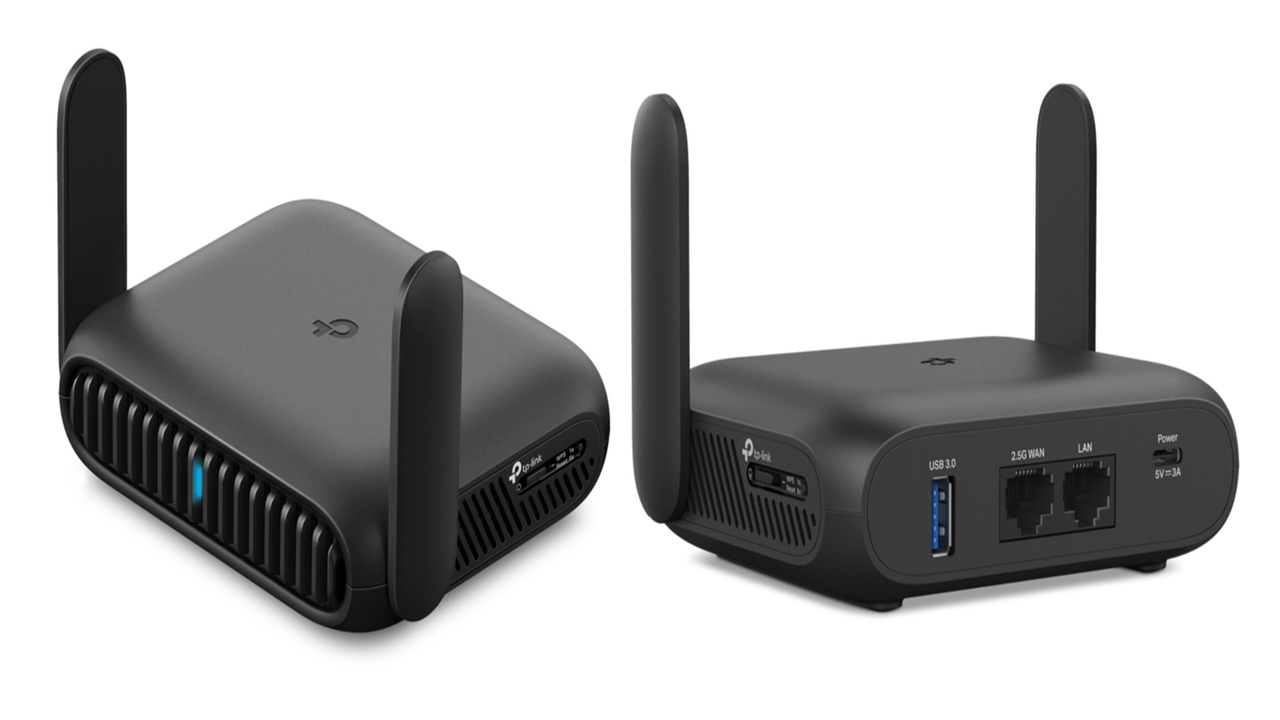
High-end routers offer better speedand can handle more devices simultaneously. They include features like advanced antennas, stronger processors, and improved security. These models often support the latest Wi-Fi standards, like Wi-Fi 6, which improve performance and reduce congestion. This means a smoother experience for all connected devices.
| Cost | Performance |
|---|---|
| High-end routers cost more upfront | Provide faster speeds and better coverage |
| Lower-end models are cheaper | May struggle with many devices or large homes |
| Consider your needs and budget | Balance price with the number of devices and space |
Credit: www.inkl.com
Frequently Asked Questions
Can High-end Routers Support Multiple Devices Simultaneously?
Yes, high-end routers are designed to manage many devices at once. They use advanced technology to reduce interference and maintain fast speeds, ensuring smooth connectivity for all connected gadgets.
How Do High-end Routers Improve Device Handling?
High-end routers use better processors and antennas to handle more data traffic. They support technologies like MU-MIMO and beamforming, which optimize connections and improve overall network performance for multiple devices.
Are High-end Routers Worth Buying For Many Devices?
If you have numerous devices, high-end routers are worth the investment. They provide faster speeds, stronger signals, and better stability, which are essential for seamless streaming, gaming, and smart home device management.
What Limits The Number Of Devices On A Router?
Router hardware, bandwidth capacity, and network interference limit device connections. Even high-end routers have a maximum device limit, but they handle many more devices than budget models without performance drops.
Conclusion
High-end routers can handle multiple devices efficiently. They offer better speed and stability. Families with many gadgets benefit from these routers. They reduce lag and improve connectivity. Investing in a high-end router is wise for large households. They ensure smooth internet experience for everyone.
No more fighting over bandwidth. Choose a router that fits your needs. Consider your home’s size and device count. This helps in picking the right model. Stay connected without interruptions. Enjoy seamless browsing, streaming, and gaming. A smart choice for modern homes.
Make the switch today for improved connectivity.