Are you wondering if your high-end router can handle more than one network at the same time? Whether you want to keep your work devices separate from personal ones or create a guest network for visitors, understanding how your router manages multiple networks is key.
Imagine the freedom of seamless connections without slowdowns or security risks. You’ll discover how high-end routers can run multiple networks efficiently, what features to look for, and how this can make your digital life easier and safer. Keep reading to unlock the full potential of your router and take control of your home or office network like a pro.
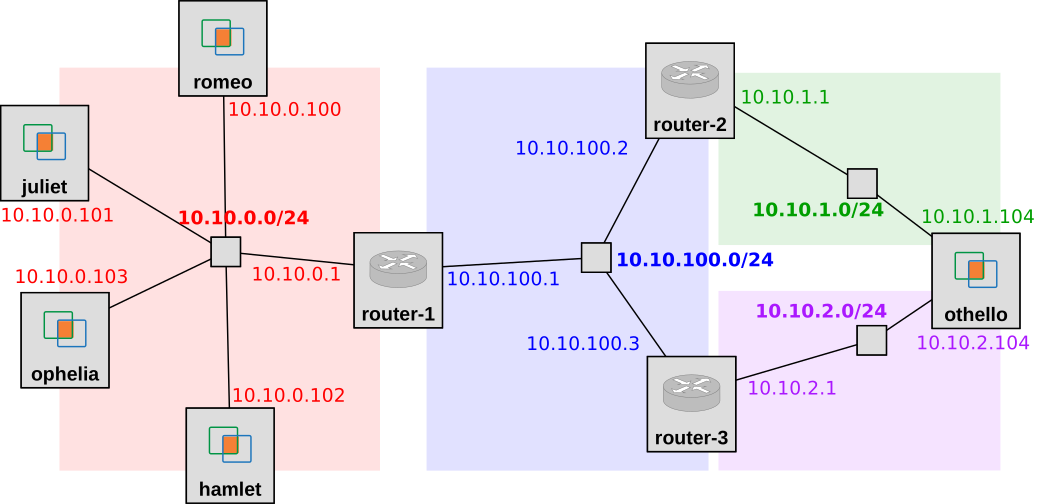
Credit: witestlab.poly.edu
Benefits Of Multiple Networks
Multiple networkson high-end routers bring many benefits. They help keep your data safe. Each network can have its own password and rules. This means better securityfor important devices and information.
Managing networks becomes easier. You can separate work devices from personal ones. This helps find problems faster and control who uses what.
Bandwidth is used more smartly. Different networks can get different speeds. This stops one network from slowing down the others. Everyone gets a smooth internet experience.
- Enhanced Security:Separate networks protect important data.
- Improved Network Management:Easy to control and fix issues.
- Optimized Bandwidth Usage:Fair and fast internet for all users.
Router Features Supporting Multiple Networks
VLAN capabilitieslet routers create separate networks inside one device. This helps keep devices and data apart. Businesses use VLANs to protect sensitive info and improve network speed.
Routers with dual-band and tri-band supportoffer more wireless channels. They reduce interference and help many devices connect smoothly. Tri-band routers add an extra band for even better performance.
Guest network optionsallow visitors to use the internet without accessing the main network. This keeps your main devices safe. Guest networks are easy to set up and control.
Setting Up Multiple Networks On High-end Routers
Accessing the router settings usually requires entering the router’s IP address in a web browser. Use the default username and password found on the router label. Once logged in, you can adjust many options to create multiple networks.
Configuring VLANs allows you to split one physical network into several virtual ones. This keeps devices in each VLAN separate, improving security and traffic management. Each VLAN can have its own settings and rules.
Enabling guest networks creates a separate Wi-Fi network for visitors. This prevents guests from accessing your main network and its devices. You can set limits on guest access time or bandwidth for better control.
Use Cases For Multiple Networks
High-end routerscan create multiple networksto keep things separate and secure. This is useful for different needs and users.
- Home office and personal networks:Keep work devices and family devices apart. This protects work data and stops distractions.
- Small business environments:Create separate networks for employees and guests. This helps protect company data while offering internet access to visitors.
- Public Wi-Fi and private networks:Offer public access safely without risking private information. Many cafes and shops use this setup.
Performance Considerations
High-end routershave powerful processors and more memory. This helps them handle multiple networks without slowing down. But every router has hardware limits. Too many networks can cause delays or dropped connections.
Managing network trafficis key. Routers use special rules to split bandwidth. This keeps each network fast and stable. Quality of Service (QoS) settings help by giving priority to important data.
| Firmware Updates | Support |
|---|---|
| Keep router software up to date. Updates fix bugs and improve speed. | Good support helps solve problems quickly. Check if your router brand offers regular updates and help. |
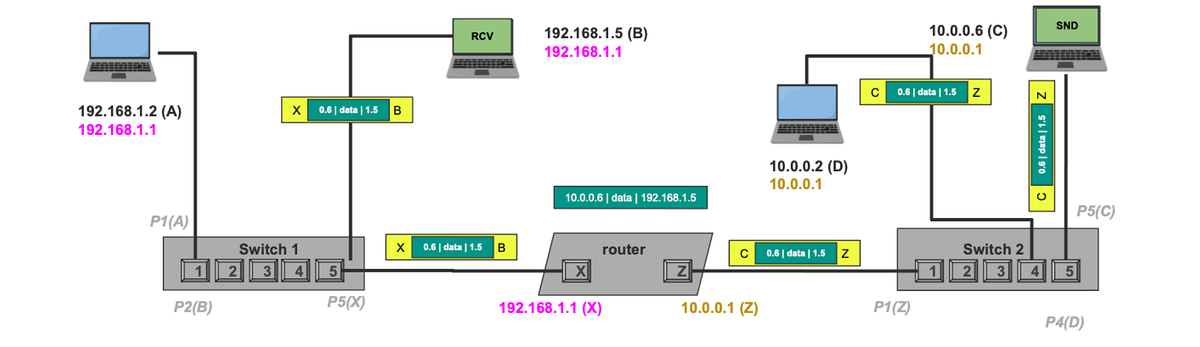
Credit: medium.com
Troubleshooting Common Issues
Connectivity problemscan happen if the router is overloaded or settings are wrong. Check cables and restart the router. Make sure each network uses different Wi-Fi names(SSIDs) and passwords. Update the router firmware to fix bugs.
IP address conflictsoccur when two devices have the same IP. This stops internet access for both devices. Assign different IP rangesfor each network or use the router’s DHCPfeature to prevent conflicts.
Security vulnerabilitieshappen if networks share settings or weak passwords. Use strong, unique passwords for each network. Enable firewallsand encryptionlike WPA3. Separate guest networks to keep data safe.
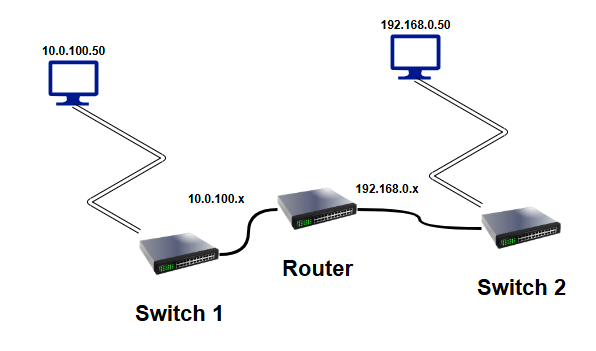
Credit: shilpathota.medium.com
Frequently Asked Questions
Can High-end Routers Support Multiple Networks Simultaneously?
Yes, high-end routers can run multiple networks at once. They use VLANs or multiple SSIDs to separate traffic efficiently. This allows secure and organized management of different network segments within the same device.
How Do Routers Manage Multiple Network Traffic Effectively?
Routers manage multiple networks by prioritizing traffic with Quality of Service (QoS). They allocate bandwidth and separate data streams to prevent congestion. This ensures smooth performance for all connected networks.
Are There Security Benefits To Running Multiple Networks?
Yes, multiple networks improve security by isolating devices and users. This separation limits unauthorized access and contains potential threats. High-end routers offer advanced firewall and encryption features for each network.
What Features Should I Look For In A Router For Multiple Networks?
Look for routers with VLAN support, multiple SSIDs, strong QoS, and robust security options. Dual or tri-band capabilities also help manage traffic efficiently. These features ensure reliable and secure multi-network operation.
Conclusion
High-end routers can handle multiple networks with ease. They offer flexibility. Users can manage different networks for guests, work, and personal use. These routers ensure smooth connectivity and better security. Investing in a quality router can enhance your network experience.
It provides stability and speed. Choose a router that fits your needs and budget. Consider features like range, speed, and security. A good router makes your digital life easier and more efficient. Reliable connections are crucial in today’s world. Make an informed decision for a seamless online experience.