Are you wondering if you can host a game server using your gaming router? If you’ve ever wanted to create a private space for you and your friends to play without lag or interruptions, this question matters a lot.
Hosting a game server at home sounds simple, but there are important details you need to know before jumping in. You’ll discover what makes a gaming router suitable for hosting, the steps to get started, and the common challenges you might face.
Keep reading to find out how to turn your router into the gateway for your ultimate gaming experience.
Credit: www.newegg.com
Gaming Router Basics
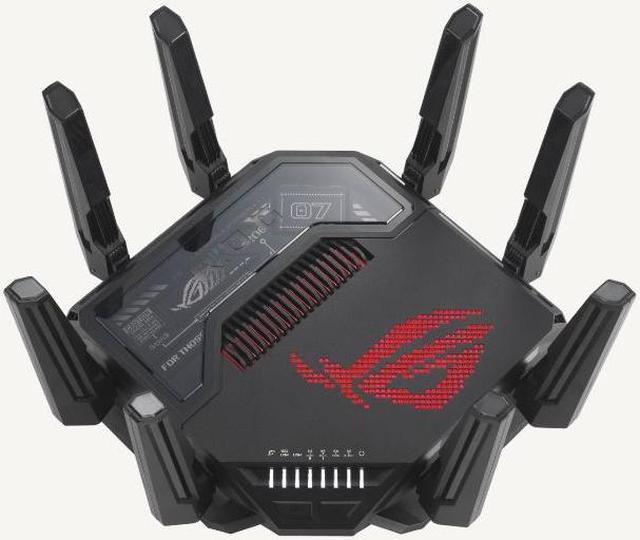
Understanding gaming router basics is essential before you decide to host a game server on one. These routers are designed to handle the unique demands of gaming traffic, giving you faster speeds and lower lag. But what exactly makes them different from the routers you might already have at home?
Key Features Of Gaming Routers
Gaming routers come packed with features that aim to enhance your online gameplay experience. One key feature is Quality of Service (QoS), which lets you prioritize gaming traffic over other types of data. This means your game data gets first attention, reducing lag during crucial moments.
Another important feature is multiple antennas and advanced beamforming technology. This improves signal strength and stability, so your connection stays strong even if your gaming setup is far from the router.
Many gaming routers also offer customizable settings through easy-to-use apps. You can tweak your network to reduce latency or open specific ports needed for hosting game servers. These tools give you more control without needing deep technical knowledge.
How Gaming Routers Differ From Standard Routers
Standard routers are built to handle everyday internet use like browsing and streaming. They don’t prioritize traffic, so if someone in your house starts streaming a movie while you’re gaming, your connection could suffer.
Gaming routers focus on reducing latency and maintaining stable connections. They also support higher bandwidths and faster Wi-Fi standards, which can handle multiple devices without breaking a sweat.
Think about your home network like a highway. A standard router is a regular road, while a gaming router adds dedicated express lanes for gaming traffic. This difference can be crucial when you want a smooth, uninterrupted gaming session or when hosting a game server for friends.
Have you noticed your regular router struggling to keep up during intense gaming sessions? Switching to a gaming router might be the practical upgrade you need.
Credit: www.noip.com
Game Server Hosting Requirements
Hosting a game server on your gaming router requires meeting specific technical requirements to ensure smooth gameplay for you and your players. Understanding these needs helps avoid frustrating lag, disconnects, and crashes that can ruin the experience. Let’s look at the key hardware and network factors you need to consider before turning your router into a game server.
Hardware And Network Needs
Your gaming router must have enough processing power and memory to handle multiple connections simultaneously. Basic routers often struggle with hosting because they lack the CPU strength and RAM needed to manage game data traffic.
Look for routers with:
- Multi-core processors (at least dual-core)
- Minimum 512MB of RAM, though 1GB or more is ideal
- Support for custom firmware like DD-WRT or OpenWRT, which can improve server management
Additionally, your home network setup should support stable connections. Wired Ethernet connections are preferable over Wi-Fi for hosting since they offer lower interference and more consistent speeds.
Bandwidth And Latency Considerations
Hosting a game server means your router will send and receive data constantly. This demands significant upload bandwidth, not just download speed. Many home internet plans offer high download but limited upload speeds, which can bottleneck your server’s performance.
Check your internet plan’s upload speed and aim for at least 5 Mbps upload for small servers. Larger servers with more players will require more bandwidth.
Latency, or the delay between sending and receiving data, also affects gameplay quality. Even if your bandwidth is sufficient, high latency can cause lag and slow responses. A stable, low-latency connection is critical.
Ask yourself: Does your ISP provide consistent upload speeds, or does it fluctuate during peak hours? Testing your network at different times can reveal if your connection is reliable enough for hosting.
Setting Up A Game Server On A Gaming Router
Setting up a game server on a gaming router allows you to host multiplayer games for friends or the public. It improves connectivity and reduces lag by managing data traffic efficiently. This setup requires careful router configuration to ensure smooth gameplay and stable connections. Key steps include setting port forwarding, assigning static IPs, and enabling Quality of Service (QoS).
Configuring Port Forwarding
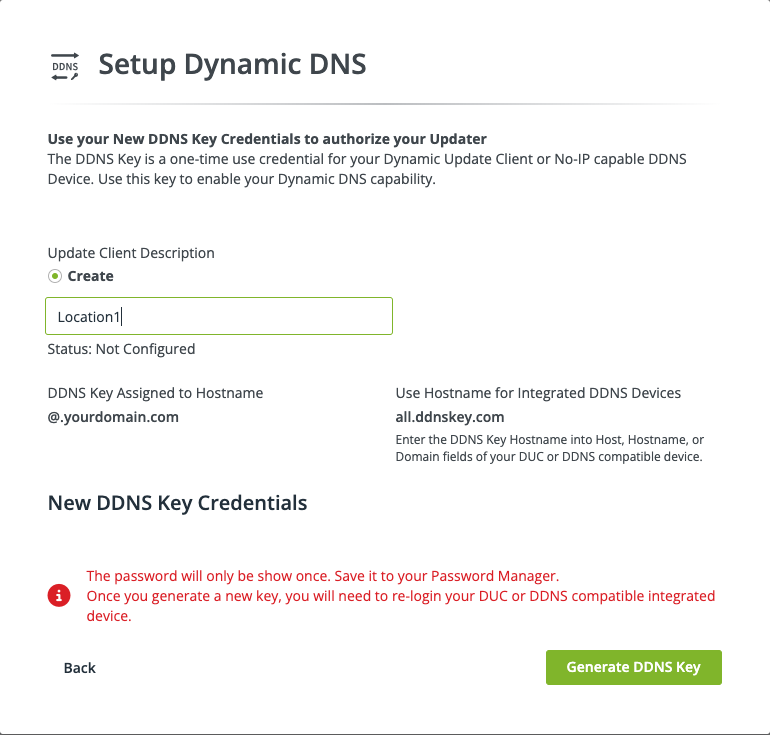
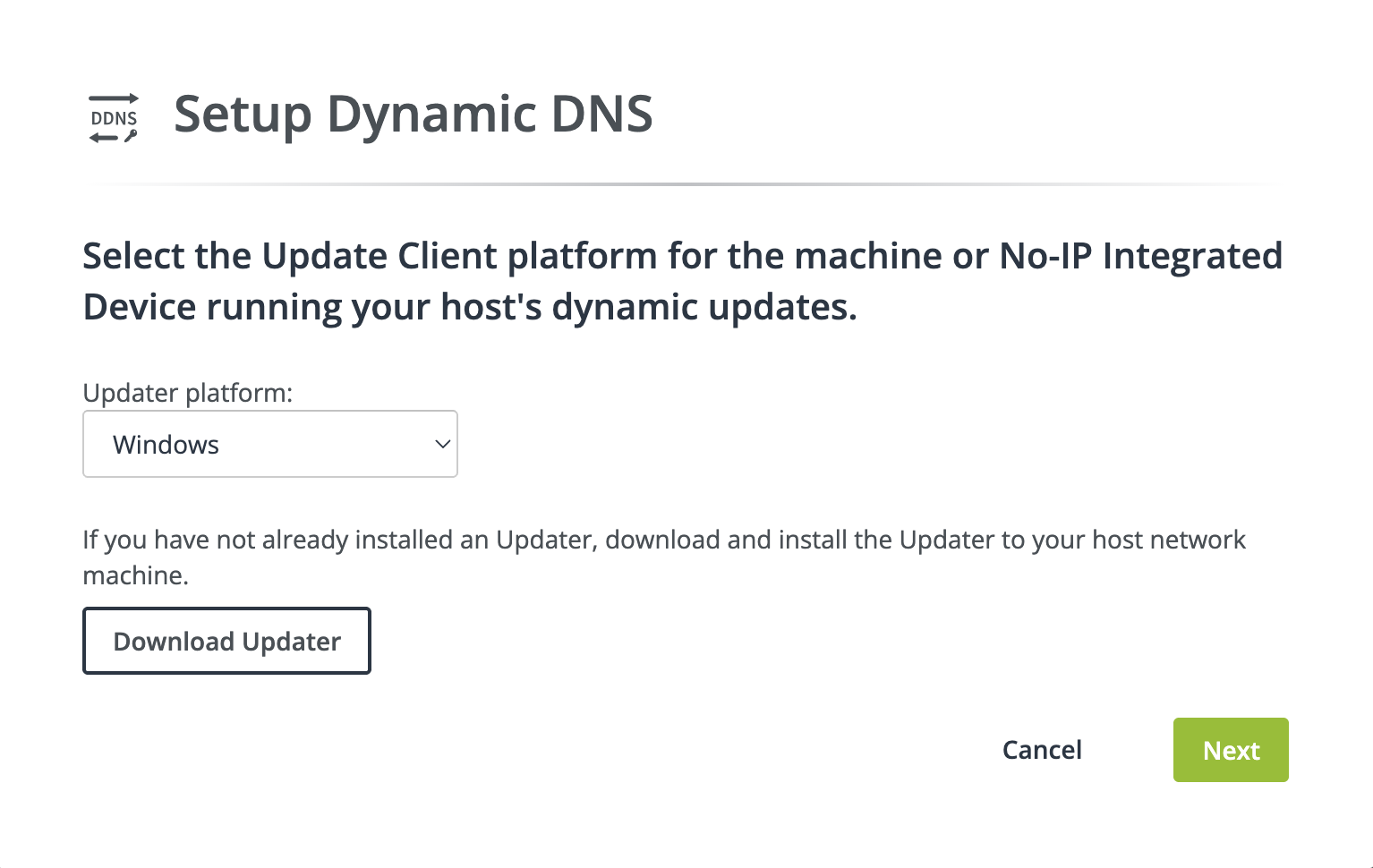
Port forwarding directs game data from the internet to your server. Without it, external players cannot connect to your game. Access your router’s settings page by typing its IP address in a browser. Find the port forwarding section. Add rules for the specific ports your game server uses. Use the game’s documentation to check which ports to open. Save changes and restart the router if needed.
Assigning Static Ip Addresses
Static IPs keep your server’s address fixed on the local network. This stability prevents connection issues caused by changing IPs. Assign a static IP through the router’s DHCP settings or directly on the server device. Choose an IP outside the automatic range to avoid conflicts. Note the IP address for port forwarding and connecting players.
Enabling Quality Of Service (qos)
Quality of Service prioritizes game traffic over other data on your network. This reduces lag and improves response times during gameplay. Find the QoS settings in your router’s interface. Enable it and set the game server’s IP or ports as high priority. Adjust bandwidth limits if the router supports it. Save settings and test your server’s performance.
Credit: www.noip.com
Popular Games Suitable For Home Servers
Hosting a game server on your gaming router can transform your gaming experience. It allows you to enjoy smoother gameplay and have greater control over your gaming environment. However, not every game is ideal for home servers. Here are some popular games that are perfectly suited for hosting on a home server.
Minecraft
Minecraft is a classic choice for home servers due to its scalability and customization. You can create a world as vast as your imagination allows, and invite friends to explore, build, and survive together. The game’s lightweight requirements make it perfect for a gaming router, ensuring low latency and seamless interaction.
Running a Minecraft server lets you install mods and plugins to tailor the experience to your liking. Imagine building a colossal castle with your friends or challenging each other in survival mode. With a home server, these possibilities are at your fingertips.
Counter-strike: Global Offensive
Counter-Strike: Global Offensive (CS:GO) is another favorite for home server hosting. Hosting your own CS:GO server gives you complete control over maps, rules, and game modes. It’s a fantastic way to practice with friends or host a small tournament.
On your own server, you can tweak game settings to suit your skill level or test new strategies. Have you ever wanted to practice without the pressure of public servers? Hosting CS:GO on a home server lets you do just that, creating a relaxed environment for honing your skills.
Ark: Survival Evolved
ARK: Survival Evolved offers an expansive world filled with dinosaurs and adventures, making it an exciting choice for home servers. Hosting it yourself allows you to customize the game environment, from taming rates to weather conditions.
Imagine setting up a private world where you and your friends can focus on survival strategies without outside interference. ARK’s rich gameplay options make your home server the perfect playground for creativity and teamwork.
Have you ever considered hosting one of these games on your home server? What unique features would you enable to enhance your gaming experience? Hosting a game server on your gaming router can be the gateway to creating unforgettable gaming moments with friends.
Troubleshooting Common Issues
Troubleshooting common issues on a gaming router when hosting a game server can save you hours of frustration. Problems like connection drops, latency spikes, and firewall restrictions often pop up unexpectedly. Understanding how to identify and fix these can keep your gaming experience smooth and your server reliable.
Connection Drops
Connection drops are one of the most annoying problems when hosting a game server. They can happen because of unstable internet service, router firmware glitches, or even overheating hardware.
Try these fixes:
- Restart your router regularly to clear temporary glitches.
- Update your router’s firmware to the latest version for improved stability.
- Check if your ISP has outages or bandwidth throttling during peak hours.
Have you noticed if drops happen during specific times or activities? Tracking this pattern can help pinpoint the root cause faster.
Latency Problems
High latency ruins the responsiveness of your game server. It can stem from network congestion, improper Quality of Service (QoS) settings, or distant server locations.
Here’s what you can do:
- Enable QoS on your router to prioritize game server traffic over other devices.
- Limit bandwidth-heavy applications running on your network during gaming sessions.
- Choose a server location closer to your target players to reduce travel time for data packets.
Do you monitor your ping regularly? Tools like ping tests or traceroutes can reveal where delays are occurring.
Firewall Restrictions
Firewalls protect your network but can block important game server ports, making hosting impossible. Many routers come with built-in firewalls that need proper configuration.
To fix this, you should:
- Open or forward the necessary ports for your specific game server in the router settings.
- Disable any firewall rules that might be overly restrictive, but keep security in mind.
- Check if your ISP blocks common gaming ports and ask them for alternatives if needed.
Have you ever struggled with figuring out which ports to open? Game developer forums and official documentation often list these details clearly.
Security Tips For Hosting
Hosting a game server on a gaming router requires strong security measures. Protecting your network keeps your server safe from attacks and unwanted access. Follow these key tips to improve your server’s security and enjoy smooth gameplay.
Securing Your Router
Change the default router password to a strong one. Use a mix of letters, numbers, and symbols. Disable remote management to prevent outsiders from accessing your router settings. Enable the router firewall to block harmful traffic. Use WPA3 or WPA2 encryption for your Wi-Fi network. Avoid using open or weak security options.
Managing User Access
Create a list of trusted users who can access the game server. Limit the number of players to reduce risks. Use strong passwords for game server accounts. Regularly update and remove users who no longer need access. Set permissions carefully to control what each user can do. Monitor login attempts and block suspicious activity.
Regular Firmware Updates
Check your router manufacturer’s website often for updates. Firmware updates fix security bugs and improve performance. Install updates promptly to keep your router secure. Enable automatic updates if your router supports it. Outdated firmware can leave your server open to hackers.
Alternatives To Hosting On Gaming Routers
Hosting a game server on a gaming router can be limiting. Routers often lack the power and stability needed for smooth gameplay. Many players explore other hosting choices. These alternatives offer better performance and more features. They ensure the game runs without lag and downtime.
Dedicated Game Server Providers
Dedicated game server providers offer servers built just for gaming. These servers provide stable connections and low latency. Providers manage hardware, updates, and security. Users get easy control panels to customize settings.
- High-speed network optimized for gaming
- 24/7 technical support
- Regular software updates
- Options to choose server location
Such providers reduce the chance of crashes and lag spikes. They suit players who want a reliable and easy setup.
Cloud Hosting Options
Cloud hosting uses virtual servers online. It offers flexibility to scale resources up or down. Cloud servers handle multiple players without slowing down.
- Pay only for the resources used
- Access from anywhere with internet
- Automatic backups and data protection
- Customizable server specifications
Cloud hosting fits users who need adjustable power and control. It supports different games and player counts efficiently.
Frequently Asked Questions
Can I Use A Gaming Router For Hosting Game Servers?
Yes, a gaming router can host game servers if it supports port forwarding and has sufficient processing power. This ensures stable connections and low latency for players.
What Features Should A Router Have For Game Servers?
Look for routers with strong CPU, ample RAM, and QoS settings. These features help manage traffic and reduce lag during gameplay.
How Do I Set Up Port Forwarding On A Gaming Router?
Access your router’s admin panel, locate port forwarding settings, and open specific ports for your game server. This allows external players to connect.
Will Hosting A Game Server Affect My Internet Speed?
Hosting can impact internet speed, especially upload bandwidth. A gaming router with QoS can help prioritize gaming traffic to maintain smooth gameplay.
Conclusion
Hosting a game server on a gaming router is possible with the right setup. You need a strong internet connection and proper router settings. Port forwarding and security settings matter a lot. Not all routers handle game servers well. Check your router’s features before starting.
Small games work better than big, complex ones. Testing your server helps find and fix issues fast. Hosting at home can save money but needs effort. Now, you know the basics to decide if it fits your needs.