Are you wondering if you can boost your mobile hotspot’s performance by using a tri-band router? You’re not alone.
Many people want faster, more reliable internet but aren’t sure how to make the most of their devices. Imagine turning your simple mobile connection into a powerful, stable network that supports all your gadgets without lag or dropouts. You’ll discover exactly how a tri-band router works with your mobile hotspot and whether it’s the right choice for your needs.
Keep reading to unlock smarter internet use and take control of your online experience like never before.
Credit: wifi-guy.net
Tri Band Router Basics
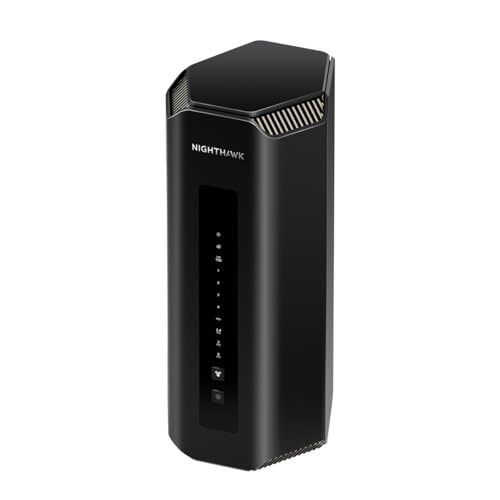
Understanding the basics of a tri band router helps when using it with a mobile hotspot. Tri band routers offer more wireless bands than regular routers. This improves the network’s speed and reduces interference. Knowing how these routers work can guide better decisions.
What Is A Tri Band Router
A tri band router has three separate wireless bands. Usually, it has one 2.4 GHz band and two 5 GHz bands. Each band creates its own network channel. This allows more devices to connect without slowing down the internet. The router manages traffic across these bands to keep connections stable and fast.
Benefits Of Tri Band Technology
- Supports many devices at the same time
- Reduces network congestion by separating traffic
- Improves speed for gaming and streaming
- Offers better range and coverage in large homes
- Enhances performance for smart home devices
Mobile Hotspot Essentials
Understanding the essentials of a mobile hotspot is key before pairing it with a tri-band router. Knowing how these devices function and their types helps you make smarter decisions about your internet setup. Let’s break down what you need to know about mobile hotspots.
How Mobile Hotspots Work
A mobile hotspot connects to the internet using cellular data, much like your smartphone does. It then shares this connection via Wi-Fi, allowing multiple devices to access the internet simultaneously.
Think of it as a mini Wi-Fi tower you carry around. This makes it perfect for places without fixed broadband or when you’re on the move.
Have you ever noticed your phone’s hotspot slowing down when many devices connect? That’s because the hotspot’s capacity is limited by the cellular signal and hardware capabilities.
Types Of Mobile Hotspots
Mobile hotspots come in different forms, each with its own strengths and weaknesses.
- Dedicated Mobile Hotspot Devices:These gadgets are specifically made to act as hotspots. They often provide better signal range and battery life than phones.
- Smartphone Hotspots:Most smartphones can double as hotspots. They’re convenient but may drain your battery quickly and have limited range.
- USB or Plug-in Hotspots:These plug into your laptop or car and offer internet access. They’re handy but usually support fewer devices.
Choosing the right type depends on how many devices you want to connect and where you’ll use it.
Compatibility Factors
Compatibility factors are key when using a tri band router with a mobile hotspot. Different devices and network settings affect how well they work together. Understanding these factors helps ensure a smooth connection and better internet speed. This section covers how to connect the devices and the important network frequencies to consider.
Connecting Tri Band Router To Mobile Hotspot
Connecting a tri band router to a mobile hotspot involves a few steps. The router must support connecting via Wi-Fi as a client or bridge. Most tri band routers can connect to mobile hotspots using their wireless settings.
- Access the router’s admin panel through a web browser.
- Find the Wi-Fi settings and select the hotspot’s network.
- Enter the hotspot password to establish the connection.
- Set the router to repeat or bridge mode if available.
This setup allows the router to share the hotspot’s internet with multiple devices. Some routers offer better options for hotspot integration than others. Check the router manual for specific instructions.
Network Frequency Considerations
Tri band routers use multiple frequencies, usually one 2.4 GHz and two 5 GHz bands. Mobile hotspots often operate on 4G or 5G cellular networks and then broadcast Wi-Fi at 2.4 GHz or 5 GHz.
- Ensure the hotspot broadcasts Wi-Fi on a frequency supported by the router.
- 2.4 GHz offers wider range but slower speeds.
- 5 GHz provides faster speeds but shorter range.
- Some hotspots may only support 2.4 GHz Wi-Fi.
- Tri band routers can optimize traffic across bands for better performance.
Matching the hotspot’s Wi-Fi band with one of the tri band router’s bands helps maintain a stable connection. Frequency compatibility affects internet speed and device connectivity.

Credit: www.pcmag.com
Setup Process
Setting up a tri-band router with a mobile hotspot can seem daunting. Yet, it is straightforward with the right steps. This process enables faster internet access, even on mobile networks. Let’s dive into configuring your router for hotspot use and fixing potential connection issues.
Configuring Router For Hotspot Use
Start by connecting your router to a power source. Use an Ethernet cable to connect your router to a computer. Access your router’s admin page using a browser. Enter the IP address, usually found on the router’s label.
Log in with the admin credentials. Navigate to the network settings. Look for the option to set up a new connection. Choose “Mobile Hotspot” from the connection type.
Input the mobile hotspot’s SSID and password. Save the settings and wait for the router to connect. Your router should now use the mobile hotspot for internet access.
Troubleshooting Connection Issues
Sometimes, you might face connection problems. Check if the mobile hotspot is active. Ensure the router is in range of the hotspot signal.
Verify the SSID and password are correct. Restart both the router and mobile device. If issues persist, reset the router to factory settings.
Re-configure the router from scratch. Contact your service provider for further assistance if needed.
Performance Insights
Understanding how a tri-band router performs when paired with a mobile hotspot can help you set realistic expectations and optimize your network experience. Performance depends on several factors including the quality of your hotspot signal and how your router manages traffic across its bands.
Speed And Stability Expectations
Using a tri-band router with a mobile hotspot usually improves device connection options but doesn’t automatically boost your internet speed beyond the hotspot’s limits. Your hotspot’s cellular connection speed is the real bottleneck here.
Tri-band routers divide devices among three separate frequency bands, reducing interference and congestion. This can lead to better stability and smoother streaming or gaming experiences, especially if you have many devices connected.
However, if your hotspot signal fluctuates or drops, even the best router can’t maintain stable speeds. Have you noticed your connection slowing when the hotspot moves to a weaker signal area? That’s a key factor to watch.
Impact Of Device Load
The more devices connected to your tri-band router, the more the router’s ability to efficiently allocate bandwidth matters. Each band can handle multiple devices but sharing one hotspot connection means total bandwidth is limited.
For example, streaming a 4K video on one device while others browse the web or attend video calls can strain the hotspot connection. Your tri-band router helps by spreading devices across bands, but it can’t create extra bandwidth.
Think about the number of devices you really need connected at once. Could limiting non-essential devices improve your overall network performance? Managing device load is as important as having a powerful router.

Credit: www.youtube.com
Use Case Scenarios
Using a tri-band router with a mobile hotspot opens up several practical use cases that might not be obvious at first. It’s not just about faster speeds but about how you can manage multiple devices and maintain a stable connection in different environments. Let’s look at where this combination truly shines.
Home And Small Office Applications
Imagine you have several smart devices, laptops, and phones all demanding internet at once. A tri-band router can handle these loads efficiently by distributing devices across three separate frequency bands. This means less lag and smoother streaming or video calls for everyone in your household or office.
If your home or office lacks wired internet, pairing a mobile hotspot with a tri-band router can act as a reliable primary internet source. You get to extend your hotspot’s reach, creating strong Wi-Fi signals even in rooms far from the hotspot device. This setup is particularly useful if your mobile data plan has high speed but limited coverage area inside buildings.
Have you ever struggled with slow downloads when multiple people are online? A tri-band router helps avoid that by isolating heavy traffic devices on their own band. This keeps your work calls clear while someone else streams or downloads files.
Travel And Remote Work
Traveling with a tri-band router and a mobile hotspot might feel like carrying extra gear, but it’s worth the flexibility. You can create a private, secure Wi-Fi network wherever you are, avoiding public networks that may be slow or unsafe.
For remote workers, this setup means you’re not tied to unreliable hotel or café Wi-Fi. You control your internet environment and can connect multiple devices seamlessly. Whether you’re on a road trip or staying in a short-term rental, your internet experience becomes stable and predictable.
Think about the times you’ve struggled with a spotty connection during an important video meeting. Using a tri-band router with a mobile hotspot can reduce those interruptions by balancing the load and extending signal strength. This can be a game-changer for maintaining productivity on the go.
Limitations To Expect
Using a tri-band router with a mobile hotspot has benefits. Still, it comes with some limits. Knowing these limits helps set the right expectations. This section covers key issues like data limits and signal strength. These points affect your internet experience.
Data Caps And Throttling
Most mobile hotspots have data limits. After reaching these caps, speeds slow down. This is called throttling. It can make browsing or streaming frustrating. Tri-band routers do not change these limits. They only manage multiple devices better. Heavy users might hit data caps quickly. Watching videos or gaming uses lots of data. Plan your usage to avoid slowdowns.
Signal Range Challenges
Mobile hotspots use cellular signals. These signals do not cover large areas like home Wi-Fi. Walls and distance reduce signal strength. Tri-band routers can extend coverage indoors. But they cannot improve the original signal from the hotspot. Moving farther from the hotspot lowers speed and connection quality. Keep the hotspot close to your router. This helps maintain a stable connection.
Alternative Solutions
Exploring alternative solutions can help you find better ways to connect your devices. Tri band routers may not always work smoothly with mobile hotspots. There are other router types and devices designed for mobile internet use. These options often offer better compatibility and stability. Consider your needs and device capabilities to choose the right solution.
Dual Band Routers With Hotspots
Dual band routers support both 2.4 GHz and 5 GHz frequencies. They offer good speed and coverage for most users. Many models can connect to mobile hotspots via USB or Wi-Fi. This setup allows sharing your mobile data with multiple devices easily. Dual band routers are more affordable than tri band models. They often have better support for mobile internet connections.
Dedicated Mobile Router Options
Dedicated mobile routers are designed specifically for cellular networks. These devices have built-in SIM slots for direct mobile data access. They provide stable and secure connections for mobile internet users. Mobile routers support 4G LTE and 5G networks for fast speeds. Battery-powered models offer portability for travel or outdoor use. These routers usually include features like signal boosting and easy setup.
Frequently Asked Questions
Can A Tri Band Router Work With Mobile Hotspots?
Yes, a tri band router can connect to mobile hotspots. It uses one band for the hotspot and others for devices. This setup improves internet speed and reduces congestion in your home network.
Does Tri Band Improve Mobile Hotspot Performance?
Tri band routers can enhance performance by splitting traffic across three bands. This reduces interference and allows more devices to connect smoothly to the mobile hotspot network.
How To Connect Tri Band Router To Mobile Hotspot?
To connect, enable the mobile hotspot on your phone. Then, set your tri band router to use the hotspot as the internet source. Follow the router’s setup guide for hotspot connection settings.
Are Tri Band Routers Better For Mobile Hotspot Sharing?
Yes, tri band routers provide more bandwidth and reduce network congestion. This makes them ideal for sharing mobile hotspot internet with multiple devices simultaneously.
Conclusion
Using a tri-band router with a mobile hotspot can boost your internet speed. It helps connect many devices without slowing down. The router balances traffic well across bands. This setup works best in busy places. Keep in mind, your mobile data limits still apply.
Choose a good router to get stable signals. This way, you enjoy better Wi-Fi at home or outside. Simple steps make your internet faster and smoother. Give it a try to see the difference yourself.