Are you tired of seeing bulky wifi devices cluttering your living space? You want strong, reliable internet, but also a clean, neat home.
That’s where mesh wifi comes in – it spreads your signal evenly, but can it be hidden from sight? If you’ve ever wondered whether your mesh wifi system can stay out of view without losing performance, you’re in the right place.
Keep reading, and you’ll discover simple, smart ways to keep your wifi setup both powerful and invisible.
Mesh Wifi Basics
Understanding mesh WiFi is key to deciding if it can be hidden in your home. Mesh WiFi uses several devices spread across your space. These devices work together to create one strong network. This setup helps cover large areas with good internet. Unlike traditional routers, mesh systems do not rely on a single device.
Knowing how mesh WiFi works and its benefits helps you see why many choose it. This knowledge also helps in planning where to place the devices for the best results.
How Mesh Wifi Works
Mesh WiFi includes a main router and several nodes. The main router connects to the internet source. Nodes spread the signal to hard-to-reach areas. Each node talks to the others wirelessly. This creates a large, seamless WiFi network. Devices switch between nodes automatically for the best signal. The network name and password stay the same everywhere.
Benefits Over Traditional Routers
- Better coverage across large spaces
- Fewer dead zones in your home
- Easy to expand by adding more nodes
- Consistent speeds even far from the router
- Simple setup and management via apps

Credit: www.youtube.com
Reasons To Hide Mesh Wifi
Hiding your mesh WiFi system might seem like a minor detail, but it can have significant benefits for your living space and digital safety. Whether you want to keep your home looking tidy or protect your network from unwanted attention, there are practical reasons to consider concealing your mesh devices. Let’s look at why you might want to hide your mesh WiFi.
Aesthetic Appeal
Your home’s decor reflects your personality, and bulky tech devices can disrupt that vibe. Mesh WiFi nodes often come in plain, utilitarian designs that stand out rather than blend in.
Hiding them helps maintain a clean and stylish space without sacrificing connectivity. Imagine not having to rearrange furniture to avoid those visible boxes or cluttered cables.
Security Concerns
Keeping your mesh WiFi out of plain sight can add a layer of security. Visible devices can be an easy target for tampering or unauthorized access.
By hiding your mesh nodes, you reduce the chance someone unfamiliar with your space can quickly find and interfere with your network. Do you really want your WiFi exposed where anyone can reach it?
Space Optimization
In small rooms or crowded areas, every inch counts. Mesh WiFi units can take up valuable surface space or create cable clutter.
Hiding these devices helps you use your space more efficiently, keeping surfaces clear and rooms looking spacious. Have you considered how much more comfortable your environment could feel without tech gadgets in the way?
Physical Placement Tips
Proper physical placement of mesh WiFi devices helps keep them out of sight without losing signal strength. Thoughtful positioning balances concealment and performance. This section explores practical tips for hiding mesh WiFi units effectively.
Discreet Locations
Choose spots where mesh nodes blend naturally. Corners of rooms often work well. Near power outlets is ideal to avoid visible wires. Avoid placing nodes on the floor to reduce dust and damage. High shelves or behind curtains can hide devices while keeping signals clear.
Using Furniture And Decor
Use furniture to mask mesh WiFi devices. Place nodes behind books, plants, or decorative items. Thin materials like wood or fabric do not block signals much. Avoid thick metal or glass objects that weaken WiFi. Rearranging furniture slightly can create hidden spots without clutter.
Avoiding Signal Interference
Keep mesh units away from electronics that emit strong signals. Microwaves, cordless phones, and baby monitors cause interference. Avoid placing nodes near large metal objects or mirrors. Maintain open space around devices for better signal spread. This ensures fast and reliable WiFi throughout your home.
Techniques To Make Mesh Wifi Invisible
Making your mesh WiFi system invisible helps keep your space tidy and neat. Several techniques can blend these devices into your home or office decor. These ideas do not affect the WiFi signal much and keep your network strong.
Camouflaging With Covers
Using covers that match your room’s style is a simple way to hide mesh WiFi units. Covers can come in colors and patterns that blend with furniture or walls. They reduce the visual impact without blocking the device’s vents or signal.
Choose covers made from materials that do not interfere with WiFi signals. Thin fabric or plastic covers work well. Avoid metal covers as they can weaken the wireless signal.
Integrating Into Walls Or Ceilings
Embedding mesh WiFi nodes into walls or ceilings offers a clean look. You can use wall-mounted enclosures or place devices behind decorative panels. This keeps the devices out of sight but still functional.
Make sure the placement allows good signal spread. Avoid locations with thick concrete or metal barriers. Proper integration keeps the network reliable and your space visually appealing.
Custom Enclosures
Custom enclosures allow unique designs tailored to your interior. These boxes can look like shelves, art pieces, or small cabinets. They provide protection and style while hiding mesh WiFi nodes.
Design enclosures with ventilation holes to prevent overheating. Use materials that do not block wireless signals, such as wood or plastic. Custom enclosures add personality and keep devices out of view.
Network Settings For Invisibility
Mesh Wi-Fi systems are gaining popularity due to their ability to provide seamless internet coverage across large areas. However, many users seek to make their networks less visible to the outside world for security and privacy reasons. Thankfully, there are several network settings that you can adjust to achieve this invisibility. Let’s dive into some practical ways to make your mesh Wi-Fi network less conspicuous.
Hiding Ssid Broadcast
One of the simplest ways to make your network less visible is by hiding the SSID broadcast. This means your network name won’t appear in the list of available networks for others to see.
- Access your router’s settings through a web browser.
- Navigate to the wireless settings section.
- Look for an option labeled ‘SSID Broadcast’ or ‘Network Visibility’ and disable it.
By hiding your SSID, you make it harder for unauthorized users to identify your network. However, keep in mind that you will need to manually input the network name and password when connecting new devices.
Using Guest Networks
Guest networks are a fantastic tool for adding a layer of security to your main network. They allow you to provide internet access without giving out your main network’s credentials.
- Set up a guest network via your router’s settings.
- Choose a different SSID and password for this network.
- Limit the guest network’s access to your main network’s resources.
This method keeps your primary network secure while still offering connectivity to guests. It’s a smart way to protect your personal data and devices.
Mac Address Filtering
MAC address filtering is another effective method to control which devices can access your network. Each device has a unique MAC address, which you can use to permit or deny network access.
- Find the MAC addresses of your devices (usually found in network settings).
- Enter these addresses into the MAC filtering section of your router settings.
- Choose whether to allow only these devices or block them entirely.
This approach can significantly enhance your network’s security by ensuring only approved devices can connect. It’s a bit like having a VIP list for your Wi-Fi, ensuring only trusted devices gain access.
Have you ever considered how visible your home network is to others? Taking steps to make it less visible can provide peace of mind and safeguard your digital privacy. Which of these methods will you try first?
Potential Drawbacks
Hiding your mesh WiFi system might seem like a neat idea to keep your space tidy and uncluttered. But before you tuck those devices away, consider the potential drawbacks that could impact your network’s performance and security. Understanding these downsides helps you make smarter decisions about where and how to place your mesh units.
Signal Strength Issues
Mesh WiFi units rely on clear signal paths to communicate effectively. Hiding them inside cabinets or behind thick walls can weaken the signal.
Placing devices in enclosed spaces often leads to slower speeds and dropped connections. Have you noticed your streaming buffering more or video calls cutting out after hiding a node?
Try to balance aesthetics with functionality by choosing semi-hidden spots that don’t block signals completely. A little compromise can save you from frustrating dead zones.
Maintenance Challenges
When mesh units are out of sight, they can become out of mind. This makes routine maintenance like firmware updates or resets harder to remember and perform.
Imagine needing to reboot your router but having to hunt behind furniture or inside cabinets to reach it. This inconvenience might delay necessary upkeep.
Keeping devices accessible ensures you can troubleshoot quickly when issues arise. Think about how often you check your router—easy access encourages regular attention.
Security Risks
Hiding your mesh WiFi does not automatically make it more secure. In fact, physical security can suffer if you forget where the units are or who has access to those hidden spots.
Unauthorized persons might tamper with devices if they find hidden nodes, especially in shared spaces. Plus, obscured devices might delay your response to security alerts.
Consider using strong passwords and enabling network encryption alongside thoughtful device placement. Does your current setup protect you from both digital and physical threats?
Popular Mesh Wifi Models For Discreet Setup
Choosing the right mesh WiFi system can help keep your network devices out of sight. Many popular models focus on small size and design flexibility. This makes it easier to place them discreetly in any room. Below are some key design features that help hide mesh WiFi nodes effectively.
Compact Designs
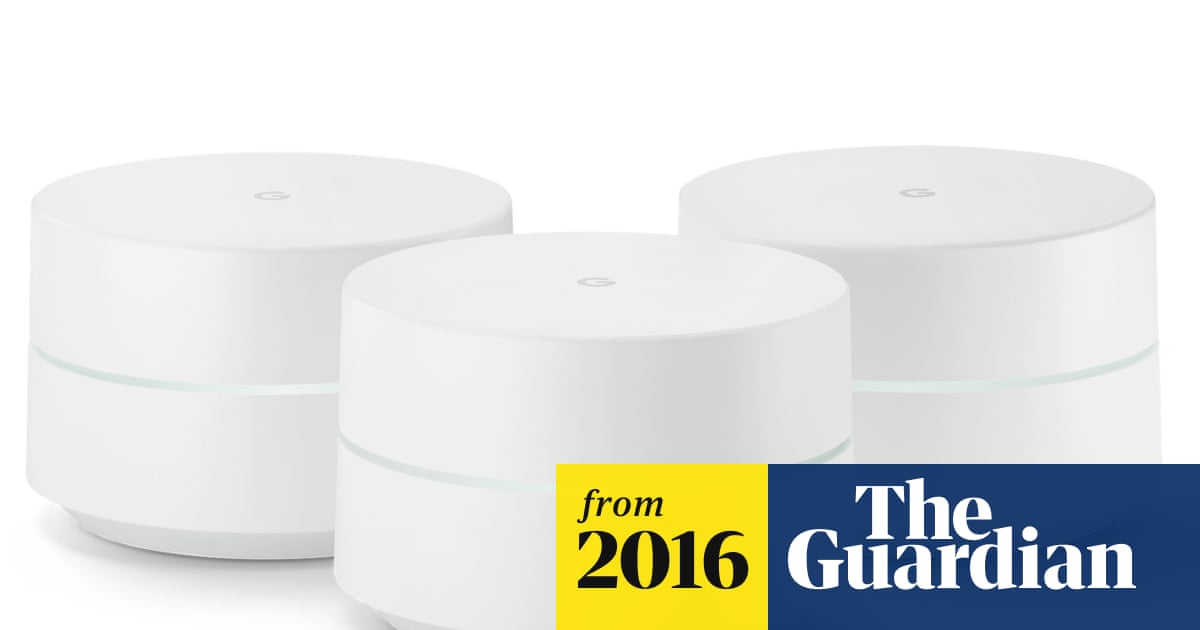
Many mesh WiFi nodes come in small, simple shapes. Their compact design allows easy placement on shelves or behind furniture. Some models are about the size of a soda can or smaller. This size helps them blend into the background. Without bulky antennas, they look less like tech devices. You can hide them in plain sight without blocking signals.
Mesh Nodes With Customizable Covers
Some mesh systems offer nodes with changeable covers. These covers come in different colors and patterns. Users can match them to their home décor or paint them. This feature helps mesh nodes look like everyday objects. Covers can also reduce the device’s shine or glare. This keeps the nodes less noticeable and fits any room style.
Diy Ideas For Concealing Mesh Nodes
Mesh WiFi nodes often stand out in a room. They can look like small boxes or discs on shelves or tables. Hiding them can make your space look neat and stylish. Simple DIY ideas help keep your mesh nodes out of sight. These tricks do not block WiFi signals. They keep your home connected and tidy.
Creative Enclosures
Use small boxes or containers with holes for airflow. Wooden or plastic cases work well. Paint or decorate them to match your style. Old candle holders or small baskets can hold mesh nodes. Cut holes to let signals pass freely. Use craft supplies to add a personal touch. These enclosures protect devices and blend with surroundings.
Blending With Home Decor
Place mesh nodes near similar objects. Hide them behind books or plants. Use decorative trays or bowls to hold devices. Match colors of nodes with furniture or walls. Cover nodes lightly with cloth or fabric. Avoid thick materials that block WiFi signals. This approach keeps devices hidden but functional. It creates a seamless look in any room.
Troubleshooting Hidden Mesh Networks
Mesh networks can sometimes become hidden, causing connectivity issues. Troubleshooting these networks is crucial for maintaining a strong internet connection. Identifying and resolving common problems will enhance performance and reliability. Below are some practical steps to troubleshoot hidden mesh networks.
Checking Signal Strength
Signal strength affects the connectivity of mesh networks. Use an app to measure the signal near each mesh point. Weak signals can cause devices to disconnect or slow down. Move closer to a mesh point if the signal is weak. Ensure there are no physical obstructions like walls or furniture. Even small changes can improve signal strength significantly.
Reset And Repositioning Tips
Resetting the mesh network can resolve many issues. Unplug the main router and all mesh points. Wait for a minute, then plug them back in. This can refresh the connection and fix hidden network problems. Repositioning mesh points can also help. Place them in open areas, away from electronic devices. This reduces interference and improves connectivity.
Credit: www.theguardian.com

Credit: www.cnet.com
Frequently Asked Questions
Can Mesh Wifi Devices Be Hidden Effectively?
Yes, mesh WiFi devices can be hidden in discreet locations. Placing them inside cabinets or behind furniture helps conceal them without affecting signal strength.
Does Hiding Mesh Wifi Affect Its Performance?
Hiding mesh WiFi may reduce signal quality if placed in enclosed spaces. Ensure devices have proper ventilation and avoid thick walls to maintain strong coverage.
What Are The Best Spots To Hide Mesh Wifi?
Ideal spots include behind bookshelves, inside decorative boxes, or near electrical outlets. These locations keep devices out of sight while maintaining optimal signal reach.
Can I Camouflage Mesh Wifi With Home Decor?
Yes, mesh WiFi units can be camouflaged using decorative covers or blending with furniture colors. This approach hides devices without compromising network performance.
Conclusion
Mesh WiFi devices can be hidden with some effort and care. Choose small, compact units and place them inside cabinets or behind furniture. Keep them in open spaces for better signal, but blend them with your room. Hiding them helps keep your space tidy and less cluttered.
Still, remember that good WiFi needs clear signals. Balancing concealment and performance works best. This way, you get strong internet without visible devices everywhere. Simple steps make your mesh WiFi both effective and discreet.