Are you tired of dead zones and slow internet in your home? Mesh WiFi promises a strong, seamless connection everywhere, but you might be wondering—can you install it yourself?
The answer is yes, and it’s easier than you think. Imagine boosting your WiFi without calling a technician or paying extra fees. You’ll discover simple steps to set up your own mesh network, save money, and enjoy fast internet from every corner of your space.
Keep reading to unlock the secret to hassle-free WiFi that you control.

Credit: dongknows.com
Benefits Of Mesh Wifi
Mesh WiFi offers several benefits that improve your home internet experience. It solves common WiFi problems like weak signals and dead zones. This system uses multiple devices to create a strong network across your space. Simple setup and flexible design make it a popular choice for many households.
Improved Coverage
Mesh WiFi covers large areas without losing signal strength. It reaches corners and rooms that regular routers miss. Each device in the mesh system boosts the WiFi signal. This means fewer dead spots and better internet in every part of your home.
Seamless Connectivity
Devices switch smoothly between mesh points without dropping the connection. You can move around your home without losing WiFi. This creates a stable connection for video calls, streaming, and gaming. No need to reconnect or find new networks.
Easy Expansion
Adding more mesh devices is simple and fast. You can grow your network as your needs change. New nodes join the system automatically without complex setup. This flexibility keeps your WiFi strong even in bigger or multi-story homes.
Choosing The Right Mesh System
Choosing the right mesh WiFi system is key to a smooth installation and strong internet connection. Picking a system that fits your home and devices ensures better speed and fewer dead zones. Consider your device types, the size of your space, and your budget to find the best match.
Compatibility With Devices
Check if the mesh system works well with your devices. Most systems support common gadgets like smartphones, laptops, and smart TVs. Some mesh networks also support smart home devices. Make sure your system supports the WiFi standards your devices use, such as WiFi 5 or WiFi 6.
Coverage Area Needs
Measure the size of your home or office before choosing a mesh system. Large homes need more nodes to cover every corner. Smaller spaces may only need a two-node setup. Look for systems that clearly state their coverage range to match your area.
Budget Considerations
Set a budget before shopping for a mesh system. Prices vary based on features and coverage. Basic systems are affordable and cover small areas. Premium options offer faster speeds and better security but cost more. Balance features and price for the best value.
Preparing For Installation
Preparing for the installation of your mesh WiFi system is essential to ensure a smooth setup and optimal performance. Taking time before you start helps avoid common pitfalls and makes the entire process less frustrating. Let’s break down what you need to do before plugging in your new devices.
Checking Internet Connection
Before setting up your mesh WiFi, confirm that your current internet connection is active and stable. You can do this by connecting a device directly to your modem or router and running a quick speed test.
If your internet is slow or unreliable, the mesh system won’t perform well no matter how well it’s installed. Fixing any connection issues beforehand saves you time and frustration during setup.
Identifying Placement Spots
Choosing where to place your mesh nodes is critical. Think about areas in your home where WiFi is weak or drops frequently.
Look for open spaces away from thick walls or metal objects that can block signals. Ideally, nodes should be placed within sight of each other but spread out enough to cover dead zones.
Have you noticed any specific rooms or corners where your current WiFi struggles? Mark these spots to help you decide where each mesh unit will go.
Gathering Necessary Tools
Gather all tools and accessories you might need before starting the installation. This usually includes:
- Ethernet cables
- Power adapters
- A smartphone or computer for setup
- A ladder or step stool if you need to reach high places
Having everything ready helps keep you focused and speeds up the process. Missing a cable or tool midway can break your momentum and cause unnecessary delays.
Step-by-step Installation Guide
Installing a mesh WiFi system on your own can be straightforward if you follow a clear path. This guide breaks down the process into manageable parts, helping you set up a strong and reliable network. Ready to see how simple it can be to boost your home’s internet coverage?
Setting Up The Primary Node
Start by choosing a central spot for your primary node—usually near your modem. This ensures the best signal flow from your internet source.
Connect the primary node to your modem using the Ethernet cable provided. Plug it into a power outlet and wait for the indicator light to show it’s active.
Many mesh systems have an app to guide you through this. Open the app and follow the prompts to register your primary node and create your network name and password. Have you noticed how apps make tech setups less intimidating?
Connecting Additional Nodes
Next, place additional nodes around your home to extend coverage. Think about areas where your WiFi feels weak, like upstairs rooms or far corners.
Plug each node into power and use the app to add them to your network. The app will often test signal strength, helping you find the optimal spot.
Make sure nodes are not too far from each other to maintain strong connections. Have you ever struggled with dead zones that this could fix?
Configuring Network Settings
Once all nodes are connected, customize your network settings through the app or web interface.
You can set guest networks, parental controls, and device priorities here. This helps you control who connects and how bandwidth is shared.
Take time to explore these options—you might find features that improve your online experience more than you expected. What settings would make your internet work better for your daily needs?
Troubleshooting Common Issues
Troubleshooting common issues is a key part of installing mesh WiFi by yourself. Problems can pop up during setup or daily use. Knowing how to fix typical problems saves time and frustration. This section explains simple fixes to keep your network running smoothly.
Node Connectivity Problems
Nodes may fail to connect to each other or the main router. Check if nodes are too far apart. Walls and large objects can block signals. Move nodes closer to improve connection strength.
Restart the nodes and router. Power cycling often solves connection issues. Verify each node is powered on and shows the correct status light. Follow the mesh system’s app instructions for node setup.
Slow Speeds
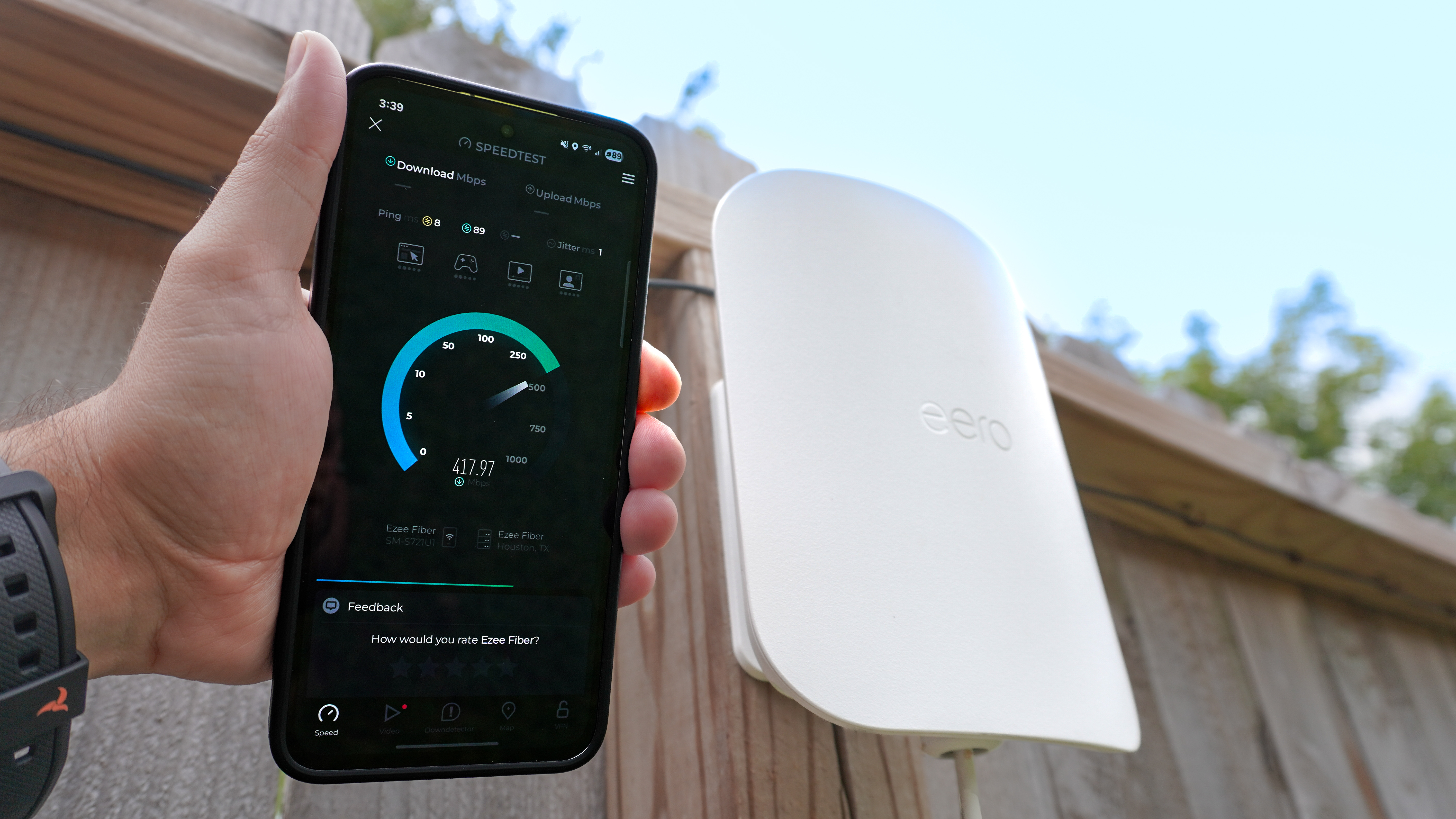
Slow internet speed can occur despite a strong mesh connection. Test speed near the main router to compare results. If speeds near nodes are slow, try relocating them.
Limit the number of devices connected at once. High traffic can reduce speed for all users. Check for interference from other wireless devices like microwaves or cordless phones.
Firmware Updates
Firmware updates keep mesh systems secure and efficient. Check the app or device settings regularly for updates. Outdated firmware may cause performance or security issues.
Install updates promptly. The process usually takes a few minutes and may restart devices. Keep your mesh system’s firmware current to avoid bugs and improve stability.
Credit: www.tomsguide.com
Tips For Optimizing Performance
Ensure each mesh wifi unit is placed where the signal is weak but still within range. Avoid thick walls or large metal objects that block signals. Regularly update your mesh system’s firmware to keep it running smoothly.
Optimizing your mesh WiFi system ensures smooth connectivity throughout your home. By following a few simple tips, you can enhance performance. Focus on node placement, regular maintenance, and security. These steps improve signal strength and reliability.Optimal Node Placement
Place nodes in central locations for even coverage. Avoid walls, metal objects, and electronic devices that can block signals. Ensure line of sight between nodes for best performance. Use a WiFi analyzer app to find weak spots. Adjust node positions accordingly.Regular Maintenance
Keep your system updated with the latest firmware. Check for updates regularly. This ensures optimal performance and security. Restart your mesh system occasionally. This can fix minor issues and refresh connections. Clean nodes to prevent dust buildup, which can affect performance.Security Best Practices
Use strong, unique passwords for your WiFi network. Change passwords periodically for added security. Enable WPA3 encryption if available. This provides better protection against unauthorized access. Disable remote management features unless needed. This reduces potential security vulnerabilities.
Credit: andrerochaos.medium.com
Frequently Asked Questions
Can I Install Mesh Wifi By Myself Easily?
Yes, most mesh WiFi systems are designed for easy DIY installation. They come with user-friendly apps and step-by-step guides to help you set up quickly without technical skills.
What Tools Do I Need For Mesh Wifi Installation?
Typically, no special tools are needed. You just need your smartphone, the mesh WiFi devices, and an internet connection to follow the setup instructions in the app.
How Long Does Self-installation Of Mesh Wifi Take?
Self-installation usually takes 15 to 30 minutes. The app guides you through each step, making the process fast and straightforward for most users.
Are There Common Issues During Diy Mesh Wifi Setup?
Common issues include weak signal placement or incorrect device connections. Following the app’s guidance carefully usually prevents these problems and ensures a smooth setup.
Conclusion
Installing mesh WiFi by yourself is doable with basic tech skills. Most kits come with clear guides and easy setup apps. Taking time to place nodes well improves your network’s reach. Patience helps if you face small issues during setup.
This approach saves money and gives you control over your WiFi. Many users find the process straightforward and satisfying. Trying it yourself can boost your confidence with home tech.