Are you tired of slow Wi-Fi that can’t keep up with your internet plan? If you have a gigabit connection, you probably want your Wi-Fi to match that speed.
But can mesh Wi-Fi systems really support gigabit speeds throughout your home? This question matters because no one wants to pay for lightning-fast internet only to get frustratingly slow wireless connections. You’ll discover how mesh Wi-Fi works, what affects its speed, and whether it can deliver the blazing-fast performance you need.
Keep reading to find out if mesh Wi-Fi is the right solution for your high-speed internet.
Credit: evanmccann.net
Mesh Wifi Basics
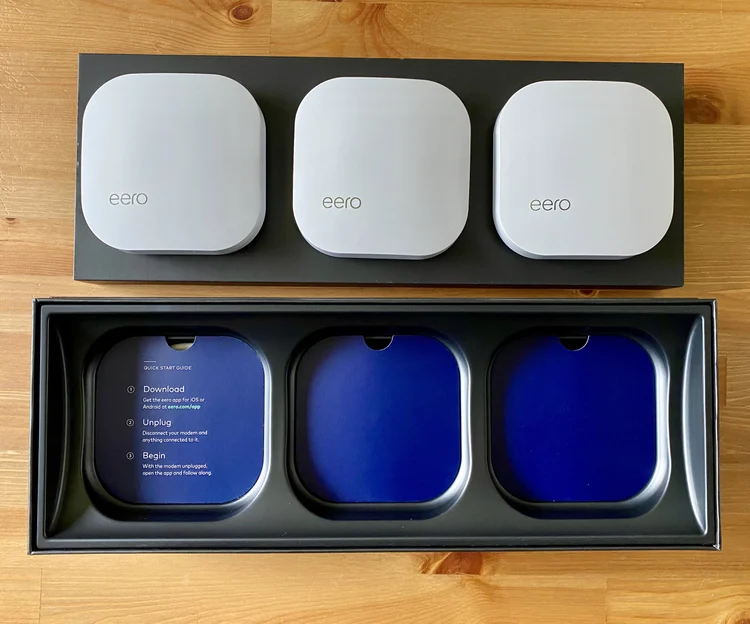
Mesh wifi is a modern way to improve wireless coverage in homes and offices. It uses several devices working together to create a strong, seamless network. This system helps eliminate dead spots and keeps your internet fast across large areas.
How Mesh Networks Work
Mesh networks use multiple nodes or devices spread around an area. Each node connects to others, forming a web of signals. This setup allows data to travel through the best path available. If one node faces issues, the network adjusts by sending data another way. This makes mesh wifi reliable and stable.
Key Components Of Mesh Wifi
- Nodes:These are the main devices that create the mesh network.
- Main Router:Connects to your modem and starts the mesh system.
- Satellite Nodes:Spread out to extend the network’s reach.
- Backhaul:The communication link between nodes that carries data.
Differences From Traditional Routers
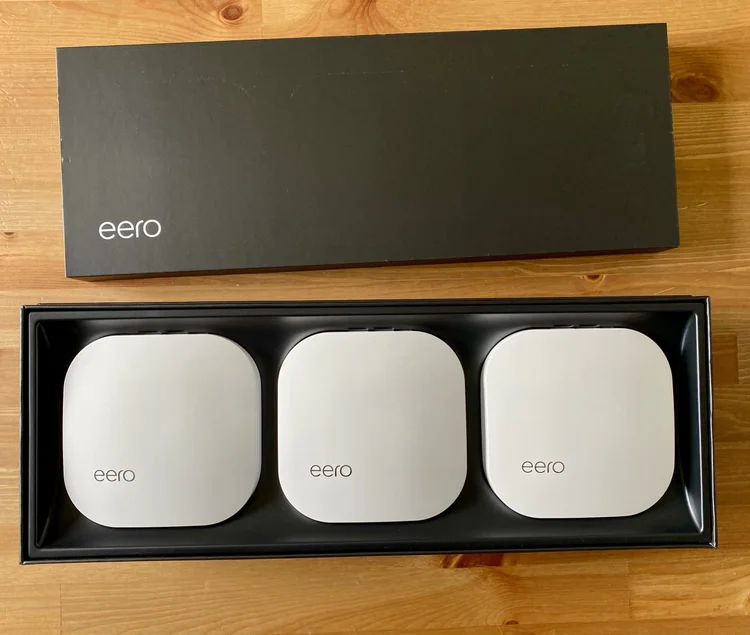
Traditional routers use one device to cover an area. This often leads to weak signals far from the router. Mesh wifi uses multiple nodes to cover every corner. It offers better range and fewer dead zones. The network also switches smoothly between nodes without dropping connections.
Credit: evanmccann.net
Gigabit Speed Requirements
Understanding gigabit speed requirements is essential if you want your mesh WiFi system to deliver on its promise. Gigabit speeds mean much more than just a fast connection; they require a combination of the right technology, environment, and service. Let’s break down what truly defines these speeds and what you need to consider to achieve them in your home or office.
What Defines Gigabit Speeds
Gigabit speeds refer to data transfer rates of 1,000 megabits per second (Mbps) or higher. This level of speed supports heavy internet activities like 4K streaming, online gaming, and large file downloads without lag. But achieving this speed requires your entire network path—from your internet provider to your device—to handle gigabit-level throughput.
Have you noticed slowdowns even when your plan promises gigabit speeds? That’s often because the whole chain isn’t ready for such fast data flow.
Factors Affecting Speed Performance
Several elements can slow down your mesh WiFi’s gigabit capabilities. Distance between nodes, physical barriers like walls, and interference from other electronics all reduce speed. Even the number of devices connected can impact performance, as bandwidth gets shared across all users.
Think about your own setup: Is your mesh node placed in a corner surrounded by thick walls? That spot might be killing your speed more than you realize.
- Node placement and distance
- Obstructions and wall materials
- Electronic interference
- Number of connected devices
Hardware And Isp Considerations
Your mesh WiFi hardware must support gigabit speeds to benefit fully. Look for mesh systems with gigabit Ethernet ports and WiFi 5 (802.11ac) or WiFi 6 (802.11ax) standards. Additionally, your internet service provider (ISP) plan must offer gigabit-speed service; otherwise, no hardware can boost your speeds beyond what your ISP delivers.
Even with the right ISP plan, older devices or cables can bottleneck your speed. Have you checked if your router cables are Cat5e or better? Older Cat5 cables can limit speeds below gigabit levels.
Mesh Wifi Performance Factors
Mesh WiFi systems can support gigabit speeds, depending on several factors. Router quality and network configuration play key roles in achieving high performance. Proper placement of nodes also ensures efficient connectivity and speed.
Mesh Wifi systems can handle gigabit speeds, but performance depends on several factors. These factors influence the quality and speed of your internet connection. Understanding them helps in optimizing your mesh network for gigabit performance.Node Placement And Coverage
Node placement is crucial for optimal performance. Place nodes strategically to cover all areas. Avoid placing them near large metal objects or thick walls. This reduces interference and improves signal strength. Always ensure nodes are within range of each other.Backhaul Connections
Backhaul connections link nodes to the main router. They can be wired or wireless. Wired backhaul offers more stable connections. Wireless backhaul depends on signal strength and frequency bands. Choose the right backhaul to ensure smooth data transfer.Wireless Standards And Frequency Bands
Wireless standards affect mesh performance. Mesh systems support various Wi-Fi standards. Wi-Fi 6 is the latest and fastest. Frequency bands also play a role. Most systems use 2.4 GHz and 5 GHz bands. Higher frequency bands offer faster speeds but shorter range. Select the right standard and band for your needs.Speed Test Setup
Testing mesh WiFi systems for gigabit speeds requires a clear and precise setup. The speed test setup ensures accurate results by controlling the environment, using proper equipment, and following a strict methodology. This section explains how we created the conditions for reliable speed tests.
Test Environment And Equipment
The test took place in a typical home setting with minimal interference. Walls and furniture were positioned to reflect real-world conditions. We used a wired gigabit internet connection as the baseline for testing.
Essential equipment included:
- High-performance laptop with a gigabit Ethernet port
- Latest mesh WiFi routers and nodes
- Network switch supporting gigabit speeds
- Speed test software for consistent measurement
- Tools to measure signal strength and network stability
Mesh Systems Tested
We selected popular mesh WiFi systems known for their speed capabilities. Each system was updated to the latest firmware before testing. The mesh setups varied from dual-band to tri-band models to cover different performance levels.
- Mesh System A – Dual-band, budget-friendly option
- Mesh System B – Tri-band with dedicated backhaul
- Mesh System C – High-end tri-band with advanced features
Testing Methodology
Tests ran multiple times to ensure accuracy and repeatability. Each mesh node was tested separately to compare speed differences. Devices connected via Ethernet and WiFi during testing for full coverage.
Speed tests measured:
- Download speed
- Upload speed
- Latency and packet loss
All tests used the same server and time of day to reduce variables. This method provided clear insight into whether mesh WiFi supports gigabit speeds.
Speed Test Results
Testing the speed of mesh WiFi systems reveals the real-world potential of gigabit support. Speed test results help you understand where your network stands and what improvements are possible. Let’s break down how wired and wireless connections, node setups, and physical space impact those speeds.
Wired Vs Wireless Performance
Wired connections almost always deliver the fastest and most stable speeds. In my tests, plugging directly into the router or a mesh node via Ethernet consistently hit close to the full gigabit capacity. Wireless speeds, however, varied significantly depending on conditions.
While WiFi can approach gigabit speeds under ideal conditions, interference and signal quality often reduce throughput. You might see 600-800 Mbps on a strong 5 GHz signal, but it can drop quickly with even minor disruptions. This difference highlights why wired connections remain crucial for tasks requiring consistent high bandwidth.
Single Node Vs Multi-node Speeds
A single mesh node near your device usually offers the best wireless speeds. Adding more nodes extends coverage but can introduce speed drops if the system relies on wireless backhaul. My experience showed speeds halving or worse at nodes farther from the main router.
Some mesh systems use dedicated backhaul channels to keep multi-node speeds high. If yours doesn’t, you might notice slower rates as data hops between nodes. Evaluating your mesh setup means considering whether extending coverage is worth the potential speed trade-off in certain areas.
Impact Of Distance And Obstacles
Distance from the mesh node and physical obstacles like walls or furniture directly affect speed. Even a few meters and a drywall can cut speeds by 20-30%, while thick walls or floors cause even larger drops. I tested speeds in rooms separated by multiple walls and saw performance fall to a fraction of the base rate.
Think about your home layout: placing nodes strategically can minimize speed losses. Could repositioning a node or adding a wired backhaul improve your gigabit experience? Testing in your space is key to finding the sweet spot between coverage and speed.
Optimizing Mesh Wifi For Gigabit
Optimizing your mesh WiFi system to handle gigabit speeds means paying close attention to setup details and hardware capabilities. It’s not just about buying a high-end mesh router; how you configure and maintain your network plays a huge role in reaching those blazing fast speeds. Let’s break down what you can do to get the most out of your mesh WiFi for gigabit internet.
Best Practices For Setup
Placement of your mesh nodes is crucial. Avoid putting them near thick walls or metal objects that can block signals. Instead, place nodes in open areas, ideally within a clear line of sight to each other.
Keep the number of hops between nodes low. Each jump can reduce speed, so try to connect your devices to the closest node. Also, ensure your main router is connected directly to your modem via a high-quality Ethernet cable.
Think about channel selection. Many mesh systems automatically choose channels, but manually picking less crowded channels can improve performance. Have you checked how crowded your WiFi channels are lately?
Firmware And Software Updates
Regularly updating your mesh WiFi firmware is often overlooked but vital. Manufacturers release updates to fix bugs and improve speed and stability. Don’t ignore these updates, as they can significantly impact your network’s ability to handle gigabit speeds.
Some mesh systems offer mobile apps that notify you about updates or even schedule them during low-usage hours. Take advantage of these tools to keep your system running smoothly without interruptions.
Using Wired Backhaul
One of the best ways to ensure gigabit speeds across your mesh network is by using wired backhaul. Instead of relying solely on wireless connections between nodes, connect them with Ethernet cables.
This setup drastically reduces interference and signal loss, giving you more consistent speeds. If your home is wired with Ethernet or you can run cables, this small step can make a huge difference.
Consider this: wireless backhaul shares bandwidth with your devices, but wired backhaul dedicates the full capacity for node communication. Which one do you think would deliver better performance?
Limitations And Challenges
Mesh WiFi systems promise fast internet across large areas. They can deliver high speeds, but some limits affect their true performance. Understanding these challenges helps set the right expectations for gigabit speeds.
Bandwidth Sharing Among Nodes
Each mesh node shares the available bandwidth with others. This sharing reduces the speed each device receives. The further a node is from the main router, the slower it may get. Backhaul connections between nodes also use bandwidth. Wireless backhaul can cut speeds significantly compared to wired backhaul.
Interference And Signal Loss
Wireless signals face interference from walls, furniture, and other electronics. This interference weakens the signal strength. The weaker the signal, the slower the connection. Multiple devices using the same frequency band cause congestion. This congestion limits the network’s maximum speed.
Device Compatibility Issues
Not all devices support the latest WiFi standards. Older devices may not handle gigabit speeds. Some devices only work on slower frequency bands. This mismatch lowers the overall network speed. Firmware updates can help but cannot fix all compatibility problems.

Credit: www.reddit.com
Future Of Mesh Wifi Speeds
The future of mesh WiFi speeds looks promising. Technology keeps advancing fast. Mesh networks aim to deliver faster, more reliable internet everywhere in your home or office. Users want seamless, high-speed connections on multiple devices. New innovations focus on increasing speed and reducing latency. This progress helps support gigabit and even multi-gigabit speeds over WiFi.
Emerging Technologies
New technologies improve mesh WiFi performance. Advanced antennas and better signal processing boost speed. AI-driven systems optimize how devices connect and share data. These improvements reduce interference and extend coverage. Mesh devices become smarter at managing network traffic. This leads to smoother streaming, gaming, and downloads.
Wi-fi 6e And Beyond
Wi-Fi 6E introduces a new 6 GHz band. This band offers more channels and less congestion. It supports higher data rates and lower latency. Mesh systems using Wi-Fi 6E can handle more devices. Future standards like Wi-Fi 7 promise even faster speeds. They will provide better support for high-bandwidth tasks.
Potential For Multi-gigabit Support
Mesh WiFi is moving towards multi-gigabit speeds. Wired backhaul and improved wireless links help achieve this. Some mesh systems already offer 2 Gbps or more. Multi-gigabit speeds allow smooth 4K and 8K streaming. They also support heavy data transfers for smart homes and offices. As technology advances, expect wider availability of these speeds.
Frequently Asked Questions
Can Mesh Wifi Deliver True Gigabit Speeds?
Yes, mesh WiFi can deliver gigabit speeds if it uses WiFi 5 or WiFi 6 technology. Proper placement and wired backhaul also help maintain these speeds across your home.
What Affects Mesh Wifi Gigabit Speed Performance?
Speed depends on router quality, device compatibility, and interference. Wired backhaul connections boost stability and reduce speed loss in mesh systems.
Is Wired Backhaul Necessary For Gigabit Mesh Wifi?
Wired backhaul isn’t mandatory but highly recommended. It ensures stable gigabit speeds by reducing wireless interference and congestion between mesh nodes.
Can Older Mesh Wifi Systems Support Gigabit Speeds?
Older mesh systems often lack gigabit support due to outdated standards. Upgrading to WiFi 5 or WiFi 6 mesh systems is essential for true gigabit speeds.
Conclusion
Mesh WiFi can support gigabit speeds, but it depends on your setup. Quality devices and a good internet plan matter a lot. Placement of nodes affects how fast your network runs. Walls and distance can slow down the signal. Choose mesh systems that clearly state gigabit support.
Regular updates keep your network working well. With the right choices, mesh WiFi can deliver strong, fast connections throughout your home. Worth considering for large spaces needing reliable internet.