Have you ever wondered if your portable router could be hacked? You rely on it to keep you connected wherever you go, but is it really safe?
If someone gains access to your router, they could steal your personal information or slow down your internet. This article will uncover the risks and show you how to protect your device. Keep reading to learn what you need to know to keep your connection secure and your data safe.
How Portable Routers Work
Portable routers are small devices that create a Wi-Fi network on the go. They connect to the internet through cellular networks or wired connections. These routers share internet access with multiple devices like phones, laptops, and tablets.
Understanding how portable routers work helps reveal their strengths and risks. They perform basic networking tasks and include security features to protect users. Their common uses show why many rely on them during travel or remote work.
Basic Functions
- Connect to the internet via cellular data or Ethernet
- Create a private Wi-Fi network for nearby devices
- Manage device connections and data flow
- Assign IP addresses to connected devices
- Provide internet sharing without cables
Common Uses
- Access internet while traveling or camping
- Backup internet connection for home or office
- Enable Wi-Fi in areas without fixed broadband
- Support multiple devices in remote locations
- Provide secure internet in public places
Typical Security Features
- Password protection for Wi-Fi access
- WPA2 or WPA3 encryption to secure data
- Firewall to block unauthorized connections
- Guest network options to limit access
- Regular firmware updates to fix vulnerabilities

Credit: www.youtube.com
Vulnerabilities In Portable Routers
Portable routers offer great convenience for internet access on the move. Yet, their small size and easy setup often come with security risks. These devices can have several vulnerabilities that hackers may exploit. Understanding these weak points helps users protect their data better.
Weak Passwords
Many portable routers use simple default passwords. These passwords are easy to guess or find online. Weak passwords let hackers access the router quickly. Using strong, unique passwords helps block unauthorized entry.
Outdated Firmware
Firmware controls how routers operate and stay secure. Manufacturers release updates to fix bugs and close security holes. If a portable router runs old firmware, it may have unpatched vulnerabilities. Regularly updating firmware reduces the risk of hacking.
Default Settings Risks
Default settings often leave ports open and security features off. Hackers can exploit these settings to gain control. Changing default network names and disabling unnecessary features improves protection. Customizing settings is essential for router safety.
Common Hacking Techniques
Understanding common hacking techniques is essential if you want to protect your portable router effectively. Hackers use various methods to exploit vulnerabilities and gain unauthorized access. Recognizing these techniques can help you stay one step ahead and secure your device.
Wi-fi Eavesdropping
Wi-Fi eavesdropping involves intercepting the data you send over your wireless network. Hackers use special tools to listen in on your internet traffic without your knowledge.
This can expose sensitive information like passwords, emails, and personal messages. Imagine sending confidential work files over an unsecured portable router—someone nearby could be quietly capturing everything.
Encrypting your network and using strong passwords makes eavesdropping much harder for attackers.
Man-in-the-middle Attacks
Man-in-the-middle (MITM) attacks happen when a hacker secretly intercepts communication between you and a website or service. They can alter or steal information before it reaches its destination.
This is especially risky on public Wi-Fi or portable routers without proper security. Have you ever connected to a coffee shop’s Wi-Fi and noticed something odd? That could be an MITM attack in progress.
Using a VPN and ensuring your router’s firmware is up to date helps block these attacks.
Malware Injections
Hackers can inject malware directly into your portable router to take control or spy on your network. This malware can redirect your traffic to malicious sites or steal your data silently.
Sometimes malware spreads through fake software updates or by exploiting weak router passwords. If your router suddenly behaves strangely or slows down, malware could be the cause.
Regularly updating firmware and avoiding suspicious downloads are key steps to prevent malware injection.
Signs Your Portable Router Is Compromised
Spotting signs of a compromised portable router can save you from potential headaches and security breaches. A hacked router can lead to unauthorized access to your personal data, slow internet speeds, and a range of other issues that can disrupt your daily life. Recognizing these signs early on can help you take swift action to secure your network and protect your personal information.
Unusual Network Activity
Have you noticed data usage spikes on your network without any apparent reason? This could be a red flag. Hackers might be using your internet connection for their activities, leading to unexpected data consumption.
Check your network usage logs regularly. If you see data being used at odd hours or in large amounts without your consent, your router might be compromised.
Slow Internet Speeds
If your internet feels sluggish, it might not just be a service provider issue. A compromised router can result in reduced bandwidth as intruders siphon off your internet speed for their purposes.
Try running an internet speed test. If your speeds are significantly lower than what you’re paying for, it might be time to investigate further.
Unexpected Device Connections
Ever looked at your connected devices list and found unfamiliar devices? This is a clear indication of an intrusion.
Periodically review the list of devices connected to your network. If you spot unknown devices, it’s crucial to change your Wi-Fi password immediately and secure your network.
Have you ever had a personal experience where you caught a sign of intrusion early and saved yourself from a potential data breach? Ensuring your portable router is secure is not just about technology—it’s about peace of mind.
Protecting Your Portable Router
Protecting your portable router is essential to keep your data safe. These devices often carry sensitive information and provide internet access on the go. Without proper security, hackers can easily exploit vulnerabilities. Taking simple steps can greatly reduce the risk of unauthorized access.
Strong Password Strategies
Always use a strong and unique password for your router. Avoid common words or easy number sequences. Combine letters, numbers, and symbols for better security. Change the default password immediately after setup. Regularly update your password to stay ahead of threats.
Regular Firmware Updates
Firmware controls the router’s functions and security features. Manufacturers release updates to fix bugs and close security gaps. Check for firmware updates often and install them promptly. This keeps your router protected against new hacking methods.
Disabling Unnecessary Features
Turn off features you do not use. This limits the attack surface for hackers. For example, disable remote management if not needed. Also, turn off WPS and guest networks if they are not required. Fewer active features mean fewer chances for breaches.

Credit: www.youtube.com
Advanced Security Measures
Advanced security measures are essential if you want to keep your portable router safe from hackers. Basic protections like changing default passwords aren’t enough anymore. You need stronger tools to protect your data and maintain your privacy, especially if you use public Wi-Fi or travel frequently.
Using Vpn With Routers
A VPN (Virtual Private Network) adds an extra layer of security by encrypting all the data passing through your router. Instead of just protecting individual devices, a VPN on your router secures every device connected to it. This means even if someone intercepts your signal, they won’t be able to read your information.
Setting up a VPN might sound complicated, but many portable routers support it natively or through easy-to-follow guides. Have you ever felt uneasy using public Wi-Fi? A VPN can stop that worry by masking your IP address and location.
Enabling Network Encryption
Encryption scrambles the data sent over your network, making it unreadable to unauthorized users. Make sure your portable router uses strong encryption like WPA3. Older standards such as WEP or WPA are weak and can be cracked quickly.
Turning on encryption is usually a simple step in your router’s settings. Don’t skip it because it’s your first line of defense against intruders trying to access your network without permission.
Setting Up Firewalls
A firewall controls the traffic coming in and out of your network. It blocks suspicious activity and unauthorized access attempts. Many portable routers come with built-in firewalls—activate them and customize the rules for better protection.
Think of a firewall as a gatekeeper that filters who gets through. If you’ve ever received strange connection requests or noticed slow internet speeds, a firewall can help you identify and stop those threats before they cause damage.
Real-world Hacking Incidents
Real-world hacking incidents involving portable routers reveal just how vulnerable these devices can be if left unprotected. These breaches show that hackers don’t need sophisticated tools to exploit common weaknesses, especially when users overlook basic security settings. Understanding these cases helps you recognize the risks and take clear steps to protect your portable router and data.
Notable Breaches
One incident involved a portable router used in a small business setup. The attacker gained access through default login credentials that were never changed. This allowed the hacker to intercept sensitive customer information during transactions.
Another case targeted travelers using public Wi-Fi with portable routers. The hacker exploited outdated firmware, injecting malicious code that redirected users to fake websites designed to steal login details.
- Unchanged default passwords
- Outdated device software
- Use of unsecured public networks
These examples highlight how simple oversights can lead to serious security breaches. Have you checked if your router’s firmware is up-to-date or changed its default password?
Lessons Learned
Securing your portable router starts with changing default passwords to strong, unique ones. Many breaches happen because users assume their devices are safe out of the box.
Regularly updating your router’s firmware is another critical step. Firmware updates often fix security holes that hackers can exploit.
Consider disabling remote management features unless absolutely needed. These features can open a door for hackers if not properly configured.
- Change default passwords immediately
- Keep firmware updated
- Limit remote access to your router
Do you actively monitor your router’s settings, or do you set it up once and forget about it? Taking small but consistent security steps can save you from major headaches later.
Future Risks And Trends
Portable routers offer convenience and connectivity on the go, but their future risks and trends demand your attention. As technology evolves, so do the threats targeting these devices. Staying informed helps you protect your data and maintain secure connections wherever you are.
Evolving Hacking Methods
Hackers are constantly refining their techniques to breach portable routers. They exploit weaknesses like outdated firmware, weak passwords, and unsecured public networks.
New attack methods such as AI-driven phishing and ransomware targeting IoT devices are becoming more common. Have you checked if your router’s software is up-to-date lately?
Attackers also use social engineering to trick users into revealing sensitive information. It’s crucial to stay alert and question unexpected prompts or messages asking for access details.
Security Technology Advances
On the bright side, security technology is also improving rapidly. Portable routers now come with better encryption standards and built-in firewalls to block unauthorized access.
Manufacturers are adding features like automatic firmware updates and multi-factor authentication to increase protection. You can enhance security further by using VPNs and monitoring network activity regularly.
Are you taking full advantage of these security features? Simple actions like changing default passwords and disabling unused services can make a big difference in keeping hackers out.
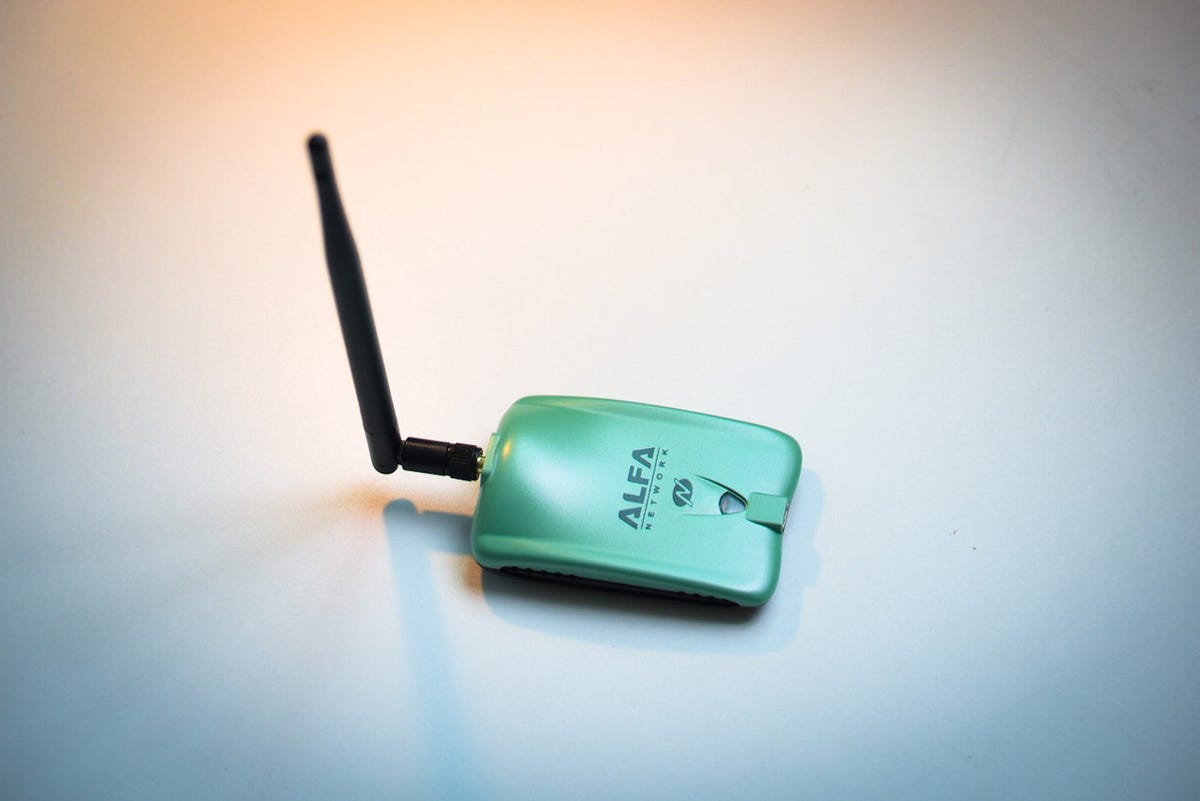
Credit: minkcoregame.medium.com
Frequently Asked Questions
Can Portable Routers Be Easily Hacked?
Yes, portable routers can be hacked if they lack strong passwords or updated firmware. Always use complex passwords and update regularly to enhance security.
How Do Hackers Exploit Portable Routers?
Hackers exploit vulnerabilities like weak passwords, outdated firmware, and unsecured Wi-Fi protocols to gain unauthorized access to portable routers.
Are Public Portable Routers Safe To Use?
Public portable routers are often risky as they may lack proper security, making your data vulnerable to interception and hacking.
What Steps Prevent Portable Router Hacking?
Use strong passwords, enable encryption, keep firmware updated, and disable unnecessary features to protect your portable router from hacking attempts.
Conclusion
Portable routers can be hacked if not protected well. Using strong passwords helps keep hackers away. Regular updates fix security problems quickly. Avoid connecting to unknown networks to stay safe. Always check your router’s settings often. Staying alert protects your personal information.
Simple steps make your internet safer. Don’t ignore security on your portable router. Safety is in your hands every time you connect.