Are you wondering if your portable router can be locked to just one SIM card? This question matters a lot if you want to control your internet usage or avoid unexpected charges.
Imagine having a device that only works with the SIM you choose—no surprises, no confusion. You’ll discover how portable routers handle SIM cards and whether you can lock yours to a single one. Keep reading to find out how this simple step can give you more control and peace of mind with your mobile internet.
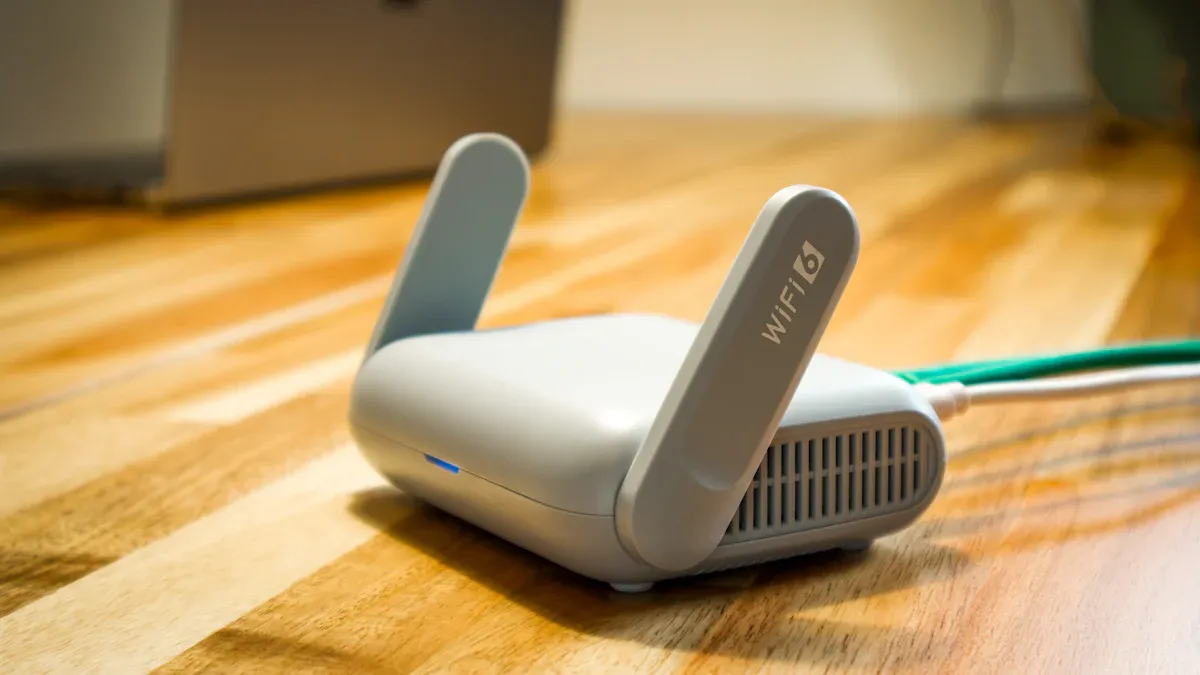
Credit: huasifei-link.com
Sim Lock Basics
Understanding the basics of SIM locking is crucial if you want to know whether a portable router can be locked to just one SIM card. SIM locking controls which network SIM cards your device can accept, impacting flexibility and usage. Let’s break down what SIM locking means and how it affects your portable router’s performance and options.
What Is Sim Locking
SIM locking is a restriction set by manufacturers or network providers to make a device work only with specific SIM cards. This means your portable router may only accept SIM cards from one carrier or network. It is often done to encourage customers to stay with a particular service provider.
Imagine buying a portable router from a carrier with a contract. That router might be locked to only accept that carrier’s SIM cards until you fulfill certain conditions. Until then, inserting a SIM from another network won’t connect you to the internet.
Have you ever wondered why some devices won’t work with your new SIM card from a different network? That’s SIM locking at play.
How Sim Lock Affects Portable Routers
When a portable router is SIM locked, your options to switch networks are limited. You cannot simply insert a new SIM card from another provider to get a better deal or coverage. This can be frustrating if you travel or want to change providers quickly.
On the other hand, an unlocked portable router offers more freedom. You can use SIM cards from various carriers, allowing you to pick the best plans for your needs. This flexibility can save you money and improve your connection, especially in areas with patchy coverage.
Think about your last trip—did you wish you could pop in a local SIM for better internet? A locked router would have stopped you. Knowing whether your device is locked helps you plan better and avoid surprises.
Reasons For Locking Sim
Locking a SIM card in a portable router serves important purposes. It controls how and where the device connects to networks. This ensures proper use and protects both the user and the carrier. Understanding these reasons helps users make smart choices about their devices.
Carrier Restrictions
Carriers often lock SIM cards to their networks. This keeps the router working only with their service. It helps carriers manage network traffic and billing. Locked SIMs prevent the use of other network providers without permission. This practice supports carrier business models and service agreements.
Security Considerations
Locking a SIM adds a layer of security to the device. It stops unauthorized SIM swaps that can cause data theft or fraud. Locked SIMs reduce the risk of misuse if the router is lost or stolen. This control helps protect the user’s personal information and network access.
Methods To Lock A Portable Router
Locking a portable router to a single SIM helps control network access. It restricts the device to work only with one mobile carrier. This practice is useful for managing costs and improving security. Different methods exist to lock a router, each with its pros and cons. Some methods require technical knowledge, while others are simpler and more user-friendly. Understanding these methods helps in choosing the right solution for your needs.
Firmware Locking
Firmware locking changes the software inside the router. It prevents the device from accepting SIM cards from other carriers. This method is common among network providers. They customize the router’s firmware to recognize only one SIM type.
- Requires flashing the router with custom firmware.
- Often done by the manufacturer or service provider.
- Hard to reverse without technical skills.
- Can limit router features or updates.
This method offers strong control but needs care during installation. Incorrect flashing can damage the router permanently.
Hardware Locking Techniques
Hardware locking uses physical components to restrict SIM usage. It involves modifying the router’s hardware to accept only one SIM card type or slot. This method is less common but very secure.
- May involve soldering or altering the SIM slot.
- Limits the router to a specific SIM size or format.
- Usually irreversible without hardware repair.
- Ensures no software bypass is possible.
Hardware locking is best for users needing high security. It is not recommended for casual users due to its complexity and risks.
Checking If A Router Is Locked
Checking if a portable router is locked involves testing with different SIM cards. A locked router only works with one carrier’s SIM. Trying another SIM helps confirm if the device accepts multiple networks or is restricted.
Checking if a router is locked to a specific SIM can save time. It helps prevent frustration when changing network providers. A locked router restricts you to one carrier. Knowing the lock status allows you to make informed decisions. Let’s explore how to check if a portable router is locked.Indicators Of Sim Lock
There are several signs a router might be locked: – The router only works with one network provider. – Error messages appear when using a different SIM card. – Limited network options in settings. These signs can point towards a SIM lock. Observing them helps identify potential issues.Tools To Verify Lock Status
Use tools to confirm if a router is locked. Some options include: – Manufacturer’s website for official information. – Contacting customer service for verification. – Online forums and user groups for shared experiences. These resources assist in determining the lock status. They provide reliable information to guide your next steps.Unlocking Options
If your portable router is locked to a single SIM, you might wonder how to make it work with other network providers. There are several ways to approach this situation, each with its own benefits and risks. Understanding your options helps you decide the best path for your needs and budget.
Official Unlock Services
Most manufacturers and network providers offer official unlocking services for their devices. You typically need to contact your router’s original carrier and request an unlock code. They may require your account details and proof of purchase to verify your eligibility.
Official unlocking is usually safe and legal. It preserves your device’s warranty and ensures compatibility with different SIM cards. However, some carriers impose waiting periods or fees before granting an unlock.
Have you checked your carrier’s website or customer support for unlocking policies? This straightforward step could save you from unnecessary complications.
Third-party Solutions
If official channels don’t work or take too long, third-party unlocking services are an alternative. These services use specialized software or hardware to remove SIM restrictions. They often advertise fast turnaround and support for a wide range of models.
Be cautious when choosing third-party providers. Research their reputation, read reviews, and verify if they offer guarantees. Unreliable services might damage your router or violate terms of use.
Using third-party solutions can be cost-effective but comes with risks. Are you willing to trade some security for speed and flexibility? Weigh your options carefully before proceeding.
Risks And Limitations
Locking a portable router to a single SIM card might seem like a straightforward way to manage your connectivity. But before you make this decision, it’s crucial to understand the risks and limitations involved. These can affect your device’s performance, security, and even your ability to get help when things go wrong.
Warranty And Support Issues
Locking your router to one SIM often means altering its software or firmware. This modification can void your warranty, leaving you without official support if the device malfunctions. Imagine needing assistance during a trip, only to find out your provider won’t cover repairs because the router is locked.
Manufacturers may refuse to service devices that have been tampered with. This can lead to expensive repairs or replacement costs that you’ll have to cover yourself. Are you ready to take on that financial risk for the sake of SIM locking?
Potential Security Risks
Restricting your router to a single SIM can expose you to security vulnerabilities. Some locking methods involve third-party software or unofficial tweaks that might introduce malware or backdoors. This puts your personal data and network safety at risk.
Moreover, if the locked SIM is compromised or lost, you might be left without a backup connection. Having multiple SIM options can act as a security layer, ensuring you stay connected even if one network fails. Have you considered what happens if your sole SIM provider faces an outage or security breach?
Expert Tips For Users
Understanding how to handle a portable router locked to one SIM card can save you a lot of hassle. The key lies in making informed choices and managing restrictions effectively. Here are some expert tips to help you get the most out of your device.
Choosing The Right Router
Not all portable routers are created equal. Some models come unlocked, allowing you to use SIM cards from different carriers, while others are locked to a specific network.
Before buying, check the specifications carefully. Look for routers that explicitly mention “SIM lock-free” or “unlocked.” This saves you from unexpected limitations later.
Think about your usage too. If you travel often, an unlocked router gives you flexibility to switch SIMs based on your destination. On the other hand, if you only need local coverage, a locked router might offer better deals or performance.
Managing Sim Lock Restrictions
Dealing with a SIM-locked portable router can feel limiting, but there are practical ways to manage this situation.
- Contact your carrier:Some providers offer unlocking services after a certain period or under specific conditions.
- Use network-compatible SIMs:If unlocking isn’t an option, stick to SIM cards from the router’s carrier to avoid connectivity issues.
- Software updates:Occasionally, firmware updates from the router manufacturer may enhance compatibility or loosen restrictions.
Have you ever faced unexpected limits on your router? Sometimes, simply knowing who to call or checking for updates can solve a problem that seemed bigger than it was.

Credit: www.reddit.com
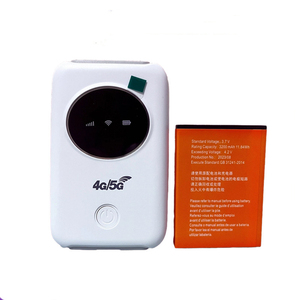
Credit: www.alibaba.com
Frequently Asked Questions
Can A Portable Router Be Locked To One Sim Card?
Yes, some portable routers can be locked to a single SIM card by the manufacturer or carrier. This restriction prevents using SIMs from other networks. However, many routers are unlocked, allowing multiple SIM cards for flexibility and better network options.
How To Check If A Portable Router Is Sim Locked?
You can check by inserting a different carrier’s SIM card. If the router rejects it or asks for an unlock code, it’s locked. Alternatively, check the user manual or contact the router’s support for confirmation.
Can I Unlock A Sim-locked Portable Router?
Yes, unlocking is often possible by contacting your carrier or using third-party services. Unlocking allows you to use any compatible SIM card. Make sure unlocking is legal and supported by your router’s manufacturer.
Why Do Manufacturers Lock Portable Routers To One Sim?
Manufacturers lock routers to one SIM to comply with carrier agreements. This ensures customers use specific network services and helps carriers control device usage. It also prevents unauthorized switching between carriers.
Conclusion
Portable routers can sometimes be locked to one SIM card. This depends on the device and network provider. Locked routers only work with specific SIMs. Unlocked routers accept any compatible SIM card. Knowing this helps you choose the right device.
Check your router’s settings or ask the seller. This way, you avoid surprises and extra costs. Managing your internet access becomes easier with the right router. Choose wisely to stay connected wherever you go.