Are you struggling to keep all your devices connected without slow internet or constant dropouts? You might be wondering if a tri band router can handle 100 devices at once.
Imagine having all your gadgets—from smartphones to smart home devices—running smoothly without interruptions. This article will help you understand whether a tri band router is the right choice for your busy digital life. Keep reading to discover how to get the best performance for your growing number of devices.

Credit: www.amazon.com
Tri Band Router Basics
Understanding the basics of a tri band router is crucial if you want to figure out whether it can support 100 devices efficiently. These routers are designed to handle multiple connections without slowing down your network. Before deciding on your next router, let’s break down what makes a tri band router different and how it manages the frequency bands.
What Is A Tri Band Router
A tri band router is a device that transmits data over three separate wireless bands simultaneously. It usually has one 2.4 GHz band and two 5 GHz bands. This setup allows more devices to connect at once without causing congestion on a single band.
Think about it like having three separate lanes on a highway instead of just one or two. This means your devices can spread out across these lanes, reducing traffic jams and improving speeds.
How Tri Band Differs From Dual Band
Dual band routers offer two frequency bands—one 2.4 GHz and one 5 GHz. Tri band routers add an extra 5 GHz band, providing more room for devices to connect. This extra band significantly reduces interference and improves overall network performance.
If you have many devices at home or in an office, the tri band router can handle more simultaneous connections smoothly. Have you noticed your internet slowing down when many people are online? That’s exactly where tri band routers can make a difference.
Frequency Bands Explained
The 2.4 GHz band covers a wider area but has slower speeds and more interference from other devices like microwaves and cordless phones. The 5 GHz bands offer faster speeds but cover a smaller area and are less crowded.
With tri band routers, your devices can connect to the best available band based on their needs and location. This flexibility helps maintain strong signals and fast speeds, even when many gadgets are connected.
- 2.4 GHz:Better range, slower speed, more interference
- 5 GHz:Faster speed, shorter range, less interference
- Extra 5 GHz Band:Adds capacity for more devices and reduces traffic
Device Capacity Of Tri Band Routers
Understanding the device capacity of tri band routers is crucial if you plan to connect a large number of gadgets in your home or office. These routers are designed to handle multiple devices by spreading connections across three separate frequency bands. But how many devices can they realistically support without performance taking a hit?
Maximum Supported Devices
Manufacturers often list impressive maximum device capacities for tri band routers, sometimes claiming support for 100 or more devices. This number represents the total devices across all three bands—typically one 2.4 GHz band and two 5 GHz bands. Each band handles a portion of the traffic, which helps distribute the load more evenly than dual band routers.
However, these figures are usually theoretical. The real maximum depends on the router’s chipset and firmware optimizations. It’s rare to find a tri band router that maintains optimal speed and reliability with a full 100 devices actively connected.
Factors Affecting Device Limits
Several key factors influence how many devices your tri band router can support effectively:
- Device Type and Usage:Streaming video, gaming, and large downloads demand more bandwidth than simple web browsing or smart home sensors.
- Signal Interference:Walls, furniture, and other electronics can reduce signal strength and cause congestion.
- Router Hardware Quality:Higher-end routers have better processors and more RAM to manage multiple connections.
- Network Settings:Features like Quality of Service (QoS) can prioritize critical devices and improve overall performance.
Have you noticed your network slowing down when many devices are active simultaneously? This often highlights these limiting factors in action.
Real-world Performance Vs Specs
Specs might say a tri band router supports 100 devices, but real-world use often tells a different story. In a busy household, 30 to 50 devices is a more realistic number for maintaining smooth performance, especially if several are streaming or gaming.
In an office setting, you might manage more devices, but expect some lag if everyone is online at once. Testing your router’s limits with actual devices and usage patterns is the best way to know what it can handle.
Have you tried connecting all your devices to one router? What did you notice about speed and reliability? These personal insights can help you decide if upgrading your router or adding access points is necessary.
Performance With 100 Devices
Managing 100 devices on a tri-band router sounds like a challenge, but understanding its performance nuances can help you get the most out of your network. The router’s ability to distribute bandwidth, handle numerous connections, and maintain speed and latency plays a crucial role when many devices are connected simultaneously. Let’s break down these factors to see if your tri-band router can handle such a heavy load effectively.
Bandwidth Allocation
Tri-band routers offer three separate frequency bands—one 2.4 GHz and two 5 GHz bands. This setup lets you spread out your devices so they don’t all compete for the same bandwidth.
Imagine your network like a highway with three lanes. Each lane can carry a certain amount of traffic (data) without congestion. If you assign devices smartly across these bands, you can avoid bottlenecks and keep performance smooth.
However, not all devices use the same amount of bandwidth. Streaming 4K videos, gaming, and video calls demand more data than simple web browsing or email. Prioritizing these high-demand tasks on the faster 5 GHz bands can improve overall network efficiency.
Handling Multiple Connections
Tri-band routers are designed to handle multiple devices by creating more communication channels. But can they manage 100 devices without hiccups? It depends on the router’s hardware, such as its processor and RAM.
If your router is equipped with powerful processors and advanced MU-MIMO (Multi-User, Multiple Input, Multiple Output) technology, it can communicate with several devices simultaneously. This reduces the waiting time for each device to send or receive data.
Still, adding many low-bandwidth devices like smart home sensors usually won’t cause problems. The real challenge is the number of active, bandwidth-heavy devices. You should monitor your network’s performance and disconnect devices not in use to maintain stability.
Impact On Speed And Latency
Speed and latency often suffer as device count increases. More devices mean more data collisions and network traffic, which can slow things down.
With 100 devices, you may notice slower downloads, buffering during streaming, or delays in gaming. However, a tri-band router can mitigate this by balancing loads across its three bands.
Still, even the best router has limits. If too many devices demand high-speed data simultaneously, latency spikes and speed drops are unavoidable. Ask yourself: Are all these devices actively using data at the same time? If not, your tri-band router can likely maintain a decent performance.
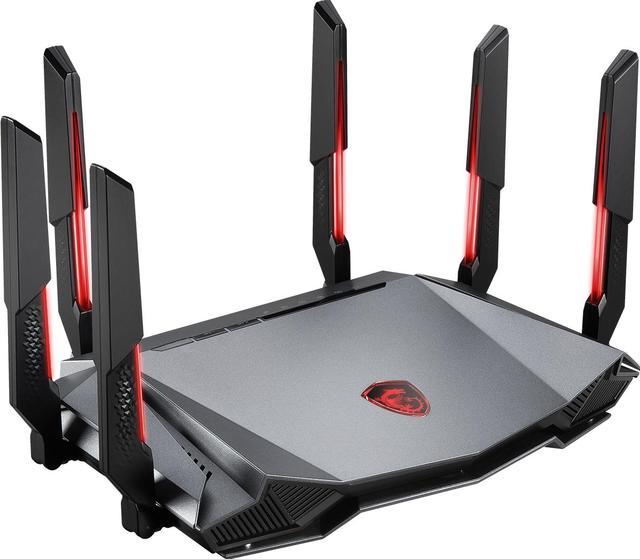
Credit: www.newegg.com
Optimizing Tri Band Router For Many Devices
Tri band routers can handle many devices by dividing traffic across three bands. Supporting 100 devices is possible but depends on device type and usage. Proper setup helps maintain speed and reduce interference for large networks.
Optimizing a tri-band router for many devices requires strategic planning. With the right setup, these routers can support up to 100 devices effectively. This section will explore key strategies to enhance your router’s performance.Router Placement Tips
Position your router centrally in your home. Avoid placing it near walls or metal objects. Elevate the router on a shelf for better coverage. This ensures that the signal reaches all devices efficiently.Channel And Band Steering
Use channel steering to reduce interference. Select less crowded channels on the router. Band steering directs devices to the optimal band. This balances the network load efficiently.Firmware And Software Updates
Keep your router’s firmware updated. Updates fix bugs and improve performance. Check the manufacturer’s website for the latest versions. Use automatic updates if available. This ensures your router operates at its best.Alternatives For High Device Count
Handling a high number of devices on your network can be tricky. While tri-band routers offer good bandwidth, they might struggle when 100 or more devices connect simultaneously. Thankfully, there are smarter alternatives that help maintain speed and stability without constant drops.
Mesh Network Systems
Mesh networks spread your Wi-Fi signal across multiple access points, creating a seamless web of coverage. This setup reduces dead zones and balances the load better than a single router. You can easily add more nodes to support dozens of devices without slowing down your connection.
Think about your home or office layout—mesh systems adapt to different spaces, improving performance in tricky corners. Have you ever experienced Wi-Fi cutting out in certain rooms? Mesh can fix that by delivering strong signals everywhere.
Wi-fi 6 And 6e Routers
Wi-Fi 6 and 6E routers are designed to handle many devices at once with improved efficiency. They use technologies like OFDMA and MU-MIMO to communicate with multiple devices simultaneously, reducing congestion. This means smoother streaming, gaming, and working without constant buffering.
Consider upgrading if your current router feels overwhelmed during busy hours. Wi-Fi 6E extends this to the 6 GHz band, offering even more channels and less interference. Could your network benefit from these advanced features?
Using Wired Connections
Wired connections still offer the most stable and fastest performance, especially for devices that demand consistent bandwidth. By connecting key devices like desktops, smart TVs, or gaming consoles with Ethernet cables, you free up wireless capacity for others. This reduces overall network strain and improves speed for everyone.
Have you tried mixing wired and wireless setups? Even simple steps like plugging in your main devices can make a noticeable difference. It’s an easy way to boost your network without investing in new gear immediately.
Common Issues With High Device Loads
Handling many devices on a tri-band router can lead to several challenges. High device loads push the router’s capacity and affect performance. Understanding these issues helps manage your network better and keeps connections smooth.
Network Congestion
Network congestion happens when too many devices use the router at once. This causes slow internet speeds and delays. Each device shares bandwidth, so heavy use reduces speed for all. Streaming, gaming, and downloads may lag or buffer frequently.
Even tri-band routers can struggle if device numbers exceed capacity. The router might drop some connections or disconnect devices. This makes online tasks frustrating and unreliable.
Interference Problems
Interference affects signal quality and strength. Many devices using the same bands cause wireless signals to clash. Walls, appliances, and other electronics add to interference. This lowers data transfer rates and increases errors.
Tri-band routers offer three frequency bands, but interference can still happen. Devices far from the router get weaker signals. This leads to unstable connections and slower speeds.
Security Concerns
More devices mean higher security risks. Each connection is a potential access point for hackers. Weak passwords or outdated firmware increase vulnerabilities. Unsecured devices can spread malware or steal data.
Managing many devices requires strong security settings. Regular updates and strong encryption protect the network. Monitoring connected devices helps spot unknown or suspicious activity.
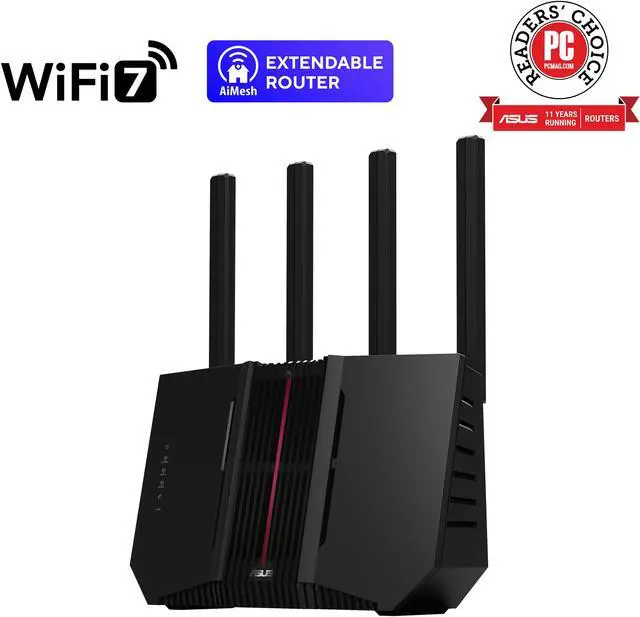
Credit: www.newegg.com
Frequently Asked Questions
Can A Tri-band Router Handle 100 Devices Simultaneously?
Yes, a tri-band router can support around 100 devices, but performance depends on device types and usage. It offers three separate bands, reducing congestion and improving overall network efficiency for many devices.
What Makes Tri-band Routers Suitable For Many Devices?
Tri-band routers provide three separate frequency bands: one 2. 4 GHz and two 5 GHz bands. This setup reduces interference and allows more devices to connect without slowing down the network.
Is Tri-band Better Than Dual-band For Multiple Devices?
Yes, tri-band routers outperform dual-band routers when handling many devices. The extra 5 GHz band helps distribute traffic, ensuring smoother connections and better speeds for numerous users.
Will 100 Devices Affect Tri-band Router Speed?
Connecting 100 devices can affect speed, especially if many use high bandwidth. Tri-band routers manage traffic better, but overall speed depends on your internet plan and device activity.
Conclusion
A tri-band router can support many devices, but 100 is a high number. Performance depends on the router’s quality and settings. You might see slower speeds with too many devices connected. Choosing the right model and placing it well helps maintain a strong signal.
Regular updates and good security keep your network safe. In the end, tri-band routers offer better support for many devices than single or dual-band ones. Consider your needs carefully before deciding.