Have you ever wondered if you can stream your favorite shows or movies using a portable router? If you’re often on the move and rely on mobile internet, this question probably crosses your mind.
Streaming on the go sounds great, but is your portable router up to the task? You’ll discover exactly how streaming works with a portable router, what you need to watch out for, and tips to make sure your viewing experience stays smooth.
Keep reading to find out if your portable router can become your new best friend for streaming anywhere.
Streaming Basics On Portable Routers
Streaming on portable routers is becoming popular for users on the move. These devices provide internet access anywhere, letting you watch videos or listen to music without interruption. Understanding how portable routers work and the types available helps you choose the right one for streaming needs.
How Portable Routers Work
Portable routers connect to cellular networks like 4G or 5G. They create a Wi-Fi hotspot that multiple devices can join. This hotspot shares the internet connection from the cellular network. You can stream content on phones, tablets, or laptops using this Wi-Fi.
These routers have built-in batteries, so they work without plugging in. They use SIM cards just like smartphones to access mobile data. The strength and speed of your stream depend on the cellular signal quality. Stronger signals mean smoother streaming with less buffering.
Types Of Portable Routers
- Standalone Mobile Hotspots:Small devices that only create Wi-Fi using cellular data. They are easy to carry and use.
- Portable Routers with SIM Slots:These routers can use SIM cards for internet and also have Ethernet ports for wired connections.
- Battery-Powered Routers:Designed for long use on the go, these routers have large batteries for extended streaming sessions.
- MiFi Devices:A brand of mobile hotspot that provides fast internet and supports many devices at once.
Choosing the right type depends on your streaming habits and device needs. Each type offers different features and battery life. Knowing these helps you enjoy smooth streaming anywhere.
Setting Up For Streaming
Setting up a portable router for streaming isn’t just about plugging in and going live. It requires careful choices and some tweaking to make sure your stream runs smoothly without interruptions. Let’s look at what you need to get right before you hit play.
Choosing The Right Router
Not all portable routers handle streaming the same way. You want a router with strong Wi-Fi signals and stable connections to avoid buffering. Look for models that support dual-band frequencies, especially 5 GHz, which offers faster speeds and less interference.
Battery life matters too. If you’re streaming on the go, pick a router with a long-lasting battery or one that can connect to a power bank. Some routers also offer Ethernet ports, which can be a game-changer for steady, wired streaming.
Configuring Network Settings
Once you have your router, setting up the network correctly is the next step. Start by securing your Wi-Fi with a strong password to prevent bandwidth theft that can slow your stream. Use WPA3 encryption if your router supports it for enhanced security.
Adjust the Quality of Service (QoS) settings to prioritize streaming traffic. This ensures your video or audio gets bandwidth preference over other devices or apps. Also, consider assigning a static IP to your streaming device to maintain a stable connection during your session.
Have you checked if your router’s firmware is up to date? Firmware updates often include improvements that boost performance and fix bugs affecting streaming quality. Taking these extra steps can save you from frustrating drops in your live feed.
Optimizing Streaming Performance
Streaming on a portable router can be convenient but requires smart settings. Optimizing performance helps keep videos smooth and clear. Small adjustments improve speed and reduce interruptions.
Managing Bandwidth
Bandwidth controls how much data moves at once. Limit devices using the router to save data for streaming. Close apps or tabs that use the internet in the background. Choose lower video quality if internet speed is low. Use router settings to prioritize streaming traffic over other data.
Reducing Latency And Buffering
Latency causes delays and buffering during streaming. Place the portable router close to your device for a stronger signal. Avoid physical barriers like walls or metal objects between devices. Restart the router regularly to clear slowdowns. Use Wi-Fi bands wisely: 5 GHz offers faster speed but shorter range, while 2.4 GHz covers longer distances with slower speed.

Credit: www.amazon.com
Compatible Devices And Apps
Portable routers support many devices like smartphones, tablets, and laptops for streaming. Popular apps such as Netflix, YouTube, and Spotify work smoothly on these connections. Streaming quality depends on the router’s speed and network coverage.
Streaming on a portable router can be a game-changer for those who crave flexibility and mobility. Whether you’re camping in the wilderness or just avoiding public Wi-Fi at a café, having your own portable hotspot opens up a world of entertainment possibilities. But before you dive into this convenience, it’s crucial to understand which devices and apps are compatible with your setup. Let’s delve into the essentials you need to maximize your portable streaming experience.Supported Streaming Platforms
When it comes to streaming, not all platforms are created equal, especially on a portable router. Major services like Netflix, Hulu, and Disney+ offer seamless streaming experiences and are optimized for mobile connections. Surprisingly, niche platforms such as Crunchyroll and Shudder also provide robust support for portable connections. This ensures that no matter your taste in entertainment, there’s likely an option available that aligns with your router’s capabilities. Have you checked if your favorite platform supports streaming on portable routers?Device Compatibility Tips
Before you start streaming, ensure your device is ready for the task. Smartphones and tablets are naturally suited for portable streaming due to their lightweight operating systems and high-resolution screens. Laptops can also be great companions, but they often require more bandwidth, which could drain your portable router’s data plan quicker. Consider adjusting the video quality settings on your device to balance clarity and data usage. Are your devices optimized for a smooth streaming experience?Troubleshooting Common Issues
Streaming on a portable router can face some common issues. These problems can interrupt your viewing experience or slow down your connection. Troubleshooting these issues helps maintain smooth streaming. Let’s explore the main problems and how to fix them.
Connection Drops
Connection drops happen when your device loses contact with the router. This can cause streaming to pause or stop completely. Causes include weak signals, interference, or low router battery.
- Move closer to the router to improve signal strength.
- Check for obstacles like walls or electronic devices blocking the signal.
- Restart the portable router to refresh the connection.
- Make sure the router battery is charged or connected to power.
- Update the router’s firmware for better stability.
Slow Streaming Speeds
Slow speeds reduce video quality and increase buffering time. This issue can arise from network congestion or limited data plans. Device settings can also affect speed.
- Limit the number of devices connected to the router.
- Choose lower video quality settings to reduce data use.
- Close other apps or downloads using bandwidth.
- Check your data plan to ensure enough speed and allowance.
- Place the router in an open area for better signal distribution.
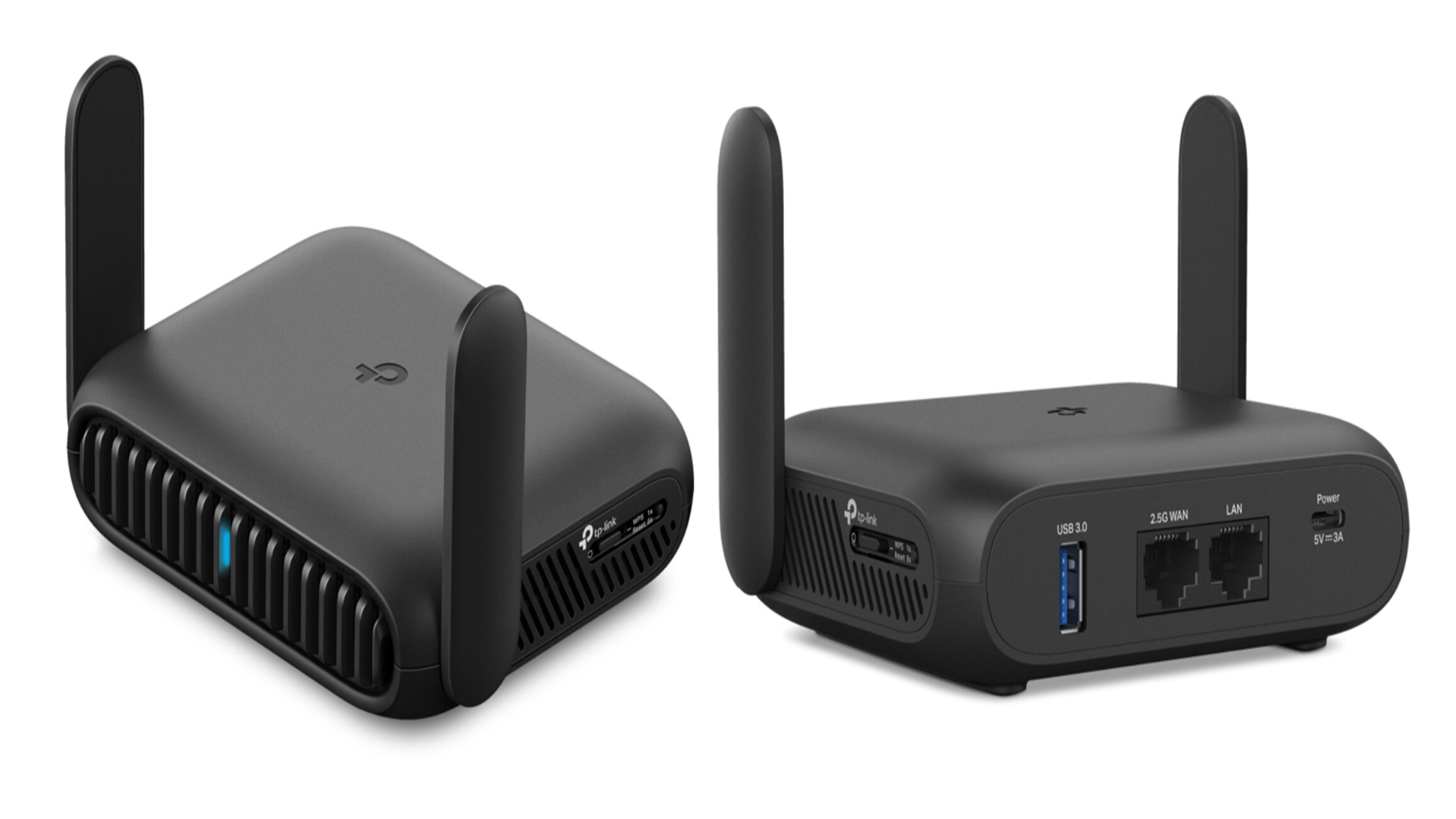
Credit: www.techradar.com
Security Considerations
Streaming on a portable router brings convenience but also opens up security questions you shouldn’t ignore. Your data, devices, and privacy are at stake if you don’t take the right precautions. Let’s look closely at how you can keep your streaming safe and your network secure.
Protecting Your Network
Your portable router acts as a mini hotspot, creating a private network. Securing this network is key to stopping unauthorized access.
- Use strong passwords:Avoid simple or default passwords. Choose a mix of letters, numbers, and symbols to make hacking harder.
- Enable WPA3 encryption:This is the latest and most secure Wi-Fi encryption standard. If your router supports it, turn it on immediately.
- Keep firmware updated:Router manufacturers release updates to fix security holes. Regularly check for and install these updates.
I once ignored a firmware update on my portable router and ended up with slow speeds and strange network activity. Updating it solved both problems and blocked potential threats.
Avoiding Public Wi-fi Risks
Streaming over public Wi-Fi with a portable router can expose your data to hackers lurking on the same network.
- Don’t connect without a VPN:A Virtual Private Network encrypts your internet traffic. This keeps your streaming and personal data hidden from others.
- Turn off automatic connections:Your device might join any open network it finds, risking your privacy. Disable auto-join to control where you connect.
- Limit file sharing:Public networks can make your files visible to strangers if sharing is on. Keep sharing off unless absolutely necessary.
Think about this: Is the convenience of free Wi-Fi worth risking your passwords or private videos? Taking simple steps like using a VPN can protect you without sacrificing freedom.
Tips For Seamless Viewing Anywhere
Streaming on a portable router can offer the freedom to watch your favorite shows anywhere. However, to keep the experience smooth and enjoyable, a few smart strategies can make all the difference. These tips help you avoid common issues like buffering, weak signals, and battery drain, so you stay connected no matter where you are.
Power Management
One of the biggest challenges when streaming on a portable router is battery life. Your router and streaming device both need power, and long sessions can quickly drain batteries.
Keep a power bank handy to recharge on the go. Choose one with enough capacity to fully charge your router multiple times. Also, adjust your router’s settings to lower power consumption by disabling unused features.
Have you noticed how streaming quality drops when your device is low on power? Keeping your gear charged prevents interruptions and keeps your content flowing smoothly.
Using External Antennas
Signal strength plays a huge role in streaming quality. Most portable routers have built-in antennas, but adding an external antenna can boost your connection significantly.
Look for antennas compatible with your router that offer better range and stability. Directional antennas are great if you know where the signal source is, while omnidirectional antennas cover all directions, perfect for moving around.
Think about your streaming spots: Are you often near windows or outdoors? Placing your router with the external antenna near open spaces can improve reception and reduce buffering.

Credit: www.youtube.com
Frequently Asked Questions
Can You Stream Videos Using A Portable Router?
Yes, you can stream videos with a portable router. It provides internet access by sharing cellular data. Streaming quality depends on your mobile network speed and router capability.
Does A Portable Router Support Multiple Streaming Devices?
Yes, portable routers can support multiple devices streaming simultaneously. However, streaming quality may reduce if many devices connect or data speed is slow.
Is Streaming On A Portable Router Data-intensive?
Streaming on a portable router uses significant data. It can quickly consume your cellular data plan, so monitor usage to avoid extra charges.
What Affects Streaming Quality On A Portable Router?
Streaming quality depends on cellular signal strength, network speed, router performance, and the number of connected devices.
Conclusion
Streaming on a portable router works well for many users. It offers internet access on the go without wires. Speeds may vary depending on your location and network. Keep your data limits in mind to avoid extra charges. Portable routers make streaming possible, but not always perfect.
Choose the right device and plan for smooth streaming. This way, you can enjoy videos anywhere, anytime. Streaming with a portable router is simple and useful. Give it a try and see how it fits your needs.