Have you ever wondered if you can use a portable router without an internet connection? Maybe you need to share files, play games, or connect multiple devices in a place with no Wi-Fi.
It might sound confusing, but the answer could change the way you use your gadgets. Keep reading to discover how a portable router works without internet and how you can make the most of it. This simple trick might surprise you!
What Is A Portable Router
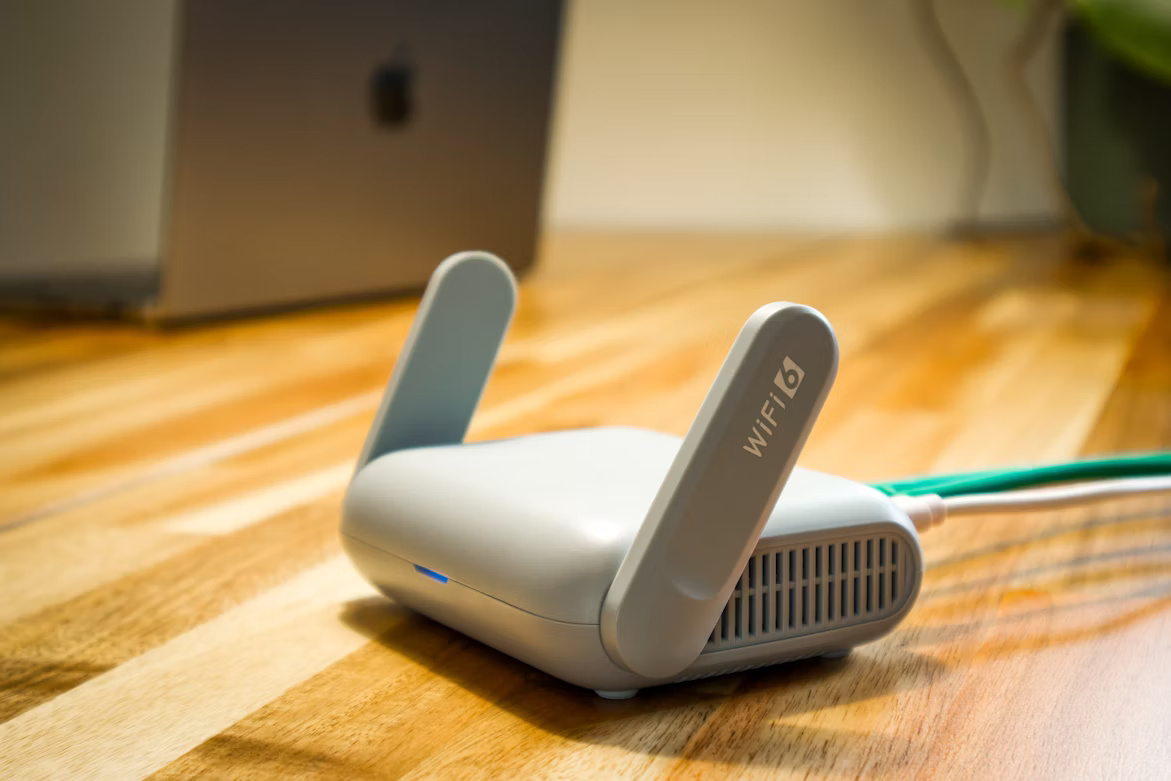
A portable router is a small device that creates a Wi-Fi network wherever you go. It connects to a wired or wireless internet source and shares that connection with your devices. Portable routers are compact and easy to carry. They help you stay connected on the move without relying on public Wi-Fi networks.
These routers often work with SIM cards or connect to existing networks. You can use them to connect smartphones, laptops, tablets, and other Wi-Fi devices. Portable routers are useful in places without fixed internet or where public networks are unsafe.
Key Features
- Compact and lightweight design for easy transport
- Supports multiple devices at once
- Battery-powered options for internet on the go
- Can use SIM cards or wired connections
- Provides secure Wi-Fi networks
- Easy to set up with simple interfaces
Common Uses
- Traveling to stay connected anywhere
- Creating a secure network in public places
- Sharing internet in remote or temporary locations
- Connecting devices during meetings or events
- Backup internet when home Wi-Fi fails
- Providing Wi-Fi in vehicles or outdoor areas
How Portable Routers Work
Portable routers create small Wi-Fi networks anywhere. They are handy for sharing internet or connecting devices. Understanding how these devices work helps to use them better. Portable routers operate by managing connections and data flow.
Connection Types
Portable routers connect to the internet using various methods. Many use a SIM card for cellular networks like 4G or 5G. Others link to an existing Wi-Fi network to extend coverage. Some models allow wired connections via Ethernet cables. These options make portable routers flexible for different needs.
Data Transmission
Data moves between devices and the router wirelessly. The router sends and receives signals using radio waves. It converts digital data into signals that devices can understand. When no internet is available, the router still shares data locally. Devices can talk to each other through this private network. This lets users transfer files or play games without internet access.
Using A Portable Router Without Internet
Using a portable router without internet lets you create a small, local network. This setup is useful for sharing files, playing games, or connecting devices in places without Wi-Fi. Portable routers can work as hubs where multiple devices connect to each other directly.
Offline Network Setup
Set up an offline network by powering on the portable router. Connect your devices to the router’s Wi-Fi network. No internet connection is needed for this step. The router assigns local IP addresses to each device. This allows devices to communicate within the network.
Use the router’s settings page to customize the network name and password. Keep the network secure even without internet access. The router acts as a central point for device connections.
Device Connectivity
Devices like laptops, smartphones, and tablets can connect to the router’s Wi-Fi. Once connected, they can share files and stream media locally. Apps that support local network play or sharing will work smoothly.
Some portable routers also offer USB ports for direct device connections. This feature helps transfer files faster between devices. Without internet, the router still manages traffic between devices efficiently.
Benefits Of Offline Portable Router Use
Using a portable router without internet offers useful benefits. It creates a private network for devices to connect. This setup is helpful in many situations. It allows sharing and entertainment without the need for web access.
Local File Sharing
A portable router lets devices share files easily. Phones, tablets, and laptops connect and exchange data fast. No cables or internet required. This is perfect for meetings or trips where internet is absent. Everyone can access documents, photos, and videos on the local network. It saves time and keeps files secure within the group.
Gaming And Media Streaming
Offline portable routers support multiplayer gaming. Players connect to the same network and enjoy games together. No internet lag or interruptions. It also streams movies and music from one device to others. This is great for entertainment in places without internet. Everyone can watch or listen at the same time using the local connection.
Limitations Without Internet Access
Using a portable router without internet access has its limitations. Though useful, these devices can’t perform all tasks without a connection. Understanding these limitations is crucial for effective use.
No Web Browsing
Without internet access, browsing the web becomes impossible. Websites need a live connection to load content. A portable router can only provide local network access. You can still share files within a local network. Yet, accessing online content is off the table.
Restricted App Functionality
Many apps rely on the internet to function. Apps like social media and streaming services need constant data. Without internet, these apps offer limited or no functionality. Some apps may work offline, but most need updates or data from the web.
Understanding these limitations helps you plan better. Knowing what your portable router can and cannot do is key. This ensures you use it effectively within its capabilities.

Credit: www.youtube.com
Setting Up A Portable Router Offline
Setting up a portable router without internet access might seem tricky at first, but it’s completely doable. You can create a local network for sharing files, playing games, or connecting devices even when the web is out of reach. Let’s look at how to get your portable router ready offline.
Initial Configuration
Start by powering on your portable router and connecting it to your laptop or smartphone via Wi-Fi or an Ethernet cable. Open a web browser and enter the router’s default IP address, usually something like 192.168.0.1or 192.168.1.1. This takes you to the router’s setup page.
Even without internet, you can configure basic settings here. Set your network name (SSID) so your devices can recognize the router. Choose a simple yet unique name to avoid confusion if other networks are nearby.
Adjust the router’s IP address range if needed to fit your local network preferences. This step is especially useful if you plan to connect multiple devices or other routers later on.
Security Settings
Security is often overlooked when there’s no internet, but your local network still needs protection. Enable WPA2 or WPA3 encryption to keep your data safe from nearby snoopers. Avoid using no password or open networks, even offline.
Set a strong password for your Wi-Fi network. It should be easy enough for you to remember but hard for others to guess. This simple step prevents unauthorized access to your shared files or connected devices.
Consider disabling features like WPS, which can be a weak point in security. Also, turn off remote management options to ensure only devices connected locally can control the router.
Have you tried setting up a portable router offline before? You might find it surprisingly empowering to create your own mini-network without needing an internet connection.
Popular Portable Routers For Offline Use
Using a portable router without an internet connection can still offer great value. Whether you’re sharing files, creating a local network, or connecting devices during travel, certain portable routers excel in offline environments. Picking the right model can make all the difference for your offline needs.
Top Models
Some portable routers stand out for offline use due to their flexibility and features. The TP-Link TL-WR902ACis popular because it supports multiple modes, including a hotspot and access point without internet.
The GL.iNet GL-MT300N-V2is another favorite. It offers local file sharing via USB and strong security features, ideal when you’re offline but still want to connect devices securely.
The HooToo TripMate Titanserves as a portable router and a power bank, making it practical for offline scenarios where charging devices and creating a local network are both needed.
Features To Look For
- Multiple Connection Modes:Look for routers that support access point, client, or repeater modes without requiring internet. This flexibility lets you connect devices locally.
- File Sharing Support:Some routers have USB ports for sharing files on a local network. This is useful if you want to stream media or access documents without internet.
- Battery Life or Power Options:If you’re offline, power sources can be limited. Devices with built-in batteries or the ability to act as power banks offer convenience on the go.
- Compact and Lightweight Design:Since portability matters, pick a model that fits easily in your bag and doesn’t weigh you down.
- Security Features:Even offline, you want your network to be secure. Look for routers with strong encryption and customizable security settings.
Have you ever tried setting up a local network without internet and found the process confusing? Choosing the right portable router simplifies this task and gives you control over your devices, wherever you are.
Credit: lightyear.ai
Tips To Maximize Offline Portable Router Use
A portable router can create a local network without internet access for sharing files and connecting devices. Adjust settings to optimize battery life and signal strength. Use offline features like media streaming and device communication within the network.
Maximizing the use of a portable router without an internet connection can seem challenging, but with a few strategic moves, you can get the most out of it. Whether you’re using it to create a local network for file sharing, connecting multiple devices, or just experimenting with technology, there are several tips to enhance your experience. Understanding these can make your offline network setup more efficient and enjoyable.Optimizing Network Performance
To get the best performance from your portable router, consider adjusting the device settings. Start by accessing the router’s admin panel through a browser and tweaking the bandwidth settings to prioritize certain devices over others. This can help ensure that your most important tasks get the speed they need. Keeping your router firmware up-to-date is another key step. Manufacturers often release updates that improve performance and fix bugs. Check the manufacturer’s website regularly for the latest updates and follow the instructions to install them. Think about the physical placement of your router. Placing it in a central location or away from metal objects and thick walls can significantly enhance signal strength. Remember, a clear line of sight between your router and devices often results in better connectivity.Troubleshooting Common Issues
Encountering issues with your offline portable router can be frustrating, but they are often easy to resolve. If a device can’t connect, try rebooting both the router and the device. This simple reset can solve many connectivity problems. Are you experiencing slow speeds? Check for interference from other electronic devices. Try changing the channel on which your router operates to reduce interference and improve performance. If the connection drops frequently, examine the power source. An unstable power supply can cause the router to reset, disrupting your network. Ensuring a stable power connection can prevent this from happening. By applying these tips, you can transform your offline portable router into a powerful tool. What are some creative ways you’ve used a portable router without internet? Share your experiences in the comments below!
Credit: whatthetech.tv
Frequently Asked Questions
Can A Portable Router Work Without An Internet Connection?
Yes, a portable router can function without internet. It creates a local Wi-Fi network for device communication. However, internet-based services won’t be accessible without an active connection.
How Does A Portable Router Operate Offline?
Offline, a portable router connects devices locally via Wi-Fi. It allows file sharing, gaming, or device syncing without internet. The router manages data traffic within the local network only.
Can I Use A Portable Router For Offline Gaming?
Yes, portable routers enable offline multiplayer gaming by connecting devices locally. Players can join the same network to play together without internet access.
Is It Possible To Share Files Using A Portable Router Without Internet?
Absolutely, portable routers facilitate local file sharing among connected devices. Files can be transferred securely within the network without needing internet access.
Conclusion
A portable router works without internet for local network tasks. You can share files, play games, or connect devices easily. It creates a Wi-Fi zone without needing online access. This helps in places with no internet or during outages. Remember, internet is needed for web browsing and online apps.
Portable routers offer flexible connections beyond just internet use. They serve well for quick, offline device networking. Understanding this helps you use your router smartly.