Have you ever wished for a stronger, more reliable internet connection while flying? If you’re tired of spotty Wi-Fi or want to connect multiple devices without hassle, you might be wondering: can you use a travel router on a plane?
Understanding how travel routers work in the air could change the way you stay connected during your flights. Keep reading to discover the surprising facts and practical tips that can make your next trip smoother and more connected than ever before.
Travel Routers And Airplanes
Travel routers have become a handy gadget for frequent flyers, but can you actually use one on a plane? Many travelers wonder if these devices can boost their in-flight internet experience or improve connectivity. Understanding how travel routers work and the availability of Wi-Fi on planes is key before packing one in your carry-on.
How Travel Routers Work
Travel routers create a small, personal Wi-Fi network by connecting to existing internet sources. They can connect to hotel Ethernet, public Wi-Fi, or even cellular networks and then share that connection with your devices. This helps you avoid connecting multiple devices directly to a weak or expensive network.
Think of it as a middleman between your devices and the internet. Instead of each device competing for bandwidth, the travel router manages the connection efficiently. This often leads to faster, more stable internet access for all your gadgets.
Wi-fi Availability On Planes
Most commercial airplanes now offer Wi-Fi, but the service varies widely in speed, cost, and reliability. The connection is usually provided via satellite and can be quite slow compared to what you’re used to on the ground. Because the plane itself is the source of the Wi-Fi, using a travel router inside the cabin generally won’t improve your connection.
Airlines typically prohibit devices that broadcast Wi-Fi signals independently during flight, due to safety regulations. Even if allowed, your travel router won’t find any external networks to connect to beyond the plane’s own system. So, you can’t use it to bypass or enhance the airplane’s Wi-Fi.
Have you ever tried to connect multiple devices using airplane Wi-Fi? You’ll notice it often struggles with more than one connection. While a travel router can help distribute a connection on the ground, on a plane it usually won’t make a difference.
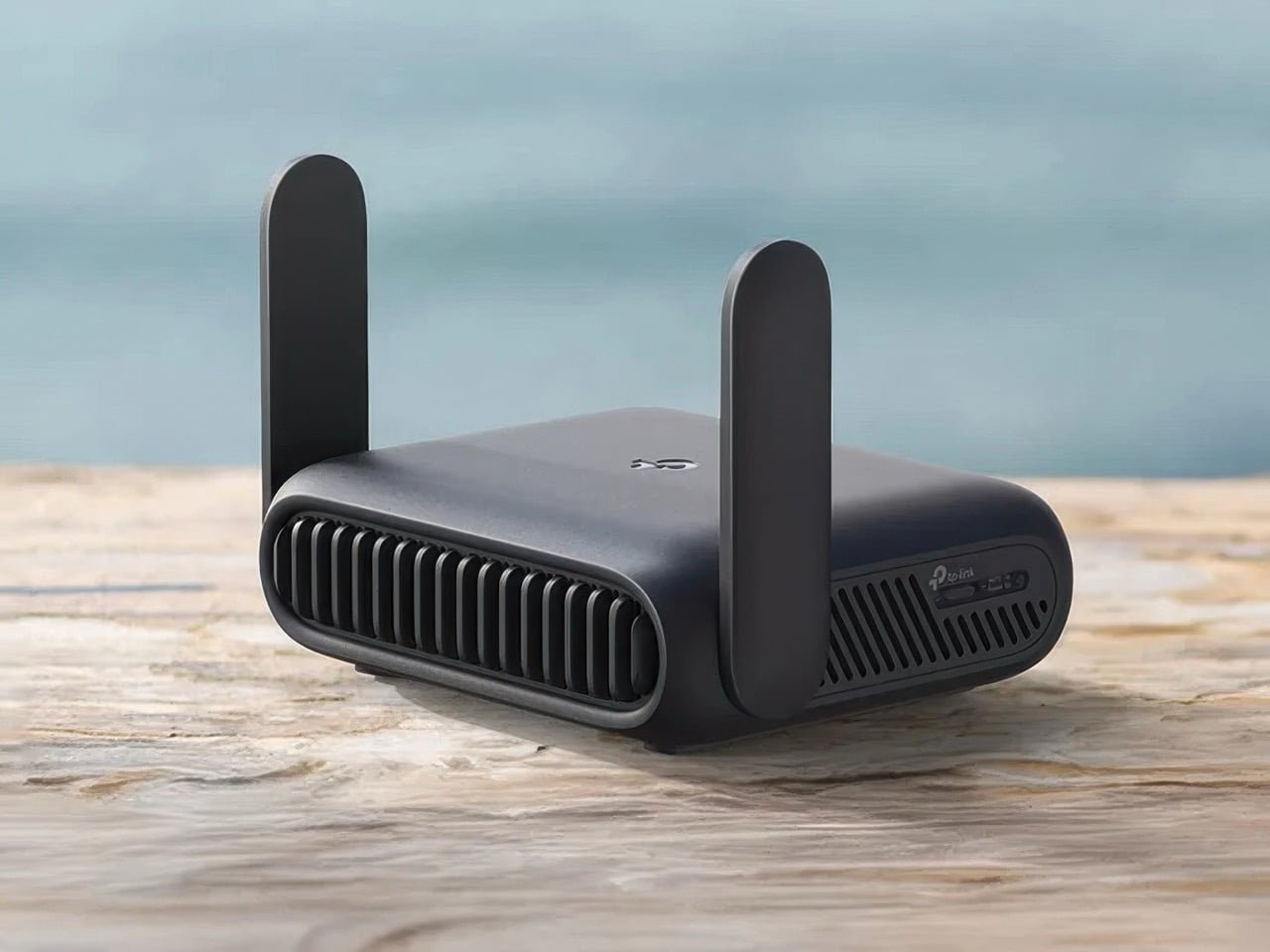
Credit: www.yankodesign.com
Using Travel Routers During Flights
Using travel routers during flights offers a way to manage your internet connection better. These small devices can create a personal Wi-Fi network from the plane’s internet service. This helps connect multiple devices easily. Travelers often want to know if travel routers work well on planes and what rules apply.
Compatibility With In-flight Wi-fi
Travel routers depend on the plane’s Wi-Fi system. Most airlines use a single internet connection shared by all passengers. The travel router takes this connection and spreads it to your devices. Not all routers support the types of connections planes provide. Some routers may not work with captive portals or limited bandwidth. Checking your router’s features before flying is smart.
Potential Restrictions And Rules
Airlines and regulators set rules about electronic devices on planes. Some airlines ban the use of travel routers during flights. They worry about interference with onboard systems or network security. Flight attendants usually ask passengers to turn off or limit certain devices. Using a travel router might break these rules and cause problems. Always check the airline’s policy before bringing a travel router on board.
Benefits Of Travel Routers On Planes
Using a travel router on a plane can change the way you experience in-flight internet. It offers more than just a connection; it creates a small, personal network tailored to your needs. This makes your time in the air more productive and enjoyable.
Improved Connectivity
Travel routers help you connect to the plane’s Wi-Fi more efficiently. Instead of juggling multiple devices trying to connect separately, your router acts as a single point of access. This often results in a stronger and more stable connection throughout the flight.
Have you noticed how some devices drop the signal while others stay connected? A travel router minimizes this issue by managing the connection better than your phone or laptop alone.
Multiple Device Support
One of the best perks is that a travel router lets you connect several devices simultaneously. Whether you have a smartphone, tablet, laptop, or e-reader, all can share the same internet connection without constant logins.
This is great for families or business travelers who rely on multiple gadgets. Instead of paying for each device’s Wi-Fi access, you pay once, and everyone stays connected.
Security Enhancements
Public Wi-Fi, especially on planes, can be risky. Travel routers add a layer of security by creating a private network with encryption. This keeps your data safer from hackers or snoopers on the same flight.
You control who joins your network, reducing the chances of unauthorized access. This peace of mind is invaluable when handling sensitive information or making online transactions mid-flight.
Limitations And Challenges
Using a travel router on a plane sounds like a great idea for staying connected, but there are several limitations and challenges you should be aware of before you pack one in your carry-on. These obstacles can impact how effective your device will be and whether you can even use it during your flight. Understanding these barriers helps you set realistic expectations and avoid any hassles mid-air.
Signal Interference Issues
Planes have complex electronic systems, and many airlines are strict about devices that might interfere with navigation or communication equipment. Your travel router emits wireless signals that could potentially cause interference, especially during takeoff and landing. Even if you try to use it in flight mode, the signal strength might be too weak or unstable to provide a reliable connection.
Have you ever noticed your phone’s Wi-Fi dropping out on a plane? That’s largely due to signal interference and restricted bandwidth. This makes relying on a personal travel router tricky, as the surrounding environment isn’t designed for strong or consistent wireless signals.
Power Source Constraints
Travel routers need power, but charging options on planes are often limited. Not all aircraft have USB ports or power outlets at every seat, so keeping your device running can become a challenge during long flights. If your router’s battery runs out, you’ll lose connectivity entirely.
Think about your last flight: did you find it easy to charge your gadgets? Many travelers carry portable power banks as a backup, but these have their own restrictions on planes. Also, some travel routers don’t have long battery lives, which means you need to plan charging carefully.
Airline Policies
Each airline has its own rules about electronic devices and Wi-Fi usage, and travel routers often fall into a gray area. Some airlines completely ban personal routers to avoid interference, while others allow them but only during specific phases of the flight. It’s essential to check your airline’s policy before you bring one onboard.
Have you ever been asked to turn off your device mid-flight? That’s a reminder how strict some policies can be. Ignoring these rules could lead to confiscation of your router or other penalties, which is the last thing you want on a trip.
Best Travel Router Features For Flights
Choosing the right travel router for flights requires focus on specific features. These features ensure smooth use on a plane and improve your travel experience. Prioritize small size, long battery life, and simple setup. These qualities make in-flight internet easier to access and more reliable.
Compact Size And Portability
A travel router must be small and lightweight. It should fit easily in a carry-on or pocket. Compact devices cause less hassle during security checks. Portability means you can use the router anywhere on the plane. A small size also helps save space in tight airplane seats.
Battery Life
Long battery life is essential for flights. Planes can have limited power outlets or none at all. A router with a strong battery can last through the entire flight. Look for routers with at least 6 to 8 hours of battery life. This helps keep your devices connected without interruptions.
Easy Setup
Setup should be quick and simple, even in cramped airplane seats. A good travel router connects easily to in-flight Wi-Fi or personal hotspots. Clear instructions and user-friendly apps make setup faster. Avoid devices that need complicated configurations or multiple steps.

Credit: www.zdnet.com
Tips For Using Travel Routers On Planes
Using a travel router on a plane can enhance your in-flight internet experience, but it requires some careful preparation. These tips will help you navigate airline rules, set up your device efficiently, and keep your connections smooth. Ready to make your next flight more connected?
Check Airline Regulations
Before packing your travel router, check the airline’s policies on electronic devices and Wi-Fi usage. Some airlines restrict or prohibit personal routers during flights due to interference concerns.
Look for specific rules on device power sources and wireless transmissions. Do you know if your router’s Wi-Fi frequencies are allowed at 35,000 feet? This step can save you from last-minute hassles at the gate.
Preconfigure Your Router
Set up your travel router before boarding to avoid fiddling with settings mid-flight. Enter your preferred network names and passwords in advance, so connecting your devices becomes instant and hassle-free.
Consider saving multiple profiles if you travel internationally, as some networks require different configurations. This preparation means more time enjoying your flight and less time troubleshooting connectivity issues.
Manage Device Connections
Limit the number of devices connected to your travel router to maintain a stable connection. Too many devices can slow down your internet and drain your router’s battery faster.
Prioritize essential devices such as your laptop or tablet for work or entertainment. Have you thought about turning off automatic updates or background apps to save bandwidth during your flight?
Alternatives To Travel Routers In Flight
Travel routers provide internet access on the go. Yet, airlines may not allow their use. But there are other ways to stay connected. Explore these alternatives to travel routers while flying. They offer convenience and ease.
Using Mobile Hotspots
Mobile hotspots can be a handy tool. Many phones have built-in hotspot features. They allow you to share cellular data. But remember, airplane mode must be on during flights. This means mobile hotspots can’t be used in the air. Check with your airline for specific rules.
Relying On In-flight Wi-fi
Most airlines offer in-flight Wi-Fi services. They allow passengers to connect to the internet. Wi-Fi may be free or require a fee. Speed and availability can vary. Popular airlines often provide reliable connections. Always check if Wi-Fi is available on your flight.
Offline Entertainment Options
Consider downloading entertainment before your flight. Many streaming services offer offline downloads. Save movies, shows, or music to enjoy without Wi-Fi. E-books and audiobooks are great options too. These can be accessed anytime during the flight. Enjoy uninterrupted entertainment in the air.

Credit: www.amazon.ca
Frequently Asked Questions
Can You Use A Travel Router On A Plane?
Using a travel router on a plane is generally not allowed. Airlines prohibit devices that emit Wi-Fi signals during flight. This is to avoid interference with the aircraft’s communication systems. However, you can use a travel router on the ground to share airport Wi-Fi.
Does A Travel Router Work With Airplane Wi-fi?
A travel router can work with airplane Wi-Fi if the airline provides onboard internet. You connect the router to the plane’s Wi-Fi network, then share the connection with your devices. This setup can improve connection stability but depends on airline policies.
Are Travel Routers Allowed In Airplane Carry-on Bags?
Yes, travel routers are allowed in carry-on bags. They are small electronic devices and pose no security threat. You must turn them off during takeoff and landing, following airline rules. Always check specific airline guidelines before flying.
Can A Travel Router Improve Airplane Wi-fi Speed?
A travel router can help manage multiple devices but won’t increase airplane Wi-Fi speed. Airplane internet speed depends on the provider and satellite connection. The router mainly helps create a personal Wi-Fi network for better device management.
Conclusion
Using a travel router on a plane depends on airline rules and device features. Most airlines do not allow personal routers to create Wi-Fi on flights. Still, some travelers use them to connect multiple devices to airplane Wi-Fi. Check with the airline before flying to avoid issues.
A travel router can help if allowed, but it won’t boost internet speed. Always follow airline instructions for safe and smooth travel. Planning ahead makes using tech on planes easier and stress-free.