Are you wondering if budget routers come with USB ports? You’re not alone.
Many people want to know if an affordable router can handle more than just basic internet. USB ports on routers can be a game-changer, letting you share files, connect printers, or even boost your network storage. But do cheaper models offer this feature, or is it only found in high-end devices?
Keep reading to discover the truth about budget routers and USB ports—and find out what you really need for your home network.
Budget Routers And Usb Ports
Budget routers often surprise users with features beyond basic internet sharing. One such feature is the inclusion of USB ports. These ports add versatility to your router, making it more than just a device for Wi-Fi distribution. Understanding the presence and types of USB ports on budget routers helps in choosing the right model for your needs.
Common Usb Port Types
Most budget routers come with one or two USB ports. The common types include:
- USB 2.0:Found in many budget models. It offers decent speed for basic tasks.
- USB 3.0:Faster data transfer. Less common but available in some affordable routers.
- USB-C:Rare in budget routers. Mostly seen in higher-end models.
USB 2.0 ports are the standard for budget devices. They support basic file sharing and printer connections.
Why Usb Ports Matter
USB ports on routers provide extra functions. They allow users to connect external storage devices. This way, files become accessible to all devices on the network.
Printers can also connect through USB ports. This turns a simple printer into a shared network printer. It saves money and space.
Some routers use USB ports for 4G or 5G dongles. This helps create backup internet connections.
Overall, USB ports add value. They make budget routers more flexible and useful in everyday settings.
Key Features Of Budget Routers
Budget routers may seem like a simple solution for home or small office networks, but they come packed with features that can surprise you. Knowing what to expect helps you make smarter choices and avoid overpaying for extras you don’t need.
Let’s break down some key features to look for in budget routers, especially if you’re curious about connectivity options like USB ports.
Wireless Standards Supported
The wireless standard defines how fast and reliable your connection will be. Most budget routers support 802.11n, which is decent for everyday browsing and streaming.
Some newer budget models now include 802.11ac, offering faster speeds and better performance with multiple devices. If you want a router that can keep up with your smartphone, laptop, and smart home devices, checking the wireless standard is crucial.
Speed And Range
Budget routers typically offer speeds between 300 Mbps and 1200 Mbps. This range is usually enough for casual users, but heavy gamers or 4K streamers might feel the pinch.
Range can vary widely depending on the router’s antenna design and placement. I once placed a budget router in a corner and noticed dead zones in my living room. Moving it to a central spot made a huge difference.
Think about your space and how many devices you connect. Will your router cover every room? Or do you need a range extender?
Security Features
Security should never be an afterthought, even on budget routers. Look for routers that support WPA2 encryptionat a minimum; it’s essential for keeping your network safe.
Some budget models also offer guest networks, letting visitors use your internet without accessing your personal files. This feature adds a layer of protection you might not expect in affordable routers.
Ask yourself: Does your router get regular firmware updates? Many budget options don’t, which could leave your network vulnerable over time.
Benefits Of Usb Ports On Routers
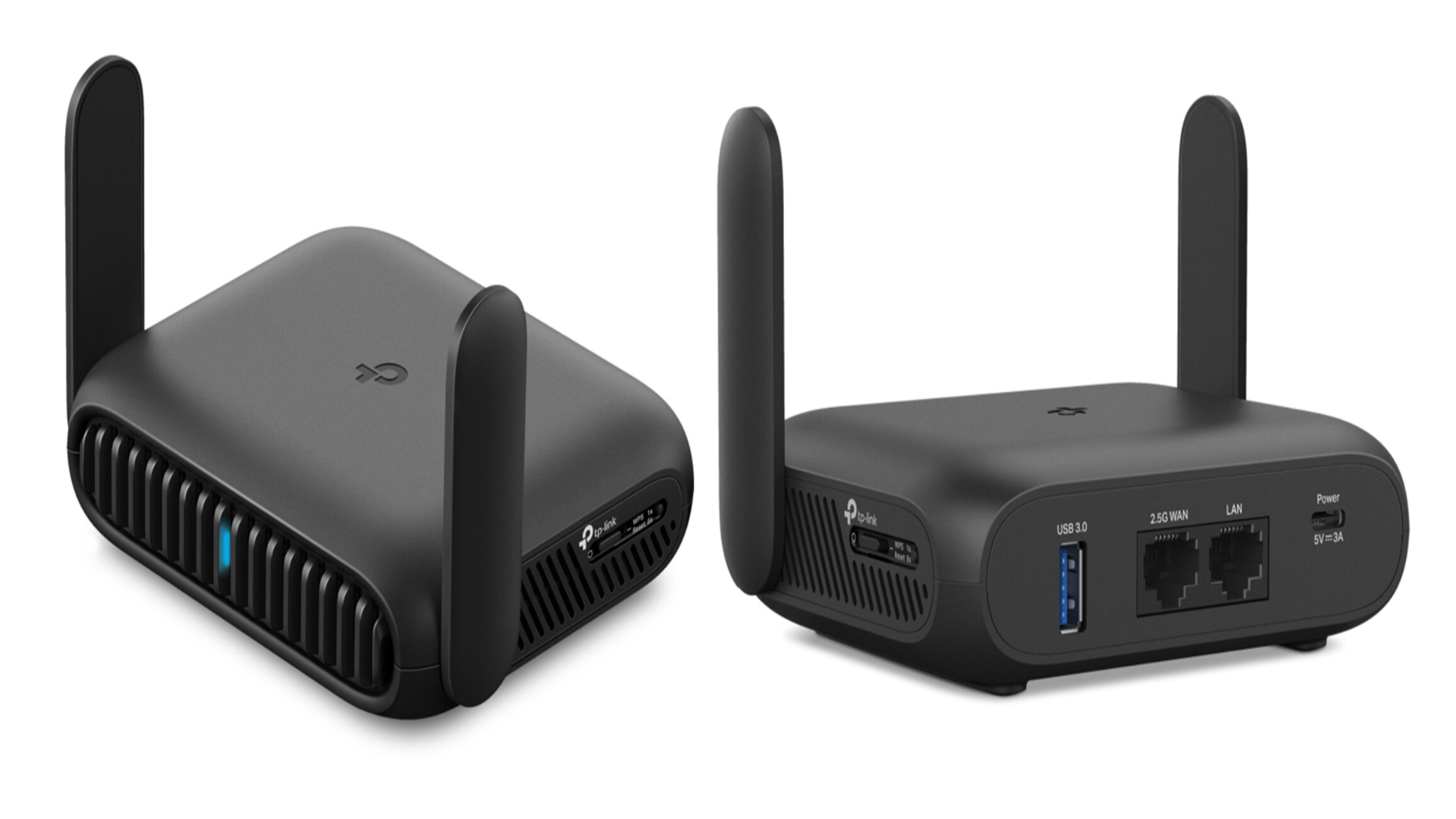
USB ports on routers add valuable features beyond simple internet access. They turn your router into a small network hub that connects various devices. This capability enhances home and office network functions. Enjoy easy sharing and streaming with a USB-enabled router.
File Sharing And Storage
Connect a USB drive to your router for shared storage. Everyone on the network can access files easily. No need for a separate server or cloud service. It saves time and protects privacy by keeping data local. Access documents, photos, and videos from any device.
Printer Sharing
A USB port lets you connect a printer directly to the router. This setup turns the printer into a network device. Multiple users can print without extra cables or adapters. It simplifies home or small office printing needs. Share one printer with several computers effortlessly.
Media Streaming
Stream music, movies, and photos stored on a USB drive. The router acts as a media server for smart TVs and devices. Enjoy your media on any screen without transferring files. It reduces clutter and makes media access convenient. Perfect for family entertainment or casual use.
Credit: www.techradar.com
Limitations Of Usb Ports On Budget Routers
Budget routers often include USB ports, but their functionality is limited. These ports may support only basic file sharing or charging, lacking advanced features found in higher-end models. Users might face slower transfer speeds and compatibility issues with some devices.
Budget routers often come with USB ports, which can be a handy feature for connecting external storage devices, printers, or even modems. However, these USB ports come with their own set of limitations. Understanding these constraints can help you make better choices when it comes to using your router effectively.Performance Constraints
Budget routers typically lack the processing power found in more expensive models. This can lead to slower data transfer speeds when using USB ports. Imagine trying to stream a movie from an external hard drive connected to your router. You might find the buffering frustratingly frequent. Moreover, the USB ports on budget routers are often USB 2.0, which is significantly slower than the newer USB 3.0 standard. This can be a bottleneck if you’re looking to transfer large files. It’s essential to manage your expectations and use these ports for tasks that don’t require high-speed data transfers.Compatibility Issues
Not all USB devices are compatible with budget routers. You may find that some external hard drives or printers simply won’t work. This is often due to the lack of driver support or limited firmware capabilities of the router. Have you ever tried connecting a device only to find it doesn’t work as expected? You’re not alone. Checking the router’s compatibility list before purchasing can save you a lot of hassle. If you own multiple devices, ensure they are supported to avoid disappointment. While USB ports on budget routers offer added functionality, they come with trade-offs. Recognizing these limitations can help you make smarter decisions and avoid potential pitfalls.Top Budget Routers With Usb Ports
Finding a budget router with a USB port can be a game changer for your home network. USB ports let you share files, printers, or even connect external storage directly through the router. But not all affordable routers come with this handy feature, so it’s worth knowing which models offer the best value without skimping on connectivity options.
Popular Models And Features
Several budget-friendly routers pack USB ports, offering solid features for everyday use. The TP-Link Archer A7is a favorite, thanks to its reliable dual-band Wi-Fi and a USB 2.0 port that supports file sharing and printer connections.
Another option is the ASUS RT-AC66U B1, which includes a USB 3.0 port for faster data transfers and supports media server functions. Meanwhile, the Netgear R6700 Nighthawkbalances performance with a USB 3.0 port, making it easy to stream media from external drives.
Each of these models also supports basic security features and easy setup, making them user-friendly choices for those new to network storage sharing.
Price Vs. Performance
How much should you spend for a router with a USB port? Budget models usually range from $50 to $100, but the performance can vary widely. The TP-Link Archer A7, priced around $60, offers great value for simple file sharing but may lag in heavy traffic environments.
Spending a bit more on the ASUS RT-AC66U B1 or Netgear R6700 gets you faster USB ports and better wireless coverage. However, if your use is light—like occasional printing or small file sharing—a lower-cost model often meets your needs without extra cost.
Consider what you want to connect and how often. If you plan to stream large files or backup data frequently, investing in a router with USB 3.0 ports and stronger hardware pays off. Otherwise, a basic USB 2.0 port on a budget router might be just right.
Credit: www.pocket-lint.com
Alternatives When Usb Ports Are Missing
Budget routers often lack USB ports, limiting direct device connections. This can seem like a big problem for sharing files or connecting printers. Still, there are smart alternatives that work well without USB ports.
These options help you add extra features and keep your home network flexible. They let you share storage or connect devices smoothly, even without a router USB port.
Using Network Attached Storage (nas)
A Network Attached Storage device connects directly to your router via Ethernet. It acts as a central storage hub for all devices on your network.
- Stores files accessible from any computer or phone on the network
- Supports media streaming and automatic backups
- Works independently of router USB ports
NAS is ideal for sharing large files and managing data without extra cables. It offers better speed and reliability compared to USB drives connected via routers.
Usb To Ethernet Adapters
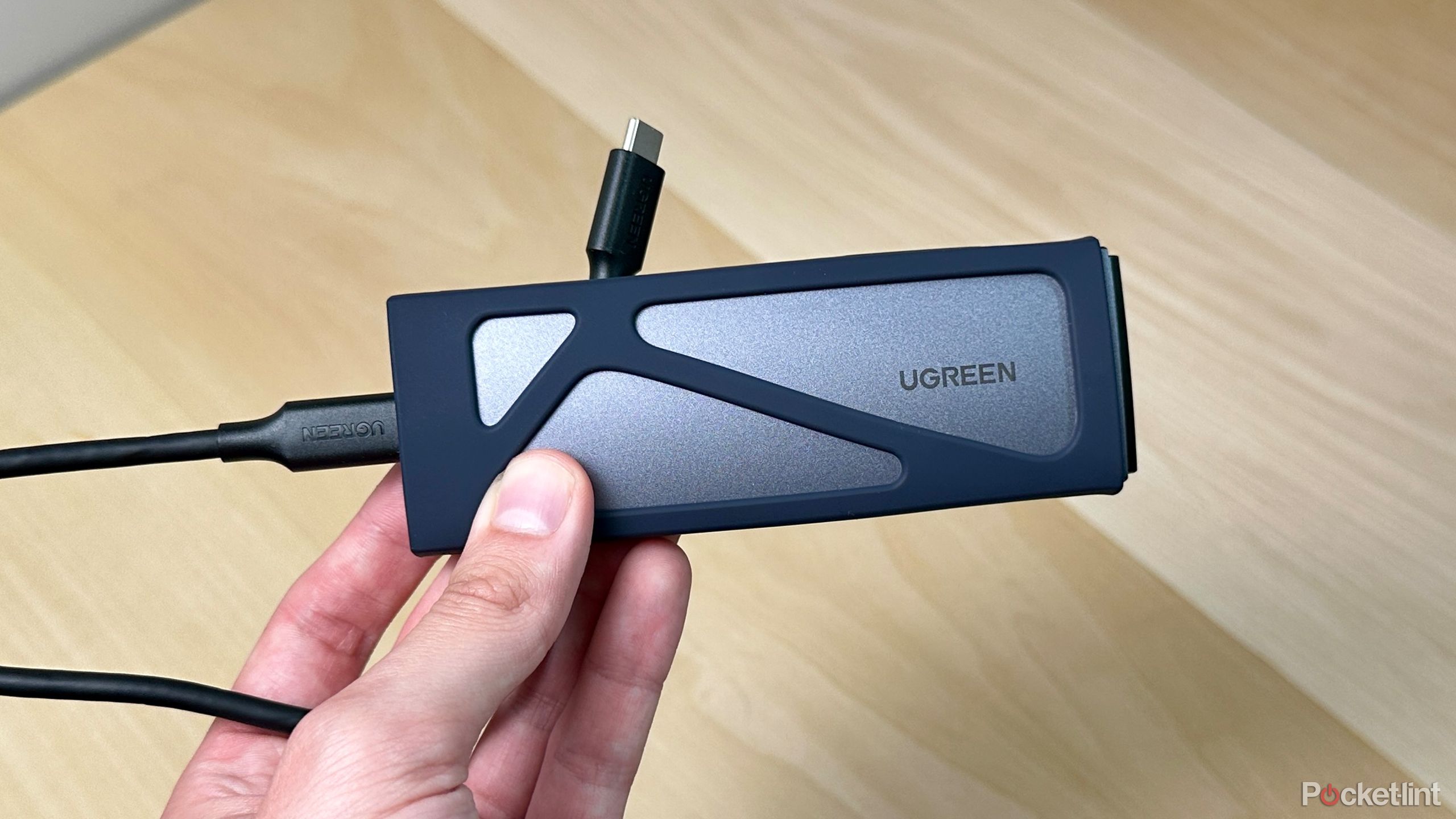
USB to Ethernet adapters convert USB devices to connect over the network. These adapters plug into a network switch or router Ethernet port.
- Allow USB printers or storage to connect through Ethernet
- Expand device connectivity without router USB ports
- Easy to set up with simple plug-and-play features
This solution is good for sharing USB devices across multiple computers. It keeps your network organized and avoids clutter from extra wires.

Credit: www.amazon.com
Frequently Asked Questions
Do Budget Routers Usually Include Usb Ports?
Most budget routers do not include USB ports. USB ports are typically found in mid-range or high-end models. This feature allows file sharing or printer connections via the network. Budget routers focus on essential networking functions, often omitting USB connectivity to reduce costs.
What Functions Do Usb Ports Serve On Routers?
USB ports on routers enable sharing external storage devices and printers over the network. They also support firmware updates and 4G/5G USB modems. This functionality adds convenience but is generally absent in lower-priced routers due to added hardware costs.
Can A Budget Router’s Usb Port Improve Network Performance?
USB ports on budget routers usually do not enhance network speed. They provide extra features like file sharing, not performance boosts. Network performance depends more on router hardware, firmware, and connection type than USB availability.
Are There Affordable Routers With Usb Ports?
Yes, some affordable routers offer USB ports. These models balance cost and features well. However, true budget routers often skip USB to keep prices low. Check product specifications carefully when buying if USB ports are important.
Conclusion
Budget routers sometimes include USB ports for extra features. These ports let you share files or connect printers easily. Not all budget models have this option, so check before buying. USB ports add value but may not be essential for everyone.
Consider what you need from your router first. Choosing the right one can save money and meet your needs. Simple and clear decisions work best when shopping for routers.