Are you confused about whether your dual band router needs a modem to work? You’re not alone.
Many people wonder if these two devices are separate or if one can do the job of both. Understanding this can save you money and improve your internet experience. Keep reading, and by the end, you’ll know exactly what you need to get fast, reliable Wi-Fi at home.
How Routers And Modems Differ
Understanding the difference between routers and modems is key when setting up your home internet. These two devices work together but serve distinct purposes. Knowing how they differ helps you decide if you really need both, especially when considering dual band routers.
Role Of A Modem
A modem connects your home network to the internet provided by your Internet Service Provider (ISP). It translates the signal from your ISP into data your devices can understand. Without a modem, your router can’t access the internet, no matter how advanced it is.
Think of the modem as the gateway between your home and the vast internet outside. Even if you have a powerful dual band router, it won’t deliver internet unless the modem is doing its job. Have you checked if your modem is compatible with your ISP’s service?
Function Of A Router
A router manages the traffic within your home network. It directs data between your devices and the modem, making sure everything runs smoothly. Dual band routers offer two frequencies—2.4 GHz and 5 GHz—to reduce interference and improve speed.
Routers create local networks, allowing multiple devices to connect wirelessly or via cables. Your dual band router can prioritize devices or separate networks for work and entertainment. Imagine having your laptop on the faster 5 GHz band while your smart fridge uses 2.4 GHz without slowing down your streaming.
Combining Devices
Some devices combine modem and router functions into one unit, often called a gateway. This can simplify setup and reduce clutter but might limit customization options. If you prefer advanced control over your network, a separate modem and dual band router might be better.
Have you ever struggled with limited settings on an all-in-one device? Separating them lets you upgrade each independently. Your modem stays current with ISP technology, while your router adapts to new Wi-Fi standards or coverage needs.

Credit: www.amazon.ca
What Dual Band Routers Offer
Understanding what dual band routers offer helps clarify their role in your home network. These devices manage two different frequency bands, giving you more flexibility and better performance. Before deciding if you need a modem alongside your router, it’s useful to know what these bands do and what features come with dual band routers.
Frequency Bands Explained
Dual band routers operate on two frequency bands: 2.4 GHz and 5 GHz.
- 2.4 GHz bandcovers a larger area and works well through walls but tends to be slower and more crowded.
- 5 GHz bandoffers faster speeds and less interference but has a shorter range.
You might wonder why both bands matter. The answer is simple: they let you balance coverage and speed depending on your needs.
Benefits Of Dual Band
Using both frequency bands gives you several advantages.
- You can connect older devices that only support 2.4 GHz without sacrificing speed for newer devices on 5 GHz.
- It reduces network congestion by spreading devices across two bands.
- It improves overall network reliability, especially in busy households or offices.
Have you noticed your video calls dropping or downloads slowing down? A dual band router can help fix those common frustrations.
Common Features
Most dual band routers come packed with useful features to enhance your experience.
- Guest networkslet you share internet access without giving out your main password.
- Parental controlshelp manage screen time and restrict unsuitable content.
- Quality of Service (QoS)prioritizes traffic, so important tasks like gaming or streaming get the bandwidth they need.
- Many models include multiple Ethernet ports for wired connections, improving speed and stability.
Think about what features matter most to you. Are you streaming 4K videos or working from home? Your router’s capabilities can make a big difference.
Modem Requirement For Dual Band Routers
Dual band routers are popular for providing faster and more reliable Wi-Fi connections. They operate on two frequency bands: 2.4 GHz and 5 GHz. But do these routers need modems to work? Understanding the modem requirement helps in setting up your home network correctly.
A modem connects your home network to the internet service provider (ISP). The dual band router distributes that internet connection wirelessly or through Ethernet cables. Knowing the type of router you have is key to determining if a separate modem is necessary.
Standalone Router Setup
Most dual band routers are standalone devices. They only manage your Wi-Fi network and cannot connect directly to the internet. A separate modem is required to translate the ISP signal into internet access.
Without a modem, a standalone router cannot access the internet. The modem connects to the ISP’s network through a cable or phone line. Then, the router shares that connection to your devices.
Integrated Modem-routers
Some devices combine a modem and a dual band router in one unit. These are called gateway devices or integrated modem-routers. They connect directly to the ISP and distribute Wi-Fi signals.
Using an integrated modem-router removes the need for a separate modem. This setup reduces clutter and simplifies installation. But it limits flexibility if you want to upgrade parts separately.
Isp Compatibility
Not all ISPs support integrated modem-routers. Some require specific modem models for their network. Confirming compatibility avoids connection problems.
Check with your ISP before buying a dual band router. Ask if a separate modem is necessary or if an integrated device will work. This step ensures smooth internet service without technical issues.

Credit: www.reddit.com
Setting Up Your Network
Dual band routers manage Wi-Fi signals but do not connect directly to the internet. A modem is necessary to link your home network to your internet service provider. Together, they create a complete setup for fast and stable internet access.
Setting up your network with a dual-band router can enhance your internet experience. It offers flexibility and better connectivity. Understanding the setup process is crucial. This guide will walk you through connecting your modem and router. It will also cover configuring the dual bands and troubleshooting common issues.Connecting Modem To Router
To start, ensure your modem is powered on. Connect an Ethernet cable from the modem to your router’s WAN port. This cable links your router to the internet. Make sure the connection is secure. Plug your router into a power source. Wait for the lights to stabilize. This process may take a few minutes. Once connected, your router is ready for the next step.Configuring Dual Bands
Access your router’s settings through a web browser. Enter the router’s IP address in the address bar. Log in using the default credentials. Navigate to the wireless settings section. You will see options for 2.4GHz and 5GHz bands. Name each band with a unique SSID. Set a password for security. Save the settings to apply changes. Now, your devices can connect to either band. The 2.4GHz band covers a larger area. The 5GHz band offers faster speeds.Troubleshooting Tips
If you face issues, start by rebooting your devices. Power cycle both the modem and router. Check all cable connections. Ensure they are secure. Access the router’s settings to verify configurations. Reset the router if problems persist. Look for firmware updates on the manufacturer’s website. Install updates to fix bugs. If connectivity issues continue, contact your internet provider. They can assist with further troubleshooting.Choosing The Right Equipment
Choosing the right equipment is key to building a reliable home network. Your internet experience depends heavily on how well your modem and router work together. Before making a purchase, you need to understand the different options and how they fit your needs.
Modem Types And Standards
Not all modems are created equal. You must match your modem with your internet service type—cable, DSL, or fiber. Cable modems follow standards like DOCSIS 3.0 or 3.1, with 3.1 offering faster speeds and better future-proofing.
If your ISP uses fiber, a modem might not be necessary because the fiber optic terminal often acts as one. DSL modems differ from cable modems and won’t work interchangeably. Double-check your internet plan and ask your provider for recommended modem models to avoid compatibility issues.
Router Selection Criteria
Your router choice impacts your network’s speed, range, and device capacity. Dual band routers transmit on two frequencies—2.4 GHz and 5 GHz—helping reduce interference and improve performance. Look for routers with strong antennas and support for the latest Wi-Fi standards, like Wi-Fi 5 (802.11ac) or Wi-Fi 6 (802.11ax).
Think about your home size and device count. A compact apartment might not need a powerful router, but a large house or smart home setup demands better coverage and faster speeds. Also, check if your router supports easy setup and security features like guest networks and parental controls.
Budget And Performance
Balancing cost and performance can be tricky. High-end routers and modems offer excellent speeds and features but come at a premium. Lower-priced equipment might save money upfront but could limit your network’s stability and future upgrades.
Ask yourself what matters most: Is it raw speed, coverage, or advanced features? Sometimes, spending a bit more on a reliable modem-router combo pays off in fewer headaches later. Remember, your internet gear is an investment in your daily digital life.
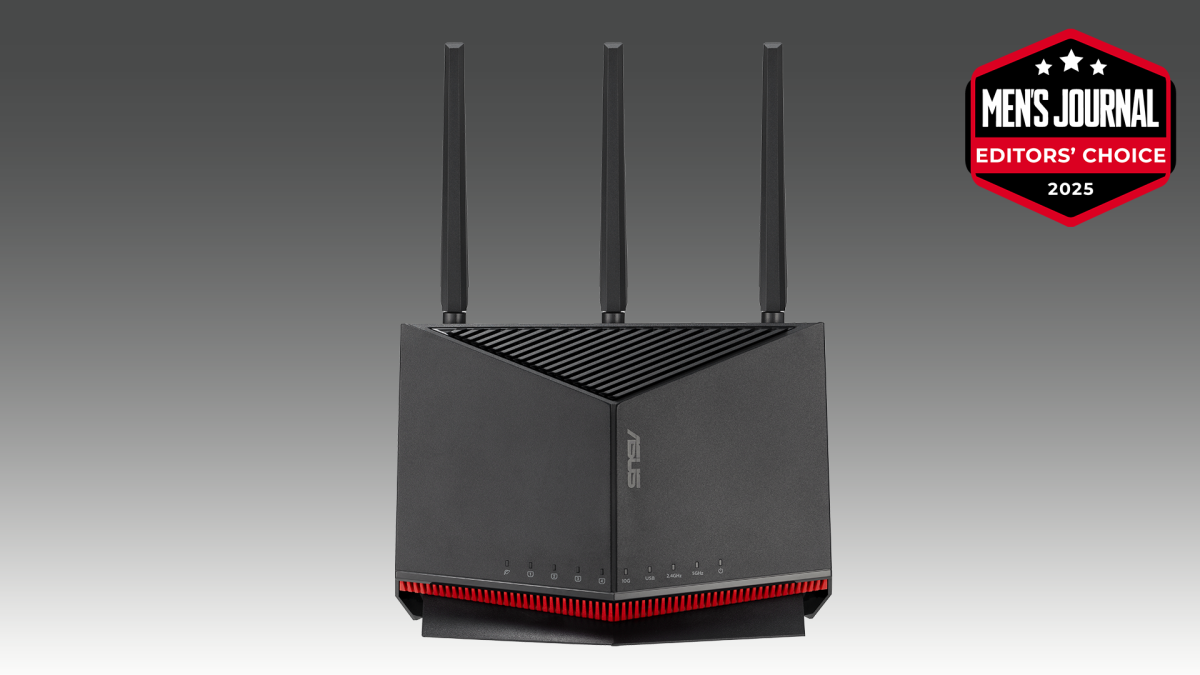
Credit: www.mensjournal.com
Frequently Asked Questions
Do Dual Band Routers Require A Separate Modem?
Yes, dual band routers need a modem to connect to the internet. The modem translates your ISP’s signal. The router then distributes this signal wirelessly or via Ethernet to devices.
Can A Dual Band Router Replace A Modem?
No, a dual band router cannot replace a modem. Routers manage local networks, while modems connect to your ISP’s internet service. Both devices serve different functions and are essential for internet access.
How Does A Modem Work With A Dual Band Router?
The modem connects to your ISP and converts internet signals. The dual band router receives this signal from the modem. It then broadcasts Wi-Fi on two frequencies, 2. 4 GHz and 5 GHz, for better connectivity.
Are Modem-router Combo Devices Better Than Separate Ones?
Modem-router combos simplify setup by combining both devices. However, separate devices often offer better performance and flexibility. Choose based on your internet speed, space, and upgrade preferences.
Conclusion
Dual band routers do not replace modems. You need a modem to connect to the internet. The router helps share that connection wirelessly. Some devices combine both, but they serve different roles. Choose based on your internet setup and needs.
Understanding this keeps your network smooth and fast. Simple steps lead to better online experiences. Keep your devices updated and secure for best results. Easy to set up, easy to use. Now you know how these devices work together.