Are you tired of lag ruining your gaming sessions? You’ve probably heard that gaming routers can help improve your ping and give you a smoother experience.
But do they really make a difference, or is it just a marketing trick? If you want to know how your router affects your game and whether upgrading is worth it, keep reading. This guide will break down everything you need to know so you can make the best choice for your setup—and finally say goodbye to frustrating delays.
Credit: rog.asus.com
How Ping Affects Gaming
Pingis the time it takes for data to travel from your device to the game server and back. It is measured in milliseconds (ms). A lower ping means faster response times in games. This helps your actions happen quickly in the game.
High ping causes delay or lag. This means your moves show up late on the screen. It can make games frustrating, especially in fast-paced games like shooters or racing.
- Characters may jump or freeze on screen.
- Shots may miss even when you aim well.
- Game actions feel slow and unresponsive.
Credit: www.slashgear.com
Role Of Routers In Network Performance
Routers help send data between your device and the internet. They decide the best path for information to travel. This affects how fast your games respond online. A router’s job is to manage traffic, like a traffic cop for your internet. It keeps your connection stable and reduces delays.
Many routers struggle with heavy gaming needs. They may not handle many devices well. This can cause lag or slow speeds. Older routers may lack features that help lower ping. Also, some routers have weak signals that hurt performance.
- Limited bandwidth for many devices
- Older hardware may slow data flow
- Basic routers lack gaming-focused tools
- Weak Wi-Fi signals reduce speed
Features Of Gaming Routers
Gaming routershelp by giving priority to game data. This means your games get faster internet than other apps. This is called Prioritizing Game Traffic. It reduces lag and improves your ping.
Advanced QoS (Quality of Service)settings let you control which devices or apps get more speed. You can set your game console or PC to have the highest priority. This makes sure your game runs smoothly even if others use the internet.
| Feature | Benefit |
|---|---|
| Dual-Band Support | Offers two frequency bands (2.4 GHz and 5 GHz) to reduce interference and improve speed. |
| Tri-Band Support | Adds a third band to handle more devices without slowing down your game connection. |
Gaming Routers Vs Standard Routers
Gaming routersare built to handle heavy internet traffic with less delay. They offer features like QoS (Quality of Service)to prioritize gaming data over other activities. This helps reduce lag during gameplay.
Standard routers focus on general internet use. They may struggle when many devices connect at once. This can cause higher latencyand slower speeds.
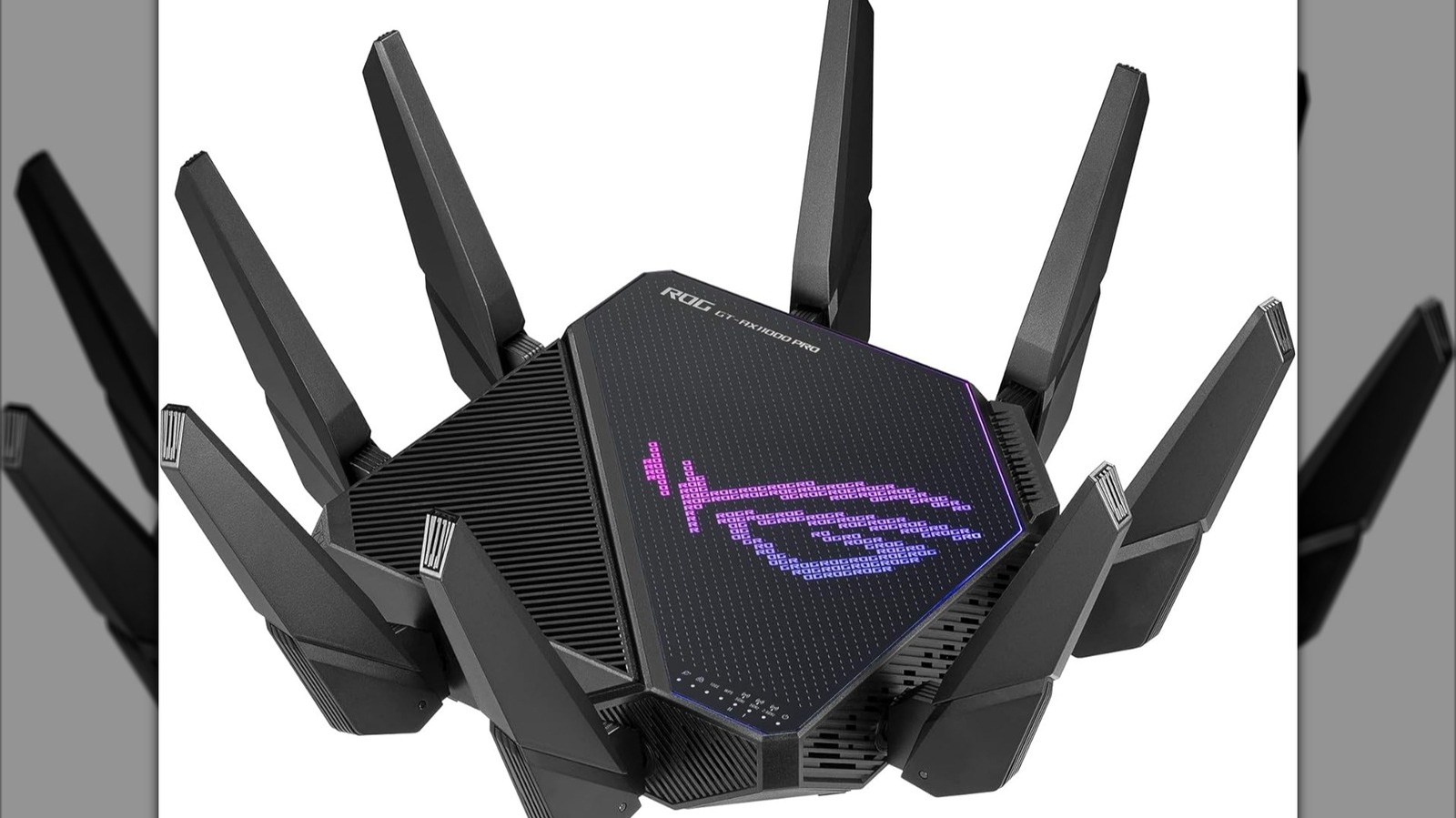
Gaming routers often have better hardware, like faster processors and more antennas. These help maintain a stable connection.
| Feature | Gaming Router | Standard Router |
|---|---|---|
| Latency Reduction | Yes, prioritizes gaming packets | No, treats all traffic equally |
| Processor Power | High | Basic |
| Number of Antennas | Multiple for better range | Fewer, less range |
| QoS Settings | Customizable | Limited or none |
Real-world Impact On Ping
Many gamers notice small ping changesusing gaming routers. These routers can help manage traffic better, but they do not always lower ping drastically. Real-world tests show that ping improvement depends on several factors.
- Network conditionslike ISP quality and distance to game servers matter.
- Router settingssuch as QoS (Quality of Service) prioritize gaming data.
- Device connectionthrough wired Ethernet often has better ping than Wi-Fi.
Some users report smoother gameplay and fewer spikes. Others see little change. Benchmarks often show a difference of a few milliseconds.
Factors influencing ping:
| Factor | Description |
|---|---|
| Internet Speed | Faster speeds can reduce delays but not always ping. |
| Server Location | Closer servers mean lower ping. |
| Router Quality | Better routers handle data traffic more efficiently. |
| Network Traffic | Less traffic often leads to better ping. |
Optimizing Your Network For Lower Ping
Place the router in the center of your home. This helps the signal reach everywhere. Avoid corners or closed spaces. Keep it away from metal objects. Walls can block signals too. High places work best. This way, your internet stays strong.
Always update your router’s firmware. It fixes bugs and speeds up the network. Check settings for Quality of Service (QoS). Prioritize gaming traffic. It reduces lag. Disable unused features. This boosts performance. Your router will work better.
Wired connections are faster. Use Ethernet cables for gaming. They lower ping. Wireless can be slower. Walls and distance weaken signals. Try both to see the difference. Wired usually wins for gaming.
Alternatives To Gaming Routers
Quality of Service (QoS) helps improve internet speed for gaming. It prioritizes gaming traffic over other data. This makes games run smoother. Set up QoS in your router’s settings. Find a guide for your router model online. Follow the steps to turn on QoS. This can reduce ping during gameplay.
Faster internet plans can lower your ping. Check with your internet service provider. Ask if they offer faster speeds. Sometimes, a small upgrade makes a big difference. Higher speeds mean less delay in games. Consider the cost before upgrading. Decide if the benefits are worth it.
Limit what others do online while you game. Streaming videos or downloading files can slow your game. Ask family to pause their downloads. Use apps that monitor your network usage. Close extra apps on your devices. These steps can help reduce lag.

Credit: www.privateinternetaccess.com
Is A Gaming Router Worth It?
Gaming routers often cost more than regular routers. The price difference can be quite big. They offer features like better Wi-Fi coverage, QoS (Quality of Service)settings, and low latencyoptimizations. These can help reduce ping and lag in games. But the benefits depend on your internet speed and setup.
For casual gamers, a standard router might work just fine. Serious gamers or streamers might see a real benefit. It is important to think about your budget and gaming needs before buying.
Choosing The Right Router For Your Needs
- Check your internet speed:Match the router’s speed to your plan.
- Look for low latency features:Some routers prioritize gaming traffic.
- Consider your home size:Bigger homes may need stronger Wi-Fi signals.
- Ease of use:Simple setup can save time and frustration.
Frequently Asked Questions
Do Gaming Routers Really Reduce Ping Times?
Gaming routers optimize traffic and reduce interference, which can lower ping. However, actual improvement depends on your internet connection and network setup.
How Do Gaming Routers Improve Online Game Performance?
They prioritize gaming packets using Quality of Service (QoS), minimizing lag. This prioritization ensures smoother gameplay by reducing delays in data transmission.
Are Gaming Routers Better Than Regular Routers For Ping?
Yes, gaming routers offer advanced features like QoS and low-latency modes. These features help deliver more stable and lower ping during gaming sessions.
Can A Gaming Router Fix High Ping Issues Alone?
No, a gaming router helps but can’t fix high ping caused by ISP or server issues. Your overall network and internet speed also matter.
Conclusion
Gaming routers can help lower your ping during online play. They manage traffic better than regular routers. This means less lag and smoother gameplay. Still, your internet speed and server location matter a lot. A gaming router is not a magic fix.
It’s a useful tool for serious gamers who want stable connections. Choose one wisely and test it with your setup. Good equipment and good internet together improve your gaming experience. Simple steps make a big difference in your game performance.