Are you wondering if your gaming router can handle a VPN? You’re not alone.
Many gamers want to protect their online privacy, reduce lag, or access region-locked content through a VPN. But will your gaming router support it without slowing down your connection or causing headaches? This article will clear up the confusion and help you make the best choice for your setup.
Keep reading to find out exactly what you need to know about gaming routers and VPNs.

Credit: www.expressvpn.com
Gaming Routers And Vpn Compatibility
Gaming routers and VPNs serve different purposes but can work together. Understanding their compatibility helps gamers protect privacy and improve connections. Many gamers want to know if their router supports VPN use without slowing down gameplay. This section explores how gaming routers function and the basics of VPNs for gamers. It also discusses router firmware and its role in VPN support.
How Gaming Routers Work
Gaming routers prioritize internet traffic for smooth gameplay. They reduce lag by managing bandwidth efficiently. These routers often have faster processors and better antennas. Quality of Service (QoS) settings help direct more speed to games. This ensures less delay and fewer interruptions during play.
Vpn Basics For Gamers
A VPN creates a secure connection over the internet. It hides your IP address and encrypts data. Gamers use VPNs for privacy and to access region-locked content. VPNs can sometimes reduce lag by connecting to better routes. But, they may also slow speeds due to encryption.
Router Firmware And Vpn Support
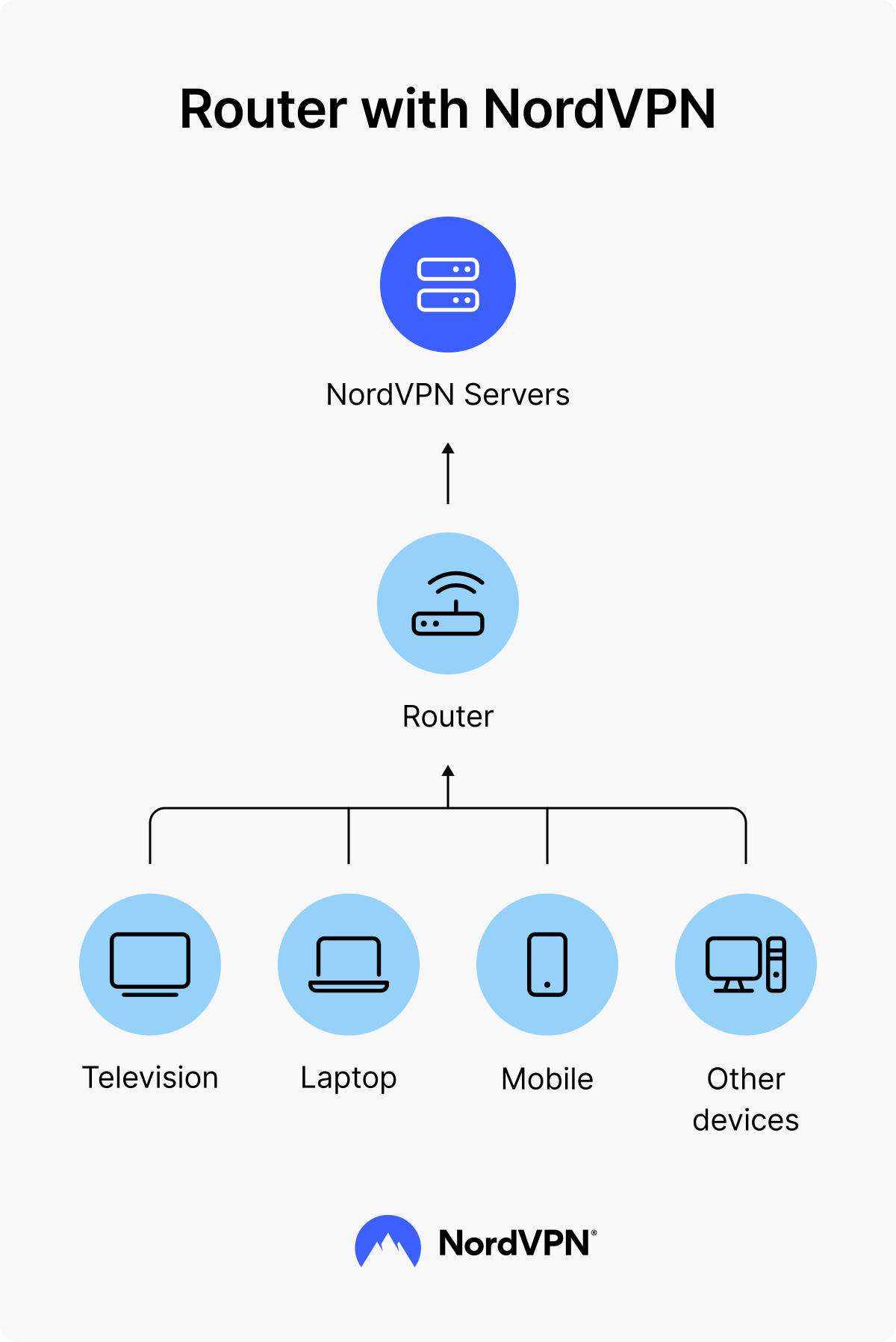
Router firmware controls its features and functions. Not all gaming routers support VPNs out of the box. Firmware like DD-WRT or OpenWrt can add VPN support. Some brands include built-in VPN options in their firmware. Check your router’s documentation to confirm VPN compatibility.
Credit: nordvpn.com
Benefits Of Using Vpn On Gaming Routers
Using a VPN on gaming routers offers several benefits that improve your gaming experience. It helps protect your data, improves connection quality, and gives access to more games worldwide. Many gamers prefer VPNs to keep their online play safe and smooth.
Enhanced Security
A VPN encrypts all data sent through the router. This stops hackers from stealing personal information. It also protects against DDoS attacks that can disrupt gameplay. VPNs create a safer environment for online gaming sessions.
Reduced Lag And Ping
VPNs can reduce lag by choosing faster, less crowded routes for your data. This helps lower ping times and improves game responsiveness. Some VPNs avoid traffic congestion on your internet service provider’s network.
Bypassing Geo-restrictions
VPNs let you connect to servers in different countries. This unlocks games and content not available in your region. Gamers can join international servers and play with friends worldwide.
Choosing The Right Gaming Router For Vpn
Choosing the right gaming router for VPN use requires understanding key features that support both gaming and secure connections. The router must handle high-speed data while maintaining VPN encryption without slowing down gameplay.
Some routers are designed with built-in VPN support, simplifying setup and improving stability. Others may need manual configuration but offer strong performance if paired with the right hardware. Picking the right model ensures smooth gaming and secure browsing.
Key Features To Look For
- Strong CPU to handle VPN encryption and gaming data
- High-speed Wi-Fi standards like Wi-Fi 6 or Wi-Fi 6E
- Multiple antennas for better signal and coverage
- Built-in VPN client support for easy configuration
- Quality of Service (QoS) to prioritize gaming traffic
- Enough RAM to manage multiple connections smoothly
Popular Vpn-compatible Gaming Routers
- Asus RT-AX88U – known for fast speeds and VPN support
- Netgear Nighthawk R7000 – offers built-in VPN client
- TP-Link Archer AX6000 – strong CPU and easy VPN setup
- Linksys WRT3200ACM – open-source firmware friendly
- Synology RT2600ac – reliable VPN features and robust performance
Router Performance And Vpn Impact
VPN encryption adds extra work for the router’s processor. This can reduce overall speed and increase latency. A router with a weak CPU may struggle, causing lag or slow downloads.
High-quality routers minimize this impact with powerful hardware. They keep gaming smooth even while connected to a VPN. Testing performance before buying helps ensure the router meets your needs.
Setting Up Vpn On Gaming Routers
Setting up a VPN on your gaming router can significantly enhance your online gaming experience. It offers an added layer of security, keeps your data private, and can even improve connection speeds by avoiding ISP throttling. Whether you’re a seasoned gamer or just starting out, understanding how to configure a VPN on your router can be a game-changer. Let’s dive into the setup process and ensure you have a seamless gaming experience.
Step-by-step Installation
First, you need to ensure that your gaming router supports VPN functionality. Check the manufacturer’s website or your router’s manual for this information. Once confirmed, download the VPN firmware or application recommended by your VPN provider.
Access your router’s admin panel through a web browser by entering its IP address. Usually, this is something like 192.168.1.1 or 192.168.0.1. Log in using your credentials, which are often found on the router or in its manual.
- Install the VPN firmware as per the instructions provided by your VPN service.
- Once installed, reboot your router to apply the changes.
Configuring Vpn Settings
With the firmware installed, navigate to the VPN settings section within your router’s admin panel. Enter the details provided by your VPN service, such as server address and authentication information.
Select the VPN protocol you wish to use. Common options include OpenVPN and PPTP. OpenVPN is generally more secure and preferred for gaming.
Save your settings and connect to the VPN server. Test your connection by visiting a site to check your IP address and ensure it reflects the VPN server’s location.
Troubleshooting Common Issues
Encountering issues during setup is not uncommon. If your VPN is not connecting, double-check your login credentials and server address.
Sometimes, a simple router reboot can resolve connection issues. If you’re experiencing slow speeds, try connecting to a different VPN server closer to your geographical location.
Always ensure your router’s firmware is up to date. An outdated firmware can cause compatibility issues with the VPN.
By following these steps, you can enjoy a secure, seamless, and potentially faster gaming experience. Have you set up a VPN on your gaming router? Share your experiences and tips in the comments!
Alternatives To Router-based Vpns
Router-based VPNs offer network-wide protection but are not the only option for gamers. Alternative methods provide flexibility and can work better for specific needs. These options allow control over VPN use on certain devices or through specialized services designed for gaming.
Using Vpn On Individual Devices
Installing a VPN app directly on your gaming device is a simple alternative. This method secures only the device you choose, leaving other devices unaffected. It helps reduce lag since only one device routes traffic through the VPN.
Most VPN providers support popular platforms like Windows, macOS, Android, and iOS. You can easily turn the VPN on or off depending on your gaming session. This setup is ideal for players who want VPN benefits without changing the entire network.
Dedicated Vpn Gaming Services
Some VPNs specialize in gaming and offer features tailored to gamers. These services focus on reducing ping, improving connection stability, and bypassing geo-restrictions. They often have servers optimized for popular games.
Dedicated gaming VPNs may include easy-to-use apps with minimal settings. This makes them accessible for beginners. They can also protect against DDoS attacks, which affect online gameplay. Choosing a gaming VPN can balance security and performance effectively.
Common Myths About Vpns And Gaming Routers
Many gamers wonder about the truth behind VPNs and gaming routers. Misunderstandings often cause confusion. Clearing up these myths helps gamers make smart choices. The following sections address common false beliefs.
Vpns Always Slow Down Gaming
Many believe VPNs always reduce game speed. This is not true. A good VPN may cause slight delay but often improves stability. It can reduce lag by avoiding congested routes. Speed depends on the VPN provider and server location. Choosing a fast, reliable VPN helps keep gameplay smooth.
Gaming Routers Don’t Support Vpns
Some say gaming routers cannot use VPNs. This is incorrect. Most modern gaming routers support VPN connections. They offer built-in VPN clients or allow manual setup. Using a VPN on a gaming router secures all devices connected. It also protects your entire home network during gaming sessions.
Vpns Can Prevent All Cyber Threats
Many think VPNs block every cyber threat. This is a myth. VPNs mainly protect privacy and data encryption. They hide your IP and online activity. But VPNs do not stop malware, phishing, or hacking attempts alone. Combining VPNs with antivirus and firewalls gives better security.
Future Trends In Gaming Routers And Vpns
The future of gaming routers and VPNs points to better speed, security, and ease of use. As gaming grows, routers and VPNs must keep up with new demands. Expect smarter devices that handle gaming and privacy without lag or complexity.
Gamers want smooth gameplay and protection from attacks. Both router makers and VPN developers work on new features to meet these needs. The coming years will show exciting changes in how these technologies work together.
Advancements In Router Technology
Routers will offer faster Wi-Fi standards like Wi-Fi 6E and beyond. These improve data flow and reduce delays in online games. Expect better hardware that handles many devices at once without slowing down.
Smart routing will become common. Routers will detect gaming traffic and give it priority. This cuts lag and keeps connections stable. More routers will also include built-in VPN support, making it easier to connect securely.
Energy efficiency will improve. New routers use less power while delivering high performance. This helps gamers save on electricity bills and reduces heat from devices.
Vpn Innovations For Gamers
VPNs will get faster and more gamer-friendly. Providers will reduce connection drops and speed loss during gaming sessions. This means safer gaming without hurting performance.
Expect VPNs to offer servers optimized for gaming. These servers lower ping and improve stability. They will also help bypass geo-blocks for global gaming access.
VPN apps will become simpler to use. Gamers can switch servers and set preferences with fewer steps. Some VPNs will integrate directly with gaming routers for seamless protection.
More VPNs will focus on privacy features like no-logs policies and strong encryption. This keeps gamers safe from hackers and tracking while playing online.

Credit: www.zdnet.com
Frequently Asked Questions
Do Gaming Routers Support Vpn Connections?
Yes, many gaming routers support VPN connections. They allow secure, encrypted internet access, enhancing privacy and bypassing geo-restrictions. Make sure your router firmware supports VPN client features for smooth setup and use.
Can Vpns Improve Gaming Router Performance?
VPNs do not inherently improve router speed but can reduce lag by avoiding ISP throttling. They secure data and provide access to restricted servers. Performance depends on VPN quality and server proximity.
How To Set Up A Vpn On A Gaming Router?
To set up VPN, log into your router’s admin panel. Enter VPN credentials in the VPN client section. Follow your VPN provider’s specific setup guide for the best results.
Are All Gaming Routers Compatible With Vpns?
Not all gaming routers support VPNs. Check the router’s specifications for VPN client support. High-end models usually offer better VPN compatibility and advanced security features.
Conclusion
Gaming routers often support VPNs, but not all do. Choosing the right router matters. Some models have built-in VPN features for easy use. Others need manual setup, which can be tricky. VPNs help protect your privacy and reduce lag. They also let you access content from other regions.
Always check your router’s specs before buying. A good router and VPN improve your gaming experience. Stay safe, play smart, and enjoy smooth connections.