Are you tired of lag ruining your Nintendo Switch gaming sessions? You might have heard that gaming routers can fix this problem, but do they really work for your Switch?
If you want faster, smoother gameplay without annoying interruptions, understanding how gaming routers affect your console is key. You’ll discover whether investing in a gaming router is worth it and how it can boost your gaming experience. Keep reading to find out the truth and make the best choice for your setup.
Credit: visapoint.travel
Gaming Routers And Nintendo Switch
Gaming routers promise better speed and lower lag for online play. Many gamers wonder if these benefits apply to the Nintendo Switch. The Switch uses Wi-Fi for online games, so network quality matters. Understanding how gaming routers work with the Switch helps you decide on the right setup.
How Gaming Routers Differ
Gaming routers focus on fast and stable connections. They often include features like:
- Priority traffic control to reduce lag
- Advanced Quality of Service (QoS) settings
- Better antenna design for wider coverage
- Faster processors for handling many devices
These features help keep game data flowing smoothly. They reduce interruptions and improve response times.
Nintendo Switch Network Needs
The Nintendo Switch needs a steady and clear Wi-Fi signal. Its online games require low latency and stable speeds. The Switch supports 2.4 GHz and 5 GHz bands. The 5 GHz band offers faster speeds but shorter range. Many Switch games do not need extremely high bandwidth.
Good Wi-Fi placement and minimal interference matter more than raw speed. The Switch does not use advanced networking features like Ethernet by default. Its online system works best with consistent, low-latency connections.

Credit: box.co.uk
Benefits For Gameplay
Gaming routers can improve the Nintendo Switch gameplay experience in many ways. They offer features that support smooth online play. These routers are designed to handle gaming traffic better than regular routers. This means fewer interruptions and better response times during games. The benefits help players enjoy games without frustration or delays.
Reduced Lag And Latency
Lag can ruin a good gaming session. Gaming routers reduce lag by prioritizing game data. They send and receive information faster. This means actions in the game happen quickly. Players notice smoother movements and faster reactions. Low latency is key to competitive play and fun.
Stable Connection
A stable connection stops sudden drops in gameplay. Gaming routers keep the network steady. They manage multiple devices without slowing down. This helps avoid disconnections during important moments. Stability means players stay connected and focused on the game.
Faster Download Speeds
Downloading games and updates can take time. Gaming routers improve download speeds. Faster downloads mean less waiting before playing. The router handles large files better, making the process quick. Players get to enjoy new content sooner.
Key Features To Look For
Choosing the right gaming router for your Nintendo Switch means knowing which features actually impact your gaming experience. Not all routers are created equal, and some features make a real difference in reducing lag, improving connection stability, and keeping your data safe. Here’s what you should focus on to get the most out of your online gaming sessions.
Quality Of Service (qos)
Quality of Service, or QoS, is a game-changer for anyone serious about smooth gameplay. It lets you prioritize your Nintendo Switch traffic over other devices on your network. This means your game data gets the fastest path, reducing delays and preventing sudden lag spikes during crucial moments.
Imagine you’re in a heated match and someone starts streaming 4K video on the same network. QoS ensures your game doesn’t suffer. Without it, you might face frustrating interruptions that could cost you the win.
Dual-band And Tri-band Support
Look for routers that support dual-band or tri-band frequencies. Dual-band routers operate on 2.4 GHz and 5 GHz bands, giving you flexibility to avoid interference. The 5 GHz band is especially useful for gaming since it offers faster speeds and less congestion.
Tri-band routers add an extra 5 GHz band, which can be a lifesaver if you have multiple devices competing for bandwidth. This extra band means your Nintendo Switch can enjoy a dedicated lane, helping keep your connection steady and fast even during heavy network use.
Advanced Security Options
Your gaming router should also protect your connection and personal data. Features like WPA3 encryption, built-in firewalls, and automatic firmware updates help shield you from hackers and malware. This is crucial when you’re connected to online services where account security matters.
Think about it: a secure connection not only keeps your information safe but also prevents interruptions caused by security breaches. You’ll feel more confident diving into online matches when your router actively guards your network.

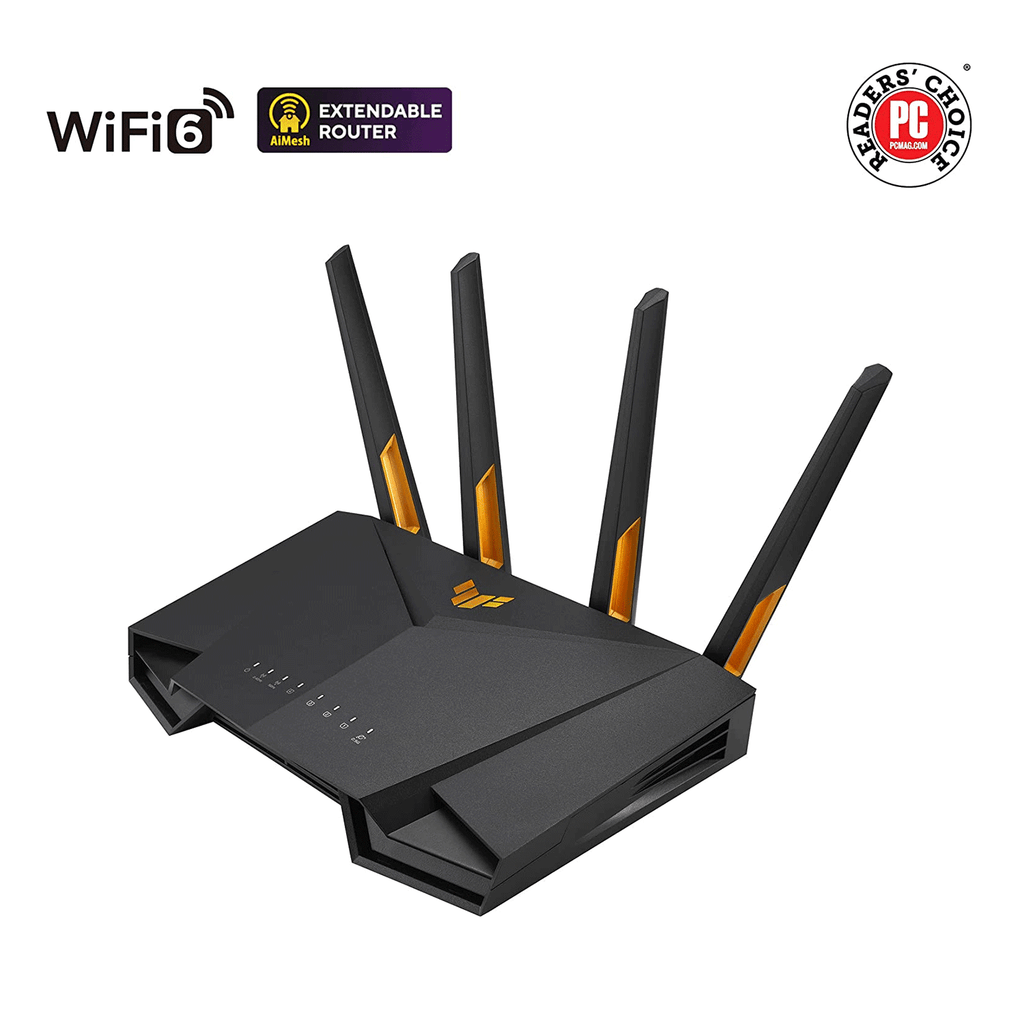
Credit: www.amazon.com
Setting Up A Gaming Router For Switch
Gaming routers can improve Nintendo Switch’s online play by reducing lag and boosting connection speed. Setting up a gaming router for the Switch helps create a stable and fast network. This setup often leads to smoother gameplay and less disconnection.
Setting up a gaming router specifically for your Nintendo Switch can significantly enhance your gaming experience. Whether you’re battling it out in “Super Smash Bros.” or exploring vast lands in “The Legend of Zelda,” a stable and fast connection is crucial. But how do you ensure your gaming router is optimized for your Switch? Let’s dive into the essentials of setting it up.Basic Configuration Steps
Start by connecting your gaming router to your modem and ensure it’s powered on. Access your router’s web interface through a computer or smartphone by entering its IP address in a browser. Once inside, set a secure password to protect your network. Look for the wireless settings and ensure your Wi-Fi network is visible to your Switch.Optimizing Router Settings
To reduce lag, enable Quality of Service (QoS) settings. This prioritizes gaming traffic over other data on your network. Consider changing the Wi-Fi channel if you notice interference or slow speeds. You’d be surprised how a minor tweak can enhance your connection. Using a wired connection with an Ethernet adapter can offer a more stable experience. Ever tried it? It’s worth considering if Wi-Fi isn’t cutting it.Firmware Updates
Regularly updating your router’s firmware is crucial. Manufacturers release updates to fix bugs and improve performance. Check the manufacturer’s website or your router’s settings for the latest updates. A simple update can sometimes resolve connectivity issues you didn’t even know were router-related. Are you keeping your router up-to-date? It’s a small step with big benefits. Setting up your gaming router for the Nintendo Switch doesn’t have to be daunting. With a few simple tweaks, you can enjoy smoother gaming sessions and stay ahead in the game. Are you ready to level up your gaming setup?Comparing Popular Models
Choosing the right gaming router can improve your Nintendo Switch experience. Various models offer different features and price points. Comparing popular models helps find one that fits your needs. Some routers focus on affordability, while others provide top performance. User feedback often highlights real-world benefits and drawbacks.
Budget-friendly Options
Affordable gaming routers deliver decent speed and stable connections. They usually have fewer advanced features but support most online games. These models suit casual players or those on a tight budget. Common choices include routers with dual-band Wi-Fi and simple setup.
- Basic Quality of Service (QoS) settings
- Good range for small to medium rooms
- Easy to use interfaces
These routers help reduce lag without extra cost. Ideal for players who want steady performance without breaking the bank.
High-end Routers
Premium routers provide faster speeds and better connection stability. They include advanced features like multi-user MIMO and customizable QoS. These models support multiple devices at once without slowing down. They often come with gaming-specific optimizations.
- Tri-band Wi-Fi for less interference
- Low latency modes for smoother gameplay
- Advanced parental controls and security
High-end routers suit serious gamers who demand top network performance. They also handle larger homes and crowded networks well.
User Reviews And Ratings
Customer reviews offer insights into router performance with the Nintendo Switch. Many users mention improved online gameplay and fewer disconnections. Some report easy setup and helpful customer support. Negative reviews often point to compatibility issues or slow speeds in certain areas.
- Look for routers with high ratings and positive feedback
- Check comments about reliability and speed during gaming
- Consider experiences from other Nintendo Switch players
User ratings help confirm if a router performs well in real situations. They guide buyers toward models that consistently meet expectations.
Common Issues And Fixes
Using a gaming router with your Nintendo Switch can improve your gaming experience. Still, some issues may arise during use. Common problems include connection drops, slow speeds, and interference. Understanding these issues helps you fix them quickly and enjoy smooth gameplay.
Connection Drops
Connection drops happen when your Switch loses its link to the router. This can cause your game to freeze or disconnect. Causes include weak Wi-Fi signals, router settings, or network congestion. Fix this by placing the router closer to your Switch. Restart your router to refresh the connection. Check for firmware updates on your router to ensure stability.
Slow Speeds
Slow speeds reduce the quality of online games. Causes include too many devices connected to the network or poor internet plans. Limit the number of devices using Wi-Fi during gameplay. Use an Ethernet adapter for a wired connection to the Switch if possible. Upgrade your internet plan if your current speed is too low for gaming.
Interference Problems
Interference from other devices can weaken your Wi-Fi signal. Common sources include microwaves, cordless phones, and other wireless gadgets. Move your router away from these devices. Change the Wi-Fi channel in your router settings to avoid crowded frequencies. Use the 5 GHz band for less interference and faster speeds.
Alternatives To Gaming Routers
Gaming routers often grab attention for boosting Nintendo Switch online play, but they’re not the only way to improve your connection. You might find better results or save money by trying other options. These alternatives can offer stable, faster, or more flexible internet setups that suit your gaming space and style.
Wired Connections
Connecting your Nintendo Switch directly to your router with an Ethernet cable is one of the simplest ways to get a stable connection.
Wired connections reduce lag and dropouts because they aren’t affected by wireless interference. You can use a USB Ethernet adapter if your Switch is in handheld mode, which many players overlook but find very effective.
Think about where you usually game—is running a cable to your setup possible? If yes, this method often beats fancy routers for consistent performance.
Wi-fi Extenders
Wi-Fi extenders boost your existing wireless signal, especially if your Switch is far from the router.
They are easy to install and can fill dead zones in your home where Wi-Fi is weak. A good extender can make a big difference without the need for a new router.
Have you noticed slower speeds in certain rooms? Adding an extender might solve that without extra cost or complexity.
Mobile Hotspots
Mobile hotspots offer a portable internet connection using cellular data, which can be a lifesaver if your home internet is unreliable.
They are perfect for gaming on the go or during internet outages. Just keep an eye on your data limits to avoid extra charges.
Have you tried switching networks to see if your connection improves? Sometimes, a mobile hotspot provides a smoother experience than a crowded home Wi-Fi.
Frequently Asked Questions
Do Gaming Routers Improve Nintendo Switch Performance?
Yes, gaming routers can enhance Nintendo Switch online experience. They offer better signal stability, faster speeds, and lower latency. This improves multiplayer gaming and download times significantly.
Are Gaming Routers Compatible With Nintendo Switch?
Most gaming routers are fully compatible with Nintendo Switch. They use standard Wi-Fi protocols supported by the console. No special configuration is usually needed for connection.
Can A Gaming Router Reduce Nintendo Switch Lag?
Gaming routers prioritize gaming traffic, reducing lag and buffering. They optimize bandwidth allocation, ensuring smoother gameplay on Nintendo Switch. This leads to fewer disconnections and better response times.
Is A Gaming Router Necessary For Nintendo Switch Online?
A gaming router is not necessary but highly recommended. It enhances online play quality and stability for Nintendo Switch users. Regular routers may still work but lack gaming-specific optimizations.
Conclusion
Gaming routers can improve your Nintendo Switch’s online play. They offer faster speeds and better connection stability. This helps reduce lag and disconnections during games. Still, not every router will make a big difference. Choose one that fits your home network and budget.
A good router supports multiple devices without slowing down. Overall, a gaming router can enhance your Switch experience. But it’s important to set it up correctly for best results. Simple steps and the right gear make online gaming smoother. Your games will run more smoothly and feel more fun.