Are you wondering if a gaming router will actually make a difference with your fiber internet? You’ve probably heard that gaming routers can boost your connection and reduce lag.
But does that hold true when you have the fast speeds fiber offers? Understanding how these devices work together can change the way you game and stream. Keep reading to find out if investing in a gaming router is worth it for your fiber internet setup—and how to get the best performance out of both.
Fiber Internet Basics
Fiber Internetuses thin strands of glass or plastic to send data. It transmits data as light signals, making it very fast.
This technology allows for higher speedsand more reliable connections than older types like DSL or cable.
Fiber has low latency, meaning less delay during online activities. It is ideal for gaming and streaming.
Here is a quick comparison of fiber with other internet types:
| Internet Type | Speed | Latency | Reliability |
|---|---|---|---|
| Fiber | Up to 1 Gbps or more | Very Low | High |
| Cable | Up to 500 Mbps | Medium | Medium |
| DSL | Up to 100 Mbps | High | Low |
Credit: www.highspeedoptions.com
Gaming Router Features
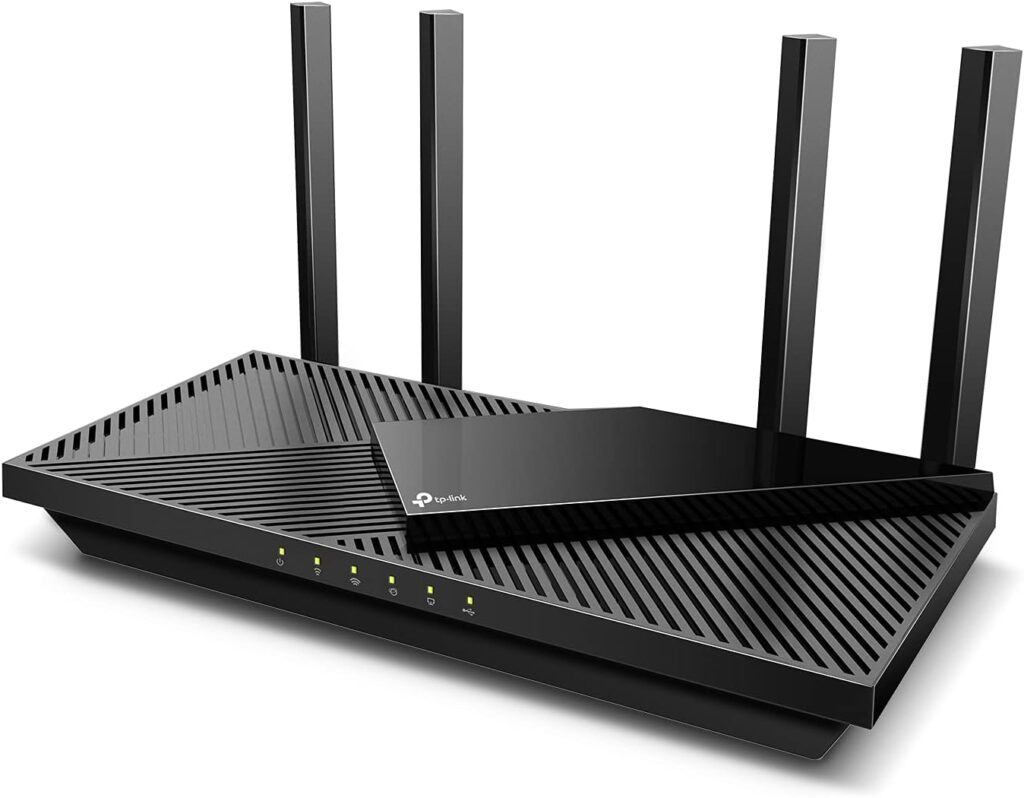
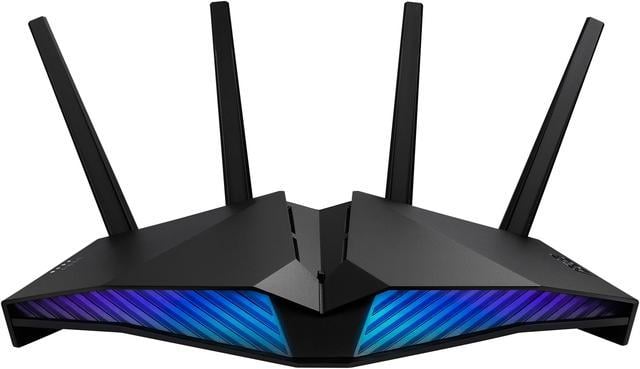
Gaming routershave special features to improve online play. They handle data faster and reduce lag. Key specsinclude fast CPU, multiple antennas, and strong Wi-Fi signals. These help keep the game smooth and steady.
Quality of Service (QoS)lets you control which devices get more internet speed. This stops slowdowns during heavy use. It ensures the game gets priority over other activities like downloads or videos.
Latency reduction technologiescut the delay between your device and the game server. Lower latency means faster response times, which is very important for action games. Some routers use special software to find the best path for data.
Compatibility With Fiber Internet
Gaming routers usually work well with fiber internet. The key is to check the router and modemcompatibility. Fiber internet often needs a special device called an Optical Network Terminal (ONT). This device acts like a modem.
Many fiber providers give a modem or ONT that connects directly to the router. Some routers have built-in modems, but most gaming routers do not. So, you need to use the ONT with your gaming router.
| Device | Role |
|---|---|
| Fiber Modem (ONT) | Converts fiber signal to Ethernet |
| Gaming Router | Manages Wi-Fi and network traffic |
Common issues include:
- Router not supporting fiber speed
- Wrong cable connections
- Need for special setup from ISP

Credit: www.ign.com
Setting Up Gaming Routers On Fiber
Gaming routers work well with fiber internet, providing fast and stable connections. They help reduce lag and improve overall gaming performance. Setting up is simple and boosts your fiber network’s gaming capabilities.
Connecting To Fiber Modems
Connect the gaming router’s WAN port to the fiber modem’s Ethernet port. Most fiber services use a modem or an ONT device to bring internet to your home. The router will handle all the traffic for your devices. Make sure to disable the modem’s Wi-Fi if it has one, to avoid conflicts. Use a high-quality Ethernet cable for better speed and stability.
Optimizing Router Settings
Set the router to use the correct IP settings from your fiber provider. Enable Quality of Service (QoS) to prioritize gaming traffic. Choose a less crowded Wi-Fi channel if you use wireless. Turn off unused features to reduce lag. Use 5 GHz Wi-Fi for faster speeds and less interference.
Firmware Updates And Their Impact
Keep the router’s firmware updated for best performance and security. Updates can fix bugs and improve speed. Check the router’s admin page or app for update options. Updating can also add new features helpful for gaming.
Performance Comparison
Fiber internet offers much faster speeds than DSL or cable. This means games load quicker and updates download faster. The gaming experience feels smoother with less lag.
Router quality has a big effect on fiber speed. A good gaming router can handle high speeds better than a standard router. This helps keep the connection steady during intense gameplay.
| Type of Internet | Speed | Latency | Gaming Quality |
|---|---|---|---|
| Fiber | Up to 1 Gbps | 5-15 ms | Very Smooth |
| Cable | Up to 100 Mbps | 20-50 ms | Good |
| DSL | Up to 50 Mbps | 30-70 ms | Fair |
Real-world tests show fiber internet with a strong gaming router lowers lag. This means faster response times and better game control. DSL and cable can struggle during peak hours.
Credit: www.newegg.ca
Troubleshooting Tips
Gaming routers can work well with fiber internet, but compatibility issues may arise. Check settings, firmware updates, and connection types to improve performance. Restarting devices often solves common problems quickly.
Common Connection Problems
Gaming routers can face connection issues with fiber internet. Check if all cables are properly connected. Restart the router and modem to reset the connection. Ensure your router’s firmware is up-to-date. If the issue persists, try changing the router’s channel. This can help avoid signal interference.
Improving Signal Strength
Place your router in a central location in your home. Keep it away from walls and metal objects. Use a Wi-Fi extender to boost the signal range. Make sure the router’s antennas are pointing upwards. This helps in spreading the signal evenly.
When To Contact Your Isp
If you still face issues, reach out to your ISP. They can check if there’s a service outage in your area. They might need to send a technician to inspect the connection. Always have your account details ready when you call. This helps in quicker resolution.
Top Gaming Routers For Fiber In 2025
Many gamers want the best experience without spending much. Affordable routers can still offer great performance. Look for routers with dual-band capabilities. These help reduce lag and improve speed. Some brands offer MU-MIMO technology. This allows multiple devices to connect smoothly. A good choice for budget is the TP-Link Archer AX10. It combines value and performance well. Always check for firmware updates. This keeps your router secure and fast. A strong, reliable connection is possible with a budget router.
Pro gamers need the best routers for top-notch performance. High-end models come with advanced features. Look for tri-band routers for extra bandwidth. QoS settings help prioritize gaming traffic. The Netgear Nighthawk Pro Gaming XR500 is a top choice. It offers DumaOS for customizable control. Fast speeds and low latency are important. These routers usually have powerful processors. This ensures smooth gaming sessions. Investing in a high-end router enhances the gaming experience.
| Use Case | Recommended Router |
|---|---|
| Casual Gaming | TP-Link Archer AX10 |
| Streaming and Gaming | ASUS RT-AX86U |
| Pro Gaming | Netgear Nighthawk XR700 |
Frequently Asked Questions
Do Gaming Routers Support Fiber Internet Speeds?
Yes, gaming routers are designed to handle high-speed connections, including fiber internet. They optimize bandwidth and reduce lag for smoother gameplay and faster downloads.
Can Fiber Internet Improve Gaming Router Performance?
Fiber internet offers faster and more stable connections, enhancing gaming routers’ performance. It reduces latency and packet loss, providing a better online gaming experience.
Are All Gaming Routers Compatible With Fiber Internet?
Most gaming routers are compatible with fiber internet, but you should check the router’s WAN port and ISP requirements for full compatibility before purchase.
Does Fiber Internet Reduce Gaming Lag With Gaming Routers?
Fiber internet minimizes lag by providing low latency and high bandwidth, which gaming routers efficiently manage, resulting in quicker response times during online gaming.
Conclusion
Gaming routers can work well with fiber internet for better speed and stability. They help reduce lag and keep your connection steady during gameplay. Choosing the right router ensures you get the most from your fiber plan. Not all routers support fiber fully, so check compatibility first.
A good router can improve your online gaming experience. Simple setup and strong signals make gaming more fun. Fiber internet and gaming routers together create a smooth connection. You can enjoy faster downloads and less delay in games.