Are you wondering if one router is enough to power your smart home? With so many devices—from smart lights to security cameras—connecting at once, it’s easy to ask: do you need multiple routers to keep everything running smoothly?
The answer isn’t always simple, but it can make a big difference in your home’s performance and your peace of mind. Keep reading to discover what works best for your setup and how to avoid common pitfalls that could slow down your smart devices.
Your smart home deserves the right connection, and we’ll help you find it.
Credit: www.astound.com
Smart Home Network Basics
A router is a device that connects your home to the internet. It sends data between your smart devices and the web. Most homes use one router to manage all devices.
Smart devices like lights, cameras, and speakers connect to your home network. These devices need a strong and steady internet signal to work well.
| Device | Common Use |
|---|---|
| Smart Lights | Remote control of lighting |
| Security Cameras | Home monitoring |
| Smart Speakers | Voice commands and music |
| Thermostats | Temperature control |
Most homes have one main router with Wi-Fi for all devices. Sometimes, people add extra routers or Wi-Fi extenders. This helps cover bigger homes or areas with weak signals.
When One Router Is Enough
A single router often covers most smart home needs, especially in small to medium spaces. Adding more routers only helps when your home is large or has many devices far apart. Simple setups usually work well with just one reliable router.
Small Home Scenarios
Small homes often do not need multiple routers. One router can cover the entire area well. This keeps things simple and saves money.
Limited Device Count
If the home has fewer smart devices, one router is enough. Most routers handle up to 20 devices easily. This includes phones, lights, and smart speakers.
Router Capabilities
Modern routers have strong signals and fast speeds. They support many devices at once. Features like dual-band Wi-Fi help avoid slowdowns.
| Factor | One Router Suffices When |
|---|---|
| Home Size | Small to medium homes |
| Number of Devices | Less than 20 smart devices |
| Router Features | Supports dual-band and good coverage |
Signs You Need Multiple Routers
Large Home Coverage Issueshappen when Wi-Fi does not reach all rooms. Walls and floors block signals. Dead spots appear in basements or far rooms. One router may not cover big houses well.
High Device Densitymeans many gadgets use the same Wi-Fi. Phones, TVs, and smart devices all connect. Too many devices slow the network. Multiple routers can share the load to keep fast speeds.
Performance Bottlenecksoccur when one router handles too much data. Streaming videos or online games lag. Upload and download speeds drop. Extra routers help by splitting traffic and reducing delays.
Alternatives To Multiple Routers
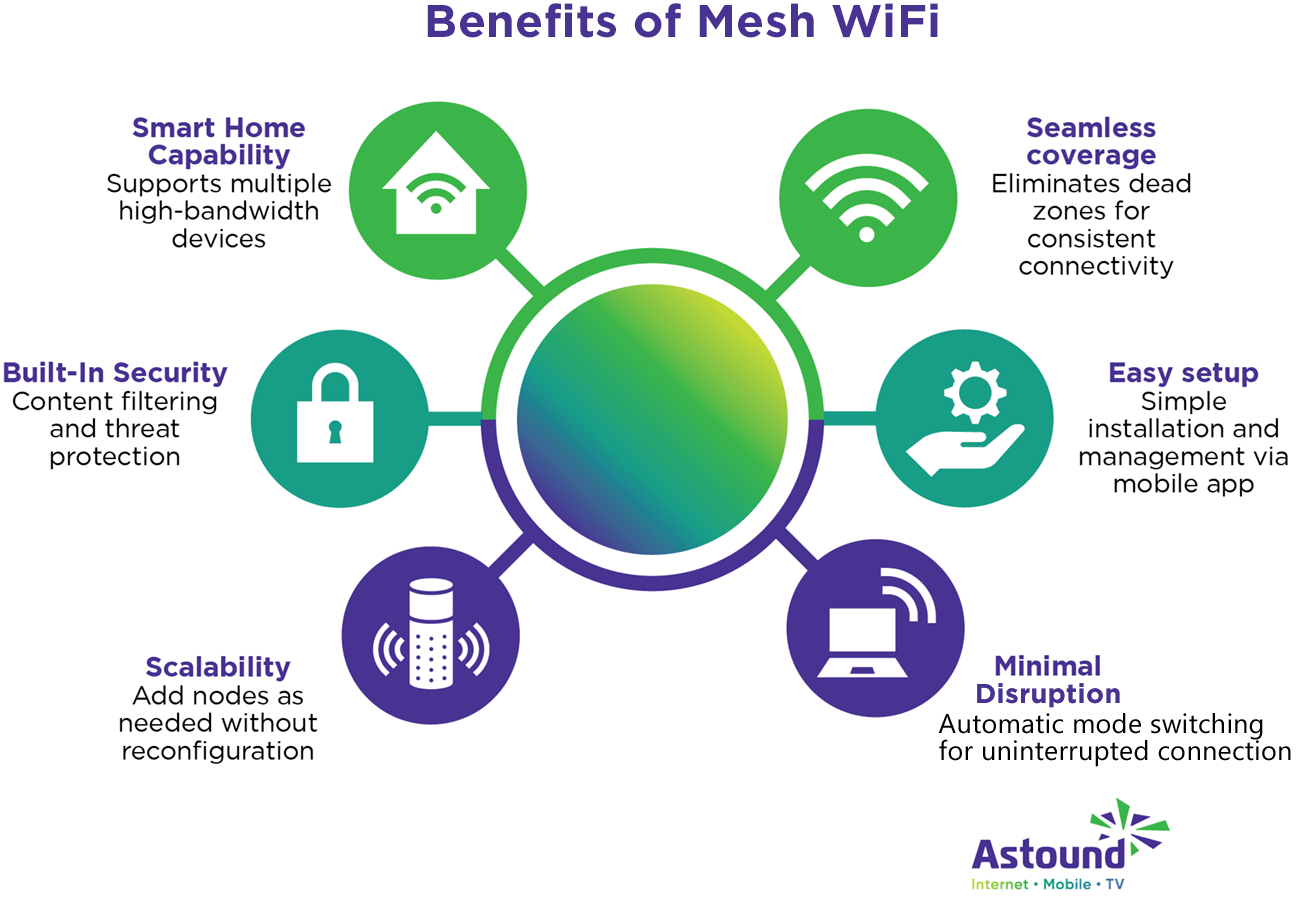
Wi-Fi Mesh Systemscreate a single network with multiple nodes. This spreads Wi-Fi evenly across your home. It helps avoid weak spots and keeps devices connected seamlessly. Great for large homes or places with thick walls.
Range Extendersboost your existing Wi-Fi signal. They catch the main router’s signal and rebroadcast it further. This is a cheaper way to cover dead zones. But speed may drop slightly in the extended area.
Powerline Adaptersuse your home’s electrical wiring to send internet signals. Plug one adapter near your router and another where you want internet. This works well for rooms far from the router. A good option when Wi-Fi signals are weak or blocked.
Setup Tips For Multiple Routers
Using multiple routers can help create separate networksfor different devices. This is called network segmentation. It keeps devices like cameras and computers apart for better security and speed.
Each router needs its own IP address rangeto avoid conflicts. Manage IP addresses carefully to make sure devices connect properly. Usually, set one router as the main gateway and others as secondary.
Placing routers too close can cause signal interference. Keep some distance between them. Use different channels on each router to reduce overlap and improve connection quality.

Credit: linkdhome.com
Security Considerations
Securing your smart home network is crucial to protect devices from hackers. Multiple routers can help separate sensitive devices from everyday traffic. This setup limits risks by isolating smart gadgets on a safer network.
Securing Each Router
Each router needs a strong password. Never use simple words. Change passwords regularly. Encryption is important. Use WPA3 for best security. Limit the number of connected devices. This reduces risks. Disable remote management unless needed. It can be a security hole.
Guest Networks
Set up a guest network for visitors. It keeps your main network safe. Guests get internet but no access to your devices. Use a different password for this network. Keep it separate from your home devices. This adds an extra layer of security.
Firmware Updates
Routers need regular firmware updates. These updates fix bugs and improve security. Check for updates every month. Some routers update automatically. Check your router’s manual for details. This keeps your network safe and running smoothly.
Cost Vs. Performance
Balancing cost and performance helps decide if multiple routers are necessary for your smart home. Using one strong router often saves money and keeps devices connected smoothly. Adding extra routers boosts coverage but raises expenses and setup complexity.
Budget Planning
Smart homes have many devices. Each device needs a strong connection. Routers help in this. Buying one router might save money now. But, it may not be enough for all devices. Buying multiple routers can be costly at first. Yet, it can ensure better performance. A strong network makes all devices work well.
Evaluating Needs
Every smart home is different. Some homes have few devices. Others have many. Check how many devices your home has. This helps decide if more routers are needed. Think about your home’s size too. Bigger homes might need more routers. Signal strength matters. Weak signals can cause problems. Evaluate before buying.
Long-term Benefits
Investing in routers has long-term benefits. Strong connections mean fewer problems. Devices will work faster. Multiple routers improve network reliability. This is important for smart home devices. Good performance can save time and energy. Think about long-term gains when planning.

Credit: www.popularmechanics.com
Frequently Asked Questions
Do I Need Multiple Routers For A Smart Home?
No, multiple routers are usually unnecessary. One strong router with good range can support most smart home devices efficiently.
Can One Router Handle Many Smart Devices?
Yes, a high-quality router can manage multiple devices if it supports modern standards like Wi-Fi 6 for better performance.
How To Improve Smart Home Wi-fi Coverage?
Use a mesh Wi-Fi system or range extenders. They provide seamless coverage without needing multiple routers.
Will Multiple Routers Cause Network Issues?
Multiple routers can create conflicts and complexity. Proper setup is essential to avoid interference and IP address conflicts.
Conclusion
Choosing multiple routers depends on your home size and device needs. Large homes may need extra routers for better coverage. Small homes often do fine with one strong router. Too many routers can cause signal problems and confusion. Keep your smart home simple to avoid connectivity issues.
Good Wi-Fi helps all devices work smoothly. Think about your space and device count before buying. Smart choices make your home internet reliable and fast.