Are you struggling with slow internet while working from home? You might have heard about Wifi 6 and wondered if it’s really necessary for your remote work setup.
The truth is, your internet connection can make or break your productivity. But is upgrading to Wifi 6 worth the investment? You’ll discover how Wifi 6 can impact your workday, whether it’s the right fit for your needs, and simple ways to boost your home network.
Keep reading to find out how to make your remote work smoother and stress-free.
Why Wifi 6 Matters
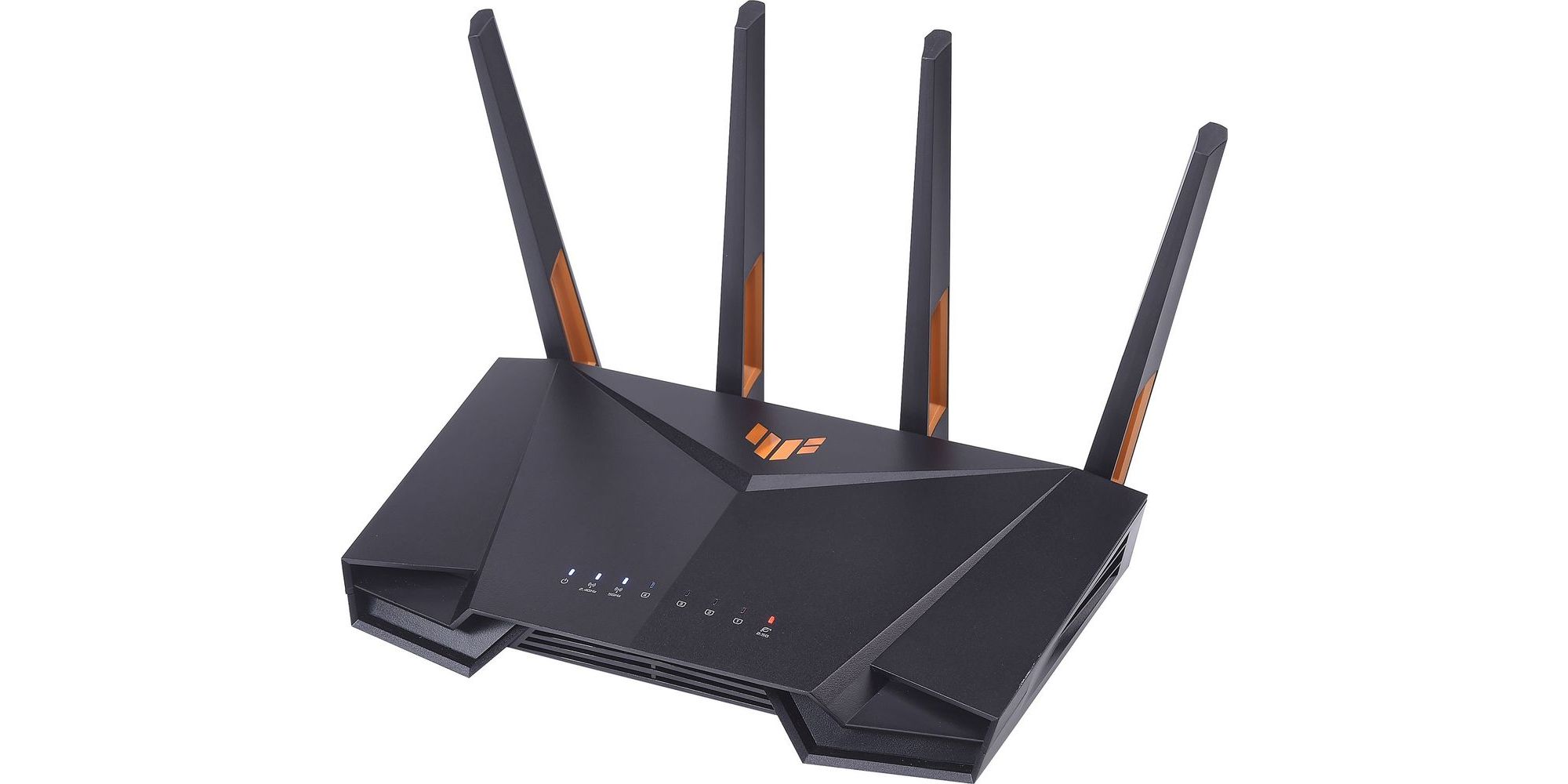
Wifi 6offers faster speedsthan older wifi versions. This means files upload and download quickly. Streaming videos or joining video calls feels smoother. More speed helps when many devices use the same network.
Crowded places like apartments or offices can cause wifi to slow down. Wifi 6 uses new tech to keep connections strong even in busy spots. This helps avoid drops or slow internet during important tasks.
Lower latencymeans less delay. This is key for real-time work like video calls or online meetings. Wifi 6 cuts wait times so voice and video sync better. Tasks that need quick responses get a big boost.
Credit: www.which.co.uk
Current Wifi Setup Limitations
Many people face slow internet speedsand weak signalsat home. Old routers may struggle with many devices connected at once. This causes bufferingand dropped calls. Walls and distance from the router can make signals weaker. These issues cause delays in video calls and file uploads.
Here are some common wifi problems:
- Too many devices using the same network
- Interference from other electronics
- Limited range of older routers
- Slow data transfer speeds
These bottlenecks affect work. Meetings may freeze or cut out. It can be hard to share large files quickly. Slow wifi makes working from home frustratingand less productive.
Remote Work Needs And Wifi 6 Benefits
Remote work demands fast and reliable internet. Wifi 6 offers quicker connections and better performance. It reduces lag and supports multiple devices efficiently, ensuring smooth online meetings and downloads. Ideal for those needing stable and fast internet for work tasks.
Video Conferencing And Streaming
Wifi 6offers faster speeds and less delay during video calls. It helps keep video clearand smoothwithout freezing. This means fewer distractions and better communication with your team.
Multiple Device Management
Many people use several devices at home for work. Wifi 6 can connect more devices at once without slowing down. This keeps your laptop, phone, and other gadgets running well together.
Security Enhancements
Wifi 6 has better security features to protect your data. It helps keep your work information safefrom hackers. This is very important when working with sensitive or private files.

Credit: www.hp.com
Cost Vs. Value Of Upgrading
Wifi 6 routers cost more than older models. Basic Wifi 6 routers start around $100. High-end models can reach $300 or more. Older Wifi 5 routers usually cost less, between $50 and $150.
| Router Type | Price Range | Typical Speed | Best For |
|---|---|---|---|
| Wifi 5 | $50 – $150 | Up to 1.3 Gbps | Basic home use |
| Wifi 6 | $100 – $300+ | Up to 9.6 Gbps | High-speed, many devices |
Wifi 6 helps reduce slowdowns during busy times. It supports more devices at once. This can improve work speed and reduce frustration.
Over time, faster and stable internet can save money by avoiding delays. It helps keep video calls clear and files uploading fast. This can boost productivity at home.
When To Hold Off On Upgrading
Upgrading to WiFi 6might not help if your devices do not support it. Many older laptops and phones use WiFi 5or older standards. Also, your router and network setup must be ready for WiFi 6 to work well.
Without compatible devices and infrastructure, WiFi 6 benefits are limited. It may be better to wait until you replace more devices or upgrade your home network.
- Use a wired Ethernet connectionfor stable internet.
- Place your router in a central locationto improve coverage.
- Limit the number of devices connected at the same time.
- Update your router’s firmwareto improve performance.
- Consider a WiFi extenderto reach far areas.
Future-proofing Your Home Network
New wireless technologies are coming soon. They promise faster speeds. Wifi 6 is one of them. It can handle more devices at once. This helps when everyone is online. No more slow connections. Wifi 6 can also save battery life. This is great for phones and tablets. So, it’s worth thinking about upgrading.
Smart home devices are everywhere now. Wifi 6 can help them work better. Your smart bulbs, thermostats, and cameras will connect faster. They can also talk to each other easily. This makes your home smarter. No more delays or glitches. With Wifi 6, everything runs smoothly. Enjoy a better smart home experience.
Credit: www.hp.com
Frequently Asked Questions
What Is Wifi 6 And Why Is It Important For Remote Work?
Wifi 6 is the latest wireless standard offering faster speeds and better connectivity. It supports multiple devices efficiently, reducing lag and improving work productivity.
Does Wifi 6 Improve Video Conferencing Quality?
Yes, Wifi 6 provides a more stable and faster connection. This reduces video call interruptions and enhances overall conferencing experience during remote work.
Can Wifi 6 Handle Multiple Remote Work Devices Simultaneously?
Absolutely, Wifi 6 is designed for high device density. It manages multiple connections without slowing down, ideal for homes with several remote workers.
Is Upgrading To Wifi 6 Necessary For A Home Office?
Upgrading is beneficial but not mandatory. If your current Wifi struggles with speed or connectivity, Wifi 6 offers significant improvements for remote tasks.
Conclusion
Choosing Wifi 6 depends on your work needs and internet speed. Wifi 6 offers faster, more stable connections for many devices. It helps reduce delays during video calls and file sharing. Older Wifi versions still work but may slow down with multiple users.
Consider your budget and current router before upgrading. Wifi 6 can improve remote work but isn’t always necessary. Think about how often you experience slow internet or dropouts. A good connection helps keep work smooth and stress-free.