Are you struggling with slow Wi-Fi or dead zones in your large home? You might be wondering if one router is enough to keep your entire space connected.
The truth is, as your home size grows, so do the challenges of getting a strong, reliable internet signal everywhere. But do large homes really need multiple routers? Keep reading to discover how you can boost your Wi-Fi, eliminate frustration, and enjoy seamless internet in every corner of your house.
Your perfect home network setup could be simpler than you think.
Wi-fi Challenges In Large Homes
Large homesoften face Wi-Fi challenges. Walls, floors, and furniture can block signals. This causes dead zoneswhere Wi-Fi is weak or missing.
Signal interferencecomes from devices like microwaves or cordless phones. These can slow down or disrupt Wi-Fi connections. The shape and sizeof a home also affect signal strength. Open layouts allow signals to travel better. Thick walls and metal frames stop signals easily.
| Home Layout | Effect on Wi-Fi |
|---|---|
| Open floor plan | Better signal spread |
| Many rooms and floors | More dead zones |
| Thick walls (brick, concrete) | Signal weakens |
| Metal frames and appliances | Signal interference |

Credit: www.reddit.com
Single Router Limitations
A single routerhas limits in large homes. Its coverage rangemay not reach every room, causing weak or no signals in some areas. Walls, floors, and furniture block Wi-Fi signals, reducing speed and strength.
Managing many devices on one router also creates problems. The bandwidthis shared, so many users or devices can slow down the connection. Streaming, gaming, and working online might lag or stop.
- Coverage Range:Router signals weaken with distance and obstacles.
- Device Management:Many devices slow down overall Wi-Fi speed.
Benefits Of Multiple Routers
Using multiple routers helps cover a large homefully. Each router sends a strong signal to different areas. This means no dead zoneswhere Wi-Fi is weak or missing.
With more routers, the network stays stable. If one router has a problem, others keep the internet running. This reduces slow connectionsand dropped signals. It also lets many devices connect without slowing down the internet.
Alternatives To Multiple Routers
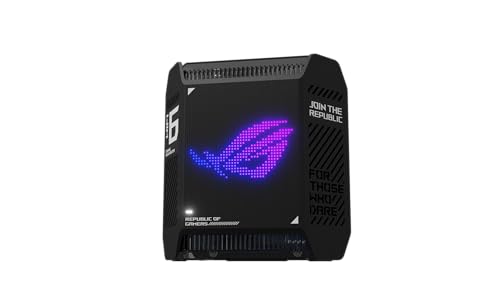
Wi-Fi Mesh Systemsuse multiple devices to create one strong network. They cover large homes well. Each device talks to others to spread the signal evenly. This means no weak spots or dead zones. Setting up is easy, and they work smoothly together. Devices move around the house without losing connection. Mesh systems often include one main router and several satellites.
Range Extenders and Repeatersboost the signal from your main router. They catch the Wi-Fi and send it farther. This helps reach rooms that are far away or blocked by walls. Range extenders are cheaper but can slow the network a bit. Repeaters work similarly but may cause more signal delay. Both are simple to install and can improve coverage without adding a new router.
Setting Up Multiple Routers
Large homes often face Wi-Fi dead zones. Using multiple routers can help cover these areas.
Wired connections use Ethernet cablesto link devices. They provide stable and fastinternet. Wireless connections use Wi-Fi signals. They offer more flexibilitybut may be slower or less stable.
| Type | Pros | Cons |
|---|---|---|
| Wired | Stable, fast, secure | Requires cables, less flexible |
| Wireless | Flexible, easy to set up | Can be slower, signal drops |
Configuring network settings is key for multiple routers. Assign different IP addressesto each router. Use the same SSID and passwordfor a smooth switch between routers. Disable DHCP on the second router to avoid conflicts.
Optimizing Your Wi-fi Network
Place the router in a central spot. This helps the signal reach all rooms. Avoid placing routers near walls or metal objects. These can block signals. Keep the router away from microwaves and cordless phones. These can cause interference. Elevate the router on a shelf or table. It helps signals travel better.
Choose the right channel to avoid interference. Many devices use the same channels. Use a 5 GHz band for faster speeds. This band has less interference. The 2.4 GHz band covers a larger area. It is good for bigger homes. Switch channels if the signal is weak. Check for free apps that help find the best channel.
Cost And Maintenance Considerations
Multiple routers in large homes can increase costs due to extra equipment and setup. Maintenance may require regular updates and occasional troubleshooting to keep connections smooth.
Equipment Expenses
Large homes might need more than one router. This can increase equipment expenses. Buying multiple routers costs more money. Each router might need extra devices. Such as extenders or switches. These add to the total cost. Quality routerscan be expensive. But they often provide better service.
Ongoing Management And Updates
Each router needs regular updates. Updates keep your network safe. They improve the router’s performance. Managing multiple routers takes time. More routers mean more updates. This can be a lot of work. Sometimes, you might need expert help. This can add to maintenance costs. Keeping track of all devices is important.
Credit: cybernews.com

Credit: www.popularmechanics.com
Frequently Asked Questions
Do Large Homes Need More Than One Router?
Large homes often need multiple routers to ensure strong Wi-Fi coverage. One router may not reach all areas effectively. Using multiple routers or a mesh system improves signal strength and reduces dead zones. This setup enhances overall internet performance throughout the home.
Can Multiple Routers Improve Wi-fi Speed Indoors?
Yes, multiple routers can boost Wi-Fi speed indoors by reducing congestion. They distribute the load across different devices and areas. This prevents one router from becoming overwhelmed. As a result, internet speed and connectivity become more stable and faster across the home.
How To Set Up Multiple Routers In A Large Home?
To set up multiple routers, connect the secondary routers to the main router via Ethernet or wireless links. Configure them as access points or in bridge mode. This creates seamless coverage and avoids IP conflicts. Proper placement and settings optimize network performance.
Is A Mesh Network Better Than Multiple Routers?
A mesh network is often better for large homes. It uses multiple nodes that work together seamlessly. Mesh systems simplify management and provide consistent coverage. They avoid the complexity of manual router setups. Mesh networks reduce dead zones effectively and enhance user experience.
Conclusion
Large homes often need more than one router for better Wi-Fi coverage. Single routers may leave some rooms with weak signals. Using multiple routers or a mesh system can solve this. It helps devices connect smoothly everywhere in the house.
This setup reduces slow internet and drops in connection. Think about your home’s size and layout before choosing. Proper placement of routers matters a lot. Good Wi-Fi means easier work, fun, and staying connected. Multiple routers can make a big difference in big homes.