Are you worried about what your kids are accessing online, even when your WiFi reaches every corner of your home? You might have invested in a long range WiFi extender to boost your internet signal, but does it come with the parental controls you need to keep your family safe?
Finding the right balance between strong WiFi coverage and effective content filtering can feel tricky. Keep reading to discover if long range WiFi extenders can help you protect your children while giving you the internet reach you want.
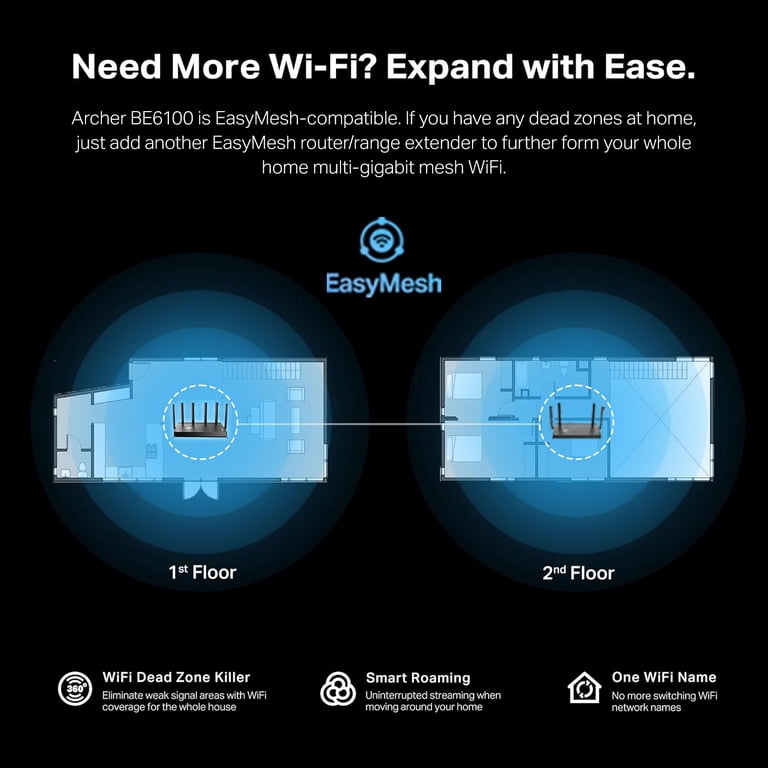
Credit: www.walmart.com
Long Range Wifi Extenders Basics
Long range WiFi extendershelp increase the reach of your wireless network. They connect to your main router and spread the signal farther. This is useful in large homes or places with many walls that block WiFi.
These devices pick up the existing WiFi and then repeat or boostthe signal to areas that have poor or no coverage. This way, you get internet in rooms or outside spaces where it was weak before.
- Extend WiFi to distant rooms
- Reduce WiFi dead zones
- Improve connection for multiple devices

Credit: www.amazon.com
Parental Controls Features
Common parental controlsin network devices include features like content filtering, which blocks harmful websites. Many devices offer time limitsto control internet use during certain hours. Some extenders allow device blocking, stopping specific gadgets from accessing WiFi. Activity monitoringhelps parents see what their kids do online. These features work together to create a safer online space for children.
Benefits of parental controls are clear. They help protect kidsfrom inappropriate content. Controls also limit screen time, encouraging healthier habits. Parents gain peace of mindknowing they can manage internet use easily. These tools support parents in guiding children’s digital activities.
Parental Controls In Wifi Extenders
Many long range WiFi extenders do not have built-in parental controls. They mainly focus on boosting signal strengthand range. Parental controls are usually found in routers or dedicated devices. Some advanced extenders may offer basic controls, but they are rare.
For full parental control features, using a router with these options is better. Extenders often rely on the router’s settings for control. This means you must set up parental controls on your main router, not the extender.
- Time limits:Block internet access during certain hours.
- Content filtering:Restrict adult or unsafe websites.
- Device blocking:Stop specific devices from connecting.
- Usage monitoring:Track internet use by device or user.
Setting Up Parental Controls
Many long range WiFi extenders offer basic parental controls. These controls help limit internet accessfor kids at certain times. To set them up, access the extender’s web interfacethrough a browser. Use the extender’s IP addressfound in its manual or app. Login with your credentials, then find the parental controls section. Here, you can block websites, set time limits, or pause the internet for devices.
Using the router’s parental controlsis often better. Routers usually have more advanced settingsand cover all devices. Extender controls might only affect devices connected to the extender’s WiFi. Router controls apply to every device on the network, no matter the connection point.
- Access extender or router settings via browser.
- Locate parental controls or access restrictions.
- Set device rules: block sites, set time limits.
- Save changes and restart devices if needed.
Limitations To Consider
Long range WiFi extenders can slow down your internet speed. This happens because they repeat signals, which may cause delays. The farther the extender, the weaker the signal might be. This can affect streaming, gaming, and browsing experiences.
Parental controls on these extenders are often limited. They usually cover only devices connected directly to the extender, not the whole network. Some controls may block websites or limit time, but they are not very strong or flexible. For full control, a router with built-in parental features works better.
| Aspect | Details |
|---|---|
| Performance Impact | Can reduce internet speed due to signal repeating |
| Control Scope | Often limited to devices on extender, not full network |
| Effectiveness | Basic blocking and time limits, less flexible than routers |
Top Extenders With Parental Controls
Many long-range WiFi extenders include parental controls to help manage internet access for kids. These controls often allow setting time limits and blocking harmful sites. Choosing extenders with built-in parental features adds extra safety to your home network.
Popular Models
- TP-Link RE650:Offers easy parental control features to block inappropriate content.
- Netgear Nighthawk X6S:Allows time limits and content filtering for kids.
- Linksys RE7000:Provides simple app-based controls for safe internet use.
- ASUS RP-AC1900:Includes parental controls to manage online access.
User Reviews And Ratings
| Model | Rating (out of 5) | User Feedback |
|---|---|---|
| TP-Link RE650 | 4.5 | Easy to set up. Parental controls work well. |
| Netgear Nighthawk X6S | 4.3 | Good coverage and reliable content filtering. |
| Linksys RE7000 | 4.0 | App control is simple. Parental controls are basic but effective. |
| ASUS RP-AC1900 | 4.2 | Strong signal and easy parental control options. |
Alternatives For Parental Controls
Many long range wifi extenders do not have built-in parental controls. Using dedicated softwareis a good choice to manage internet use for kids. These programs help block unwanted websites and set time limits.
Third-party solutions offer extra features beyond basic wifi controls. They let parents monitor online activity from any device. Some popular tools include apps for phones, tablets, and computers.
- Block inappropriate content easily
- Set daily or weekly screen time limits
- Receive alerts about suspicious activity
- Control access to specific apps or games
- Works across multiple devices

Credit: us.amazon.com
Frequently Asked Questions
Do Long Range Wifi Extenders Include Parental Controls?
Some long range WiFi extenders offer built-in parental controls. These features help manage internet access and filter content. However, not all models include them. Check product specifications to confirm if parental controls are supported before purchasing a WiFi extender.
How Effective Are Parental Controls On Wifi Extenders?
Parental controls on WiFi extenders provide basic filtering and time management. They help restrict inappropriate content and limit device usage hours. However, advanced monitoring and customization may require dedicated parental control software or routers with enhanced features.
Can Parental Controls On Extenders Block Specific Websites?
Yes, many WiFi extenders with parental controls can block specific websites. Users can create custom blacklists to restrict access to unwanted sites. This helps parents control what children can visit while using the home network.
Are Parental Controls Easy To Set Up On Wifi Extenders?
Parental controls on WiFi extenders are generally user-friendly and quick to set up. Most extenders provide a web interface or app with step-by-step guides. Basic network knowledge is sufficient for configuring parental restrictions.
Conclusion
Long range WiFi extenders can include parental controls. These controls help manage internet access. They offer safety for children online. Parents can block sites or limit usage. Such features are easy to set up. They ensure a safer online experience.
It’s important to check the extender’s specifications. Not all extenders have parental controls. Choose one that fits your family’s needs. This decision supports digital safety. Peace of mind for parents. Better internet habits for kids. Remember, technology can aid in responsible usage.