Are you tired of lag ruining your gaming experience because your WiFi signal just can’t reach your favorite spot? You might have heard about long range WiFi extenders as a solution, but do they really work for gaming?
If you want smooth gameplay without those frustrating delays, understanding how these devices perform is key. Keep reading to discover if a long range WiFi extender can level up your gaming setup or if it’s just a shortcut to more lag.
Your best gaming moments could depend on what you learn next.
How Long Range Wifi Extenders Work
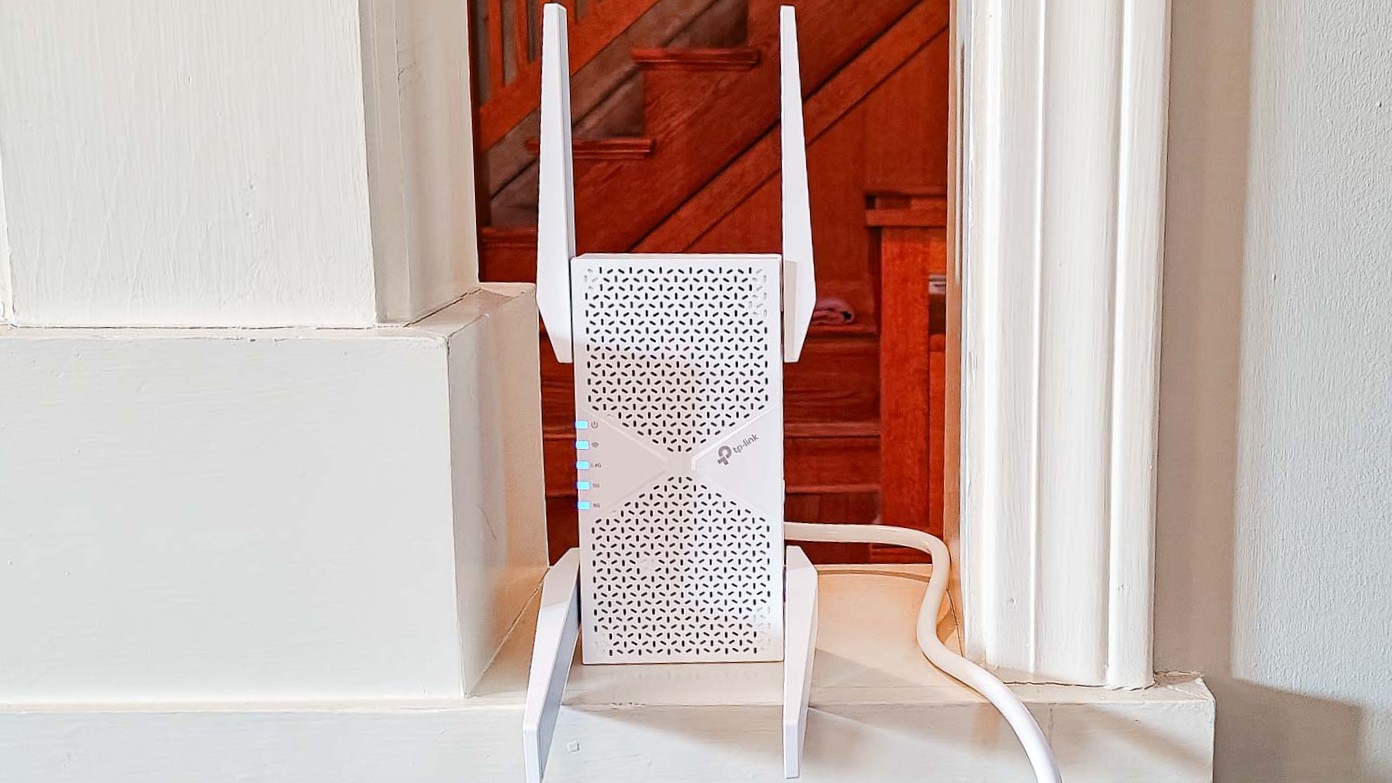
Long range WiFi extenderscatch the wireless signal from your router. They then boost this signaland send it further. This helps cover areas far from the main router.
The basic technologyuses two radios: one to receive, one to send. This keeps the data moving without much delay. The extender acts like a middle pointbetween your device and the router.
Extenders focus on signal boosting and range expansion. They catch weak signals, make them stronger, and share them with devices. This can help with gaming if the signal near you is weak.
| Feature | WiFi Extender | Mesh System |
|---|---|---|
| Coverage | Boosts signal in specific areas | Creates a seamless network across the home |
| Setup | Simple to add on to existing router | Needs full system installation |
| Performance | May reduce speed due to repeating signal | Maintains strong, fast connection everywhere |
| Cost | Usually cheaper | More expensive upfront |

Credit: www.amazon.com
Impact On Gaming Performance
Latencyand pingare very important for gaming. Long range WiFi extenders can add delay, which makes games less smooth. Higher ping means slower response time. This can affect fast games like shooters or racing.
Speed and bandwidthmay drop when using extenders. They split the signal, so the connection is slower than the main router. This may cause lagor slow loading times in games.
Connection stabilitycan also be a problem. Extenders might cause connection dropsmore often than direct router links. This can interrupt gameplay and cause frustration.
| Factor | Effect on Gaming |
|---|---|
| Latency & Ping | Increased delay, slower response, less smooth gameplay |
| Bandwidth & Speed | Reduced speed, possible lag and slow load times |
| Stability | More connection drops, gameplay interruptions |
Choosing The Right Extender For Gaming
Choosing a good extender is key for smooth gaming. Frequency bandsmatter a lot. Extenders with dual-bandor tri-bandoffer better speeds and less lag. Multiple channels help avoid interference from other devices.
Check if the extender works with your router and devices. Some extenders only support certain brands or standards. Compatibility ensures the best connection and faster data transfer. It also helps to support the latest Wi-Fi standards like Wi-Fi 5or Wi-Fi 6.
Credit: www.engadget.com
Setup Tips For Optimal Gaming
Place the wifi extender where it gets a strong signal from the main router. Avoid walls and metal objects that block signals. Keep the extender near your gaming device for best speed.
Set the extender to use the same wifi channel as your router to reduce lag. Enable Quality of Service (QoS) to prioritize gaming traffic. Turn off unused features to lower delay.
- Keep the extender away from microwaves and cordless phones.
- Use 5 GHz band to avoid crowding on 2.4 GHz.
- Limit devices connected to the extender during gaming.
- Choose a wifi channel with less traffic using a wifi analyzer tool.
Alternatives To Long Range Extenders
Powerline adaptersuse your home’s electrical wiring to send internet signals. They offer a more stable connection than WiFi extenders. Just plug one adapter near your router and another near your gaming device. This setup reduces lag and interference.
Mesh WiFi systemscreate a single, strong network with multiple devices. Each unit spreads the signal evenly throughout your home. This helps keep your gaming connection fast and steady without drops.
Direct wired connectionsuse Ethernet cables to connect your device to the router. This method provides the fastest and most reliableinternet for gaming. It avoids WiFi issues like interference and weak signals.
Real-world Testing And Results
Real-world tests show long-range WiFi extenders can improve signal strength but may add slight delay. Gaming performance varies based on extender quality and distance. Some lag is possible, yet many users experience smoother connections farther from the router.
Latency Benchmarks
Latencyis key for smooth gaming. Long range WiFi extenders can add delay. Tests show latency rises by 10-30 milliseconds on average. This slight lag might affect fast-paced games. But casual games run fine with these extenders.
Speed Comparisons
| Connection Type | Download Speed (Mbps) | Upload Speed (Mbps) |
|---|---|---|
| Direct Router | 150 | 50 |
| Long Range Extender | 90 | 30 |
| Without Extender (Far Room) | 20 | 10 |
User Experience Feedback
- Most gamers say gameplay is stablebut not as fast.
- Some report small delaysduring intense moments.
- Better than no signal at all in far rooms.
- Setup is usually simple and quick.
Troubleshooting Common Issues
High pingmakes gaming slow and laggy. Move closer to the extender or router. Close apps using the internet in the background. Restart your extender and router to clear temporary issues. Use a wired connection if possible for lower ping.
Connection drops cause frustration. Check the extender placement for walls or objects blocking signals. Keep firmware updated on your devices. Avoid placing extenders near microwaves or cordless phones. Restart devices regularly to keep connections stable.
Signal quality affects game speed and visuals. Use extenders with dual-band supportfor better performance. Place extenders high and open for less interference. Avoid too many devices connected at once. Test different channels to find the clearest one.
Credit: www.tomsguide.com
Frequently Asked Questions
Do Long Range Wifi Extenders Reduce Lag In Gaming?
Long range WiFi extenders can help reduce lag by boosting signal strength. They extend coverage to areas with weak signals. However, they may introduce slight latency. For optimal performance, consider using a wired connection or a high-quality extender specifically designed for gaming.
Can Wifi Extenders Improve Online Gaming Experience?
Yes, WiFi extenders can enhance online gaming by expanding network coverage. They help maintain stable connections in larger areas. However, ensure your extender supports high-speed internet. This helps in reducing delays. For the best experience, prioritize gaming traffic on your network settings.
Are Wifi Extenders Effective For Multiplayer Games?
WiFi extenders can be effective for multiplayer games by increasing connectivity range. They provide more stable connections in weak signal areas. However, extenders might introduce minimal latency. Opt for extenders with low latency features. This is crucial for seamless multiplayer gaming experiences.
Do Wifi Extenders Support High-speed Gaming?
WiFi extenders can support high-speed gaming if they are compatible with your router’s speed. Choose extenders that support dual-band frequencies. This ensures faster data transmission. Always check the extender’s specifications to ensure it meets your gaming requirements for optimal performance.
Conclusion
Long range WiFi extenders can help improve your gaming connection. They boost signal strength over large areas. But they might add some delay or lag. For serious gaming, a wired connection stays best. Still, extenders work well in many homes.
They reduce dead zones and keep you connected. Test your setup to see if it meets your needs. Good WiFi can make gaming more fun and smooth. Choose the right extender for your space and devices.