Have you ever experienced frustrating Wi-Fi dead zones in your backyard or garden? You might be considering an outdoor Wi-Fi extender to solve the problem.
But a pressing question lingers: Do outdoor Wi-Fi extenders slow down your internet speed? This concern is crucial because no one wants to trade coverage for sluggish performance. We’ll unravel the truth about outdoor Wi-Fi extenders and their impact on your internet speed.
You’ll discover the factors that influence Wi-Fi performance and learn how to make an informed decision to keep your online experience seamless, even outside. Stay with us, and you’ll be equipped with the knowledge to enhance your connectivity without compromising speed.

Credit: www.amazon.ca
How Outdoor Wifi Extenders Work
Outdoor WiFi extenderswork by capturing the existing WiFi signal. They then amplifyand send it farther outdoors. This helps cover areas that the main router cannot reach.
Signal boostingmeans the extender takes a weak signal and makes it stronger. It does not create new internet speed but helps devices connect more easily.
Proper placementis key. The extender should be placed where it gets a good signal from the router. If placed too far, the extender will only send a weak signal.
Coverage depends on the extender’s power and location. Placing it near walls or trees can block the signal. Open spaces help the WiFi reach farther.
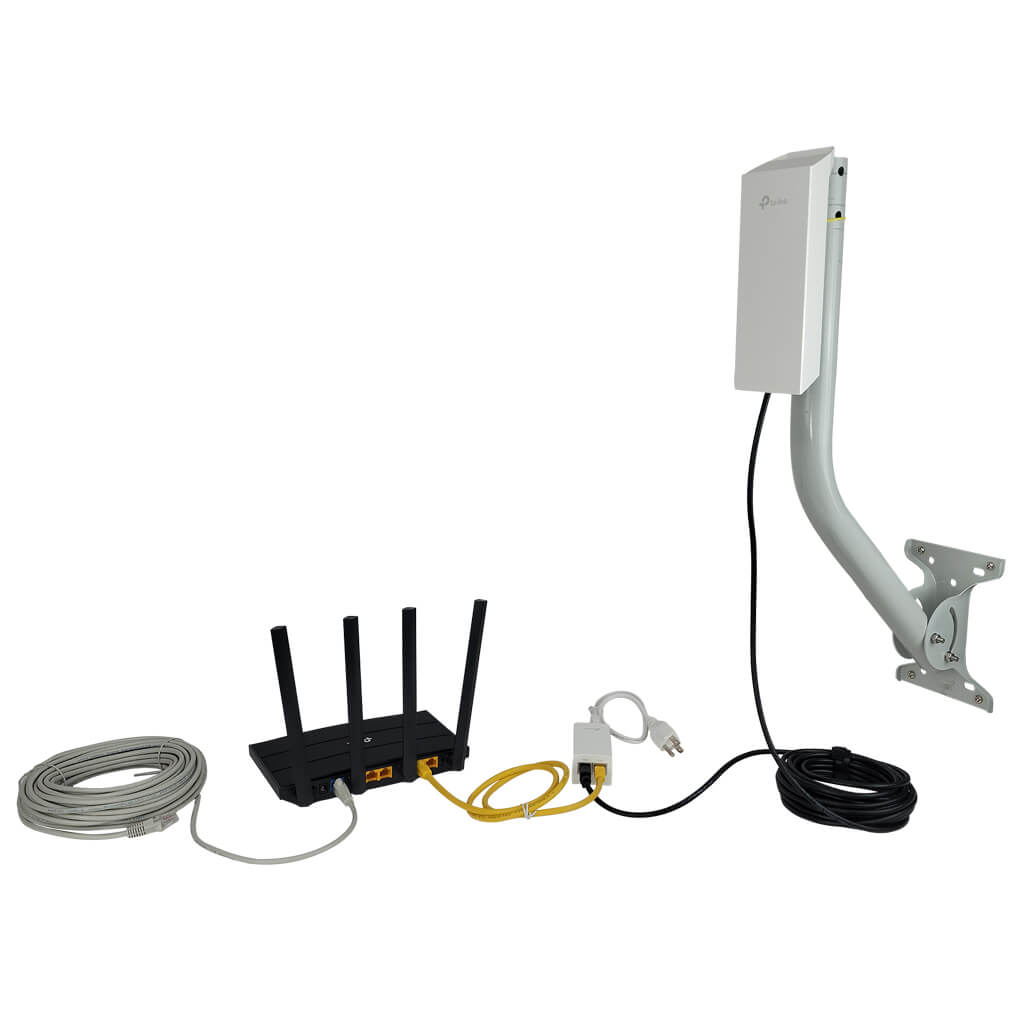
Credit: simplewifi.com
Factors Affecting Wifi Speed
Distance from the routeraffects the wifi speed a lot. The farther the extender is, the weaker the signal gets. Walls and objects in between can also block or slow the signal.
Interference sourceslike microwaves, cordless phones, and other electronics can disrupt the wifi signal. These interruptions cause slower speeds and drops in connection.
Extender qualitymatters a lot. Cheap or old extenders might not handle data well. Good extenders keep the speed closer to the original router’s speed.
Common Myths About Wifi Extenders
Many believe that wifi extenders always slow down speed. This is not always true. Extenders work by repeating the wifi signal to cover larger areas. This can cause some delay, but good extenders keep speed loss minimal.
Extenders cause more interferenceis another common myth. Interference depends on many things like distance, walls, and other devices. A well-placed extender can reduce interference by providing a stronger signal in weak spots.
Using extenders correctly helps keep your network fast and stable. Placement matters a lot. Avoid placing extenders too far from the main router or in places with many walls.

Credit: www.youtube.com
Real Impact On Speed
Outdoor WiFi extenders can sometimes reduce speed. This happens because they repeat signals instead of creating new ones. The signal may lose strength during this process.
Devices farther from the main router often see a drop in speed. But extenders help cover large areas better. This trade-off is common.
| Test Type | Without Extender | With Outdoor Extender |
|---|---|---|
| Download Speed | 100 Mbps | 70-80 Mbps |
| Upload Speed | 50 Mbps | 40-45 Mbps |
| Latency | 20 ms | 25-30 ms |
Latency may increase slightly due to signal relay. Bandwidth is shared between devices and extender links.
- Extenders can reduce peak speeds.
- Better coverage often means some speed loss.
- Placement of extenders is key for good performance.
Tips To Optimize Outdoor Wifi Extenders
Place the outdoor WiFi extender where it gets a strong signal from your router. Walls, trees, and metal objects can block signals. Keep the extender away from these obstacles for better speed. Put it near the area where you need WiFi the most.
Choose an extender that matches your router’s WiFi standard. For example, if you have a WiFi 5 router, get a WiFi 5 extender. This helps keep your connection fast and stable. Check the extender’s range to cover your outdoor space well.
| Setting | Why It Matters |
|---|---|
| Keep firmware updated | Fixes bugs and improves speed |
| Use 5 GHz band | Less crowded, faster speeds |
| Choose a less busy WiFi channel | Reduces interference |
Alternatives To Outdoor Wifi Extenders
Mesh WiFi Systemscreate a network with multiple devices. These devices talk to each other to cover large areas. They keep strong signals and usually do not slow down speed. Easy to set up and good for big homes or yards.
Powerline Adaptersuse your home’s electrical wires to send internet signals. Just plug one adapter near your router and another where you want internet. It works well inside buildings but may slow if wiring is old. No need for new cables or digging outside.
Frequently Asked Questions
Do Outdoor Wifi Extenders Reduce Internet Speed?
Outdoor WiFi extenders can slightly reduce speed due to signal retransmission. However, quality extenders minimize this loss. Proper placement and setup also help maintain faster speeds.
How To Minimize Speed Loss With Outdoor Wifi Extenders?
Place extenders in optimal locations with strong signal reception. Use dual-band extenders and update firmware regularly. Avoid physical obstructions and interference for better performance.
Can Outdoor Wifi Extenders Improve Coverage Without Slowing Speed?
Yes, outdoor WiFi extenders enhance coverage and maintain good speed if chosen wisely. High-quality models and correct installation reduce speed drops while boosting signal range.
Why Does Wifi Speed Drop After Adding An Extender?
Speed drops often occur due to signal retransmission and interference. Extender quality, placement, and network congestion also impact overall WiFi speed.
Conclusion
Outdoor WiFi extenders can affect your internet speed. Signal strength and distance matter most. A weak signal means slower speeds. Placement of the extender is key. Avoid obstacles like walls and trees. Choose a quality extender for better results. Regular updates and settings help maintain speed.
Overall, extenders help cover larger areas but may slightly reduce speed. Balance coverage and speed for best use. Test your setup to find the right spot. Stay patient and tweak for smooth internet outdoors.