Are you wondering if your portable router needs a SIM card to get you online? It’s a question many people ask before buying one.
Knowing the answer can save you time, money, and frustration. You’ll discover exactly when a SIM card is necessary and how it affects your internet connection. Keep reading to make sure your portable router works perfectly for your needs.

Credit: www.eiotclub.com
How Portable Routers Work
Portable routers offer internet access on the go. They create a small wireless network for your devices. These routers connect to cellular networks or existing Wi-Fi signals. Understanding how they work helps decide if you need a SIM card.
Basic Functions
Portable routers convert a cellular signal into Wi-Fi. They use built-in antennas to catch mobile data. Then, they share this data with multiple devices. You can connect phones, laptops, or tablets simultaneously. They also secure your connection with passwords. This protects your network from unwanted users.
Types Of Portable Routers
- Cellular Portable Routers:Use SIM cards to access mobile networks. They work like a mobile hotspot device.
- Wi-Fi Range Extenders:Grab existing Wi-Fi signals and boost them. They don’t need SIM cards.
- Dual-Mode Routers:Combine cellular and Wi-Fi connections. Switch automatically for the best signal.
Role Of Sim Cards In Portable Routers
Understanding the role of SIM cards in portable routers is key to using them effectively. A SIM card acts as the gateway to mobile networks, enabling your router to connect to the internet wherever there’s cellular coverage. Without the right SIM card, your portable router is just a device without a connection.
What Sim Cards Do
SIM cards store essential information that identifies your device on a mobile network. They allow your portable router to access data services by connecting to a cellular provider.
Think of the SIM card as your router’s ID card. It contains details like your phone number, network authorization, and billing information. Without it, your router can’t authenticate with the network, meaning no internet access.
Many people don’t realize that the SIM card also controls what kind of data plan you have. This affects your internet speed, data limits, and coverage area. Choosing the right SIM card can save you from unexpected charges or slow connections.
Sim Card Compatibility
Not all SIM cards fit every portable router. Compatibility depends on the SIM card size and the network technology your router supports.
- SIM sizes:Standard, Micro, and Nano. Make sure your SIM card matches the slot in your router.
- Network types:Some routers only work with 4G LTE SIMs, while others support 5G or even older 3G networks.
Before buying a SIM card, check your router’s specifications. Using an incompatible SIM can lead to connection failures or poor performance. Have you ever tried to use a SIM card only to find it won’t fit or connect? It’s a common hassle that’s easy to avoid with a quick compatibility check.
Also, consider carrier restrictions. Some SIM cards are locked to specific devices or networks, which might limit your portability. If you travel frequently, an unlocked SIM card that works globally could be your best choice.
When A Sim Card Is Required
Portable routers often need a SIM card to access mobile networks. This is true when they rely on cellular data to provide internet. Understanding when a SIM card is required helps decide if your portable router fits your needs.
Using Cellular Data
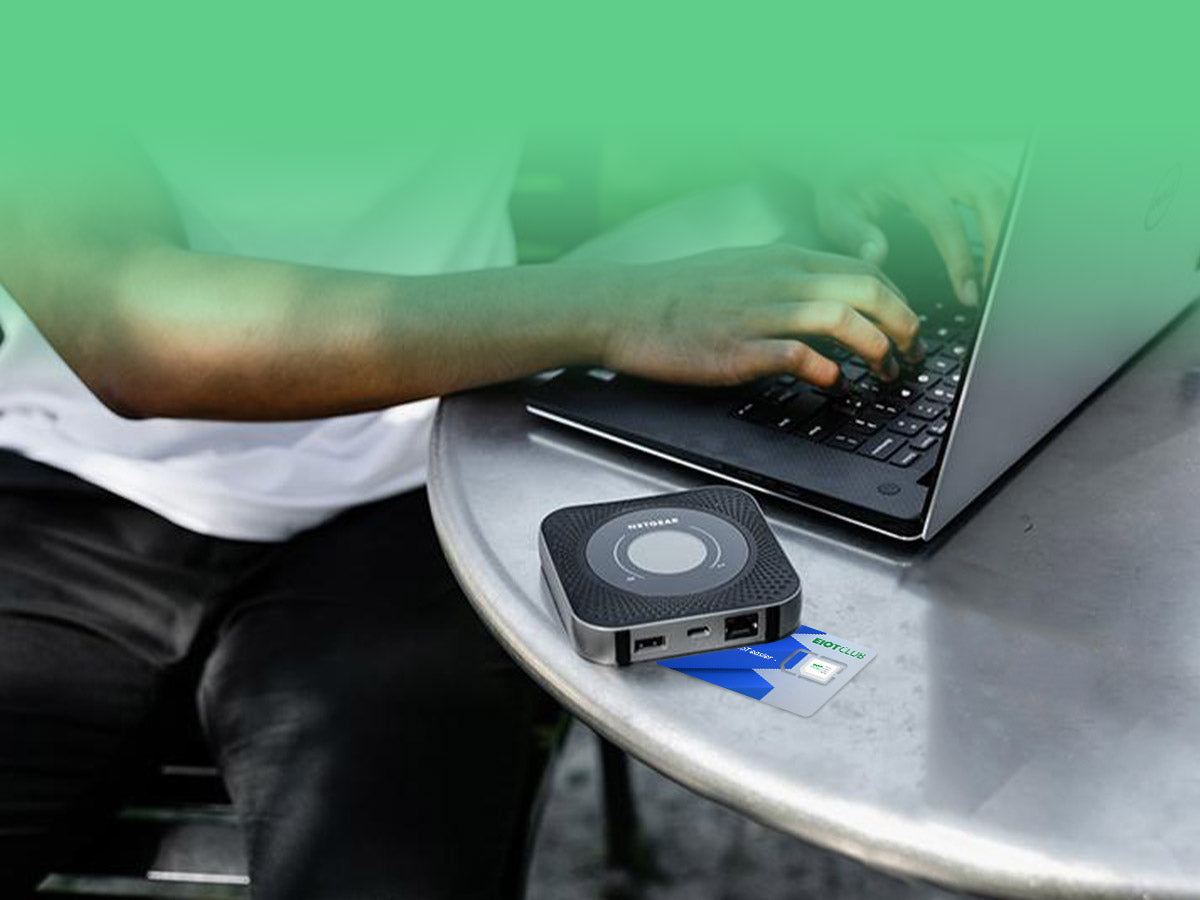
Portable routers that connect via cellular networks need a SIM card. The SIM card links the device to a mobile carrier. It provides access to 3G, 4G, or 5G signals. Without a SIM card, the router cannot send or receive mobile data.
Many models have a slot for a SIM card. Users insert a SIM from their mobile provider. This setup allows the router to share cellular internet with multiple devices. It works like a mobile hotspot but with better range and stability.
Travel And Connectivity
Travelers often use portable routers with SIM cards for constant internet. A SIM card from a local carrier gives access to affordable data plans. This prevents high roaming charges on phones.
Portable routers with SIM cards keep devices online anywhere there is mobile coverage. They support multiple devices at once, ideal for hotels or remote areas. Without a SIM card, the router cannot connect to these networks.
In places without Wi-Fi, a SIM card is essential. It ensures continuous internet access during trips or outdoor activities. This makes portable routers with SIM cards a practical choice for travelers.
Credit: www.eiotclub.com
Portable Routers Without Sim Cards
Portable routers often need a SIM card to connect to mobile networks. Some models work without SIM cards by using Wi-Fi or Ethernet connections instead. This allows internet sharing without relying on cellular data.
Portable Routers Without SIM Cards offer a unique solution for staying connected without relying on cellular networks. Many people assume that portable routers must have a SIM card to function, but that’s not always the case. There are several alternatives that make these devices versatile and convenient for various connectivity needs.Wi-fi Only Devices
Some portable routers are designed to connect solely through Wi-Fi. These devices do not need a SIM card because they depend on existing Wi-Fi networks to provide internet access. Imagine you’re traveling and your hotel’s Wi-Fi is spotty. A Wi-Fi only portable router can improve the signal by redistributing it throughout your room, providing a stronger and more reliable connection.Alternative Connectivity Options
Portable routers can also use Ethernet connections to provide internet access. This can be particularly useful in offices or homes where wired connections are more stable and secure. Additionally, some devices support tethering from smartphones, allowing you to share your phone’s internet connection. This method can save you from purchasing an additional data plan for a SIM card. Considering these alternatives, do you think a SIM card is essential for your portable router? Understanding your connectivity options can help you choose the right device for your needs.Choosing The Right Portable Router
Choosing the right portable router is key to staying connected wherever you go. It’s not just about picking the latest gadget but finding one that fits your lifestyle and connectivity needs perfectly. Let’s break down how you can make the best choice.
Assessing Your Needs
Start by asking yourself what you really need from a portable router. Are you going to use it for light browsing or heavy streaming? Understanding your data usage helps you decide on speed, battery life, and additional features.
Think about how many devices you want to connect at once. If you travel with family or colleagues, a router that supports multiple connections simultaneously is a must. Also, consider the size and weight if portability is a priority for you.
Network Coverage And Plans
Check which mobile networks work best in the areas where you’ll use your router. Some portable routers require a SIM card, so make sure the network coverage meets your expectations. No one wants to pay for fast internet only to find dead zones on the road.
Look into data plans that fit your budget and usage. Some providers offer flexible plans tailored for portable routers, including pay-as-you-go options. Have you thought about whether you need unlimited data or if a capped plan would do the job?

Credit: www.eiotclub.com
Setting Up A Sim Card In Your Router
Setting up a SIM card in your portable router allows you to access mobile data networks. This process is usually simple and quick. It helps your router connect to the internet without needing Wi-Fi. Knowing how to install and troubleshoot your SIM card can save time and improve connectivity.
Installation Steps
- Turn off the portable router before starting.
- Locate the SIM card slot on the router.
- Remove the SIM card tray carefully, if there is one.
- Place the SIM card in the tray with the gold contacts facing down.
- Insert the tray back into the router securely.
- Turn on the router and wait for it to detect the SIM card.
- Check the router’s display or app to confirm the SIM is active.
Troubleshooting Tips
- Ensure the SIM card is properly seated in the slot.
- Restart the router to refresh the connection.
- Check if the SIM card is active and has data balance.
- Make sure the router supports the SIM card’s network type.
- Clean the SIM card gently with a soft cloth if needed.
- Update the router’s firmware to fix compatibility issues.
- Contact your network provider if the SIM card is not recognized.
Frequently Asked Questions
Do All Portable Routers Require A Sim Card?
Not all portable routers need a SIM card. Some work via Wi-Fi or Ethernet. However, models with cellular connectivity require a SIM card for mobile data access.
Can I Use Any Sim Card In A Portable Router?
Most portable routers support standard SIM cards. Check compatibility with your router’s network bands. Using the correct SIM ensures reliable internet connection and optimal speeds.
How Does A Sim Card Enhance Portable Router Functionality?
A SIM card enables mobile data access via cellular networks. It allows internet use anywhere with network coverage, making portable routers ideal for travel or remote locations.
Are Portable Routers Without Sim Cards Available?
Yes, some portable routers connect through Wi-Fi or Ethernet without SIM cards. These routers share existing internet connections but lack independent mobile data capabilities.
Conclusion
Portable routers often need a SIM card to connect to mobile networks. This card allows the device to access internet data on the go. Some models may work without a SIM, but they rely on Wi-Fi or other connections. Choosing the right router depends on your internet needs and travel habits.
A SIM card keeps you online almost anywhere. Think about how you plan to use your router. That helps decide if you need a SIM card or not. Simple and clear.