Are you wondering if your portable router can handle any SIM card you throw at it? It’s a question many people ask before buying one.
Imagine having a device that keeps you connected anywhere, without worrying about compatibility. But does that really happen with all SIM cards? Keep reading to find out how portable routers work with different SIM cards and what you need to know to avoid surprises.
Your next internet connection might depend on this.
How Portable Routers Use Sim Cards
Portable routers use SIM cards to provide internet access on the go. They connect to cellular networks like smartphones. The SIM card stores the subscriber’s information needed to connect. This allows the router to share mobile data with multiple devices. Understanding how SIM cards work in these routers helps choose the right device and plan.
Sim Card Slots Explained
Portable routers have a slot for a SIM card inside. This slot holds a physical SIM card or a micro SIM. Some newer models support eSIM technology, which is digital. The router reads the SIM card to identify the network provider. Without a SIM card, the router cannot access mobile data. Most routers support only one SIM card at a time. Some advanced models offer dual SIM slots for backup or network switching.
Network Compatibility Basics
Each SIM card works with specific network standards. Networks use technologies like 3G, 4G LTE, or 5G. The router must support the same technology as the SIM card. A 4G SIM card won’t work properly in a 3G-only router. Frequency bands also matter. Different carriers use different frequency bands. The router must support these bands to connect effectively. Check the router’s specifications for compatible bands and technologies. This ensures the SIM card works without issues.
Types Of Sim Cards And Sizes
Portable routers rely on SIM cards to connect to mobile networks. These SIM cards come in different types and sizes. Understanding these differences helps ensure compatibility with your portable router. SIM cards vary mainly by physical size, but technology also plays a role. Some routers accept multiple sizes using adapters or built-in trays. Others support modern eSIM technology, which removes the need for a physical card.
Standard, Micro, And Nano Sims
SIM cards come in three common sizes:
- Standard SIM:The largest size, measuring 25mm by 15mm. Mostly used in older devices.
- Micro SIM:Smaller than standard, measuring 15mm by 12mm. Used in many smartphones and routers.
- Nano SIM:The smallest, measuring 12.3mm by 8.8mm. Common in newer devices for space saving.
Many portable routers support Micro and Nano SIMs. Standard SIMs are less common but may still work with adapters.
Esim Technology In Portable Routers
eSIM is a digital SIM embedded inside the router’s hardware. It allows remote provisioning without a physical card. eSIM technology offers flexibility to switch carriers easily. Some newer portable routers support eSIMs alongside traditional SIM slots. This technology reduces the need to swap physical cards for network changes. Not all portable routers have eSIM support yet, so check device specifications.
Carrier Locking And Compatibility
Carrier locking and compatibility are key factors for portable router users. These affect which SIM cards work with your device. Understanding these concepts helps avoid connectivity issues and extra costs. Portable routers may be locked to one network or unlocked for multiple carriers. Knowing your router’s status is important before buying or using a SIM card.
Locked Vs Unlocked Routers
Locked routers only accept SIM cards from a specific carrier. This restricts users to one network. These devices often come at a lower price but limit flexibility. Unlocked routers accept SIM cards from any carrier. They offer freedom to choose the best network for your needs. Unlocked routers are ideal for travelers or those who want options.
Checking Carrier Restrictions
Check if your router is locked before buying a SIM card. Contact the seller or manufacturer for this information. Look for details in the device manual or settings menu. Some routers show carrier restrictions on startup or in the system info. Testing with a SIM card from a different network can also help identify locks.
Understanding carrier locking prevents service interruptions. It ensures your portable router works well with your chosen SIM card. Always verify compatibility to get the best internet experience.

Credit: www.eiotclub.com
Frequency Bands And Network Support
Frequency bands and network support play a key role in portable router compatibility. These devices rely on specific frequencies to send and receive data. Choosing a router that supports the right bands ensures smooth internet access across different carriers and regions. Understanding frequency bands helps avoid connectivity problems and slow speeds.
Mobile networks use various bands for 4G LTE and 5G services. Not all routers support every band, so checking this before buying is important. Network support also depends on the router’s hardware and firmware, which must match the bands used by your SIM card provider.
4g Lte And 5g Band Compatibility
4G LTE uses many frequency bands worldwide. These bands differ by country and carrier. A portable router must support common LTE bands to work with most SIM cards.
- Popular LTE bands include 1, 3, 7, 20, and 28.
- Some routers also support 5G bands like n78 and n41.
- 5G band support allows faster speeds and lower latency.
- Without proper band support, your router may not connect or could have poor signal.
Checking the router’s specifications for 4G and 5G band compatibility is essential. This ensures your SIM card can access the best network available.
Global Vs Regional Band Differences
Frequency bands vary between regions. A band common in Europe might not be used in the US or Asia. This affects portable router compatibility with SIM cards from different areas.
| Region | Common 4G Bands | Common 5G Bands |
|---|---|---|
| North America | 2, 4, 5, 12, 13 | n5, n66, n260 |
| Europe | 1, 3, 7, 20, 28 | n78, n1 |
| Asia | 1, 3, 5, 8, 40 | n78, n41 |
Global routers cover many bands from different regions. Regional routers focus on specific bands. Selecting a global or regional router depends on your travel needs and SIM card origin.
How To Choose The Right Sim For Your Router
Portable routers often work with many SIM cards, but compatibility varies. Ensure the SIM card matches your router’s network bands. Consider network speed and coverage to make the right choice for seamless connectivity.
Choosing the right SIM card for your portable router is like finding the perfect key for a lock. Not all SIM cards will work flawlessly with every device. You must consider factors like network compatibility, data usage needs, and coverage to ensure seamless connectivity.Assessing Network Coverage
Before purchasing a SIM card, check the network coverage in your area. Most carriers have coverage maps available online. These maps can help you identify which provider offers the best signal strength where you live or frequently travel. Think about where you’ll use your portable router the most. Are you in a rural area, or do you need coverage during international travel? Different networks have varying strengths in different locations, so assess your specific needs.Data Plans And Usage Considerations
Examine your data usage habits to select a suitable plan. If you stream videos or work remotely, you might need a larger data allowance. On the other hand, light browsing and occasional emails require less data. Many providers offer flexible plans or prepaid options. Consider your monthly usage pattern, and choose a plan that provides the best value for your needs without exceeding your budget.
Credit: www.eiotclub.com
Troubleshooting Sim Card Issues
Dealing with SIM card issues in portable routers can be frustrating, especially when you rely on them for seamless internet access. Identifying the root cause of the problem is key to getting back online quickly. Let’s look at some common SIM card troubles and how you can troubleshoot them effectively.
Sim Not Recognized Errors
If your router shows a “SIM not recognized” error, it might mean the device isn’t detecting your SIM card at all. First, check if the SIM card is properly inserted; sometimes it’s as simple as reseating it carefully. Make sure the SIM card is compatible with your router—some routers only work with specific SIM sizes or network types.
Another common cause is a dirty or damaged SIM card. Gently clean the gold contacts with a soft cloth and inspect for any visible damage. If you have another SIM card available, try swapping it to see if the problem persists. This can help pinpoint whether the SIM or the router is at fault.
Have you ever experienced a SIM that worked fine in your phone but not in your router? This might be due to network locking or SIM restrictions imposed by your carrier. Contacting your provider to confirm the SIM’s compatibility with your portable router often clears up confusion.
Network Connection Problems
Sometimes your SIM card is recognized, but the router fails to connect to the network. Signal strength plays a huge role here—poor reception can prevent a stable connection. Try moving your router to a different location or closer to a window to improve signal quality.
Check the router’s network settings to ensure it matches your SIM card’s carrier requirements, such as APN (Access Point Name) settings. Incorrect APN details often block internet access even though the SIM is detected. You can usually find the correct APN settings on your carrier’s website or by calling customer support.
Firmware updates for your router might also fix connectivity bugs. Have you updated your router’s software recently? Outdated firmware can cause incompatibility with newer SIM cards or network protocols. Regularly updating keeps your device running smoothly.
- Restart your router to refresh the connection.
- Check if your SIM card has an active data plan.
- Verify that your account with the carrier is in good standing.
Troubleshooting these issues can seem technical, but taking a step-by-step approach helps you get back online faster. What’s the most surprising cause of a SIM card problem you’ve encountered?
Popular Portable Router Models And Sim Support
Choosing the right portable router involves checking its SIM card support. Not all routers work with every SIM card. Compatibility depends on network bands and carrier restrictions. Many popular models offer broad SIM support for global use. Understanding these options helps select a device that matches your needs.
Top Brands And Their Compatibility
Several top brands lead the portable router market. They provide options with wide SIM compatibility and reliable performance.
- Huawei:Known for strong network support and multi-band compatibility. Most models accept various SIM cards worldwide.
- Netgear:Offers models that work well with major carriers. Their routers support 4G and 5G SIM cards.
- TP-Link:Popular for affordable routers with good SIM card flexibility. Many support nano, micro, and standard SIM sizes.
- ZTE:Provides devices designed for international use. Their routers often include unlocked SIM slots.
Check each model’s specifications for exact SIM card types and network bands. Unlocked routers offer better freedom with different carriers.
User Experiences And Reviews
User feedback reveals real-world SIM compatibility and performance. Many users find routers from these brands handle multiple SIM cards without issues.
Some reviews mention occasional problems with certain carriers or locked devices. Unlocking routers or confirming carrier support before purchase reduces risks.
Users appreciate routers with easy SIM swapping and clear setup instructions. Positive reviews highlight stable connections and fast speeds across networks.
Common advice includes verifying the router supports your SIM card’s frequency bands. Users recommend checking online forums for brand-specific tips.
Tips For Maximizing Portable Router Performance
Maximizing the performance of your portable router can make a huge difference in your internet experience. Small adjustments can lead to faster speeds and more reliable connections. Let’s look at some practical tips that can help you get the most out of your device.
Optimizing Signal Strength
Signal strength is the backbone of your portable router’s performance. Position your router near a window or an open space to avoid walls and obstacles that weaken the signal.
Try to keep the router away from other electronic devices that might cause interference, like microwaves or cordless phones. You can also experiment with the router’s antenna position if it has external antennas; sometimes a small tilt or turn can improve reception significantly.
Have you ever noticed how your connection drops in certain spots? This often means the signal is weak there. Moving just a few feet can sometimes boost your internet speed dramatically.
Firmware Updates And Settings
Keeping your router’s firmware updated is essential. Manufacturers release updates to fix bugs, improve security, and enhance performance. Check the router’s admin panel regularly for available updates.
Don’t overlook the settings either. Adjusting your router’s band settings (switching between 2.4 GHz and 5 GHz) can help avoid network congestion. Also, setting a strong but simple password can prevent unauthorized users from slowing down your connection.
Have you taken a moment to explore your router’s settings? Tweaking them can often resolve issues without needing new hardware.
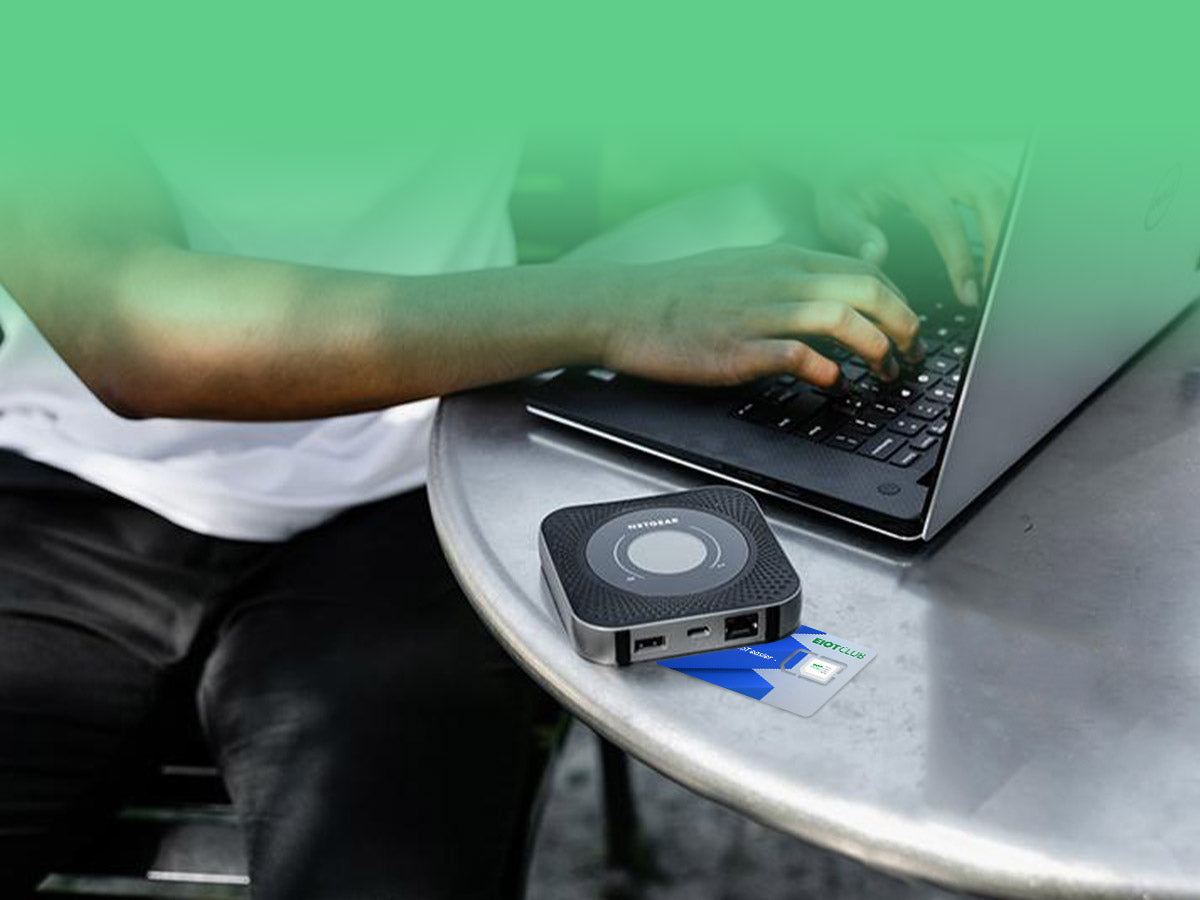
Credit: www.eiotclub.com
Frequently Asked Questions
Do Portable Routers Support All Sim Card Types?
Portable routers usually support standard, micro, and nano SIM cards. Always check your router’s specifications for compatibility. Some routers may require adapters for certain SIM sizes. Most modern portable routers work with 4G and 5G SIM cards from various carriers.
Can Portable Routers Work With Any Network Provider?
Portable routers often work with multiple network providers. However, some may be locked to specific carriers. Check if your router is unlocked to use different SIM cards. Using an unlocked router allows more flexibility across network providers.
Are All Sim Cards Compatible With Portable Routers Worldwide?
Not all SIM cards are globally compatible due to network frequency differences. Portable routers must support local network bands for proper connectivity. Always verify your router supports the frequency bands of your SIM’s country. Using local SIM cards ensures better network performance.
Will A Prepaid Sim Card Work In A Portable Router?
Yes, prepaid SIM cards generally work in portable routers. Ensure the SIM card is activated and has data plan enabled. Prepaid options are ideal for flexible, temporary internet access. Check if your router supports the SIM’s network provider.
Conclusion
Portable routers work with many SIM cards but not all. Some routers support only specific networks or sizes of SIM cards. Always check your router’s specifications before buying a SIM card. This helps avoid compatibility problems and saves time. Choosing the right SIM card ensures a better internet connection.
Simple steps make using portable routers easier and more reliable. Keep these tips in mind for smooth mobile internet access anywhere.