Are you tired of slow internet when you need it most? Maybe you’ve heard about QoS, or Quality of Service, and how it can prioritize your important online activities like gaming, streaming, or video calls.
But here’s the big question: can routers under $200 really support QoS and improve your connection? If you want to find out whether an affordable router can give you smoother, faster internet without breaking the bank, keep reading. This guide will help you understand what QoS is, why it matters, and which budget routers deliver the best performance for your money.
Qos Basics
QoSstands for Quality of Service. It helps manage internet traffic so important data moves faster. This is useful for calls, games, and videos that need steady internet.
QoS controls which devices or apps get more bandwidth. It stops slowdowns when many devices use the same Wi-Fi. This keeps connections smooth and steady.
- Improves online gaming by reducing lag
- Keeps video calls clear and stable
- Prioritizes work apps over downloads
- Helps avoid buffering during streaming
Router Pricing And Qos
Many routers priced under $200 offer basic QoS (Quality of Service)features. These features help manage internet traffic and prioritize certain devices or applications. This can improve streaming, gaming, and video calls by reducing lag or buffering.
Budget routers usually include:
- Traffic prioritizationfor gaming or video streaming.
- Simple user interfaces to set up QoS rules.
- Ability to limit bandwidth for specific devices.
- Support for both wired and wireless QoS.
While advanced QoS settings might be missing, these routers still offer good control over network traffic. They are suitable for small homes or users with basic internet needs.
Essential Qos Features
Traffic prioritizationlets important data move faster on the network. This helps with video calls, gaming, and streaming. Routers under $200 often support this feature.
Bandwidth allocationmeans dividing internet speed among devices. It stops one device from using all the bandwidth. This keeps the connection stable for everyone.
Device managementallows users to control which devices get priority. You can block or limit internet for some devices. This helps keep the network running smoothly.
Top Routers Under 200 With Qos
Many routers under $200 offer QoS (Quality of Service). This feature helps manage internet traffic well. It allows prioritizing devices or apps for better speed and less lag. This is useful for streaming, gaming, or video calls.
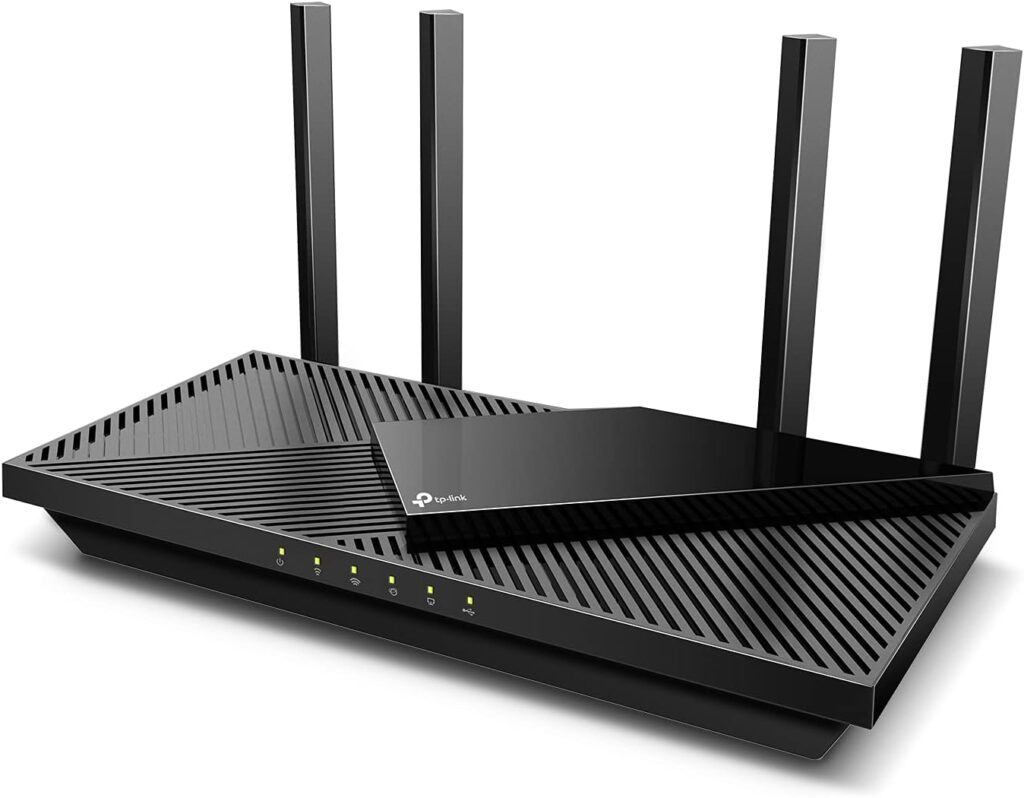
Popular models in this price range include brands like TP-Link, Netgear, and Asus. These routers often come with easy setup and user-friendly QoS settings. Some even let you control priority from a mobile app.
| Router Model | Price | QoS Feature | Max Speed | App Control |
|---|---|---|---|---|
| TP-Link Archer A7 | $70 | Standard QoS | 1750 Mbps | Yes |
| Netgear R6700 | $90 | Dynamic QoS | 1750 Mbps | Yes |
| Asus RT-AC66U | $130 | Adaptive QoS | 1750 Mbps | Yes |
Setting Up Qos On Budget Routers
Access the router settings through a web browser. Enter the IP address in the address bar. Login with the username and password. Look for the QoS settings in the menu. It might be under advanced settings. Enable the QoS feature. You may see options like ‘Application Priority’ or ‘Device Priority’. Set priority levels for different devices or applications. Save the changes to apply the new settings.
- Prioritize important devices like your computer or phone.
- Use low priority for less important devices.
- Check internet speed to balance traffic effectively.
- Test your settings to see if the internet is faster.
- Adjust the settings if necessary for better performance.
Credit: www.highspeedoptions.com
Limitations Of Budget Router Qos
Budget routers under $200 often have limited processing power. This can cause slow traffic managementwhen multiple devices connect. The QoS may not handle all data smoothly, leading to lag or delays.
Many budget routers miss advanced QoS features. They might only offer basic priority settingsand lack custom options. This means users cannot fully control which devices or apps get faster speeds.
| Aspect | Budget Router QoS | High-End Router QoS |
|---|---|---|
| Processing Power | Low to moderate | High |
| Feature Set | Basic priority control | Advanced customization |
| Traffic Handling | Limited to few devices | Efficient with many devices |
When To Consider Higher-end Routers
Some homes need more from their routers. Advanced QoS (Quality of Service) is crucial for smooth streaming and gaming. Basic routers might not handle heavy traffic well. Lag and buffering can occur. This is annoying during important activities.
Advanced routers manage traffic better. They prioritize data for important tasks. This means smoother internet for everyone. Families with many devices benefit from this feature.
Technology changes fast. Today’s router might not work for tomorrow’s needs. Investing in a higher-end router can save money later. It can support new devices and technologies.
Consider a router that handles increased bandwidth and speeds. This ensures your network stays strong. It’s smart to plan for future growth. A little more spent now can mean less hassle later.
Credit: www.pcgamer.com

Credit: cyberraiden.wordpress.com
Frequently Asked Questions
Do Routers Under $200 Support Qos Features?
Most routers under $200 include basic QoS support. They prioritize traffic for smoother gaming and streaming. However, advanced QoS options may be limited compared to higher-end models.
How Effective Is Qos On Budget Routers?
QoS on budget routers improves network performance by managing bandwidth. It helps reduce lag and buffering but may not handle heavy, complex traffic as well as premium routers.
Can Qos Improve Gaming On Affordable Routers?
Yes, QoS on affordable routers can prioritize gaming traffic. This reduces latency and packet loss, providing a better online gaming experience without needing expensive hardware.
Are There Limitations To Qos In Cheaper Routers?
Cheaper routers often have simplified QoS settings. They may lack granular controls and advanced traffic shaping features found in pricier models, limiting customization for power users.
Conclusion
Routers under $200 often support basic QoS features. These features help manage internet traffic better. They prioritize important activities like video calls or gaming. Still, advanced QoS options may be missing. For most home users, basic QoS is enough. It improves online experience without extra cost.
Choose a router that fits your needs and budget. Simple QoS can make a big difference. Test your router’s QoS settings to see the effect. Enjoy smoother internet with the right router choice.