Are you thinking about making your home smarter? If so, you might be wondering if your current router can handle all those smart devices.
After all, your smart lights, security cameras, and voice assistants all rely on a strong and stable internet connection. But does that mean you need a special router designed just for smart homes? Keep reading to find out what your smart home really needs to stay connected, secure, and running smoothly.
This could save you time, money, and a lot of frustration.

Credit: www.reddit.com
Smart Home Connectivity Basics
Smart devices connect through Wi-Fi, Bluetooth,or Zigbee. These connections let devices talk and share data. The router acts as the central hubmanaging this traffic.
Each device needs a stable connection to work well. Many devices can slow down a network if the router is weak or old. Signals may drop if the router is far or blocked by walls.
| Network Challenge | Cause | Effect |
|---|---|---|
| Interference | Other devices or walls | Slow or lost connection |
| Low Bandwidth | Many devices using internet | Buffering and delays |
| Range Limits | Router far from device | Weak signal, poor performance |
Router Features For Smart Homes
Dual-band and tri-band routershelp connect many smart devices smoothly. Dual-band offers 2 frequency bands, while tri-band adds one more. This reduces interference and speeds up your network.
Quality of Service (QoS)lets you give priority to important devices or apps. This helps smart devices like security cameras or smart speakers work without delays.
Security protocolsprotect your smart home from hackers. Look for routers supporting WPA3, the latest and safest protocol. It keeps your data safe and your devices secure.
Mesh networkinguses multiple router units to cover your whole home. It stops weak Wi-Fi spots and keeps your smart devices connected everywhere. Great for bigger homes or places with thick walls.
Why Standard Routers May Fall Short
Standard routers often struggle with many smart devices connected at once. They may cause slow speeds and weak signals in larger homes. Special routers help manage smart homes better by offering stronger, more reliable connections.
Bandwidth Limitations
Standard routersoften have limited bandwidth. This can cause slow internet when many devices connect. Smart homes use many devices at once. Cameras, lights, and speakers all need data. Limited bandwidth means these devices may lag or stop working.
Device Overload Issues
Most standard routerssupport fewer devices. Smart homes have many smart gadgets. Too many devices can overload the router. This causes connection dropsand slower speeds. The router cannot handle all devices smoothly.
Signal Range Problems
Standard routers may have weak signalsin large homes. Smart homes often cover many rooms. Walls and floors block signals, causing dead zones. Devices far from the router may lose connection or work slowly.

Credit: www.popularmechanics.com
Benefits Of Special Smart Home Routers
Special smart home routershelp manage many devices easily. They can connect smart lights, speakers, cameras, and more without slowing down. This enhanced device managementkeeps everything working smoothly.
These routers provide improved network stability. They reduce interruptions and keep your internet strong. This means fewer dropped signals and better streaming or video calls.
Security is also stronger with these routers. They have advanced security featuresthat protect your home from hackers. Firewalls, automatic updates, and secure passwords help keep your data safe.
Choosing The Right Router
Assessing your smart home size helps choose the right router. Small homes with few devices may work fine with basic routers. Larger homes need routers with wider range and stronger signals.
Compatibility with devices is key. Some smart devices need routers that support specific frequencies like 2.4 GHz or 5 GHz. Dual-band routers offer better support for many devices.
| Budget | Router Features |
|---|---|
| Low | Basic coverage, few devices supported |
| Medium | Better range, supports more devices |
| High | Strong signal, many devices, advanced features |
Choose a router that fits your home size, device needs, and budget. This balance keeps your smart home running smoothly.
Optimizing Router Settings
Smart homes often need routers that handle many devices smoothly. Optimizing settings boosts speed and keeps connections stable for all gadgets. Adjusting channels and security helps reduce interference and protect your network.
Prioritizing Critical Devices
Use router settings to make important devices work better. This helps smart TVs and security cameras get smooth internet. Look for options like Quality of Service (QoS). This makes sure important devices get the best speed.Regular Firmware Updates
Routers need firmware updates to work well. Updates fix bugs and add new features. Check the router’s website for new updates. Install them to keep your network safe.Securing Your Network
A strong network password keeps hackers away. Use a mix of letters and numbers. Change your password every few months. Turn on network encryption for extra safety. This protects your data from bad people. `Future Trends In Smart Home Networking
Smart homes often need routers that handle many devices at once without slowing down. Special routers improve connection and security for smart gadgets. These routers support faster speeds and better coverage for seamless home automation.
Wi-fi 6 And Beyond
Wi-Fi 6 is the latest in wireless technology. It offers faster speeds and more connections. This is great for smart homes with many devices. Wi-Fi 6 routers can handle lots of data at once. They make sure your devices work smoothly. Smart homes need this to avoid slow internet. Future tech will keep improving. Expect even faster Wi-Fi soon.
Integration With Iot Platforms
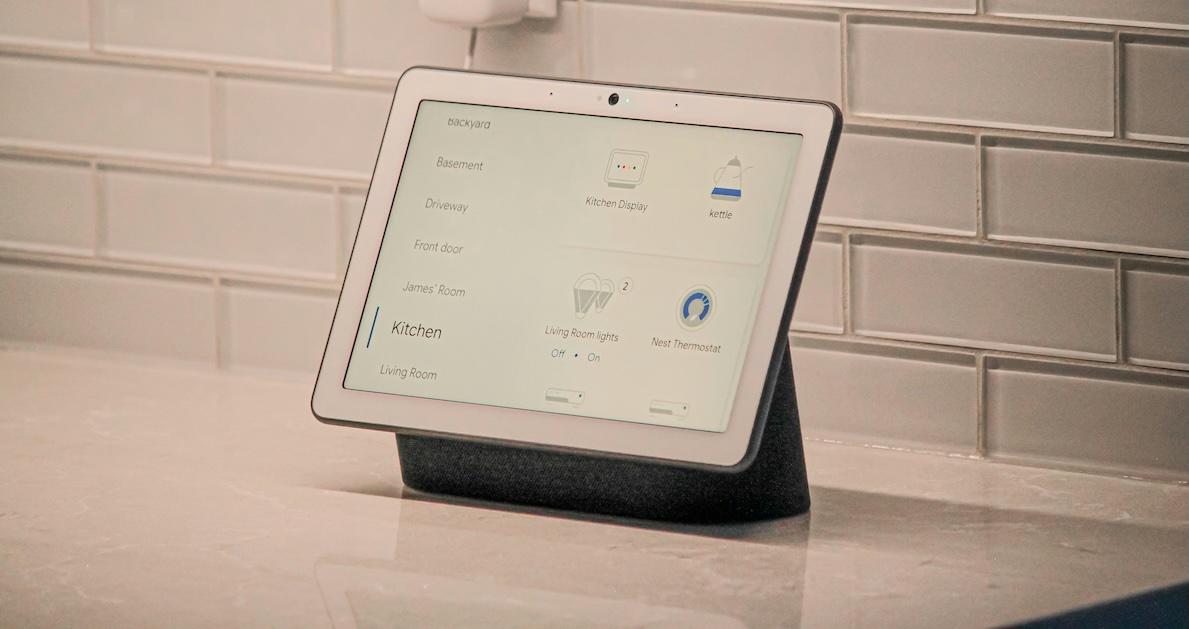
Smart homes use many Internet of Things (IoT) devices. These devices talk to each other. A good router helps them connect easily. Routers with IoT support are important. They make devices work better together. This makes your home smarter and more efficient. New routers will connect to even more IoT platforms. This means a more connected home.
Credit: marketrealist.com
Frequently Asked Questions
Do Smart Homes Require Special Routers?
Yes, smart homes benefit from routers with strong Wi-Fi, security, and device management features. They ensure seamless connectivity for multiple devices.
Can Regular Routers Handle Smart Home Devices?
Regular routers can work but may struggle with many devices. Special routers offer better speed, range, and security for smart homes.
What Router Features Are Best For Smart Homes?
Look for dual-band or tri-band, WPA3 security, QoS, and MU-MIMO support. These features improve performance and protect smart home devices.
How Does A Smart Router Improve Home Automation?
Smart routers prioritize traffic, reduce lag, and enhance device communication. This leads to smoother automation and faster response times.
Conclusion
Smart homes need reliable internet to work well. Special routers can help handle many devices at once. They offer better speed and stronger signals. This keeps your smart devices connected without interruptions. Choosing the right router makes your home smarter and safer.
A good router supports all your gadgets easily. It also protects your privacy and data. So, investing in a proper router is wise for smart homes. It helps everything run smoothly every day.