Are you tired of slow internet and constant buffering when you travel? Imagine having a device that not only boosts your Wi-Fi but also manages your internet traffic smartly.
That’s where travel routers with QoS features come in. But what exactly is QoS, and how can it improve your online experience on the go? Keep reading to discover how these small gadgets can make a big difference in your connectivity, wherever you are.
What Is Qos In Travel Routers
Understanding QoS in travel routers can change how you experience internet on the go. QoS, or Quality of Service, helps manage your internet traffic so the most important activities get priority. This means smoother video calls, faster downloads, and less buffering even when multiple devices are connected.
Basic Concepts Of Qos
QoS is a set of rules that tells your router which types of data to prioritize. It sorts internet traffic based on what you need most, like streaming, gaming, or browsing. Without QoS, all data competes equally, which can slow down critical tasks.
Think of QoS as a traffic cop directing data packets. It ensures that important data doesn’t get stuck behind less urgent information. This is especially useful when you have limited bandwidth.
Why Qos Matters For Travel
When you travel, your internet connection often becomes less stable and slower. This makes prioritizing data even more crucial. QoS in travel routers helps maintain a reliable connection for work calls or navigation apps despite weaker signals.
If you rely on video conferences or need fast uploads during trips, QoS can prevent interruptions. It lets you control how your limited bandwidth is used, giving priority to what matters most to you. Have you ever missed a key point in a call because your connection dropped? QoS can help avoid that.
Common Qos Features In Routers
Most travel routers with QoS include features like:
- Traffic Prioritization:Assign priority levels to applications or devices.
- Bandwidth Allocation:Limit how much bandwidth certain devices can use.
- Application-based QoS:Automatically prioritize data from specific apps like Zoom or Netflix.
- Device-based QoS:Prioritize traffic from your phone or laptop over guest devices.
These features give you control over your connection, making it easier to stay productive and entertained. Have you checked if your travel router offers these options?
How Travel Routers Manage Bandwidth
Travel routers often include features to manage bandwidth effectively. These features help control how internet speed is shared among devices. Managing bandwidth ensures important tasks get enough speed. It reduces lag and buffering during use. Understanding how travel routers manage bandwidth helps users get better performance on the go.
Prioritizing Traffic Types
Travel routers can identify different types of internet traffic. They give priority to essential activities like video calls or work apps. Less critical traffic, such as downloads or background updates, gets lower priority. This system helps maintain smooth connections for important tasks. It prevents slowdowns during high-demand moments.
Bandwidth Allocation Techniques
Travel routers use various methods to allocate bandwidth. One common technique is Quality of Service (QoS). QoS sets rules to divide internet speed among devices and apps. Some routers allow manual settings for specific devices. Others automatically adjust bandwidth based on usage patterns. These techniques help balance internet speed fairly.
Impact On Streaming And Gaming
Proper bandwidth management improves streaming and gaming experiences. It reduces buffering and lag, providing smoother video and gameplay. Prioritized traffic means games and streams get stable connections. This avoids interruptions caused by other devices using too much bandwidth. Travelers enjoy better entertainment and communication on the move.
Popular Travel Routers With Qos
Popular travel routers with QoS (Quality of Service) help manage internet traffic smartly. They allow users to prioritize bandwidth for important tasks like video calls or streaming. This feature is useful when many devices connect to the router in busy places.
Several travel routers offer QoS, balancing speed and connection stability. These devices suit travelers who want reliable internet on the go. Here is a look at some popular models, their features, and what users say about them.
Top Models And Their Features
- TP-Link TL-WR902AC:Compact design, dual-band Wi-Fi, basic QoS control to prioritize devices.
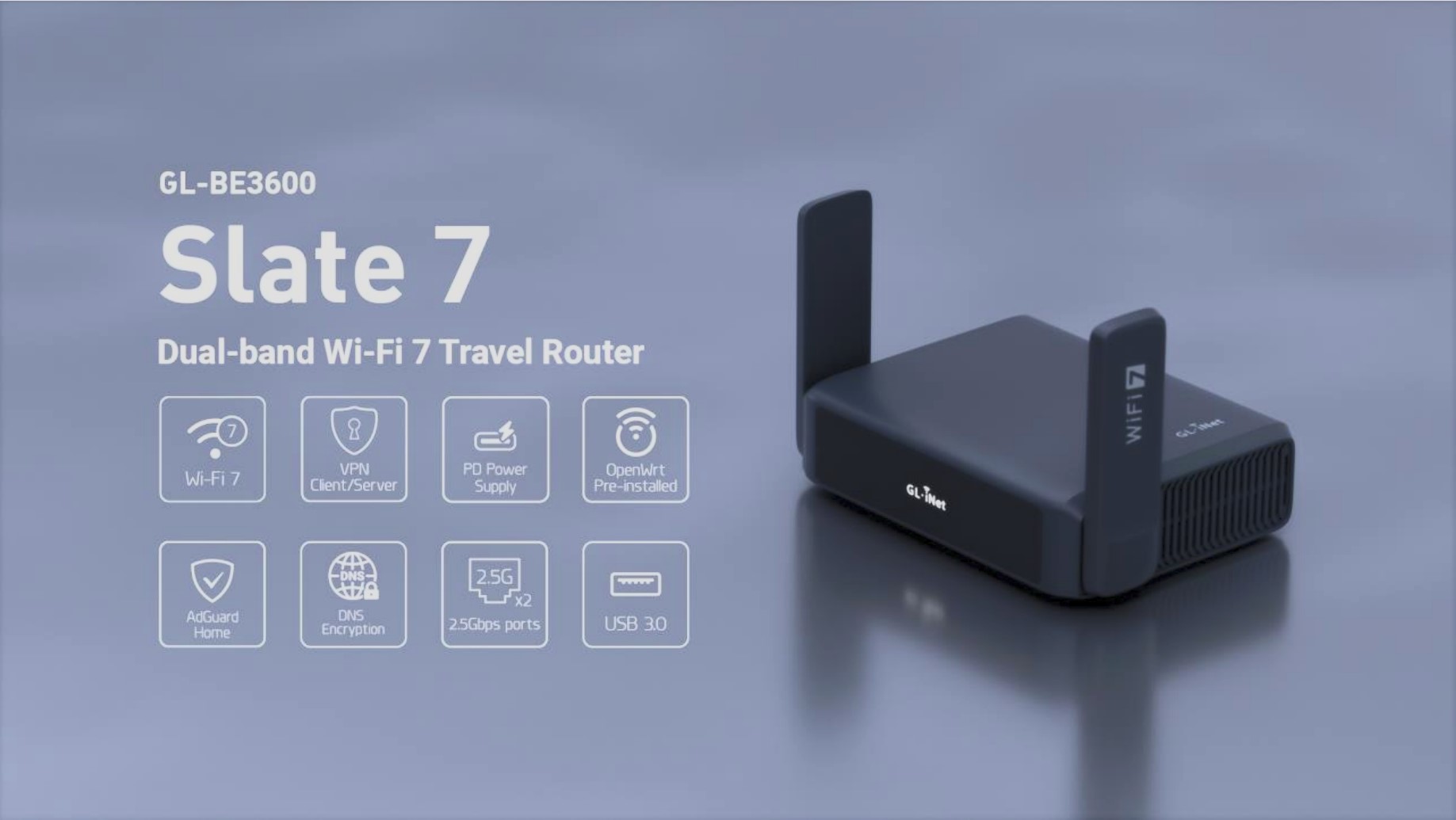
- GL.iNet GL-AR750S Slate:Open-source firmware, advanced QoS settings, VPN support, tri-band Wi-Fi.
- Netgear Nighthawk M1:4G LTE support, strong QoS options, fast speeds for multiple users.
- ASUS WL-330NUL:Ultra-portable, simple QoS management, suitable for basic travel needs.
Price Vs Performance
| Model | Price Range | QoS Quality | Performance |
|---|---|---|---|
| TP-Link TL-WR902AC | Low ($30-$50) | Basic | Good for casual use |
| GL.iNet GL-AR750S Slate | Mid ($70-$90) | Advanced | Strong and versatile |
| Netgear Nighthawk M1 | High ($200+) | Excellent | High-speed, multi-user |
| ASUS WL-330NUL | Low ($25-$40) | Basic | Simple and portable |
User Reviews And Feedback
- Users like GL.iNet for its flexible QoS and VPN features.
- TP-Link gets praise for ease of use and affordability.
- Netgear Nighthawk is favored by heavy internet users and travelers.
- ASUS model suits users needing a lightweight, simple router.
- Some users report setup can be tricky on advanced models.
- QoS helps reduce buffering and lag during busy connections.

Credit: www.amazon.com
Setting Up Qos On Travel Routers
Travel routers sometimes include QoS features to prioritize important traffic. Setting up QoS helps improve connection quality during busy use. Check your travel router’s settings to see if QoS is available.
Setting up QoS on travel routers can enhance your internet experience. It helps prioritize network traffic, ensuring smooth streaming and browsing. Many travel routers come with basic QoS features. You can set them up easily with a few steps. Let’s explore how to do this effectively.Step-by-step Configuration
To begin, access your router’s settings through a web browser. You usually need to enter the router’s IP address. Log in with your username and password. Once inside, locate the QoS settings. This is often found under advanced settings. Next, enable QoS by checking the option or toggle. You may see options to prioritize devices or applications. Select what you want to prioritize, like streaming or gaming. Save your changes to apply the settings.Tips For Optimizing Performance
Consider the number of devices connected to your router. Fewer devices mean better performance. Use wired connections when possible for stable speeds. Regularly update your router’s firmware for the latest features. Adjust QoS settings based on your usage needs.Troubleshooting Common Issues
Sometimes, QoS might not work as expected. Check your internet speed to ensure it’s sufficient. Ensure the router firmware is up to date. If the router seems slow, restart it. Review your QoS settings and adjust them if needed. These simple steps can resolve most issues.Benefits Of Qos For Travelers
Quality of Service (QoS) features in travel routers can dramatically improve your internet experience on the go. These features help manage and prioritize your internet traffic, which means you can enjoy smoother connections even in busy networks. Whether you’re working from a hotel room or streaming your favorite show at a café, QoS can make a noticeable difference.
Improved Connection Stability
QoS ensures your most important internet activities get priority. This means your video calls or work-related uploads won’t suddenly drop or slow down because someone else is streaming videos in the same network. Have you ever lost an important call while traveling? QoS can help prevent that by managing bandwidth effectively.
Enhanced Streaming Quality
Traveling often means connecting to public or shared Wi-Fi where bandwidth is limited. QoS prioritizes streaming traffic so your movies and music play without annoying buffering or lag. You get to enjoy uninterrupted entertainment, even if others are online at the same time.
Better Work And Gaming Experience
If you rely on the internet for remote work or gaming while traveling, QoS can be a game-changer. It reduces lag and latency by prioritizing your work apps or gaming packets over less critical traffic. This can make your video conferences clearer and your gaming sessions more responsive, helping you stay productive and entertained no matter where you are.

Credit: www.amazon.com
Alternatives To Qos In Travel Routers
Travel routers often lack advanced QoS (Quality of Service) settings, which can make managing your internet traffic a bit tricky. But don’t let that stop you from improving your connection. There are several practical alternatives you can use to enhance your online experience while on the go.
Other Connection Boosting Techniques
One way to improve your travel router’s performance is by optimizing your network setup. Position your router in an open space to avoid signal interference from walls and other electronics. You can also switch to less crowded Wi-Fi channels using simple apps or built-in router tools to reduce network congestion.
Another tip is to limit the number of connected devices. The fewer devices hogging the bandwidth, the smoother your connection will be. Have you noticed how your video calls get choppy when too many devices are streaming? Managing connections manually can sometimes work better than relying on built-in QoS.
Using Vpns And Proxy Servers
VPNs and proxy servers can sometimes help balance your traffic by routing data through different servers. This can reduce throttling from your internet service provider and provide a more stable connection. However, it’s important to choose reliable services to avoid added lag or slower speeds.
Consider how often you access content restricted by location or experience slowdowns at peak times. A VPN might help by connecting you to a faster server or bypassing congested routes. Have you tried using a VPN on your travel router yet to see if it improves your browsing or streaming?
Hardware Upgrades And Accessories
Investing in better hardware can also enhance your travel router’s performance. External antennas can significantly boost signal strength and range. Some travel routers support USB or Ethernet adapters that provide faster and more stable wired connections.
Carrying a portable signal booster or repeater is another option. These devices can amplify weak signals, especially in hotels or remote areas. Before your next trip, think about which accessories might solve your connectivity issues and whether they fit your travel style.
Credit: pouaridis.com
Frequently Asked Questions
Do Travel Routers Support Qos Features?
Yes, many travel routers include QoS features. These prioritize bandwidth for important apps. This improves video calls and streaming quality on the go.
How Does Qos Benefit Travel Router Users?
QoS ensures stable connections by managing network traffic. It prevents buffering and lag during busy internet use. Travelers enjoy smoother browsing and communication.
Can Qos Be Customized On Travel Routers?
Most travel routers allow basic QoS customization. Users can prioritize devices or apps manually. This helps tailor network performance to specific needs.
Are Qos Features Common In All Travel Routers?
Not all travel routers have QoS. Higher-end models usually include it. Check product specs before buying if QoS is important.
Conclusion
Travel routers often include QoS features to improve internet speed. These features help manage traffic for smoother video calls and downloads. They prioritize important tasks over less urgent ones. This can be useful during busy internet use. Not all travel routers have the same QoS options.
Check the product details before buying to ensure it fits your needs. Good QoS can make travel Wi-Fi more reliable and fast. It helps keep your connection stable in crowded networks. Overall, QoS in travel routers supports better online experiences on the go.