Are you tired of slow or unreliable Wi-Fi when using your MacBook on the go? You might have heard about travel routers as a solution, but do they really work well with your MacBook?
Understanding how travel routers interact with your device can save you from frustration and keep you connected wherever you are. You’ll discover exactly how travel routers work with MacBooks, what benefits you can expect, and what to watch out for.
Keep reading to make sure your next trip is smooth, productive, and worry-free when it comes to internet access.
How Travel Routers Connect To Macbook
Travel routers offer a simple way to share internet with your MacBook. They create a private network wherever you go. Connecting your MacBook to a travel router improves security and network control. Understanding how these devices connect helps you use them efficiently.
Wi-fi Compatibility
Travel routers connect to MacBooks mainly through Wi-Fi. Most travel routers use standard Wi-Fi protocols like 802.11ac or 802.11n. These protocols match the Wi-Fi standards on MacBooks. Your MacBook detects the router’s network like any other Wi-Fi hotspot.
Connecting involves selecting the router’s network name (SSID) from available Wi-Fi options. Enter the password if the network is secured. The MacBook then communicates wirelessly with the travel router, allowing internet access or file sharing.
Ethernet Options
Some travel routers include Ethernet ports for wired connections. MacBooks can connect to these routers using an Ethernet cable and an adapter. Ethernet offers a more stable and faster connection than Wi-Fi in many cases.
Using an Ethernet connection requires a USB-C to Ethernet adapter for most newer MacBooks. Plug the adapter into the MacBook, then connect the Ethernet cable from the travel router. The MacBook automatically detects the wired network.
Setting Up Network Profiles
MacBooks store network profiles to remember travel router settings. This saves time during repeated use. Profiles include network name, password, and security type.
To set up a profile, connect to the travel router manually the first time. The MacBook will ask to save the network. Later, it will connect automatically when the router is in range.
You can manage these profiles in MacBook’s Network Preferences. Editing profiles helps fix connection issues or update passwords quickly.

Credit: mashable.com
Types Of Travel Routers For Macbook
Choosing the right travel router for your MacBook can make a huge difference in your connectivity experience. Different types of travel routers offer various benefits depending on your travel style, internet needs, and device compatibility. Understanding these options helps you pick one that fits your workflow and keeps you connected effortlessly.
Portable Wi-fi Hotspots
Portable Wi-Fi hotspots are perfect if you want internet access on the go without relying on public Wi-Fi. These devices create a personal Wi-Fi network using a cellular SIM card, letting your MacBook connect anywhere with mobile coverage.
I’ve used one during a trip where hotel Wi-Fi was unreliable. It gave me steady connection for video calls and file uploads. Just remember to check the data plan to avoid unexpected charges.
Battery-powered Routers
Battery-powered travel routers add flexibility by not needing constant power sources. They are small, lightweight, and can share a wired or wireless connection with your MacBook through their internal battery.
If you often work in cafes or parks, these routers keep your MacBook connected even without nearby outlets. Their portability also means you won’t get stuck with dead devices during long flights or train rides.
Compact Wired Routers
Compact wired routers are excellent if you have access to Ethernet connections but want to create a private Wi-Fi network for your MacBook. They are small enough to fit in your bag and easy to set up.
During one business trip, I found a hotel room with only an Ethernet port. Using a compact wired router turned that single wired connection into Wi-Fi for my MacBook and phone. It’s a simple solution that can save a lot of hassle.
Benefits Of Using Travel Routers With Macbook
Using a travel router with your MacBook offers more than just a way to connect to the internet on the go. It enhances your overall online experience by adding layers of security, improving connection stability, and supporting multiple devices simultaneously. These benefits make travel routers a smart companion for anyone who depends on reliable internet access while traveling.
Improved Security
Travel routers create a private network for your MacBook, which helps protect your data from prying eyes on public Wi-Fi. Instead of connecting directly to a public hotspot, your MacBook connects to the travel router’s secure network. This reduces the risk of hackers intercepting your information.
Have you ever worried about using public Wi-Fi at a coffee shop or airport? A travel router gives you peace of mind by encrypting your connection and allowing you to set your own password.
Stable Internet Connection
Public Wi-Fi can be spotty and unreliable, but a travel router often improves connection stability. It picks up the public Wi-Fi signal and then rebroadcasts it with a stronger, more consistent signal for your MacBook. This helps reduce frustrating dropouts and slowdowns.
Think about how many times your video calls or downloads stalled while traveling. A travel router can smooth out those bumps, making your internet experience more dependable.
Multiple Device Support
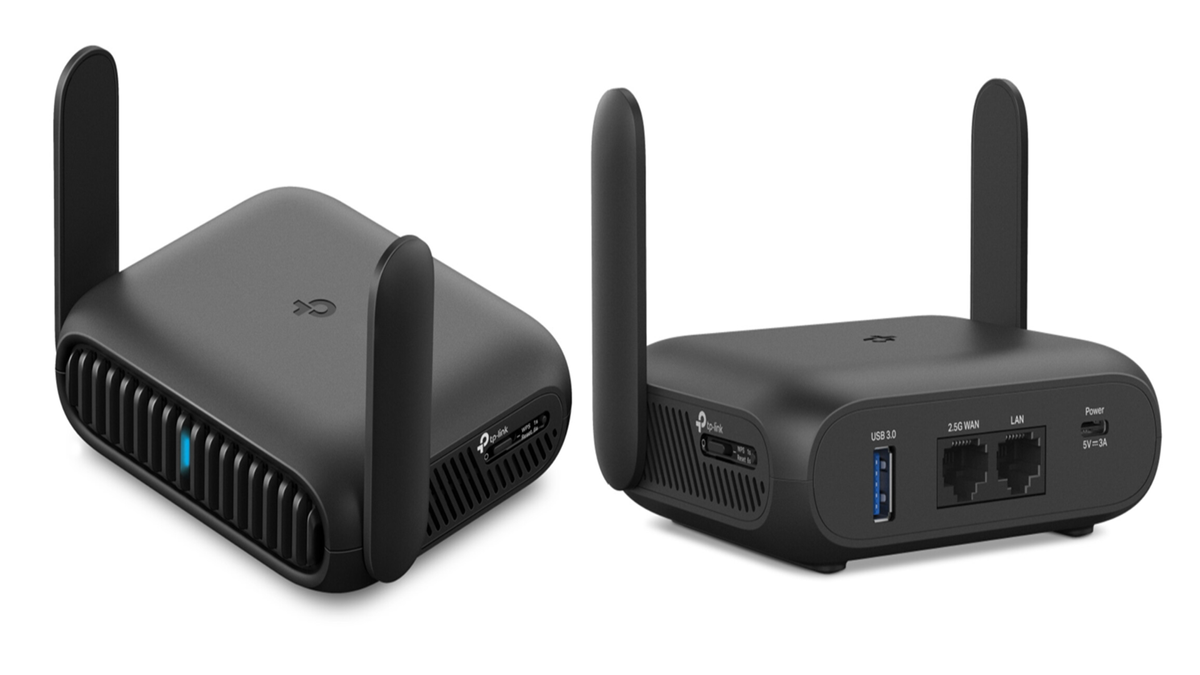
Travel routers let you connect several devices at once without sacrificing speed. If you’re traveling with your phone, tablet, or even a friend’s laptop, the router can handle them all on a single secure network. This means everyone gets a steady internet connection without juggling multiple hotspots.
Imagine sharing one stable connection instead of each device struggling to latch onto weak public Wi-Fi. It’s a practical way to keep all your gadgets online and ready for work or entertainment.
Credit: www.techradar.com
Common Issues And Fixes
Travel routers can be a great asset for MacBook users. They offer convenience and enhanced security on the go. Yet, some users face challenges with connectivity and speed. Here, we explore common issues and their fixes to enhance your travel router experience with a MacBook.
Connectivity Drops
Frequent connectivity drops can be frustrating. This often occurs due to weak signals or interference.
- Ensure the travel router is close to the MacBook.
- Check for physical obstructions that may block the signal.
- Restart both the travel router and the MacBook to refresh connections.
Compatibility Challenges
Compatibility issues may arise with certain travel routers and MacBooks. This problem can prevent successful connections.
- Update the router’s firmware for the latest compatibility fixes.
- Ensure your MacBook’s operating system is up-to-date.
- Consult the travel router’s manual for Mac-specific settings.
Slow Speeds
Experiencing slow speeds can hinder your productivity. Several factors can cause this issue.
- Limit the number of devices connected to the router.
- Check for background apps on the MacBook using bandwidth.
- Select a less congested Wi-Fi channel through the router settings.
Optimizing Travel Router Settings For Macbook
Optimizing travel router settings enhances the connection between your MacBook and the network. Proper settings boost speed, security, and reliability. Small tweaks can prevent common issues like slow internet or dropouts. Adjusting settings is simple and improves your travel experience.
Adjusting Frequency Bands
Travel routers often offer 2.4 GHz and 5 GHz bands. The 2.4 GHz band covers a larger area but is slower. The 5 GHz band is faster but covers less distance. Choose the band that fits your environment.
- Use 2.4 GHz for long range or many walls.
- Switch to 5 GHz for faster speeds in close range.
- Check your MacBook supports the selected band.
Balancing the frequency band improves your internet speed and connection stability.
Configuring Security Settings
Security settings protect your data and keep hackers away. Use WPA3 if your travel router supports it. WPA2 is also secure and widely supported.
- Create a strong password with letters, numbers, and symbols.
- Avoid default passwords to prevent unauthorized access.
- Disable WPS to reduce security risks.
Secure settings give you peace of mind while using public or hotel Wi-Fi.
Updating Firmware
Firmware updates fix bugs and improve router performance. Check the manufacturer’s website for updates regularly. Some routers allow updates through their app or web interface.
- Back up your settings before updating.
- Follow update instructions carefully.
- Restart the router after the update completes.
Keeping firmware updated ensures compatibility with your MacBook and better network stability.
Best Travel Router Models For Macbook
Choosing the right travel router enhances your MacBook’s connectivity on the go. Travel routers vary in features, price, and ease of use. Some models focus on affordability, others on speed, and some prioritize a smooth user experience. Here are top travel router models that work well with MacBook.
Budget-friendly Picks
- TP-Link N300: Affordable, compact, supports basic internet sharing.
- GL.iNet GL-AR300M: Small, budget-friendly, offers solid security features.
- Tenda AC6: Low cost, decent speed, easy to set up.
These routers provide reliable connections without high costs. Perfect for casual users or short trips.
High-performance Options
- Netgear Nighthawk M1: Fast 4G LTE, excellent for remote locations.
- Asus RT-AC68U: Strong Wi-Fi range, fast speeds, great for multiple devices.
- TP-Link Archer C7: Dual-band, powerful signal, supports heavy browsing.
These models handle demanding tasks like video calls and streaming smoothly. Ideal for business travelers.
User-friendly Interfaces
- GL.iNet GL-MT300N-V2: Simple app controls, easy setup process.
- Netgear Orbi: Intuitive interface, quick network management.
- Linksys RE7000: Clear instructions, user-friendly mobile app.
These routers make managing your network easy. Great for users who prefer hassle-free setup and controls.
Using Travel Routers In Different Scenarios
Travel routers offer a flexible way to connect your MacBook to the internet in many places. Their portability and ease of use make them useful in different settings. Using a travel router can improve your connection speed and security. It creates a private Wi-Fi network from a public or wired source. Let’s explore how travel routers work in various scenarios.
Hotels And Public Wi-fi
Hotels often provide Wi-Fi that requires logging in on multiple devices. A travel router connects once to the hotel network and shares it privately. This reduces the hassle of repeated logins on your MacBook. It also adds a layer of security by encrypting your data. Public Wi-Fi networks can be risky. Travel routers help protect your information from hackers.
Remote Work Locations
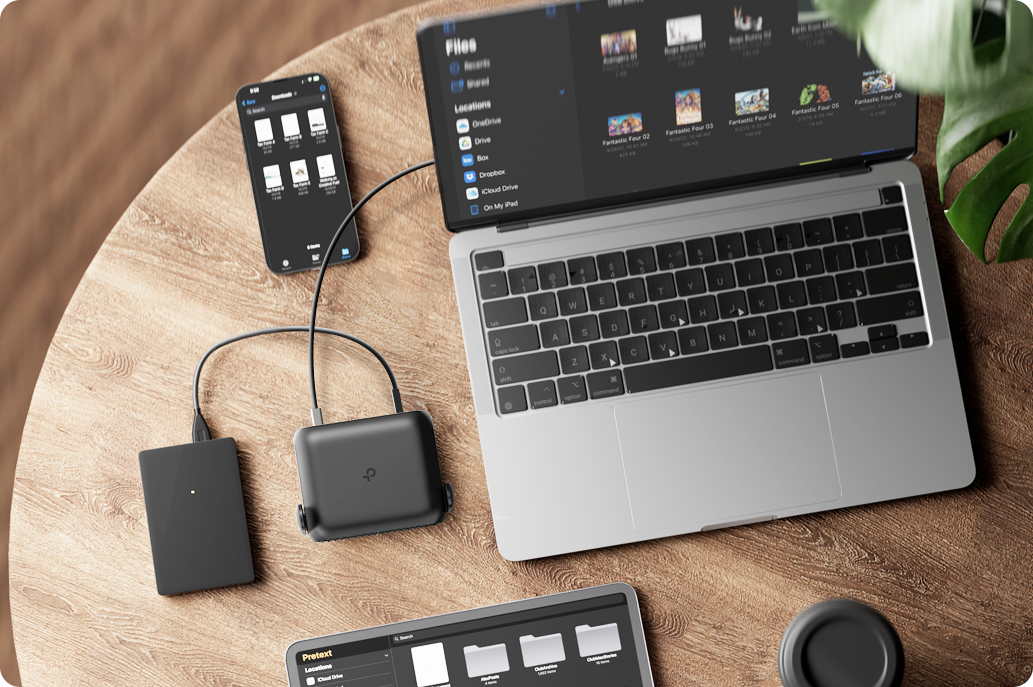
Remote work spots like cafes or coworking spaces may have weak or unstable Wi-Fi. Travel routers can boost the signal strength and provide a stable connection. They allow your MacBook to connect smoothly without drops. Some routers support multiple devices, so your phone and tablet can join too. This makes working outside your home easier and more reliable.
International Travel
International trips often mean changing networks and dealing with different Wi-Fi setups. Travel routers simplify this by creating a single, consistent network for your MacBook. They often support multiple connection types, including Ethernet and mobile hotspots. This flexibility helps avoid connection issues abroad. Travel routers also help bypass some restrictions by providing a secure, private network.
Credit: www.tp-link.com
Frequently Asked Questions
Do Travel Routers Work With Macbook Devices?
Yes, travel routers are compatible with MacBook devices. They provide secure Wi-Fi connections, enhancing internet access during travel.
How To Connect A Macbook To A Travel Router?
To connect, enable Wi-Fi on your MacBook. Select the travel router’s network from available options and enter the password.
Can Travel Routers Improve Macbook Internet Speed?
Travel routers can optimize network sharing but won’t increase your internet speed beyond your ISP’s limit.
Are Travel Routers Secure For Macbook Connections?
Yes, most travel routers use WPA2 or WPA3 encryption, ensuring secure internet access for your MacBook.
Conclusion
Travel routers work well with MacBooks for better internet access. They help connect to hotel Wi-Fi or shared networks easily. Setup is simple and takes only a few minutes. Using a travel router can improve connection speed and security. This makes online work or streaming smoother while traveling.
Overall, a travel router is a useful tool for MacBook users on the go. It keeps you connected without hassle or extra cost. Consider using one on your next trip for a reliable Wi-Fi experience.