Are you struggling with weak WiFi signals in parts of your home or office? You might be wondering if a long range WiFi extender can solve your problem—and more importantly, if it will work with your current router.
Choosing the right extender can be confusing, especially with so many options on the market. But what if there was a simple answer that could help you boost your internet without buying new equipment? Keep reading to discover how a long range WiFi extender could be the easy fix you need, and what you should know before making your purchase.
How Wifi Extenders Work
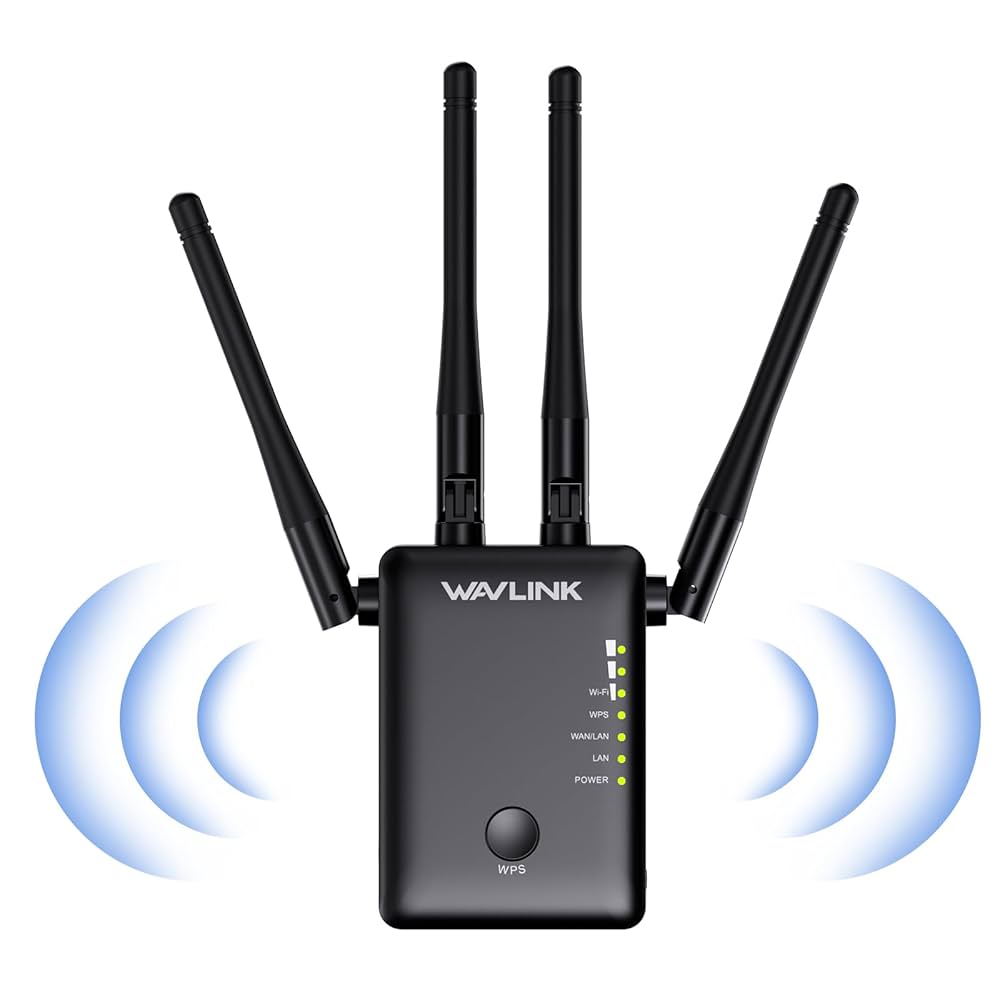
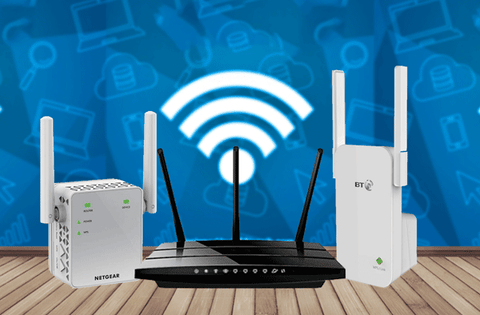
Wifi extenderscatch the wireless signal from your router. They then boostand send the signal further away. This helps cover areas where the wifi is weak or missing. Extenders do not create their own internet. They rely on the router’s signalto work.
Extenders must be placed where the wifi signal is still strong. Too far, and they can’t boost effectively. Too close, and they don’t add much range. The best spot is between the router and the dead zone.
| Type of Extender | Description |
|---|---|
| Repeater | Simple device that rebroadcasts the router’s wifi signal. |
| Powerline Extender | Uses home electrical wiring to carry internet signals. |
| Mesh Wifi System | Multiple units work together to cover larger areas seamlessly. |
Credit: www.amazon.ca
Compatibility Factors
Router frequency bandsare key for extender compatibility. Most routers use 2.4 GHzor 5 GHz. Extenders must support the same band to work well. Dual-band extenders are better for fast and stable connections.
Supported WiFi standardslike 802.11n, 802.11ac, or 802.11axaffect compatibility. An extender should support the router’s standard for best speed and range. Older extenders may not work with newer routers.
| Security Protocols | Details |
|---|---|
| WEP | Older, less secure. Few extenders support it now. |
| WPA/WPA2 | Common and secure. Most extenders support these. |
| WPA3 | Newest and safest. Only latest extenders handle it. |
Matching security protocolsensures safe connection. Always check extender supports the router’s security type.
Setup Requirements
Long range WiFi extenders can connect to most routers. They use different connection methodssuch as Ethernet cable or wireless link. The choice depends on your router’s features and location.
- Wireless connection:The extender links to the router’s WiFi signal directly.
- Wired connection:Use an Ethernet cable to connect the extender to the router.
Setting up the extender involves a few simple steps. Start by placing the extender where the router signal is still strong. Then follow the device’s setup instructions, which usually involve connecting to the extender’s network and entering the router’s WiFi password.
Sometimes, you need to access the extender’s web page to finish setup. This lets you configure settings like network name and password. After setup, the extender will boost the WiFi range, helping devices farther from the router.
Performance Considerations
Range and coveragedepend on the extender and router quality. Some extenders work better with certain routers. Walls and floors can reduce signal strength. Placing the extender too far from the router lowers performance.
Speed impactis common. Extenders may cut the speed in half. This happens because the extender uses the same channel to send and receive data. A dual-band extender can help reduce speed loss.
Interference issuescome from other devices. Microwaves, cordless phones, and baby monitors cause interference. Choosing a less crowded channel can improve connection. Also, placing the extender away from these devices helps.
Common Compatibility Issues
Many wifi extenders may not work well with all router brands. Some extenders are made to fit only specific brands. This can cause connection problemsif mixed.
Firmware plays a big role in compatibility. Different router and extender firmware versions might not match. This can lead to signal dropsor slow speeds.
- Brand-specific extenders may limit features.
- Router updates can fix or cause issues.
- Old firmware may block proper pairing.
- Some extenders need manual setup for best results.
Credit: www.signalbooster.com
Tips For Choosing The Right Extender
Check your router’s frequency bands.Most routers work on 2.4 GHz or 5 GHz. Choose an extender that supports the same bands for better connection.
Match the WiFi standards.Common standards include 802.11n, 802.11ac, or 802.11ax. The extender should support the same or newer standards.
Look at the speed ratings. If your router is fast, pick an extender with equal or higher speed to avoid slowing down your network.
Check the router’s security type. Extenders must support WPA or WPA2 to keep your network safe.
- Confirm the extender has good antenna designfor long range.
- Make sure it supports your router’s brand or model.
- Choose extenders with easy setupfeatures compatible with your router.

Credit: www.amazon.ca
Frequently Asked Questions
Does A Long Range Wifi Extender Work With Any Router?
Yes, most long range WiFi extenders are compatible with any router. They use standard WiFi protocols to connect. However, some advanced features may require specific router models.
How To Connect A Long Range Extender To My Router?
To connect, plug in the extender near your router first. Use WPS or manual setup via its app or web interface. Follow the manufacturer’s instructions for best results.
Will A Long Range Extender Improve Slow Wifi Speeds?
A long range extender boosts signal range but may reduce speed slightly. It helps eliminate dead zones but depends on original router speed and placement.
Can I Use Multiple Wifi Extenders With One Router?
Yes, you can use multiple extenders for large areas. Ensure each extender is placed within the router’s range to maintain strong signals.
Conclusion
A long range WiFi extender can work with most routers. It helps boost your signal in weak areas. Check compatibility before buying to avoid issues. Placement matters—put it where the signal is still strong. This way, you get better coverage throughout your space.
Simple steps can improve your internet experience a lot. So, choose wisely and enjoy a stronger WiFi connection.