Are you tired of lag ruining your gaming sessions? You might be wondering if choosing a dual band or tri band router really makes a difference.
The right Wi-Fi setup can change how smooth and fast your games run. But which one gives you the edge you need? Keep reading, because understanding this simple choice could be the key to leveling up your gaming experience. Don’t let slow connections hold you back—discover what works best for your setup.
Wi-fi Bands Explained
Wi-Fi bands are important for wireless connections, especially in gaming. They determine how your device connects to the internet through a router. Understanding these bands helps you know which option suits your gaming needs best. Let’s explore what dual band and tri band mean, their frequency differences, and how they impact gaming performance.
What Are Dual Band And Tri Band
Dual band routers use two frequency bands to connect devices. These bands are the 2.4 GHz and 5 GHz frequencies. Tri band routers add a third band, usually another 5 GHz band. This extra band helps spread out device connections.
Dual band routers handle many devices but can get crowded. Tri band routers reduce congestion by offering more channels. This can mean smoother connections for multiple users.
Frequency Differences
The 2.4 GHz band covers a larger area but has slower speeds. It works well through walls and obstacles. The 5 GHz band offers faster speeds but covers a smaller area. It is less crowded and faces less interference.
Tri band routers add another 5 GHz band. This second 5 GHz band helps balance traffic. Devices can connect to different bands based on their needs.
How Bands Affect Performance
More bands mean less competition for bandwidth. This can lower lag and improve stability. For gaming, fast and stable connections are key. Dual band routers can work well for single gamers or few devices.
Tri band routers shine in busy homes with many devices. They keep gaming traffic smooth even with heavy use. Choosing between dual and tri band depends on your gaming setup and home network size.
Impact On Gaming Speed
The impact on gaming speed depends largely on the Wi-Fi bands used. Dual band and tri band routers offer different ways to manage traffic. These differences can affect how fast and smooth your game plays. Understanding this impact helps in choosing the right router for gaming needs.
Latency And Ping Rates
Latency means the time it takes for data to travel from your device to the game server. Low latency is essential for fast reactions in games. Dual band routers often provide good latency on the 5 GHz band. Tri band routers add another 5 GHz band, which can reduce traffic on each band. This may lower ping rates and improve gaming responsiveness.
Bandwidth And Stability
Bandwidth is the amount of data your connection can handle at once. More bandwidth means better performance for online games. Dual band routers split traffic between 2.4 GHz and 5 GHz bands. Tri band routers add a second 5 GHz band, offering extra bandwidth. This helps maintain stable speeds, even during heavy usage. Stability reduces game lag and disconnections.
Handling Multiple Devices
Many homes have several devices connected to Wi-Fi. Dual band routers share traffic across two bands. This can cause congestion if many devices use the same band. Tri band routers separate devices across three bands. This reduces network traffic on each band, freeing up resources for gaming. The result is smoother gameplay with fewer interruptions.
Dual Band For Gamers
Choosing the right router can make a noticeable difference in your gaming experience. Dual band routers offer two frequency bands—2.4 GHz and 5 GHz—to manage your devices and connections. But how well does this setup serve gamers like you?
Pros Of Dual Band Routers
Dual band routers give you more flexibility than single band models. The 2.4 GHz band covers a wider area, helping if your gaming setup is far from the router. Meanwhile, the 5 GHz band provides faster speeds and less interference, ideal for low-latency gaming.
Many gamers appreciate how dual band routers allow them to separate devices. You can connect your gaming console or PC to the 5 GHz band while other household devices use 2.4 GHz, reducing network congestion. This separation often results in smoother gameplay and fewer connection drops.
Limitations In High Traffic
However, dual band routers can struggle when many devices compete for bandwidth. If your home network is crowded with streaming, downloads, and smart devices, the router’s capacity might be stretched thin. This can lead to lag spikes or slower speeds during peak gaming moments.
Another issue is channel interference, especially on the 2.4 GHz band, which is commonly used by many devices and neighboring networks. This interference can cause instability, even if you’re on a dual band router. Have you noticed sudden lag despite a strong Wi-Fi signal? This might be why.
Best Use Cases
If your gaming area is relatively close to the router and your network isn’t overloaded, a dual band router can be a solid choice. It works well for solo gamers or small households with moderate internet use. The 5 GHz band’s speed advantage benefits competitive online games that demand quick response times.
On the other hand, if multiple gamers or heavy streaming is involved, you might want to consider other options. But for many, dual band routers strike a good balance between cost and performance. Could your gaming setup benefit from simply switching bands based on usage?
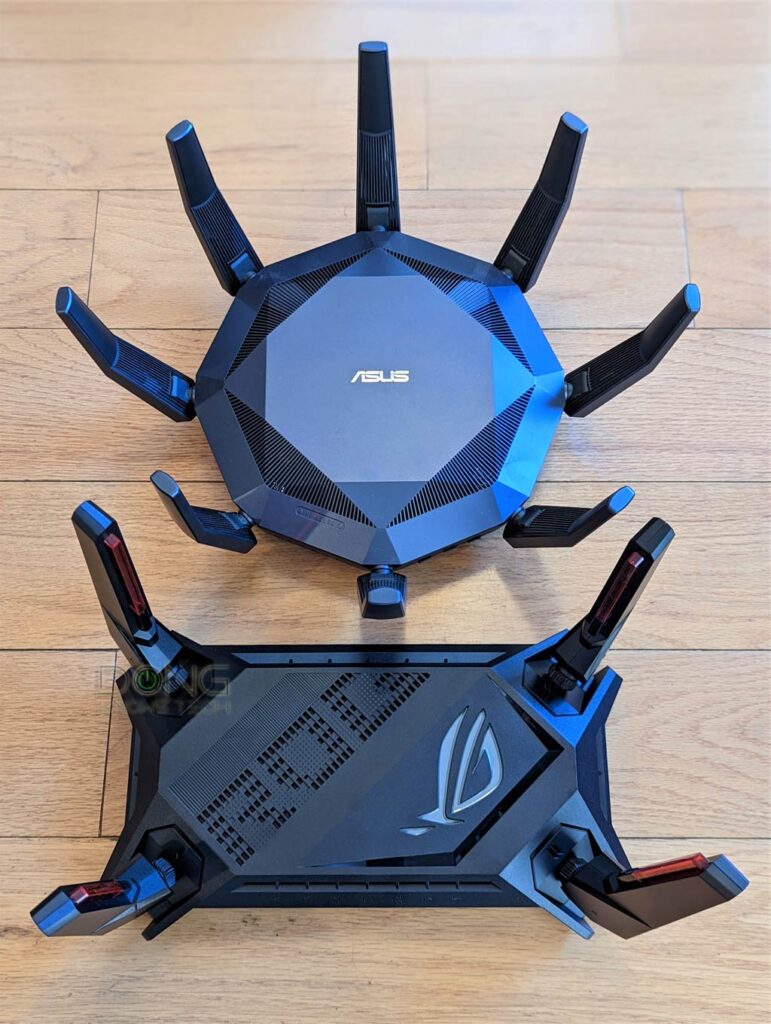
Credit: dongknows.com
Tri Band For Gamers
Tri band routers have gained attention among gamers who demand stable and fast connections. Unlike dual band routers that offer two frequency bands, tri band routers add an extra 5 GHz band. This addition can have a significant impact on your gaming experience, especially in busy network environments.
Advantages Over Dual Band
Tri band routers provide three separate bands: one 2.4 GHz and two 5 GHz bands. This setup allows your devices to connect to different bands, reducing interference and boosting speed. For gamers, this means less lag and smoother gameplay.
Think about streaming a game and downloading updates at the same time. With tri band, these activities can run on separate bands, preventing slowdowns. You get a dedicated band for gaming, which helps maintain low latency and consistent performance.
Managing Network Congestion
Network congestion is a common issue when many devices share the same Wi-Fi. Tri band routers help by splitting devices across three bands, decreasing overcrowding on any single band. This reduces packet loss and jitter, which are killers for online gaming.
Imagine playing a fast-paced shooter with your family streaming movies on other devices. A tri band router manages this traffic better, ensuring your game connection stays strong. Have you noticed your game lagging when others use the internet heavily? Tri band can solve that problem.
Ideal Gaming Environments
Tri band routers perform best in homes or gaming setups with multiple devices active at once. If your household has several gamers or many smart devices, tri band offers a clear advantage. It keeps your gaming traffic separate from other internet uses.
For solo gamers with fewer devices, the difference might be less noticeable. But if you host online gaming sessions or stream gameplay, tri band can keep your connection stable. Does your current Wi-Fi struggle during game nights? Consider how tri band might improve those moments.
Real-world Speed Tests
Real-world speed tests reveal if dual band or tri band routers affect gaming performance. These tests show network stability, latency, and bandwidth differences. Understanding these factors can help gamers choose the right router for a smoother experience.
When it comes to online gaming, every millisecond counts. The difference between victory and defeat can hinge on the speed and reliability of your internet connection. That’s why many gamers are curious about whether dual-band or tri-band routers offer a tangible performance boost. Real-world speed tests are essential in understanding the impact these routers have on gaming.Setup For Accurate Testing
To ensure the speed tests are reliable, setting up a controlled environment is crucial. Make sure all devices are updated to the latest firmware. Place the router centrally in your home to minimize signal interference. Connect your gaming device directly to the router via Ethernet cable for baseline tests. Then, switch to Wi-Fi to compare performance differences between dual-band and tri-band settings.Comparing Dual And Tri Band Results
Dual-band routers typically operate on 2.4GHz and 5GHz bands, while tri-band routers add an additional 5GHz band. This extra band can help distribute network traffic more effectively. In tests, tri-band routers often show reduced latency and higher speeds, especially when multiple devices are connected. However, the difference might not always be noticeable if you’re the sole user of the network.Analyzing Gameplay Experience
Speed tests are one thing, but how does this translate into actual gameplay? Many gamers report smoother graphics and faster loading times with tri-band routers. The reduced lag can be crucial in fast-paced games where every move counts. But, does this mean a dual-band router is inadequate? Not necessarily. If your gaming is usually solo or with minimal connected devices, a dual-band router might suffice. Ultimately, the choice between dual and tri-band should consider your specific needs and home environment. What matters most is a stable connection that keeps you in the game, not on the sidelines.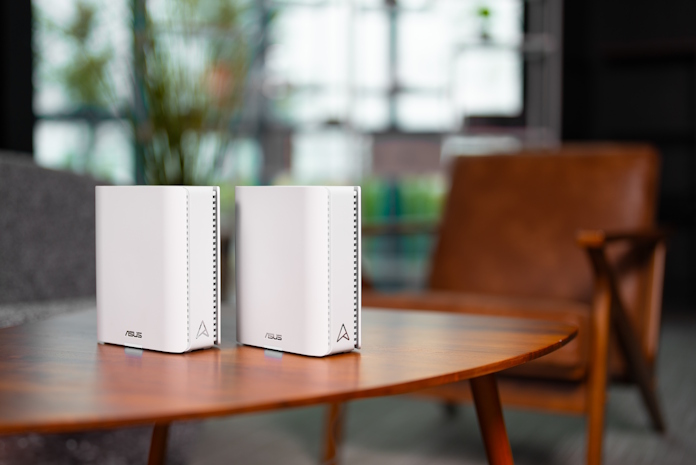
Credit: edgeup.asus.com
Choosing The Right Router
Choosing the right router can make a noticeable difference in your gaming experience. It’s not just about speed; it’s about stability, coverage, and handling multiple devices without lag. Picking between dual band and tri band routers depends on how you use your network and what you expect from your gaming setup.
Budget Considerations
Your budget will heavily influence your choice. Dual band routers are generally more affordable and provide solid performance for most gamers. If you’re on a tight budget, a good dual band router might offer everything you need without overspending.
Tri band routers cost more but may justify their price if you have many devices or need extra bandwidth. Ask yourself: Is the extra cost worth the potential improvement in network performance for your gaming? Sometimes, a well-optimized dual band router can outperform a cheap tri band model.
Network Size And Usage
How many devices connect to your network? If it’s just your gaming console or PC, a dual band router often suffices. It can separate devices between the 2.4 GHz and 5 GHz bands, reducing interference and boosting gaming stability.
But if your household streams videos, works remotely, and uses smart home devices simultaneously, a tri band router can reduce congestion. It adds a second 5 GHz band, which helps balance traffic and keeps your gaming device from competing with other heavy users.
Future-proofing Your Setup
Think about your gaming setup a year or two from now. Are you planning to add more devices or upgrade to a faster internet plan? Investing in a tri band router might save you from needing an upgrade soon.
However, technology changes fast. Sometimes, waiting for new models or updates to Wi-Fi standards can be smarter than spending big upfront. Consider routers with easy firmware updates and good manufacturer support to keep your gaming smooth without frequent replacements.
Tips To Maximize Gaming Speed
Maximizing your gaming speed isn’t just about picking the right router band. Small adjustments to your setup can significantly reduce lag and boost performance. Let’s look at practical tips you can apply today to get the smoothest gaming experience possible.
Router Placement
Where you place your router can make or break your gaming speed. Keep your router in an open space, away from walls and metal objects that block signals. Placing it higher, like on a shelf, often improves signal strength.
Try to position the router centrally in your gaming area to ensure even coverage. Ever noticed how your connection dips when you’re in another room? This simple change can fix that.
Firmware Updates
Router manufacturers regularly release firmware updates to improve performance and fix bugs. Ignoring these updates can leave your device slower and less secure. Check your router’s admin page or app regularly to stay up to date.
Updating firmware might sound technical, but it’s usually a one-click process. A friend once ignored updates and faced constant disconnects—after updating, their gaming sessions became seamless.
Using Wired Connections
Wi-Fi is convenient, but nothing beats a wired connection for gaming speed and stability. Using an Ethernet cable directly to your console or PC cuts out interference and reduces latency.
If you want the fastest, most reliable connection, plug in. Even a short cable can dramatically improve your ping and reduce jitter. Ask yourself: is a few extra feet of cable worth smoother gameplay?

Credit: www.expressvpn.com
Frequently Asked Questions
Does Dual Band Improve Gaming Performance?
Dual band routers reduce interference by splitting traffic between 2. 4 GHz and 5 GHz bands. This helps maintain stable connections and lower latency during gaming.
Is Tri Band Better Than Dual Band For Gaming?
Tri band adds an extra 5 GHz band, reducing congestion further. It benefits crowded networks but may not significantly improve solo gaming.
Can Dual Band Cause Lag In Games?
Dual band itself doesn’t cause lag. Lag usually results from network issues or interference, which dual band can help minimize.
Should Gamers Choose 5 Ghz Or 2.4 Ghz Band?
5 GHz offers faster speeds and less interference, ideal for gaming. 2. 4 GHz covers longer distances but is slower and prone to congestion.
Conclusion
Choosing between dual band and tri band affects gaming performance and network stability. Dual band works well for most gamers with fewer devices. Tri band helps when many devices connect at once, reducing lag. Speed and signal strength matter more than just band count.
A good router with strong coverage improves your gaming experience. Think about your home setup and device number before deciding. Simple setups often do fine with dual band. Larger homes or crowded networks benefit from tri band. Pick the option that fits your needs and budget best.