Are you wondering if mesh WiFi can boost your 5G home internet? You’re not alone.
Many people ask if these two technologies work well together and how they can improve your online experience. Imagine having fast, reliable internet in every corner of your home, without dead zones or slow spots. That’s exactly what you want—and this article will show you how mesh WiFi and 5G home internet might be the perfect match.
Keep reading to discover the truth and get tips to make your connection stronger than ever.

Credit: www.pcmag.com
Mesh Wifi Basics
Mesh Wifi Basics help explain how these systems improve home internet coverage. Mesh Wifi uses several devices working together to spread Wi-Fi signals evenly. This setup reduces dead zones and keeps your connection strong across large areas.
How Mesh Wifi Operates
Mesh Wifi creates a network using multiple nodes. Each node communicates with others to share internet access. When one node receives a signal from your router, it passes it along to the next. This creates a web of coverage that fills your entire home.
Devices automatically connect to the strongest node nearby. This switching happens smoothly, so you don’t lose connection while moving around. Mesh systems also manage traffic smartly to avoid slowdowns during busy times.
Key Components Of Mesh Systems
- Primary Router:Connects directly to your modem and acts as the main hub.
- Satellite Nodes:Placed around the home to extend coverage and relay signals.
- Software/App:Helps with setup, device management, and network monitoring.
These components work together to create a seamless, strong Wi-Fi network. Each part plays a role in making your internet fast and reliable.

Credit: www.t-mobile.com
5g Home Internet Explained
Understanding 5G home internet is key to knowing how it works with mesh WiFi. This technology offers a new way to connect your home to the internet. It uses 5G wireless networks instead of traditional cables. This can change how internet is delivered to homes.
What Is 5g Home Internet
5G home internet uses the fifth generation of mobile networks. It provides internet access through wireless signals. Instead of cables, it sends data over radio waves. The service uses 5G towers nearby to connect your home. A special modem or router receives these signals. It then shares the internet inside your house.
This technology does not need fiber or DSL lines. It works well in places where wired internet is slow or unavailable. Setup is usually fast and does not require digging or wiring.
Benefits Of 5g For Home Use
- Faster Speeds: 5G offers much higher download and upload speeds.
- Low Latency: This means less delay when browsing or gaming online.
- Easy Installation: No wires or cables needed, just a 5G modem.
- Wide Coverage: It can reach homes without traditional internet options.
- Supports Multiple Devices: Good for homes with many connected gadgets.
5G helps improve internet access for many households. It gives reliable connections where cable or fiber is limited. This makes it a strong option for modern homes.
Compatibility Between Mesh Wifi And 5g
Mesh WiFi systems and 5G home internet can work well together. Both aim to improve internet speed and coverage. Understanding their compatibility helps you set up a strong home network. Mesh WiFi spreads WiFi signals evenly across large spaces. 5G home internet provides fast wireless broadband through cellular networks.
They use different technologies but connect easily. 5G modems act like regular routers with internet access. Mesh WiFi units then share this connection inside your home. This creates a wide WiFi coverage area with fast speeds. Knowing how to connect and troubleshoot helps you get the best from both.
Connecting Mesh Wifi To 5g Modems
Mesh WiFi connects to the 5G modem using an Ethernet cable or wirelessly. Most 5G modems have an Ethernet port for mesh system input. Plug the mesh main unit into this port to share the 5G internet. Set up the mesh network with the app provided by the manufacturer.
Some 5G modems also allow wireless bridging. This lets mesh nodes connect without cables. Check if your modem supports this feature. Follow setup instructions carefully for smooth integration. Once connected, mesh units spread the 5G signal throughout your home.
Potential Issues And Solutions
- Signal Interference:Walls and devices can block 5G or mesh signals. Place nodes in open spaces for better coverage.
- Compatibility Limits:Older mesh systems may not support some 5G modems fully. Use updated mesh devices for best results.
- Network Conflicts:Different IP ranges can cause connection problems. Set mesh system to bridge mode if needed.
- Firmware Updates:Outdated software reduces performance. Keep both mesh and 5G modem updated regularly.
These tips help maintain a smooth connection between mesh WiFi and 5G internet. Proper setup ensures fast speeds and wide coverage inside your home.
Performance Factors To Consider
Understanding the performance factors of mesh WiFi with 5G home internet is crucial. Both technologies promise fast and reliable internet. Yet, several factors can influence their performance. These factors ensure you get the best experience. Let’s explore them.
Speed And Latency Expectations
Mesh WiFi systems are designed to handle high speeds. 5G home internet offers rapid data transfer. Together, they provide quick access to online content. But, speed can vary based on network congestion. Latency, or delay, is also a factor. 5G aims to reduce latency significantly. This results in a smoother online experience. Especially for activities like gaming or video calls.
Coverage And Signal Strength
Coverage is vital for a stable connection. Mesh WiFi extends coverage across your home. Each node boosts signal strength. This reduces dead zones significantly. 5G home internet also provides strong signals. But, obstacles can weaken the signal. Thick walls or large furniture may interfere. Proper placement of mesh nodes is essential. It helps in maintaining strong signal strength.
Setting Up Mesh Wifi With 5g
Setting up mesh WiFi with 5G home internet offers a reliable way to extend your network’s coverage. It creates a strong, seamless connection throughout your house. This setup helps avoid dead zones and slow speeds common with traditional routers. Proper setup ensures you get the most from both your 5G connection and mesh system.
Choosing The Right Mesh System
Pick a mesh system that supports high-speed internet. Look for devices compatible with 5G routers and modems. Check the coverage area to match your home size. Some mesh systems include extra features like parental controls or easy app management.
- Confirm compatibility with 5G internet speeds.
- Choose enough nodes to cover your home.
- Consider brands known for stable mesh performance.
- Look for systems with simple setup guides.
Choosing the right mesh system prevents connection drops and slowdowns. It makes your network faster and more reliable.
Step-by-step Installation Tips
Start by placing the main mesh node near your 5G modem or router. Connect it via Ethernet cable for the best speed. Power on the node and wait for it to sync with the modem.
Next, place other mesh nodes around your home. Put them where you usually get weak WiFi signals. Avoid walls and large metal objects that can block signals.
- Connect the main node to the 5G modem with Ethernet.
- Power on and wait for the main node to connect.
- Place additional nodes evenly in weak signal areas.
- Use the mesh app to link and configure all nodes.
Test your WiFi speed and coverage after setup. Adjust node locations if needed for better results. Regularly update your mesh firmware for security and performance.
Troubleshooting Common Problems
Troubleshooting common problems with mesh WiFi and 5G home internet can feel frustrating, but understanding the root causes helps you fix issues faster. Many users face challenges like connection drops, slow speeds, or interference without realizing simple tweaks can improve performance. Let’s break down these problems and how you can address them effectively.
Connection Drops
Connection drops often happen when your mesh nodes are placed too far apart. Your 5G signal might be strong at the main router, but if mesh satellites struggle to communicate, you’ll lose connection.
Try moving nodes closer or to spots with fewer physical barriers like walls or furniture. Also, rebooting your mesh system can reset any temporary glitches causing drops.
Have you checked if your mesh firmware is up to date? Manufacturers regularly release fixes that improve stability with 5G connections.
Slow Speeds
Slow speeds are usually tied to either network congestion or weak signal strength between mesh units. Even with a fast 5G home internet plan, your WiFi speed can suffer if nodes are overloaded or poorly positioned.
- Limit the number of devices connected to each node.
- Place nodes in open areas, avoiding corners or behind thick walls.
- Use a dedicated backhaul channel if your mesh supports it, to separate node communication from device traffic.
Consider running a speed test at different points in your home to spot where speeds dip. This helps you decide where to place or add extra mesh nodes.
Interference Challenges
5G home internet relies on specific frequency bands that can interfere with common household electronics or neighboring networks. Microwaves, cordless phones, and even Bluetooth devices can disrupt your mesh WiFi signal.
Switch your mesh system to a less crowded channel if interference is high. Most mesh apps allow you to scan for the best channel automatically.
Have you noticed better performance when turning off other wireless devices temporarily? Identifying interference sources helps you reduce them or reposition your mesh nodes accordingly.
Future Trends In Mesh And 5g
Looking ahead, the combination of mesh WiFi and 5G home internet is set to transform how you experience connectivity. Both technologies continue to evolve rapidly, promising faster speeds, broader coverage, and smarter network management. Understanding future trends can help you make better decisions about upgrading your home network.
Upcoming Technologies
New advancements in mesh WiFi include WiFi 6E and WiFi 7, which offer higher data rates and lower latency. These upgrades will allow mesh systems to handle more devices simultaneously without slowing down your network.
On the 5G side, improvements in mmWave technology aim to deliver gigabit speeds indoors, reducing the traditional barriers of 5G penetration in homes. This means your 5G home internet could rival fiber connections in speed and reliability soon.
Both technologies are also starting to integrate AI-driven network optimization. Imagine a mesh system that learns your internet habits and automatically prioritizes devices or shifts bandwidth to where you need it most.
Impact On Home Networking
As mesh WiFi and 5G improve, your home network will become more seamless and adaptable. You won’t have to worry about dead zones or buffering during important video calls or gaming sessions.
These trends also make it easier to support smart home devices. Whether it’s security cameras, smart thermostats, or voice assistants, your network will stay stable even as you add more gadgets.
Have you considered how future-proof your current setup is? Investing in mesh and 5G-ready equipment today could save you from frequent upgrades later.
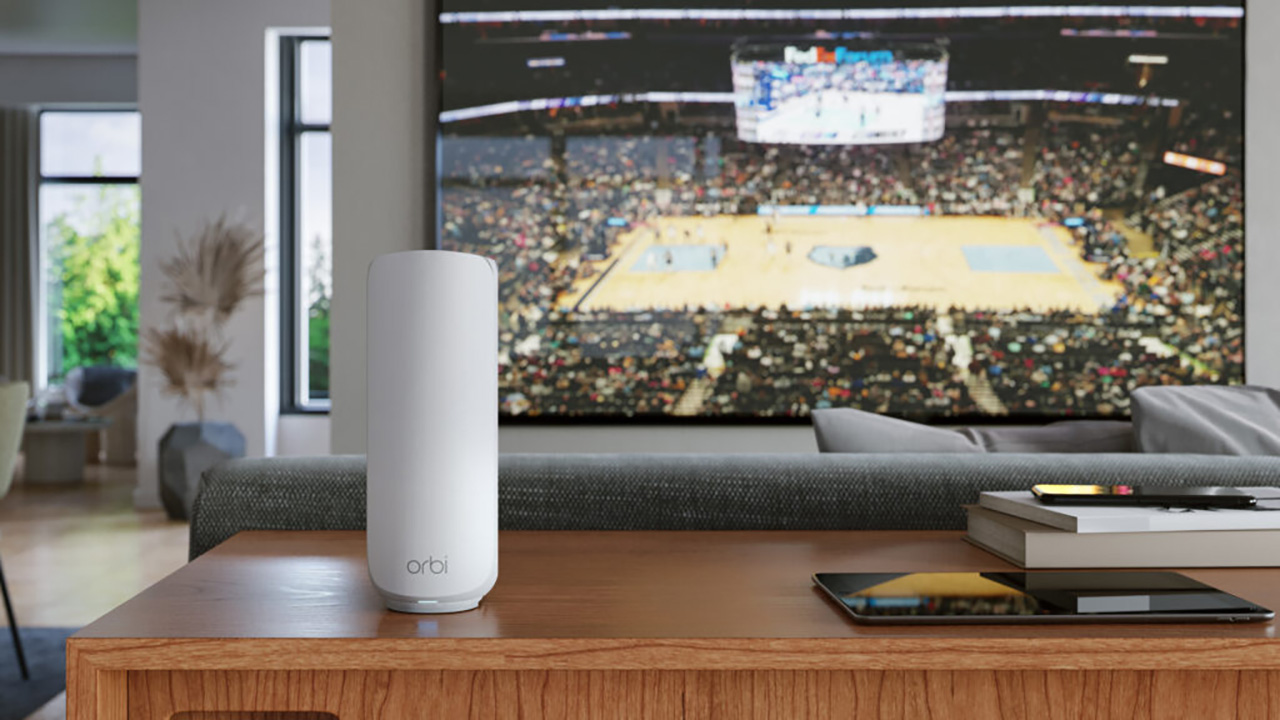
Credit: www.t3.com
Frequently Asked Questions
Does Mesh Wifi Support 5g Home Internet?
Yes, mesh WiFi systems support 5G home internet. They enhance coverage and maintain fast speeds across your home. Mesh networks distribute the 5G signal effectively to multiple devices, reducing dead zones and ensuring stable connections everywhere.
Can Mesh Wifi Improve 5g Internet Speed?
Mesh WiFi can improve 5G internet speed by optimizing signal distribution. It reduces interference and extends coverage to distant areas. This ensures devices receive strong, consistent 5G signals, resulting in faster and more reliable internet throughout your home.
Is Mesh Wifi Compatible With 5g Routers?
Mesh WiFi systems are compatible with most 5G routers. They connect via Ethernet or WiFi to the main 5G router. This setup boosts network coverage and performance without interfering with the 5G router’s functionality.
Do I Need Mesh Wifi For 5g Home Internet?
Mesh WiFi is recommended for 5G home internet if you have a large or multi-story home. It helps eliminate dead zones and ensures strong, consistent 5G signals in every room. For small spaces, a single router may suffice.
Conclusion
Mesh WiFi works well with 5G home internet for better coverage. It helps spread the signal evenly across your home. This setup reduces dead zones and keeps your devices connected. You get faster speeds and more reliable internet. Choosing the right mesh system matters for the best experience.
Simple setup and good placement make a big difference. Overall, mesh WiFi and 5G internet create a strong, stable network. A smart choice for smooth browsing and streaming at home.