Are you wondering if your Mesh WiFi system can connect seamlessly with Alexa? You’re not alone.
Many people want a smart home that works smoothly without frustrating interruptions. Imagine controlling your lights, music, and more with just your voice—without worrying about weak signals or dropped connections. This article will clear up the confusion and show you exactly how Mesh WiFi and Alexa can work together to make your home smarter and your life easier.
Keep reading to find out what you need to know!
Mesh Wifi Basics
Mesh WiFi is a modern solution for better internet coverage at home. It solves the problem of weak signals in large or multi-floor houses. Instead of one router, mesh systems use several devices working together.
This setup helps create a strong and reliable WiFi network everywhere in your home. Understanding how mesh WiFi works is important before connecting it to smart devices like Alexa.
How Mesh Networks Function
Mesh networks use multiple nodes placed around your home. Each node connects to the others, forming a web of WiFi signals. This means your device always connects to the closest node.
Nodes share data with each other to give smooth internet access. If one node has trouble, another can take over. The system manages connections automatically without user help.
Benefits Over Traditional Wifi
- Better coverage: Mesh covers dead zones traditional routers miss.
- Stronger signal: Nodes work together for a steady connection.
- Easy expansion: Add nodes to increase coverage anytime.
- Simple setup: Many mesh systems come with user-friendly apps.
- Seamless roaming: Devices switch nodes without dropping WiFi.
Alexa Connectivity Needs
Alexa devices need stable internet to work properly. They rely on WiFi to connect with Amazon’s servers. This connection allows Alexa to understand commands and respond quickly. The quality of your WiFi impacts Alexa’s performance. Slow or spotty networks cause delays or dropped commands.
Understanding Alexa’s connectivity needs helps you set up your home network correctly. Mesh WiFi systems promise wider coverage and fewer dead zones. But Alexa devices have specific WiFi requirements to function well within these networks.
Wifi Requirements For Alexa Devices
- Supports 2.4 GHz and 5 GHz WiFi bands for better compatibility.
- Needs a stable internet connection with at least 1 Mbps speed.
- Requires a secure network using WPA2 encryption or higher.
- Must have minimal interference to avoid signal drops.
- Should connect to the same network as the Alexa app for setup.
Common Connectivity Issues
- WiFi signal weak or too far from the Alexa device.
- Router settings blocking Alexa’s connection.
- Frequent switching between 2.4 GHz and 5 GHz bands.
- Network congestion causing slow internet speeds.
- Alexa device firmware or app needing updates.
Compatibility Between Mesh Wifi And Alexa
Mesh WiFi systems and Alexa devices often work well together. They create a strong home network that supports smart devices easily. Understanding their compatibility helps avoid connection issues. Alexa needs a steady WiFi signal to function without glitches. Mesh WiFi can provide better coverage than a single router. This improves Alexa’s responsiveness across your home.
Supported Mesh Systems
Most popular mesh WiFi brands support Alexa. These include:
- Google Nest Wifi
- Amazon Eero
- Netgear Orbi
- TP-Link Deco
These systems use standard WiFi protocols that Alexa recognizes. Alexa connects to the mesh network like any other WiFi device. No special compatibility settings are usually required. Users enjoy fewer dead zones and faster device responses.
Setup Considerations
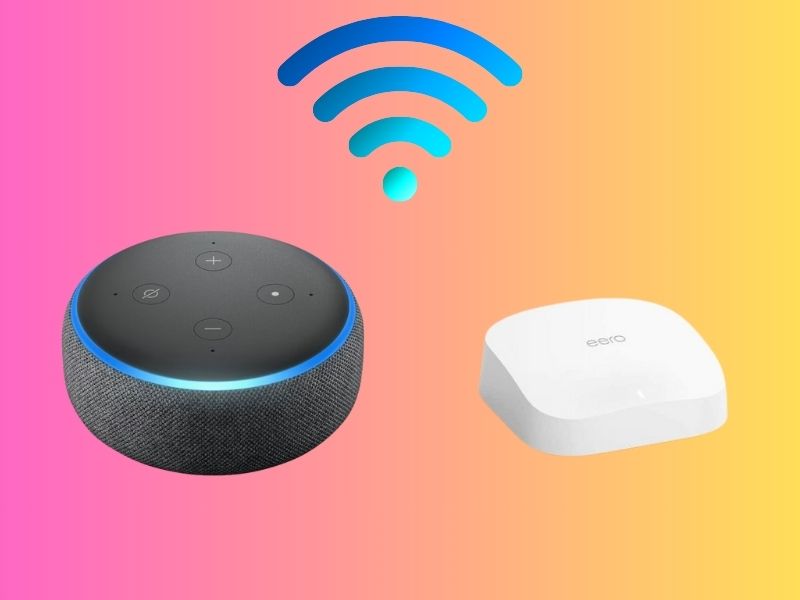
Place mesh nodes evenly for the best WiFi coverage. Alexa devices should be near a strong mesh signal. Avoid placing Alexa behind thick walls or metal objects. Connect Alexa through the mesh network’s main router or nodes. Use the Alexa app to connect your device to WiFi. Ensure your mesh system’s firmware is up to date. This improves stability and security. Keep your Alexa device and mesh system on the same network. This ensures smooth communication and control.
Credit: cyberguy.com
Optimizing Alexa Performance On Mesh Wifi
Optimizing Alexa’s performance on a Mesh WiFi network can significantly enhance your smart home experience. While Mesh WiFi systems promise seamless connectivity, ensuring your Alexa device operates at its best requires a bit of strategic setup. Let’s explore some actionable tips to get the most out of your Alexa and Mesh WiFi combination.
Placement Tips For Devices
Position your Alexa device within a reasonable distance from the Mesh WiFi node. This ensures a strong signal and minimizes latency. If possible, avoid placing Alexa near walls or other electronic devices that might interfere with the signal.
Consider the rooms where you frequently use Alexa. Place the device centrally to ensure it picks up your voice commands easily, even from a distance. A little tweak in placement can make a substantial difference in response time.
Network Settings To Adjust
Ensure your Mesh WiFi system uses the same SSID for both the 2.4GHz and 5GHz bands. This allows Alexa to automatically connect to the best available frequency. You might need to check your router settings to confirm this setup.
Updating your Mesh WiFi firmware can also enhance performance. Manufacturers often release updates that improve connectivity and device compatibility. Regularly checking for these updates can prevent potential connectivity issues with Alexa.
Have you adjusted your Mesh WiFi settings to optimize device performance? Sometimes, a simple adjustment can transform your user experience, making it smoother and more efficient. Try these tips and notice the difference in your everyday interactions with Alexa.
Troubleshooting Connection Problems
Having trouble keeping your Alexa devices connected through your mesh WiFi? Connection issues can be frustrating, especially when you expect seamless voice control throughout your home. Troubleshooting these problems requires pinpointing the cause and applying targeted fixes.
Identifying Signal Drops
Start by checking where your Alexa device loses connection. Is it in a specific room or area of your house? Signal drops often happen when the device is too far from the nearest mesh node or blocked by thick walls.
Use your mesh WiFi app to see signal strength around your home. Many apps show real-time data on which nodes your Alexa connects to and the quality of that connection. If you notice weak signals or frequent switches between nodes, that’s a red flag.
Try moving your Alexa closer to a mesh node temporarily to confirm if distance is the issue. Noticing immediate improvement? You’ve identified a weak signal zone that needs a new node or repositioning of existing ones.
Resolving Interference Issues
Interference can silently kill your Alexa’s connection. Common culprits include microwaves, cordless phones, baby monitors, and even Bluetooth devices operating on the same 2.4 GHz band.
Check what devices are active near your Alexa and mesh nodes. If you spot potential interference, turn those devices off briefly and see if Alexa’s connection improves.
Switching your mesh network to the 5 GHz band can reduce interference since it’s less crowded. However, 5 GHz has shorter range, so balance is key. You might need to adjust node placement or enable band steering features to optimize connectivity.
- Try changing your WiFi channel in the router settings to avoid crowded frequencies.
- Ensure your mesh system firmware is up to date to benefit from the latest stability improvements.
- Reduce physical barriers like metal furniture or thick walls near your devices.
Have you checked your home’s layout or recent device additions that might affect your mesh WiFi? Sometimes, a small change can cause unexpected connection drops with Alexa.

Credit: www.amazon.ca
Enhancing Smart Home Control
Enhancing smart home control becomes easier with mesh WiFi and Alexa working together. A strong and reliable WiFi network helps Alexa devices respond faster and connect more devices. Mesh WiFi spreads the signal evenly around your home. This reduces dead spots and keeps your smart devices online without interruption.
Smart home control feels smoother and more efficient with this setup. You can manage many Alexa devices at once. The network supports multiple connections without slowing down. This helps Alexa perform tasks like playing music, controlling lights, and answering questions quickly. Smart routines run without delays or errors.
Integrating Multiple Alexa Devices
Mesh WiFi allows many Alexa devices to work in sync. Each device connects easily to the mesh network. This means you can place Alexa devices in every room. They communicate with each other through the stable WiFi. You get better voice recognition and faster responses from all devices.
Devices share information smoothly over the network. For example, if you ask one Alexa to turn off lights, others know about the change. This integration makes your smart home feel connected and smart. You avoid connection drops and delays that can happen with weak WiFi.
Using Routines With Mesh Wifi
Routines are a key part of smart home automation. Mesh WiFi helps routines run without interruption. You can create routines that control several devices at once. For example, a morning routine can turn on lights, start the coffee maker, and play news.
Mesh WiFi keeps all Alexa devices online to follow these commands instantly. It prevents routines from failing due to poor connectivity. This means your smart home reacts reliably to your schedule. Routines become more useful and save you time every day.

Credit: www.amazon.ca
Frequently Asked Questions
Does Mesh Wifi Improve Alexa’s Connectivity?
Yes, mesh WiFi enhances Alexa’s connectivity by providing a stronger, more consistent signal throughout your home. This reduces dropouts and improves response times for Alexa-enabled devices.
Can Alexa Control Mesh Wifi Systems Directly?
Alexa cannot directly control mesh WiFi settings, but you can use voice commands to manage compatible routers or smart home devices connected through the mesh network.
Is Mesh Wifi Compatible With All Alexa Devices?
Most Alexa devices work seamlessly with mesh WiFi systems as they support standard WiFi protocols, ensuring stable connections and better performance in larger areas.
How Does Mesh Wifi Affect Alexa’s Smart Home Control?
Mesh WiFi ensures reliable communication between Alexa and smart devices by reducing dead zones. This leads to faster command execution and smoother smart home automation.
Conclusion
Mesh WiFi works well with Alexa devices. It helps keep your connection strong everywhere. Alexa responds quickly without delays or dropouts. Setting up is simple and fast to do. This combo makes your smart home more reliable. Enjoy better voice control in every room.
You don’t need extra gadgets or cables. Just connect and start using Alexa easily. This setup fits most homes and budgets. Try it to see smoother smart home use.