Are you struggling with slow WiFi or dead zones in your home? You might be thinking about upgrading to a WiFi 6 mesh system.
But if you’re an Xfinity user, you probably wonder: does WiFi 6 mesh work with Xfinity? Getting the right setup can make a huge difference in your internet speed and coverage. You’ll discover how WiFi 6 mesh systems interact with Xfinity services and whether this upgrade is the solution you need for a faster, more reliable connection.
Keep reading to find out how to get the best performance from your home network.
Wifi 6 Mesh Basics
Wifi 6 Mesh is a way to spread wireless internet across your home. It uses many devices called nodes to create one big network.
This system helps cover large areas and reduce dead spots. It also works with many internet providers, including Xfinity.
Key Features Of Wifi 6
Wifi 6 is faster and smarter than older Wifi versions. It sends data more efficiently to many devices at once.
It also uses less battery on phones and laptops. This helps devices stay connected longer without charging.
- Higher speeds for downloads and streaming
- Better performance in crowded places
- Improved battery life for connected devices
- Stronger connections with less interference
Benefits Of Mesh Networks
Mesh networks use multiple nodes to cover every corner of your home. This stops weak signals and internet drops.
You can add more nodes to improve coverage. The network also picks the best path to send data fast and steady.
- Wide coverage without dead zones
- Easy to expand by adding more nodes
- Consistent internet speed throughout the home
- Simple setup and management with apps
Xfinity Network Setup
Setting up your Xfinity network with a Wifi 6 mesh can enhance your internet experience. This guide will help you understand how to integrate these technologies.
Learn about the options for Xfinity modems and routers, and the current wifi standards they support.
Xfinity Modem And Router Options
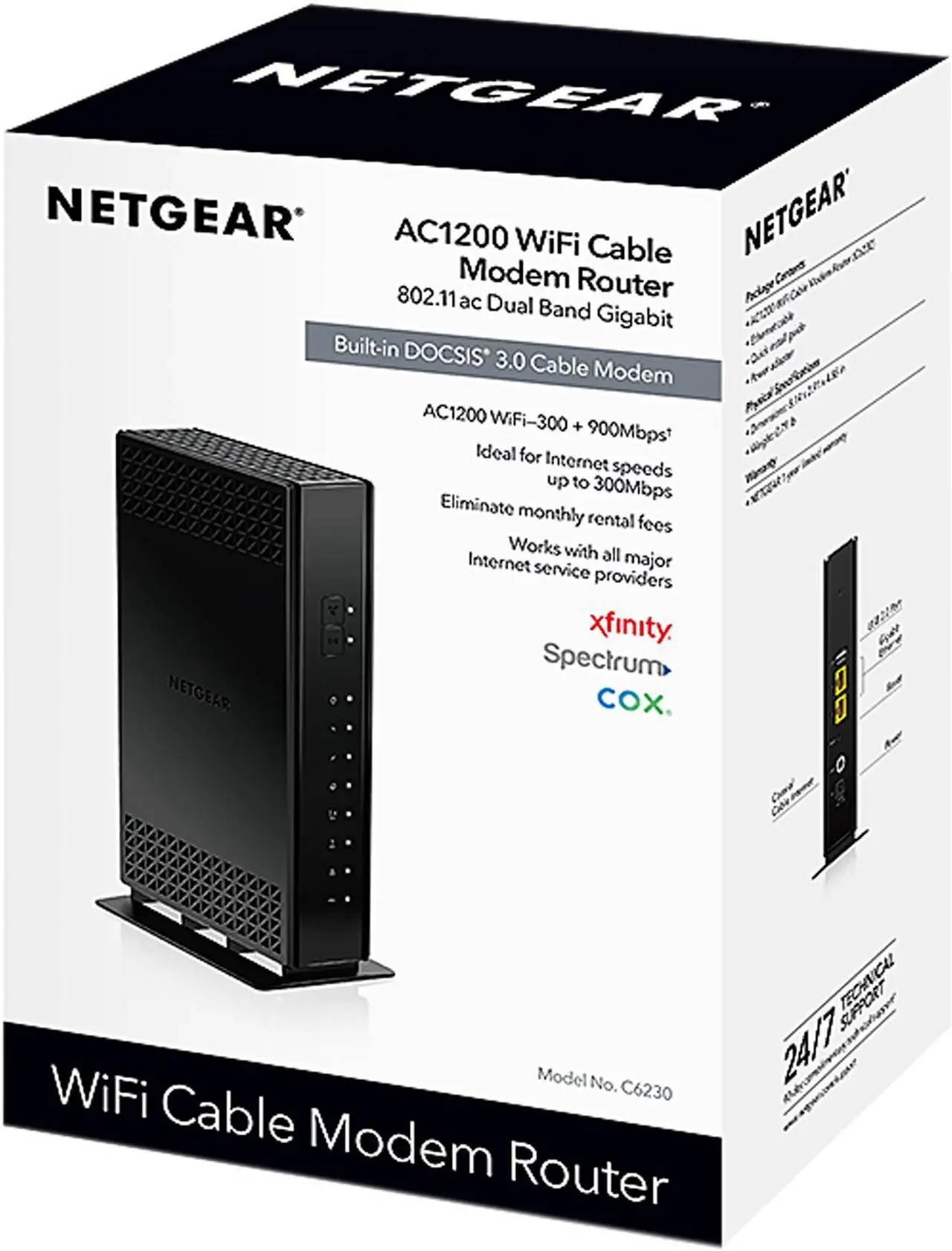
Xfinity provides several modem and router options to choose from. Whether you rent or buy, compatibility with Wifi 6 mesh is crucial for optimal performance.
- Xfinity Gateway: A combined modem and router.
- Separate Modem and Router: Offers flexibility and can be paired with a mesh system.
- Third-Party Modems: Ensure they are compatible with Xfinity services.
Current Wifi Standards Supported
Understanding the current wifi standards helps in setting up a network that meets your needs. Wifi 6 offers improvements in speed and device management.
| Wifi Standard | Speed | Devices Supported |
| Wifi 5 (802.11ac) | Up to 3.5 Gbps | Up to 25 devices |
| Wifi 6 (802.11ax) | Up to 9.6 Gbps | More than 25 devices |
Compatibility Factors
Wifi 6 mesh systems improve wireless speed and coverage at home. Xfinity provides internet through their own hardware.
Knowing how Wifi 6 mesh works with Xfinity helps you pick the right setup. Compatibility depends on hardware and software.
Wifi 6 Mesh And Xfinity Hardware
Wifi 6 mesh routers use the latest wireless technology for faster connections. Xfinity uses modems or gateways to deliver internet.
To use Wifi 6 mesh with Xfinity, you need to check hardware compatibility. The mesh router should connect to the Xfinity modem or gateway.
- Most Wifi 6 mesh systems connect via Ethernet to Xfinity devices
- Xfinity gateways with built-in WiFi may need to be set to bridge mode
- Using a separate Wifi 6 mesh router can improve your home network
- Older Xfinity modems work fine with Wifi 6 mesh but may limit speed
Firmware And Software Requirements
Firmware is software that runs on your router or modem. It controls how devices connect and share internet.
To ensure Wifi 6 mesh works with Xfinity, keep firmware updated on all devices. Outdated software can cause connection issues.
- Update Xfinity modem or gateway firmware through Xfinity app or website
- Check the mesh router manufacturer’s site for the latest firmware
- Enable bridge mode on Xfinity gateway to avoid network conflicts
- Some mesh systems require app installation for setup and updates
Setting Up Wifi 6 Mesh With Xfinity
Wifi 6 mesh systems offer faster speeds and better coverage. Using them with Xfinity can improve your home internet experience.
This guide helps you set up your Wifi 6 mesh system with Xfinity step by step. It also shares tips to configure your network properly.
Step-by-step Installation Guide
Start by checking your Xfinity modem or gateway. Make sure it supports bridge mode to avoid conflicts with the mesh router.
- Connect your Wifi 6 mesh router to the Xfinity modem using an Ethernet cable.
- Power on the mesh router and wait until it fully boots up.
- Use the mesh app to create a new network and set your Wi-Fi name and password.
- Add mesh nodes in different rooms to expand coverage.
- Test your connection on multiple devices to ensure stable internet access.
Common Configuration Tips
After installation, optimize your mesh network with these simple tips. They help avoid interference and improve speed.
| Tip | Details |
| Enable Bridge Mode | Turn on bridge mode on your Xfinity modem to prevent double NAT issues. |
| Place Nodes Strategically | Put mesh nodes in open spaces, away from thick walls and metal objects. |
| Update Firmware | Keep your mesh devices updated with the latest software for better performance. |
| Use Separate SSIDs | Create different network names for 2.4 GHz and 5 GHz bands if needed. |
| Restart Devices | Restart your modem and mesh system if connection issues occur. |
Troubleshooting Connection Issues
Wifi 6 mesh systems can improve your internet coverage with Xfinity. Sometimes, connection issues may appear. You need to find the cause to fix them quickly.
This guide helps you check common problems. It explains how to handle signal interference and device compatibility.
Signal Interference Problems
Signal interference can reduce the speed and strength of your Wifi 6 mesh network. Other devices or obstacles can cause this interference.
Common sources of interference include microwaves, cordless phones, and thick walls. These can block or weaken the wireless signal.
- Keep mesh nodes away from microwaves and cordless phones.
- Place nodes in open areas, not behind thick walls.
- Use different channels on your router to avoid overlap.
- Minimize the number of electronic devices near your mesh system.
Device Compatibility Checks
Not all devices support Wifi 6 or mesh networks. Some older gadgets may face connection problems with your Wifi 6 mesh.
Check if your devices can connect to Wifi 6. Also, confirm that your mesh system works with Xfinity’s service.
- Look for Wifi 6 or 802.11ax support on your device.
- Update your device’s network drivers or software.
- Verify your mesh system settings match Xfinity’s network requirements.
- Restart devices after making changes to refresh connections.

Credit: www.amazon.ca
Performance Benefits
Wifi 6 mesh systems offer better performance than older networks. They improve speed, coverage, and stability in your home.
Using Wifi 6 mesh with Xfinity can enhance your internet experience. It helps to handle many devices smoothly.
Speed Improvements
Wifi 6 mesh provides faster speeds than previous Wifi versions. It supports higher data rates, which helps with streaming and downloads.
- Supports multiple devices without slowing down
- Uses new technology to increase data transfer rates
- Reduces lag during online gaming and video calls
- Improves upload and download speeds simultaneously
Coverage And Stability Enhancements
Wifi 6 mesh expands your network coverage. It helps keep connections stable even in large or multi-floor homes.
| Feature | Benefit |
|---|---|
| Mesh Nodes | Extend network range and reduce dead zones |
| Better Signal Handling | Maintain strong connections with many devices |
| Improved Beamforming | Directs signals to devices for stronger links |
| Lower Interference | Works well with other wireless networks nearby |
Alternative Solutions
Many people use WiFi 6 mesh systems with Xfinity. Sometimes, other options can work better for your needs.
Exploring different mesh systems and upgrading Xfinity equipment can improve your home network.
Other Mesh Systems For Xfinity
Different mesh systems can enhance your Xfinity experience. They offer better coverage and connectivity.
Some mesh systems are easy to install and work well with Xfinity. They can be a good choice for large homes.
- Netgear Orbi: Known for strong signals and easy setup.
- Google Nest WiFi: Offers seamless connections and smart home integration.
- Eero Pro: Provides reliable coverage with simple management.
Upgrading Xfinity Equipment
Upgrading your Xfinity equipment can boost your network performance. Newer devices offer faster speeds.
Xfinity provides different modem and router options. These can be more compatible with modern technology.
- Xfinity xFi Gateway: Combines modem and router for better connectivity.
- xFi Pods: Extend coverage to dead zones in your home.
- Third-party routers: Often provide more features and customization.
Credit: iphonedocomoss.com

Credit: forum.quartertothree.com
Frequently Asked Questions
Does Wifi 6 Mesh Improve Xfinity Internet Speed?
Yes, Wifi 6 Mesh enhances Xfinity internet speed by providing faster, more reliable connections. It supports higher data rates and reduces latency, improving overall network performance.
Can Wifi 6 Mesh Systems Work With Xfinity Gateways?
Most Wifi 6 Mesh systems are compatible with Xfinity gateways. However, it’s best to check specific model compatibility to ensure seamless integration and optimal performance.
Do Wifi 6 Mesh Routers Extend Xfinity Coverage?
Yes, Wifi 6 Mesh routers extend Xfinity Wi-Fi coverage by creating multiple access points. This reduces dead zones and provides consistent, strong signals throughout your home.
Is Setup Easy For Wifi 6 Mesh With Xfinity?
Setting up Wifi 6 Mesh with Xfinity is generally simple. Most systems offer user-friendly apps and guides to help you connect and optimize your network quickly.
Conclusion
Wifi 6 mesh systems work well with Xfinity internet service. They improve coverage and speed in your home. You get a stronger signal in every room. Setup is usually simple and user-friendly. This combination helps reduce dead zones effectively. It fits most home networks without issues.
A better wifi experience is possible with these devices. Choose a compatible mesh system for smooth performance. Enjoy faster connections for streaming and gaming. Overall, Wifi 6 mesh and Xfinity make a good team.