Setting up your smart home to run smoothly starts with a strong and reliable internet connection. If you’ve ever faced slow speeds or spotty Wi-Fi in some rooms, a dual band router might be exactly what you need.
Imagine controlling all your devices—from lights to security cameras—without interruptions or delays. In this guide, you’ll discover how to set up a dual band router that boosts your home’s connectivity and keeps every smart device working perfectly. Ready to make your smart home smarter?
Let’s dive in.
Benefits Of Dual Band Routers
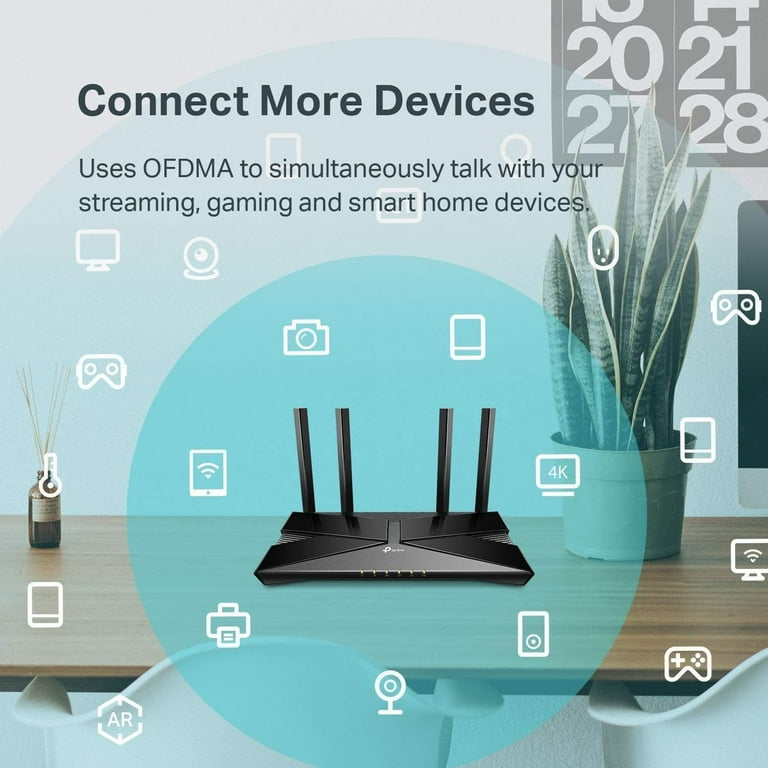
Dual band routers provide significant advantages for smart home setups. They use two frequency bands to manage your internet traffic. This helps in handling many devices without slowing down your network.
Smart homes have many connected devices. Dual band routers keep everything running smoothly. They offer better speed, less interference, and wider coverage. These benefits improve your overall internet experience.
Faster Speeds For Multiple Devices
Dual band routers split internet traffic between two bands: 2.4 GHz and 5 GHz. The 5 GHz band offers faster speeds for devices close to the router. The 2.4 GHz band supports devices farther away but with slower speeds. This setup allows many devices to connect without slowing down the network.
Reduced Interference
The 2.4 GHz band is often crowded with other wireless devices like microwaves and Bluetooth gadgets. Dual band routers let you use the 5 GHz band, which is less busy. This means fewer signal interruptions and a more stable connection for your smart home devices.
Improved Range And Coverage
The 2.4 GHz band travels farther and passes through walls better than 5 GHz. Using both bands together extends your network’s reach. This helps keep your smart home devices connected, even in larger houses or farther rooms.
Credit: www.walmart.com
Choosing The Right Router
Choosing the right dual band router is key for a smooth smart home setup. The right device ensures fast connections and strong signals across your home. It helps your smart devices work well together without interruptions. A good router supports many devices at once and keeps your network safe.
Key Features To Look For
- Dual band support: 2.4 GHz and 5 GHz frequencies for better coverage
- High data speed: Faster downloads and smoother streaming
- Strong security: WPA3 encryption to protect your network
- Multiple antennas: Better signal strength and wider range
- Easy setup: User-friendly app or interface for quick installation
- Guest network option: Separate access for visitors without risking security
Compatibility With Smart Devices
Check if your router supports popular smart home protocols. Many smart devices use Wi-Fi, so the router must handle them well. Some smart gadgets work better with certain brands or technologies. Ensure the router can connect with smart lights, cameras, speakers, and thermostats. Compatibility avoids connection drops and lagging devices.
Budget Considerations
Set a budget that fits your needs and device count. Basic routers work for small homes with few devices. Larger homes or many devices need routers with better speed and range. Avoid very cheap models as they may lack key features. Investing a bit more can save future costs and headaches.
Preparing For Setup
Preparing your dual band router for setup is a key step to ensure your smart home devices connect smoothly and perform well. Taking time to organize your equipment, update your router’s software, and choose the right spot for placement can save you from frustrating connection issues later.
Gathering Required Equipment
Start by collecting all the items you’ll need before powering on your router. This usually includes the dual band router itself, an Ethernet cable, your modem, and a device like a laptop or smartphone to complete the setup.
Don’t forget the login details for your internet service provider, as you might need them during configuration. Having everything ready means less downtime and a quicker setup experience.
Firmware Updates
Firmware is the software that runs your router, and keeping it updated is crucial for security and performance. Check the manufacturer’s website or the router’s admin panel for the latest version before you start.
Updating firmware often fixes bugs and improves compatibility with smart home devices. It’s surprising how many connection problems can be solved by simply running the newest update.
Placement Tips For Optimal Signal
Where you place your router affects how well your smart home devices will connect. Avoid putting it near thick walls, metal objects, or microwaves, as these can block the signal.
Try to position the router centrally in your home, and elevate it if possible—higher spots reduce interference. Have you noticed how your signal drops in some rooms? Moving the router can often fix that without extra gadgets.
Configuring The Router
Setting up a dual band router helps connect smart home devices smoothly. Choose separate names for 2. 4 GHz and 5 GHz bands to organize your network easily. This setup improves speed and reduces interference for better device performance.
Configuring your dual band router is essential for a smart home. Proper setup ensures seamless connectivity for all your devices. Let’s explore how to configure your router effectively.Accessing The Admin Panel
To begin, access your router’s admin panel. Connect your computer to the router. Open a web browser and enter the router’s IP address. Usually, it’s something like 192.168.1.1. This step leads you to the login page. Enter the default username and password. Find these on the router or in the manual. Now, you have access to the admin panel.Setting Up Ssids For 2.4 Ghz And 5 Ghz
Next, set up SSIDs for both frequency bands. Navigate to the wireless settings section. Create unique names for the 2.4 GHz and 5 GHz networks. This helps differentiate them. Choose names that are easy to remember. Avoid using personal information in SSIDs. Save your changes.Enabling Security Features
Security is vital for your network. Enable WPA2 or WPA3 encryption for both bands. These are the most secure options. Create strong passwords. Use a mix of letters, numbers, and symbols. Avoid common words or sequences. This step protects your network from unauthorized access.Configuring Guest Networks
Set up a guest network for visitors. This keeps your main network secure. Go to the guest network settings. Enable the guest network option. Choose a separate SSID for guests. Set a simple password. Ensure guests can’t access your main devices. This adds an extra layer of security.Connecting Smart Home Devices
Connecting smart home devices to a dual band router creates a smooth and reliable network. Each device needs the right band to work well without delays. Understanding how to manage these connections helps keep your smart home running fast and steady.
Choosing The Best Band For Devices
Dual band routers offer two frequency options: 2.4 GHz and 5 GHz. Devices that need longer range and can handle slower speeds use 2.4 GHz. Examples include smart plugs and security cameras.
Devices that need faster speeds and less interference use 5 GHz. This band suits smart TVs, gaming consoles, and voice assistants.
- Use 2.4 GHz for devices far from the router.
- Choose 5 GHz for devices close to the router.
- Check each device’s manual for band support.
Managing Device Connections
Keep your network organized by naming each device clearly. Use your router’s app or web interface to see connected devices. Limit the number of devices on one band to avoid slowdowns.
Set priorities for important devices like security cameras. This helps them get enough bandwidth. Regularly update your router’s firmware to improve performance and security.
Troubleshooting Common Issues
Slow connections may come from too many devices on one band. Switch some devices to the other band to balance the load. Restart your router if devices cannot connect.
Check for interference from other electronics. Move your router to a central, open place to improve signals. Reset smart devices and reconnect if they lose connection.

Credit: www.amazon.com
Optimizing Wifi Performance
Optimizing WiFi performance is key for a smooth smart home experience. A dual band router offers two frequency bands to reduce interference and increase speed. Proper setup ensures devices connect without lag or dropouts. Small adjustments can lead to big improvements in coverage and reliability.
Channel Selection
Choose channels with the least interference for better signal quality. The 2.4 GHz band has fewer channels but more interference. The 5 GHz band has more channels and usually less crowding. Use a WiFi analyzer app to find free channels near you. Set your router to those channels for clearer signals.
Quality Of Service (qos) Settings
QoS helps prioritize important devices or activities on your network. It can give priority to video calls, streaming, or smart home devices. This avoids slowdowns during heavy internet use. Access your router’s settings to enable QoS. Assign higher priority to devices you use most.
Regular Maintenance Tips
- Restart your router monthly to clear memory and bugs.
- Update firmware to fix bugs and improve performance.
- Keep the router in an open, central location for best coverage.
- Check connected devices and remove unknown or unused ones.
- Reset router settings if performance drops dramatically.
Advanced Features
Dual band routers offer more than just faster speeds and better connections. They come with advanced features that improve how your smart home works. These features help control your network, keep it safe, and make sure every device stays connected smoothly. Understanding these can help you get the most from your router.
Parental Controls
Parental controls let you manage internet access for your family. You can block certain websites and apps easily. Set time limits for devices used by children. This helps keep kids safe online without constant supervision. Customize rules for each device in your home.
Vpn Setup
A VPN setup on your router protects your entire smart home network. It hides your online activity from outsiders. This adds a strong layer of privacy and security. Some routers support easy VPN installation. This means all connected devices benefit without extra software.
Mesh Network Integration
Mesh network integration improves coverage across your home. It connects multiple router units to work as one network. This solves Wi-Fi dead zones and weak signals. Smart devices stay connected no matter where they are. Setup is simple and often managed through a single app.

Credit: www.popularmechanics.com
Frequently Asked Questions
What Is A Dual Band Router And Why Use It?
A dual band router broadcasts two Wi-Fi frequencies: 2. 4 GHz and 5 GHz. This improves smart home device connectivity and reduces interference. It helps separate high-bandwidth devices from low-bandwidth ones, enhancing overall network performance and reliability in smart homes.
How To Set Up A Dual Band Router For Smart Home?
Access your router’s admin panel via a web browser. Configure SSIDs for both 2. 4 GHz and 5 GHz bands. Connect smart home devices to the appropriate band, usually 2. 4 GHz for compatibility. Save settings and reboot the router to apply changes.
Which Band Is Best For Smart Home Devices?
The 2. 4 GHz band is best for most smart home devices. It offers better range and penetration through walls. The 5 GHz band provides faster speeds but shorter range, ideal for high-bandwidth tasks like streaming or gaming near the router.
Can A Dual Band Router Improve Smart Home Security?
Yes, dual band routers offer enhanced security features like WPA3 encryption. They allow network segmentation by band, isolating smart devices from primary networks. Regular firmware updates on these routers also help protect against vulnerabilities.
Conclusion
Setting up a dual band router helps your smart home run smoothly. You get better speed and less interference for all devices. Both 2. 4 GHz and 5 GHz bands work together to keep connections strong. This setup supports many gadgets without slowing down your network.
It also helps reduce signal drops and dead zones. A simple setup brings reliable internet to every corner of your home. Enjoy easier control and faster responses from your smart devices. Dual band routers make smart homes more efficient and user-friendly.