Are you struggling with slow WiFi or dead zones in your home? Eero Mesh WiFi promises to solve these problems by spreading strong, reliable internet throughout your space.
But is it the right choice for you? Before you invest, it’s important to understand both the advantages and drawbacks of Eero Mesh WiFi. You’ll discover the key pros and cons that could impact your internet experience—helping you make a smart decision for your home network.
Keep reading to find out if Eero is the perfect fit for your WiFi needs.
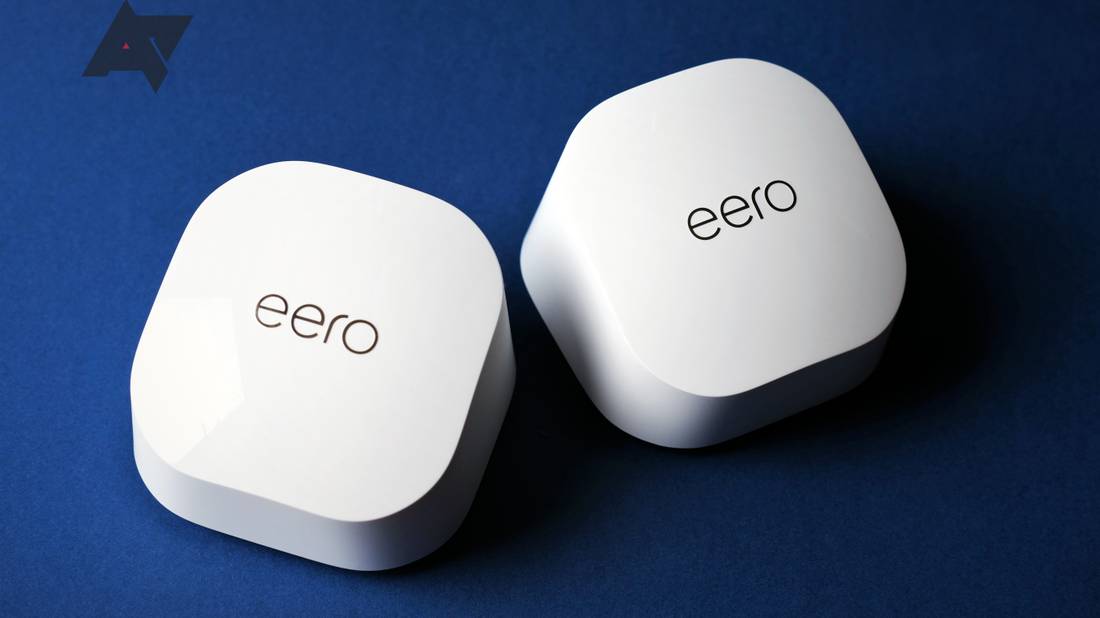
Credit: www.androidpolice.com
Eero Mesh Wifi Features
Eero Mesh Wifi is a system that spreads Wi-Fi throughout your home. It uses several units to cover large areas with strong signals.
This system is designed to make your internet faster and more reliable. It works well for homes with many devices connected at once.
Easy Setup Process
Setting up Eero Mesh Wifi is simple and fast. You only need to download the Eero app and follow the instructions.
The app guides you step-by-step to connect each Eero device. It also helps you place the units for the best coverage.
Coverage And Range
Eero Mesh Wifi covers large areas by linking multiple devices. Each unit extends Wi-Fi signals to reach every corner of your home.
This system works well in multi-story houses and places with thick walls. You can add more units to increase the range.
Device Compatibility
Eero Mesh Wifi works with many devices like phones, tablets, laptops, and smart home gadgets. It supports all major Wi-Fi standards.
The system can handle many devices connected at the same time without slowing down your network.
App Functionality
The Eero app controls your network easily. You can see connected devices, test speeds, and pause internet access for some devices.
The app also sends notifications about network status and helps with troubleshooting if problems occur.
Security Measures
Eero Mesh Wifi protects your network with strong encryption and automatic updates. This keeps your system safe from threats.
The system blocks suspicious activities and lets you control access by setting up guest networks and parental controls.
Performance Insights
Eero Mesh WiFi is a popular choice for home internet. It uses multiple devices to cover large areas with WiFi.
Understanding how it performs helps you decide if it fits your needs. This section looks at speed, stability, and device handling.
Speed And Reliability
Eero Mesh WiFi offers good speed for most home uses. It keeps a strong signal across rooms.
The network rarely drops, which makes it reliable for video calls and streaming.
- Speeds depend on your internet plan and setup.
- Mesh nodes communicate to reduce slow spots.
- Occasional slowdowns can happen if nodes are far apart.
Network Stability
Eero Mesh WiFi keeps a stable connection even in large homes. It avoids sudden drops in signal.
The system automatically reroutes traffic if one node faces issues. This adds to network stability.
- Automatic recovery from connection problems
- Consistent coverage in multiple rooms
- Minimal interference with other devices
Handling Multiple Devices
Eero Mesh WiFi manages many devices well. It balances connections to avoid overload.
This makes it suitable for smart homes with many phones, laptops, and gadgets connected.
- Supports dozens of devices at the same time
- Smart routing keeps speeds steady
- Good for homes with many users
Advantages Of Eero Mesh Wifi
Eero Mesh Wifi offers many benefits for home and office networks. It helps improve coverage and connection stability.
This system is designed to be easy to use and flexible for different spaces and needs.
Seamless Roaming
Eero Mesh Wifi allows your devices to switch smoothly between nodes. This means you keep a strong connection while moving around.
User-friendly Interface
The Eero app is simple and clear. It helps you set up and manage your network without technical skills.
- Easy network setup
- Monitor connected devices
- Control access and usage
- Receive helpful notifications
Automatic Updates
Eero devices update automatically to improve security and performance. You do not need to check or install updates yourself.
Expandable Network
| Feature | Description |
| Add More Units | Increase coverage by adding more Eero devices |
| Flexible Placement | Place nodes anywhere for best signal |
| Supports Large Homes | Works well in multi-story or big houses |
Drawbacks To Consider
The Eero Mesh Wifi system offers many benefits, but some drawbacks exist. It is important to understand these before buying.
This section explains the main downsides of using Eero Mesh Wifi for your home network.
Subscription Requirements
Eero offers a subscription service for extra features. Without it, some functions are limited.
The subscription is not mandatory, but it unlocks advanced security and parental controls.
- Basic network functions work without subscription
- Subscription adds more security options
- Costs extra money every month or year
Price Point
Eero Mesh Wifi is more expensive than many standard routers. The cost can be high for some users.
Buying multiple Eero units to cover a large home adds to the total price.
- Starter kits cost more than simple routers
- Extra units increase overall cost
- Subscription fees add to expenses
Limited Advanced Settings
Eero’s system is designed to be easy to use. This simplicity limits advanced settings for power users.
Users who want detailed control over their network may find Eero’s options too basic.
- No advanced firewall rules
- Limited port forwarding options
- Basic network customization only
Dependency On App
Eero requires its app for setup and management. Without the app, controlling the network is difficult.
Users must rely on a smartphone or tablet with the app installed to change settings.
- No web interface for router management
- App needed for updates and troubleshooting
- Limited control without app access
Comparison With Competitors
Eero Mesh Wifi is a popular choice for home network systems. It offers easy setup and reliable coverage. Let’s see how Eero compares with other top mesh wifi systems.
Understanding the differences between Eero and its competitors can help you make the best choice for your home.
Eero Vs Google Nest Wifi
Google Nest Wifi offers strong integration with Google services. It is ideal for users who frequently use Google products. Eero, on the other hand, provides a simple and user-friendly app interface.
Both systems offer good coverage, but Eero has a slight edge in ease of setup. Google Nest Wifi includes a built-in speaker, which Eero does not have.
- Eero: Simple setup, user-friendly app
- Google Nest: Integrated with Google services, built-in speaker
Eero Vs Netgear Orbi
Netgear Orbi is known for its high performance and speed. It is suitable for larger homes with many devices. Eero, however, focuses on stability and consistent coverage.
Eero is often easier to set up, while Netgear Orbi may require more technical knowledge. Orbi can handle more devices without slowing down.
- Eero: Stable coverage, easy setup
- Netgear Orbi: High performance, handles more devices
Eero Vs Tp-link Deco
TP-Link Deco offers affordable pricing and good basic features. It is a great choice for budget-conscious users. Eero provides better support and more frequent updates.
Both systems offer solid coverage, but Eero is praised for its customer support. TP-Link Deco may offer more value for money for basic needs.
- Eero: Better support, frequent updates
- TP-Link Deco: Affordable, good basic features
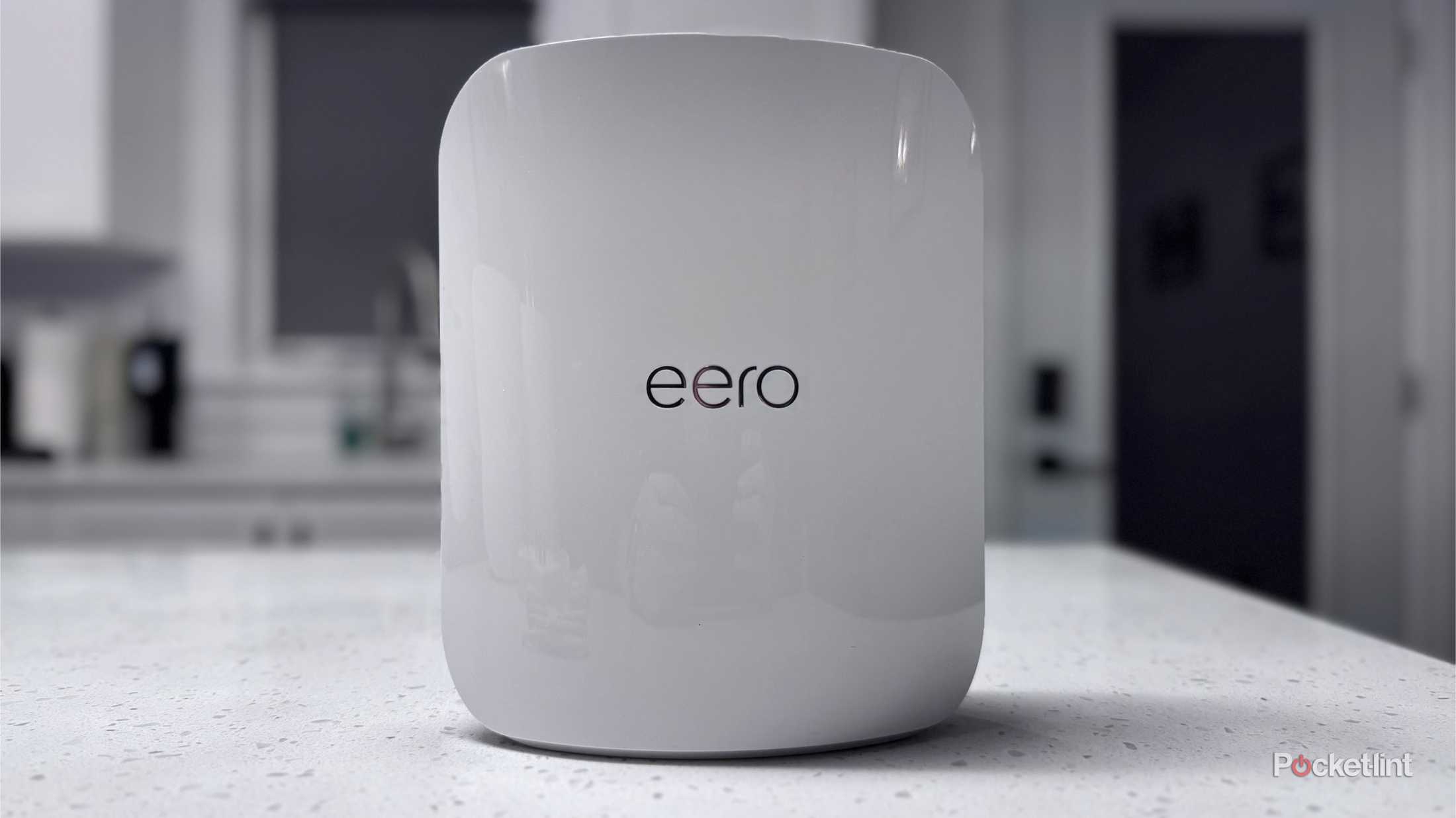
Credit: www.pocket-lint.com
Best Use Cases
Eero Mesh WiFi systems offer reliable internet coverage. They are ideal for various home and work settings. Below are some of the best use cases.
Explore how Eero Mesh WiFi can enhance connectivity for different needs.
Small To Medium Homes
Eero Mesh WiFi is great for small to medium homes. It provides consistent internet coverage in every room.
Families enjoy seamless internet for streaming and online activities. No more dead zones in your house.
- Full home coverage
- Easy setup and management
- Supports multiple devices
Smart Home Integration
Eero Mesh WiFi integrates well with smart home devices. It ensures stable connections for smart gadgets.
Users can easily control lights, thermostats, and cameras. Reliable WiFi is crucial for smart home efficiency.
- Supports various smart devices
- Improves smart home performance
- Easy to manage devices from one app
Remote Work And Streaming
Remote workers benefit from Eero Mesh WiFi. It provides stable internet for video calls and online meetings.
Streamers enjoy uninterrupted streaming experiences. Buffering and lag are reduced significantly.
- Reliable for video conferencing
- Supports high-definition streaming
- Minimizes internet interruptions
Troubleshooting Tips
Troubles with Eero Mesh Wifi can slow down your internet or cause dropouts. Knowing how to fix common problems helps keep your network working well.
This guide shares easy tips to solve issues, restart your system, and improve your network speed.
Common Issues
Users often face problems like slow Wi-Fi, devices not connecting, or signal drops. These issues can happen due to placement or interference.
- Slow internet speeds in some rooms
- Devices disconnecting from the network
- Setup failures or errors during installation
- Firmware update problems
- Interference from other electronics
Reset And Reboot Methods
Restarting or resetting your Eero devices can fix many problems. Use simple steps to reboot or factory reset safely.
- Unplug the Eero device from power.
- Wait 30 seconds before plugging it back in.
- Allow the device to fully restart.
- If issues continue, press and hold the reset button for 15 seconds to factory reset.
- Reconfigure your network after a reset using the Eero app.
Optimizing Network Performance
| Tip | Description |
| Place devices centrally | Keep Eero units in open areas away from walls and metal. |
| Limit device interference | Avoid placing near microwaves, cordless phones, or thick walls. |
| Update firmware | Use the Eero app to install the latest updates for better stability. |
| Use wired backhaul | Connect units with Ethernet cables if possible to boost speed. |
| Check connected devices | Disconnect unused devices to free up bandwidth. |
Future Of Smart Connectivity
The future of smart connectivity will rely heavily on mesh Wi-Fi systems. These systems help create strong and reliable internet at home or work.
Eero mesh Wi-Fi is one popular option. It connects multiple devices smoothly and extends Wi-Fi coverage to every corner.
Emerging Mesh Technologies
New mesh technologies focus on faster speeds and better coverage. They use smart routing to reduce dead zones.
These systems also improve security by updating automatically. They can handle more devices at once without slowing down.
- Wi-Fi 6 and Wi-Fi 6E support
- Improved beamforming for better signals
- Adaptive path selection for faster data
- Automatic firmware updates for security
Integration With Iot Devices
Mesh Wi-Fi systems like Eero work well with Internet of Things (IoT) devices. They provide stable connections to smart home gadgets.
This integration allows users to control devices easily using apps or voice assistants. It also helps keep devices secure from hackers.
- Supports smart lights, locks, and cameras
- Works with voice assistants like Alexa
- Offers device prioritization for better control
- Monitors connected devices for safety
Eero’s Roadmap
Eero plans to improve mesh technology with faster speeds and wider coverage. They aim to support more devices and new Wi-Fi standards.
Future updates will focus on better security features and easier device management. Eero wants to make smart homes safer and simpler.
- Expand Wi-Fi 6E and future Wi-Fi 7 support
- Enhance network security and privacy tools
- Improve mobile app usability and features
- Increase compatibility with smart home devices

Credit: www.dallasnews.com
Frequently Asked Questions
What Are The Main Advantages Of Eero Mesh Wifi?
Eero Mesh Wifi offers seamless coverage by eliminating dead zones. It provides easy setup, automatic updates, and strong security features. The system supports multiple devices with stable connections, making it ideal for large homes and busy networks.
Are There Any Drawbacks To Using Eero Mesh Wifi?
Some drawbacks include a higher price compared to traditional routers and occasional speed drops on some nodes. Advanced users may find limited customization options. Also, it requires a subscription for premium security features.
How Does Eero Mesh Wifi Improve Home Internet Coverage?
Eero uses multiple nodes spread throughout the home to create a unified network. This setup ensures consistent signal strength in every room, reducing buffering and dead zones for smoother internet experiences.
Is Eero Mesh Wifi Easy To Set Up And Manage?
Yes, Eero offers a user-friendly app that guides you through quick installation. The app also allows easy network management, including device prioritization and parental controls, without technical expertise.
Conclusion
Eero Mesh Wifi offers strong coverage and easy setup. It improves Wi-Fi in larger homes and reduces dead zones. Some users find the price a bit high. The system depends on a good internet plan for best results. Eero works well with smart home devices too.
Consider your budget and home size before choosing Eero. It fits well if you need steady, reliable Wi-Fi everywhere. Simple to use and effective, but not perfect for all. Worth thinking about for better home internet.