Have you ever wondered why your internet sometimes feels slow, even though you have a strong signal? The secret might be in your router—specifically, a dual band router.
Understanding how this device works can make a big difference in how fast and reliable your connection is. You’ll discover how a dual band router manages your Wi-Fi signals to give you smoother streaming, faster downloads, and fewer interruptions. Stick with me, and you’ll learn how to get the most out of your internet at home or work.
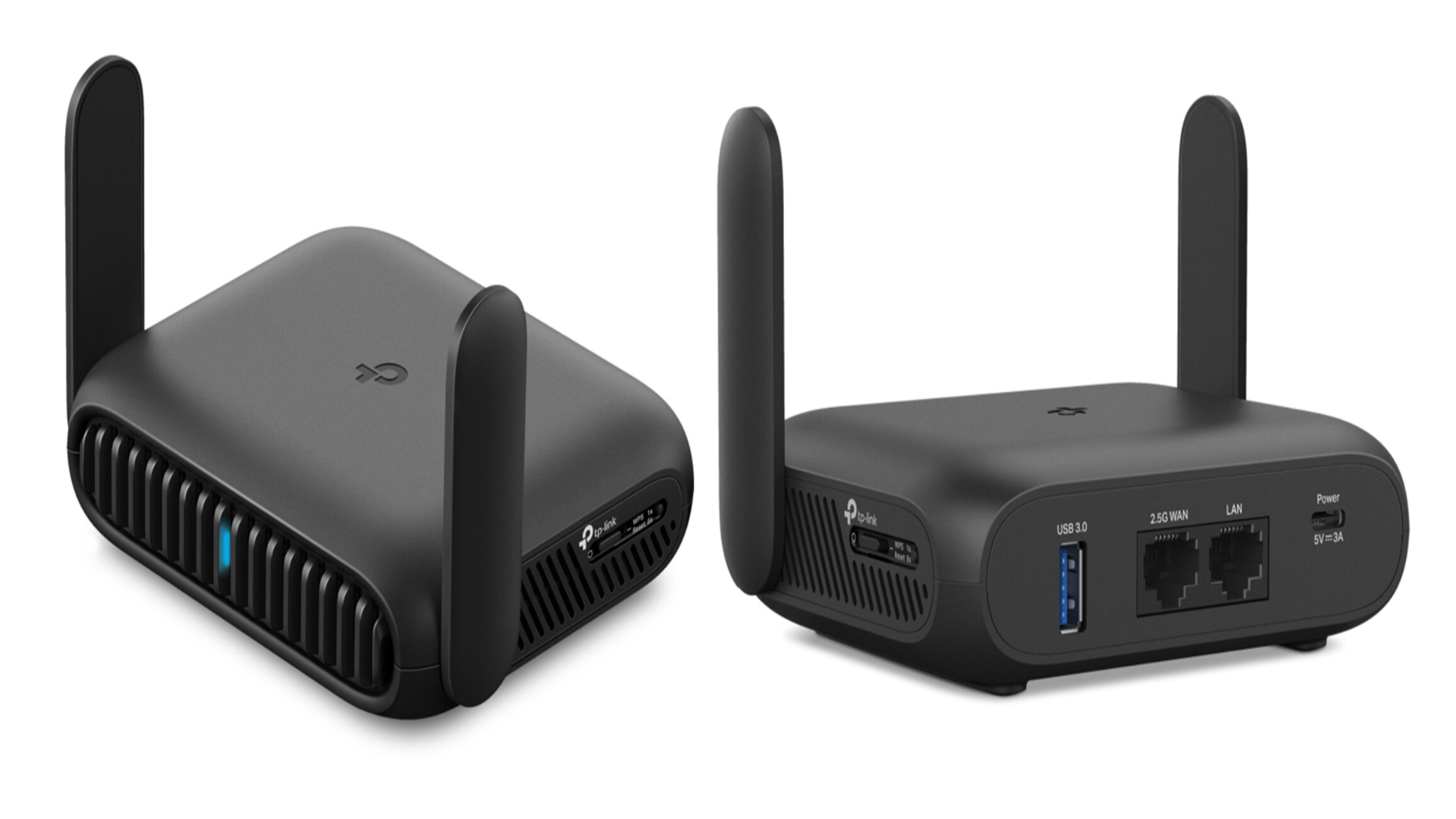
Credit: www.techradar.com
Dual Band Router Basics
A dual band router works by sending signals on two different frequency bands. It provides better performance and flexibility than single band routers. Understanding the basics helps you choose the right router for your needs.
What Is Dual Band Technology
Dual band technology means a router uses two radio frequencies. These are usually 2.4 GHz and 5 GHz bands. Each band sends data to your devices separately. This reduces congestion and interference on the network.
Devices can connect to either band depending on their needs. This helps balance the load and keeps connections stable. Dual band routers support more devices at once without slowing down.
Differences Between 2.4 Ghz And 5 Ghz
The 2.4 GHz band covers a larger area but has slower speeds. It works well through walls and obstacles. The 5 GHz band offers faster speeds but covers a smaller area. It is less crowded and faces less interference.
Choose 2.4 GHz for longer range and simple tasks. Use 5 GHz for gaming, streaming, or fast downloads. Devices that support both bands can switch automatically for the best connection.
Benefits Over Single Band Routers
- Better speed and less interference due to two separate bands.
- More devices can connect without slowing the network.
- Improved signal strength in different parts of the home.
- Flexibility to use the best band for each device.
- Less network congestion during busy times.
How Dual Band Boosts Speed
Dual band routers boost your internet speed by smartly managing how your devices connect and communicate. They use two separate frequency bands—2.4 GHz and 5 GHz—to deliver faster and more reliable wireless signals. This setup helps reduce common speed issues that arise when many devices compete for bandwidth or when interference disrupts your connection.
Reducing Interference
Interference from other wireless devices can slow down your internet. Dual band routers let you switch to the 5 GHz band, which is less crowded than the 2.4 GHz band. This means fewer interruptions and clearer signals.
Think about your home where multiple gadgets like microwaves, baby monitors, and Bluetooth devices operate. If all devices share the same frequency, they clash and cause lag. Using the 5 GHz band avoids this problem, giving you smoother streaming and faster downloads.
Optimizing Bandwidth Usage
Dual band routers distribute your internet traffic between the two bands, making better use of the available bandwidth. This prevents any single band from becoming overloaded and slowing down.
Imagine watching a 4K video on one device while your family members browse social media on others. The router can assign the video streaming to the 5 GHz band for speed, while the 2.4 GHz band handles the lighter tasks. This balance ensures everyone gets the speed they need.
Handling Multiple Devices Efficiently
More devices usually mean slower Wi-Fi, but dual band routers handle multiple connections more effectively. They allow simultaneous connections on both bands, reducing congestion and speeding up your network.
Have you noticed how your Wi-Fi slows down when many devices connect? With a dual band router, your smartphone can use the 5 GHz band, your smart TV the 2.4 GHz, and your laptop can switch between both bands as needed. This flexibility keeps your internet fast even with many devices online.
Smart Features In Dual Band Routers
Dual band routers come packed with smart features designed to optimize your home network without constant tweaking. These features work behind the scenes to ensure your devices connect to the best possible frequency and that your internet experience remains smooth and responsive. Understanding these smart functions can help you make the most of your router and improve your daily online activities.
Band Steering Explained
Band steering automatically directs your devices to the best frequency band, either 2.4 GHz or 5 GHz, based on current network conditions. If your phone supports both bands, the router decides which one offers better speed and less interference. This means you don’t have to switch networks manually when moving around your home.
Imagine streaming a movie on your tablet while your laptop downloads files. Band steering helps keep both tasks running smoothly by spreading the load across bands. Have you noticed less buffering or dropped connections after upgrading your router? That’s band steering at work.
Quality Of Service (qos) Settings
Quality of Service (QoS) allows you to prioritize certain types of internet traffic or devices. Want your video calls to stay clear even when others are gaming or downloading large files? QoS settings make that possible by allocating more bandwidth to important tasks.
Many dual band routers let you customize these settings easily through their apps or web interfaces. You can prioritize your work laptop or streaming devices without affecting the entire network. Have you ever tried adjusting QoS to see how it impacts your connection speed?
Automatic Channel Selection
Routers broadcast on channels within each frequency band, and crowded channels can cause slow speeds and interference. Automatic channel selection scans the environment and chooses the clearest channel for your network. This helps maintain a stable and fast connection without you having to hunt for the best channel manually.
This feature is especially useful in apartment buildings or crowded neighborhoods where many Wi-Fi networks overlap. Have you experienced sudden slowdowns that disappeared after rebooting your router? That’s often the router picking a better channel for you.
Choosing The Right Band For Your Needs
Choosing the right band for your needs in a dual-band router can significantly enhance your internet experience. Each band serves different purposes, and understanding them will help you maximize your connection. Whether you’re streaming a movie or browsing social media, selecting the appropriate frequency can make a big difference in speed and reliability.
When To Use 2.4 Ghz
The 2.4 GHz band is your go-to for broader coverage. It penetrates walls better, making it ideal for larger homes or areas with many obstacles. If you’re doing tasks that don’t require high speed, like checking emails or browsing websites, this band is sufficient.
Picture this: you’re in a cozy corner of your house, far from the router. The 2.4 GHz band will keep you connected without dropping signals. This band is also perfect for older devices that might not support 5 GHz.
When To Use 5 Ghz
The 5 GHz band is all about speed. It offers faster data rates, perfect for streaming HD videos or playing online games. If you’re in the same room as the router, switch to this band for a lag-free experience.
Consider this scenario: you’re hosting a virtual meeting, and you can’t afford glitches. The 5 GHz band ensures your video and audio are crystal clear. Remember, though, it has a shorter range, so proximity to the router is key.
Balancing Range And Speed
Deciding between range and speed can be tricky. Think about your daily internet activities and the layout of your home. A mix of both bands can offer the best of both worlds.
- For devices stationary and near the router, prioritize 5 GHz for speed.
- For mobile devices moving around the house, lean on 2.4 GHz for range.
Ask yourself: do you prioritize uninterrupted streaming or broader coverage? Your answer will guide your choice. By strategically using both bands, you can ensure all your devices run smoothly and efficiently.
Setting Up Your Dual Band Router
Setting up a dual band router is simple and improves your wireless experience. This type of router broadcasts two separate signals: one at 2.4 GHz and another at 5 GHz. These bands help balance speed and range for connected devices.
Proper setup ensures devices connect to the best band available. Here is how to configure your router for optimal use.
Configuring Separate Ssids
Assign different names to each band’s network. This lets you choose which band to connect to.
- Access your router’s settings via its IP address in a browser.
- Find the wireless settings section.
- Set a unique SSID for both 2.4 GHz and 5 GHz bands.
- Save the changes and restart the router if needed.
Separate SSIDs help identify each band easily on your device list.
Enabling Smart Connect Features
Smart Connect lets the router pick the best band for each device automatically.
- Locate the Smart Connect option in your router’s settings.
- Enable this feature to merge both bands under one SSID.
- The router switches devices to the optimal band based on signal strength and speed.
- This setup reduces manual switching and improves network performance.
Security Tips For Dual Band Networks
Secure both bands to protect your home network from threats.
- Use WPA3 or WPA2 encryption for both SSIDs.
- Create strong, unique passwords for each network.
- Disable WPS to prevent easy unauthorized access.
- Regularly update router firmware to fix security flaws.
- Consider enabling a guest network for visitors to keep your main network safe.

Credit: www.expressvpn.com
Troubleshooting Common Issues
Troubleshooting common issues with your dual band router can save you a lot of frustration and improve your internet experience. These routers are designed to handle more devices and reduce interference, but problems still happen. Understanding how to fix them quickly helps keep your connection stable and fast.
Fixing Connection Drops
Connection drops can feel like your internet just disappears for no reason. Start by checking if your router’s firmware is up to date—manufacturers often release fixes for bugs that cause drops.
Another quick fix is to reboot your router. Unplug it for 30 seconds, then plug it back in. This simple reset can clear temporary glitches affecting your connection.
If drops persist, try switching between the 2.4 GHz and 5 GHz bands. Sometimes one band is overloaded or has interference, and the other might offer a more stable link.
Dealing With Interference
Interference is a common cause of slow or unstable Wi-Fi. Your 2.4 GHz band is more prone to interference from microwaves, cordless phones, and even your neighbor’s Wi-Fi.
To combat this, change your router’s channel settings. Many routers allow you to scan for the least crowded channel, which can dramatically reduce interference.
Position your router away from metal objects and appliances. Even small adjustments, like moving it higher or closer to your devices, can lessen interference and improve performance.
Improving Signal Strength
Weak signals cause slow speeds and frustrating delays. Start by placing your router in a central spot in your home, avoiding corners and thick walls.
Consider using Wi-Fi extenders or mesh systems if your home is large or has many rooms. These devices help spread the signal evenly, reaching places your router alone can’t.
Are you using an outdated router antenna? Replacing it with a higher-gain antenna can boost signal strength significantly.
Future Of Dual Band And Wifi Tech
The future of dual band routers and WiFi technology is bright and full of innovation. Networks will become faster, more reliable, and easier to manage. Devices will connect seamlessly with better coverage and less interference. The goal is to provide a smooth online experience for all users.
Advances In Router Hardware
New routers use stronger processors and more memory. This helps them handle many devices at once. Antennas improve to send signals farther and clearer. Energy-efficient designs reduce power use without losing speed. These changes make home and office networks faster and more stable.
Integration With Mesh Networks
Mesh networks use multiple devices to cover large areas. Dual band routers now support mesh systems easily. They share data across bands to avoid slowdowns. This creates a single, strong WiFi network everywhere. No more dead zones or weak signals in big spaces.
Preparing For Wifi 6 And Beyond
WiFi 6 offers faster speeds and better support for many devices. Dual band routers will adopt WiFi 6 standards soon. Future updates may include WiFi 6E and WiFi 7 technology. These will use new frequency bands and smarter signal management. Users can expect smoother streaming, gaming, and browsing.

Credit: stargoldworld.com
Frequently Asked Questions
What Is A Dual Band Router?
A dual band router broadcasts two wireless signals at 2. 4 GHz and 5 GHz. This allows better performance and less interference by separating devices across these frequencies.
How Does A Dual Band Router Improve Wi-fi Speed?
It provides two frequency bands, reducing congestion. Devices on 5 GHz enjoy faster speeds and less interference, enhancing overall Wi-Fi performance.
Can Dual Band Routers Support Multiple Devices Simultaneously?
Yes, dual band routers efficiently handle many devices by balancing connections between 2. 4 GHz and 5 GHz bands, improving network stability.
Is 5 Ghz Band Better Than 2.4 Ghz?
5 GHz offers faster speeds and less interference but shorter range. 2. 4 GHz covers longer distances but is slower and more crowded.
Conclusion
A dual band router offers two frequency bands for better Wi-Fi use. It helps reduce interference and supports more devices at once. You get faster speeds and more stable connections. This makes streaming, browsing, and gaming smoother. Choosing the right band can improve your internet experience a lot.
Understanding how it works helps you make smarter choices. Dual band routers fit well in homes with many gadgets. They keep your network strong and reliable every day.