Are you tired of weak WiFi signals that slow down your browsing or interrupt your streaming? A long range WiFi extender might be the simple solution you need.
But how does it actually work to boost your connection and reach those hard-to-access corners of your home or office? Understanding this can help you make the best choice and enjoy faster, more reliable internet wherever you are. Keep reading, and you’ll discover the smart tricks behind these devices and how they can transform your online experience.
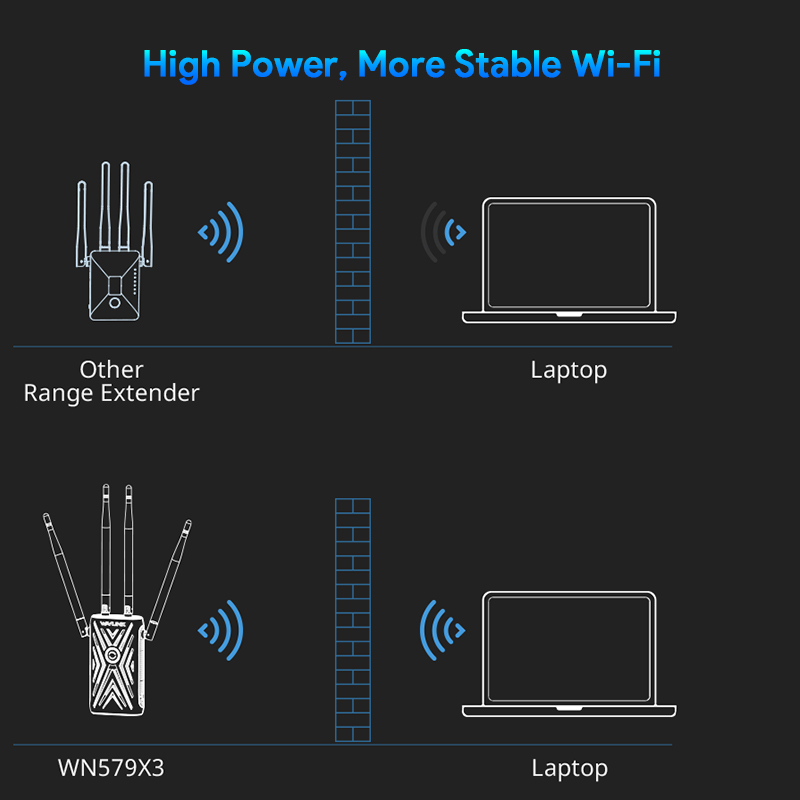
Credit: www.wavlink.com
Basics Of Wifi Signals
Wifi signalsuse radio waves to send data. These signals travel through the air between devices. The strength of the signal affects how well the internet works. The signal can get weaker with distance and obstacles.
Wifi Frequency Bands
There are two main wifi bands: 2.4 GHzand 5 GHz. The 2.4 GHz band covers a larger area but is slower. The 5 GHz band is faster but covers less area. Choosing the right band helps improve wifi speed and range.
Signal Range And Strength
- Signal gets weaker over longer distances.
- Walls and furniture block wifi signals.
- Strong signals give better internet speed.
- Extenders help boost weak signals to reach far areas.
Common Interference Sources
- Microwaves and cordless phones use similar frequencies.
- Other wifi networks nearby cause interference.
- Metal objects and thick walls block signals.
- Interference lowers wifi speed and connection quality.
Types Of Wifi Extenders
Repeaterscatch the WiFi signal from your router. They then send it out again, making the signal reach farther. Repeaters are easy to set up and work well in small areas. But, they can slow down your internet speed a bit.
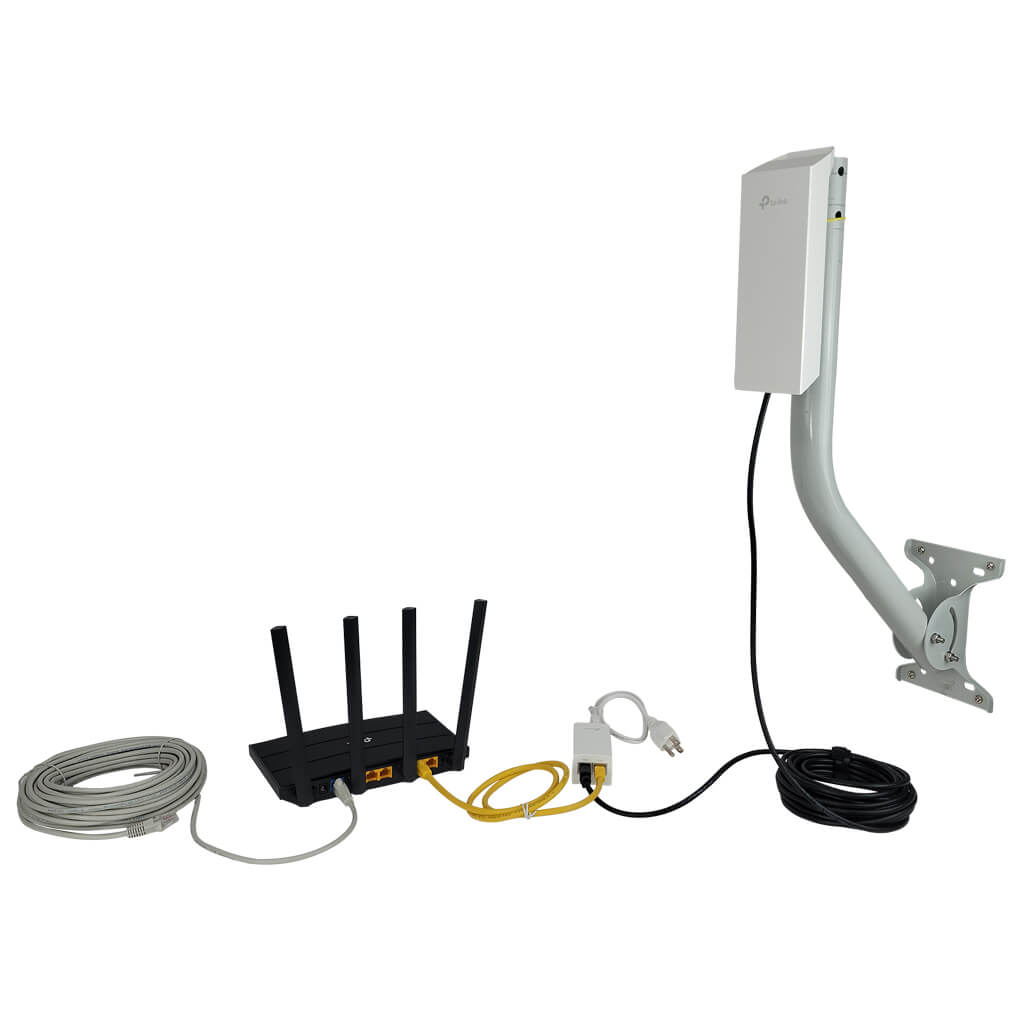
Access Pointsconnect to your router using a cable. They create a new WiFi signal in a different spot. Access points give strong and fast WiFi, good for big homes or offices. You need to run cables, which can take some work.
Mesh Systemsuse many devices called nodes. These nodes talk to each other to cover your whole home with WiFi. Mesh systems are smart and keep your signal strong everywhere. They work well in big spaces and are easy to control with apps.
How Long Range Extenders Differ
Long range wifi extenders use special antennasthat catch signals better. These antennas are bigger or shaped to grab signals from far away.
They also have higher power output. This means they send stronger signals to cover more distance. Strong signals help keep the internet fast and steady.
Advanced signal processing helps remove noise and improve clarity. This makes the wifi connection more stableand less likely to drop. It also helps the extender focus on the best signals.

Credit: news.ccrane.com
Installation And Placement Tips
Choosing the best locationfor a long range wifi extender is key. Place it where the main router’s signal is still strong but near the area needing better coverage. Avoid walls, large metal objects, and thick floors that block signals. Keep the extender away from microwaves and cordless phones which cause interference.
Signal obstacles reduce speed and reliability. Move the extender to open spaces for better signal flow. Avoid placing it inside cabinets or behind furniture. The fewer barriers between the router, extender, and devices, the better the performance.
- Access the extender’s setup page through a web browser.
- Use the setup wizard to connect to your main wifi network.
- Select the correct frequency band (2.4 GHz or 5 GHz) based on your needs.
- Set a simple network name and password for easy device connection.
- Test the connection speed and adjust placement if necessary.
Performance Factors
Bandwidthand speedaffect how well a long range WiFi extender works. Higher bandwidth means more data can travel at once. Speed depends on the extender and the original router. If speed is slow, devices may take longer to load pages or stream videos.
Latencyis the delay before data starts moving. Lower latency means faster response times. It is important for activities like video calls and online games. Extenders can add some latency, so choose one with low delay for better performance.
Device compatibilitymatters. Some extenders work better with certain routers or devices. Check if the extender supports your WiFi type (like 2.4 GHz or 5 GHz). This ensures your devices connect smoothly and fast.
Troubleshooting Common Issues
Connection dropsoften happen due to weak signal strength. Moving the extender closer to the main router helps. Walls and large objects block signals and cause interruptions. Restarting the extender can reset connections. Check if the extender firmware is up to date for better stability.
Slow speedsmay occur if many devices connect at once. Distance from the extender also affects speed. Using a wired connection for some devices can improve performance. Make sure the extender supports the same WiFi standard as your router for faster data transfer.
Signal interferencecomes from other wireless devices like microwaves and cordless phones. Changing the WiFi channel reduces interference. Place the extender away from devices that cause noise. Using the 5 GHz band can avoid crowded 2.4 GHz frequencies.
Future Trends In Wifi Extenders
Wi-Fi 6brings faster speeds and better connections for many devices. It helps extenders work well in busy homes with many gadgets. This new tech uses less energy and can send data to many devices at once. This means fewer slowdowns and stronger signals.
Smart extenders can learn your home’s layout and adjust signals automatically. They can connect to your phone app for easy control. Some models can switch between bands to keep your devices fast.
Integration with IoT deviceslets extenders talk to smart home gadgets. This creates a smoother experience. Lights, cameras, and sensors work better when connected through a smart extender.
Credit: simplewifi.com
Frequently Asked Questions
What Is A Long Range Wifi Extender?
A long range WiFi extender amplifies your router’s signal, allowing it to cover larger areas. It captures existing WiFi signals and rebroadcasts them, enhancing connectivity in distant rooms or outdoor spaces. This device is ideal for eliminating dead zones and ensuring seamless internet access throughout your home or office.
How Does A Wifi Extender Boost Signal?
A WiFi extender boosts signal by receiving your router’s WiFi and transmitting it further. It effectively doubles your WiFi coverage area, ensuring stronger signals in hard-to-reach spots. This process helps maintain stable internet connections for devices located far from the router.
Can A Wifi Extender Improve Internet Speed?
A WiFi extender can improve internet access but not increase your internet speed. It enhances coverage, reducing dead zones and maintaining consistent speeds. The extender ensures devices receive a strong signal, optimizing the available speed from your internet plan.
Is Installation Of Wifi Extender Easy?
Yes, installing a WiFi extender is generally easy and user-friendly. Most extenders come with simple setup instructions, often involving plugging in and connecting to your network. Some models offer one-touch setup via WPS buttons, making the process quick and hassle-free.
Conclusion
A long range WiFi extender boosts your signal to reach far places. It picks up your router’s signal and sends it further. This helps reduce dead zones in your home or office. Setting one up is usually quick and easy.
It makes internet access more reliable for all your devices. Choosing the right extender depends on your space and needs. Now, you can enjoy stronger WiFi in every corner. No more weak signals or slow connections. A WiFi extender keeps you connected, wherever you are.