Have you ever struggled with slow or unreliable Wi-Fi while traveling? A travel router might be the simple gadget you need to stay connected no matter where you are.
But how does a travel router work, and can it really improve your internet experience on the go? You’ll discover exactly what makes these devices so handy, how they keep your connection strong, and why they could be a game-changer for your next trip.
Keep reading to find out how to turn any Wi-Fi spot into your personal hotspot.
What Is A Travel Router
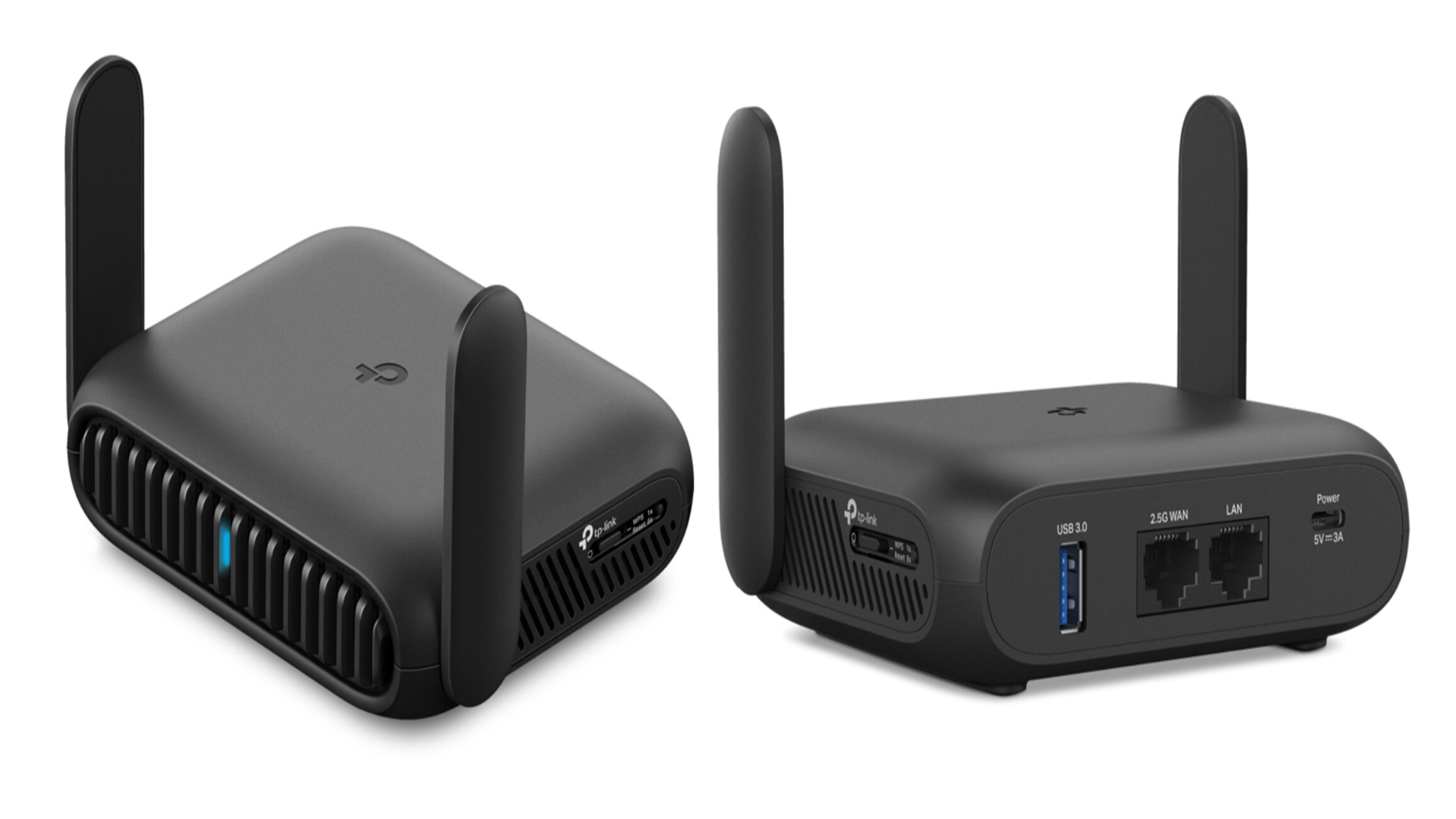
A travel router is a small, portable device designed to create a private Wi-Fi network wherever you go. It takes an existing internet connection—whether from a hotel Ethernet port, public Wi-Fi, or mobile hotspot—and turns it into a secure and reliable wireless network just for you. This means you can connect multiple devices safely without worrying about security risks on public networks.
Imagine arriving at a hotel with slow, unreliable Wi-Fi. Plugging in a travel router can instantly improve your connection, giving you better control over your internet experience. Have you ever struggled with weak signals or limited device connections while traveling? A travel router can solve those problems efficiently.
What Does A Travel Router Do?
A travel router acts like a middleman between the internet source and your devices. It receives internet data from an Ethernet cable or an existing Wi-Fi network, then redistributes it as a new Wi-Fi signal you control. This allows you to connect multiple devices such as phones, laptops, and tablets securely.
Key Features Of A Travel Router
- Portability:Small and lightweight for easy packing.
- Multiple Connection Options:Supports Ethernet, Wi-Fi, and sometimes USB tethering.
- Security:Offers encryption and password protection to keep your data safe.
- Easy Setup:Usually requires just a few clicks or taps to get started.
Why Use A Travel Router Instead Of Direct Wi-fi?
Using public Wi-Fi directly can expose your devices to hackers and data theft. A travel router creates a private network, adding a layer of security. It also improves connection stability and lets you connect more devices than a typical hotel Wi-Fi allows.
Have you ever wished for a better internet experience while traveling? A travel router might be the practical solution you need for seamless connectivity everywhere.
Credit: www.techradar.com
Types Of Travel Routers
Travel routers come in different types to suit various travel needs. Each type offers unique features and advantages. Choosing the right one depends on how and where you plan to use it.
Understanding the types helps you pick the best travel router for your trips.
Portable Routers
Portable routers are small and easy to carry. They fit in your bag or pocket without any trouble. These routers create a personal Wi-Fi network using hotel or public internet. They help connect multiple devices safely on the go.
Many models support fast Wi-Fi speeds and simple setup. Ideal for travelers needing reliable internet access wherever they stay.
Battery-powered Models
Battery-powered travel routers work without needing a power outlet. They have built-in batteries that last several hours. Great for outdoor trips or places with limited electricity.
These routers offer freedom and flexibility. You can use them on trains, planes, or remote areas. Some models allow charging phones or tablets as a bonus feature.
Wired Vs Wireless Options
Travel routers come with wired or wireless connection choices. Wired routers use an Ethernet cable to connect to the internet. They provide a stable and fast network, especially in hotels.
Wireless routers connect directly to Wi-Fi networks. They are more flexible but may have slower speeds. Some routers combine both options for better versatility.
Selecting wired or wireless depends on your travel environment and device needs.
Key Features To Look For
When choosing a travel router, understanding its key features can significantly enhance your travel experience. Whether you’re working remotely from a beachside café or streaming your favorite show from a mountain cabin, a well-equipped travel router can keep you connected and secure. Let’s dive into the essential features you should prioritize.
Security Protocols
One of the most critical aspects of a travel router is its security protocols. You want to ensure that your data is protected, especially when connecting to public Wi-Fi networks. Look for routers that support WPA3 encryption, which offers enhanced security over older standards.
Consider routers with built-in VPN support. This can further safeguard your internet traffic from prying eyes. After all, who wants to risk sensitive information being intercepted?
Speed And Range
A travel router’s speed and range can make or break your online experience. Fast speeds ensure smooth video calls and streaming without those annoying buffering moments. Look for routers that support dual-band Wi-Fi (2.4GHz and 5GHz) to maximize speed and minimize interference.
Think about the range too. A router with a strong signal can cover larger areas, so you won’t be tethered to one spot. Imagine lounging by the pool while still having a solid connection!
Multiple Device Support
Traveling often means juggling multiple devices, from phones to laptops to tablets. A good travel router should seamlessly support multiple devices without a hitch. Check the specifications for how many devices it can handle simultaneously.
For families or group travel, this feature is non-negotiable. Everyone can stay connected without fighting for bandwidth, keeping the peace and ensuring everyone enjoys their online activities.
Next time you pack your bags, make sure your travel router is ready to meet all your needs. Which feature do you think is most important for your next adventure?
Credit: www.eiotclub.com
How Travel Routers Connect
Travel routers connect to the internet in different ways. They create a private network for your devices. This lets you use multiple devices on a single internet source. The connection is safer and more reliable than using public Wi-Fi alone.
Using Public Wi-fi
Travel routers can join public Wi-Fi networks. They connect to hotel or airport Wi-Fi. Then, they share the internet with your devices. This helps protect your data. The router creates a secure network inside the public one. Your devices stay safer from hackers and snoopers.
Sharing Wired Connections
Some travel routers have Ethernet ports. You can plug them into wired internet sources. This works in hotel rooms with Ethernet cables. The router converts the wired connection to Wi-Fi. Then, it shares the internet wirelessly to your devices. This method often gives faster speeds and stable connections.
Creating Personal Hotspots
Travel routers can turn a mobile SIM card into Wi-Fi. They use cellular data to create a personal hotspot. This is useful in places without Wi-Fi or Ethernet. The router shares the mobile internet with all your devices. It helps save phone battery and improves signal strength.
Setting Up A Travel Router
Setting up a travel router is simple and fast. It allows you to create a private Wi-Fi network anywhere. This section explains how to configure your device for the best experience. Follow these steps to connect your gadgets and fix common problems.
Initial Configuration
Start by plugging in your travel router. Connect it to power using the included adapter or USB cable. Use a computer or smartphone to access the router’s setup page. Usually, this is done by typing an IP address like 192.168.0.1 into your browser.
Login with the default username and password found in the manual. Change the network name (SSID) and password to something easy to remember. Set the router mode to suit your needs, such as “Access Point” or “Repeater.” Save your settings and restart the device.
Connecting Devices
After configuration, connect your phone, laptop, or tablet to the new Wi-Fi network. Look for the network name you set earlier. Enter the password to join. The travel router can support multiple devices at once, perfect for travel groups.
Check the signal strength on each device. Move closer to the router for better connection. Use the travel router’s app or admin page to monitor connected devices and network status.
Troubleshooting Common Issues
Sometimes, devices may not connect or internet speed drops. Restart the travel router and your devices first. Confirm the settings and password are correct. Make sure the router firmware is up to date.
If the network is slow, reduce the number of connected devices. Move the router to a more open space. Avoid physical obstructions like walls or metal objects. Reset the router to factory settings if problems persist.

Credit: www.zdnet.com
Benefits Of Using A Travel Router
Using a travel router brings several advantages that can transform how you stay connected during your trips. It’s not just about having internet access; it’s about securing your data, improving your connection quality, and making your travel experience smoother. Let’s look at some key benefits that make a travel router a smart travel companion.
Enhanced Security
Public Wi-Fi networks are often vulnerable to hacking and data theft. A travel router creates a private network, protecting your devices from potential threats. You control the security settings, like setting strong passwords and enabling encryption, which keeps your personal information safe.
Have you ever worried about someone snooping on your browsing in a hotel lobby? A travel router stops that risk by isolating your connection. This is especially useful when handling sensitive tasks like online banking or work emails.
Improved Connectivity
Travel routers can boost your internet signal by connecting to available Wi-Fi or mobile hotspots and then sharing a stronger, more stable connection with your devices. This means fewer interruptions and faster speeds, even in places with weak signals.
Imagine trying to stream a video or join a video call without constant buffering. A travel router helps avoid these issues by managing and optimizing your internet connection for multiple devices simultaneously. It also reduces network congestion by distributing bandwidth efficiently.
Convenience On The Go
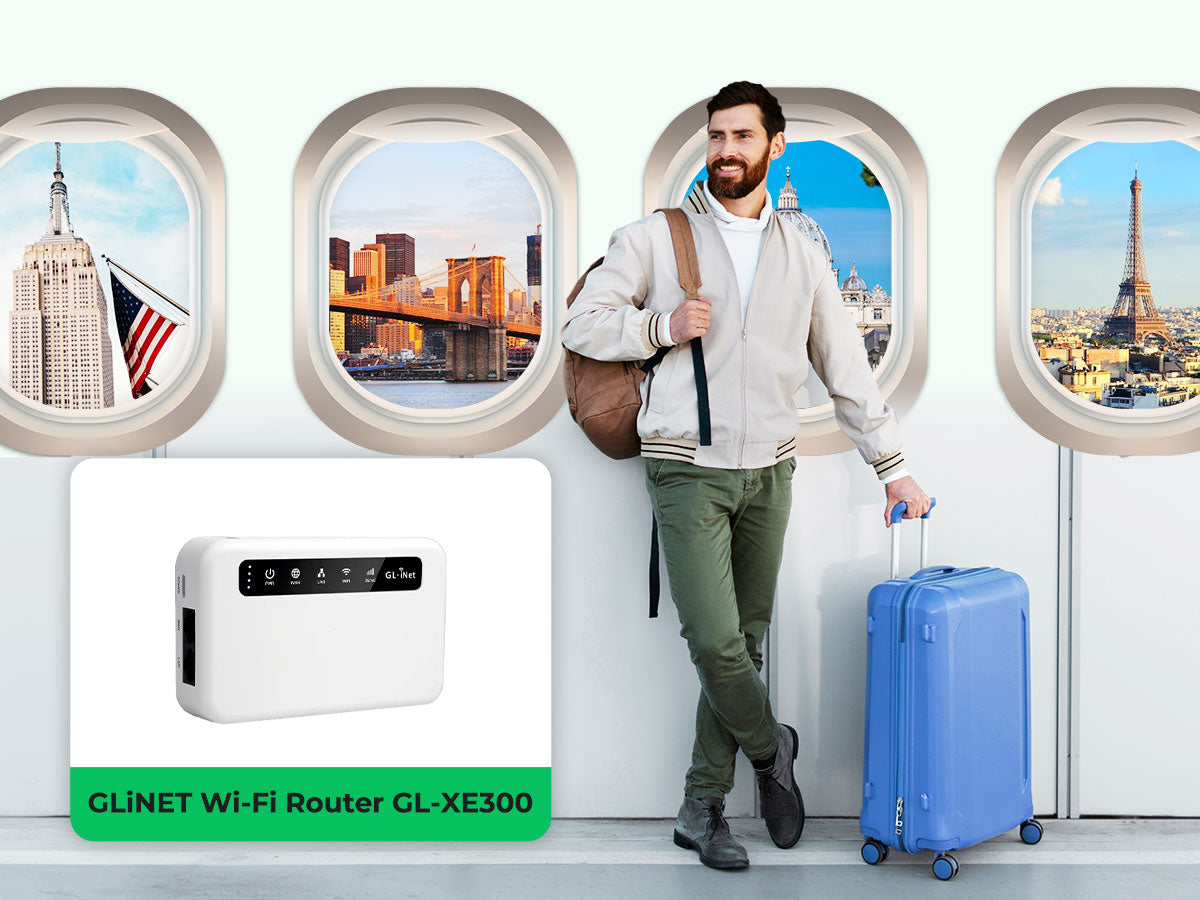
Travel routers are compact and easy to carry, fitting right into your backpack or carry-on. Setting one up takes just minutes, allowing you to create your own secure network wherever you are.
Think about the hassle of repeatedly connecting each device to a different Wi-Fi network. With a travel router, you connect once, and all your gadgets access the internet through it automatically. This simplifies your digital life and saves time during your travels.
Popular Travel Router Brands
Choosing the right travel router can significantly improve your connectivity on the go. Popular travel router brands have developed models that cater to different needs, from basic browsing to securing sensitive data. Understanding what these brands offer helps you pick a device that matches your travel style and tech requirements.
Top Models Reviewed
TP-Link’s TL-WR902ACstands out for its compact size and dual-band Wi-Fi, making it ideal for frequent flyers who need reliable internet in hotels or airports.
GL.iNet’s GL-AR750S Slateoffers advanced VPN support and multiple connection modes, perfect if you prioritize security and flexibility.
Netgear’s Nighthawk M1combines a travel router with a mobile hotspot, giving you fast 4G LTE speeds wherever you go. This is a great pick for remote workers or digital nomads.
These models highlight how features vary to suit different travel demands. What features matter most to you when selecting a travel router?
Budget Vs Premium Choices
Budget travel routers often focus on essential functions like Wi-Fi sharing and basic security. Brands like TP-Link offer affordable options that cover these needs without extra frills.
Premium models, such as those from GL.iNet or Netgear, include advanced security features, faster speeds, and better build quality. You pay more, but you gain peace of mind and enhanced performance.
If you mostly check emails and browse, a budget router might be enough. But if you handle sensitive work or stream high-quality media, investing in a premium device can save you frustration.
Which side do you lean towards: saving money or investing in superior tech? Understanding your priorities makes this decision clearer.
Tips For Staying Connected Abroad
Staying connected while traveling abroad can be challenging, but having the right approach makes all the difference. A travel router helps, but knowing how to manage your connection effectively is key to avoiding frustrations. Here are some practical tips to keep your internet reliable, safe, and fast wherever you go.
Managing Data Usage
Your data plan might be limited, so keeping an eye on usage saves you from unexpected charges. Set data limits on your devices or use apps that track consumption in real time. Turn off automatic updates and background app refresh to prevent apps from eating up your data without you noticing.
Think about what you really need online. Streaming videos or downloading large files can quickly drain your data. Instead, download maps or entertainment before you leave your hotel Wi-Fi.
Avoiding Security Risks
Public Wi-Fi networks abroad are often unsecured, putting your personal information at risk. Your travel router creates a private network that adds a layer of protection, but you should still use a VPN for sensitive activities like banking or emailing. Never access accounts with weak or reused passwords on public networks.
Be cautious about connecting to networks with suspicious names or no password. Always keep your router’s firmware updated to patch security vulnerabilities. Have you checked your router’s security settings today?
Optimizing Signal Strength
Where you place your travel router affects how strong your connection will be. Keep it in a central location, away from thick walls or metal objects that block signals. Elevate the router if possible; a higher position often means a better signal.
Sometimes, moving closer to the hotel’s main Wi-Fi source improves speed. If your router supports it, switch between 2.4 GHz and 5 GHz bands depending on your distance from the access point. Have you tested both bands to see which works best?
Frequently Asked Questions
What Is A Travel Router And Why Use It?
A travel router creates a private Wi-Fi network using public or wired internet. It improves security and connectivity during travel. It allows multiple devices to share one internet source efficiently and safely.
How Does A Travel Router Connect To The Internet?
A travel router connects via Ethernet cable, Wi-Fi hotspot, or cellular networks. It then broadcasts its own Wi-Fi signal for your devices. This setup helps you stay connected in hotels, airports, or cafes.
Can Travel Routers Improve Wi-fi Security?
Yes, travel routers enhance security by encrypting your internet traffic. They protect your data from hackers on public networks. This adds a crucial layer of safety when using unsecured Wi-Fi.
How Many Devices Can A Travel Router Support?
Most travel routers support 5 to 20 devices simultaneously. The exact number depends on the router model and network conditions. This capability is ideal for sharing internet with family or colleagues.
Conclusion
A travel router helps you share internet on the go. It connects to Wi-Fi or wired networks easily. Then, it creates a private network for your devices. This keeps your connection safer and more stable. Small and portable, it fits in any bag.
Travelers can enjoy fast internet in hotels or cafes. Understanding how it works makes travel more convenient. Now, you know why many people choose travel routers. They bring comfort and ease to your trips. Simple technology with big benefits.