Is your budget router struggling to keep up with your WiFi needs? Slow speeds and weak signals can be frustrating, especially when you rely on the internet for work, streaming, or gaming.
But what if you could boost your WiFi without spending a fortune on new equipment? You’ll discover simple, effective tricks to get stronger, faster WiFi right now. Keep reading—your connection is about to get a serious upgrade.
Optimize Router Placement
Optimizing your router’s placement can improve WiFi signal strength and coverage. Small changes in location can make a big difference. Focus on placing the router where the signal spreads evenly across your space. This helps devices connect faster and more reliably.
Choose Central Location
Place the router near the center of your home. This helps the signal reach all rooms equally. Avoid corners or edges of the house. A central spot reduces dead zones and weak signals in distant areas.
Avoid Obstacles And Interference
Keep the router away from thick walls, metal objects, and large furniture. These block or weaken the WiFi signal. Also, avoid placing the router near microwaves, cordless phones, or baby monitors. These devices cause interference and slow down your connection.
Elevate The Router
Position the router above ground level, like on a shelf or table. Signals travel better from higher points. Avoid placing it on the floor or inside cabinets. Elevation helps the signal move freely and reach your devices with less obstruction.
Update Firmware Regularly
Keeping your router’s firmware up to date is a simple way to improve your WiFi. Firmware controls how your router works. Updates fix bugs and add new features. These changes can boost your router’s speed and security. Regular updates help your budget router run better and last longer.
Check For Updates
Access your router’s settings through a web browser. Enter the router’s IP address, usually 192.168.1.1 or 192.168.0.1. Login with your username and password. Look for a section called “Firmware Update” or “Router Upgrade.” The router will check if new firmware is available. Follow instructions to download and install updates.
Set a reminder to check for updates every few months. Some routers offer automatic updates. Enable this feature if possible. Keeping firmware current prevents performance issues and security risks.
Benefits Of Firmware Upgrades
- Fix bugs that slow down your WiFi connection.
- Improve router stability and reduce crashes.
- Enhance security by patching vulnerabilities.
- Add new features and settings for better control.
- Improve compatibility with new devices.
Updated firmware makes your router work smarter. It can increase signal strength and reduce interference. This leads to faster, more reliable WiFi on a budget router.
Change Wifi Channel
Changing your WiFi channel can significantly improve your connection speed and reduce interference, especially on budget routers. Many routers default to the same channels, causing congestion and slower performance. By switching to a less crowded channel, you can enjoy a smoother online experience without spending extra money on new hardware.
Identify Less Crowded Channels
To find the best channel, start by checking which ones are least used in your area. Channels 1, 6, and 11 are popular on the 2.4 GHz band, but if all your neighbors use them, interference will be high. Try picking a channel with fewer devices around—it can make a big difference in speed and reliability.
One time, I switched from channel 6 to 11 after noticing slow downloads during peak hours. The improvement was immediate, with fewer dropouts and faster loading times. What patterns do you notice when your WiFi slows down? That could guide you to the right channel.
Use Channel Scanning Tools
Channel scanning tools make it easy to see which channels are crowded. Apps like WiFi Analyzer (Android) or NetSpot (Windows/Mac) display nearby networks and their channels in real time. These tools help you pick a channel with minimal overlap, optimizing your router’s performance.
After scanning, adjust your router settings to the chosen channel through the admin panel. If your router has an auto channel feature, test it against manual selection using these tools. Sometimes, manual choice outperforms automatic settings, especially in busy environments.

Credit: nerdalert.com
Limit Connected Devices
Limiting the number of devices connected to your budget router can greatly improve WiFi speed and stability. Each device uses some of the router’s bandwidth. Too many devices cause slow internet and weak connections. Reducing connected devices frees up bandwidth and boosts overall performance.
Prioritize Important Devices
Not all devices need the same internet speed. Focus on essential devices like work laptops, smartphones, or streaming players. Disconnect or limit less important gadgets like smart home devices or guest phones. This prioritization ensures critical devices get better WiFi quality.
Manage Bandwidth Usage
Some devices use more data than others. Streaming videos, online games, and large downloads consume high bandwidth. Limit these activities on less important devices during peak hours. Set rules to restrict heavy usage on certain devices to keep your network fast and stable.
Use Wifi Extenders Or Mesh
Boosting the WiFi signal on a budget router can be challenging, but using WiFi extenders or mesh systems offers a practical solution. These devices enhance your network’s reach, ensuring every corner of your home enjoys a stable connection. Whether you’re streaming a movie in the living room or working from a home office, extending your WiFi can make a noticeable difference.
Affordable Range Extenders
Range extenders are a cost-effective way to enhance your WiFi signal. They work by capturing the existing WiFi signal and rebroadcasting it to reach further areas. This can be particularly useful if you have a dead spot in your home where the signal struggles to reach.
Look for extenders that are easy to set up and compatible with your router. Many affordable options offer simple plug-and-play functionality, letting you boost your signal without a complicated setup. Brands like TP-Link and Netgear offer reliable models that won’t break the bank.
Basic Mesh Systems
If you’re looking for a more seamless solution, consider investing in a basic mesh system. Mesh systems consist of multiple nodes that work together to cover your home in WiFi, providing a unified network. This eliminates the need to switch networks as you move around the house.
Basic mesh systems like Google’s Nest WiFi or Eero’s entry-level models offer excellent coverage at a reasonable price. They are particularly useful in larger homes or spaces with challenging layouts. Setup is usually straightforward, guided by easy-to-use mobile apps, making them accessible even to tech novices.
Have you tried using an extender or mesh system in your home? Consider your needs and budget, and you might find that a small investment can greatly improve your internet experience.
Credit: www.news18.com
Adjust Router Settings
Adjusting your router settings can significantly improve your WiFi performance without costing a dime. Many budget routers have features that are turned off by default, but enabling them can make a noticeable difference in speed and reliability.
Changing a few key settings is easy and often overlooked. You don’t need to be a tech expert to optimize your connection right from your router’s dashboard.
Enable Qos Features
Quality of Service (QoS) controls how your router prioritizes traffic. It lets you give higher priority to activities like video calls or gaming while limiting less important tasks, such as background downloads.
Enabling QoS can reduce lag and buffering during critical moments. I noticed my video calls became much smoother once I set my router to prioritize them over automatic updates running in the background.
- Log in to your router’s admin panel (usually via a web browser).
- Find the QoS settings—often under “Advanced” or “Traffic Management.”
- Enable QoS and set priority levels for your devices or activities.
Would you want your streaming to pause because someone else is downloading large files? QoS helps you avoid that frustration.
Switch Between 2.4ghz And 5ghz Bands
Budget routers often broadcast on two frequency bands: 2.4GHz and 5GHz. Each has strengths and weaknesses depending on your environment and device needs.
The 2.4GHz band offers longer range but slower speeds and more interference. The 5GHz band provides faster speeds with less interference but covers a smaller area.
- Check your router’s wireless settings to see both bands.
- Try connecting your device to 5GHz if you’re close to the router for faster speeds.
- Switch to 2.4GHz if you’re far away or through walls for better coverage.
Switching bands based on where you use your device can improve your WiFi without buying new gear. Have you tested which band works better in different parts of your home?
Secure Your Network
Securing your WiFi network is crucial for better performance and safety. A protected network prevents unauthorized access. It helps keep your data private and your internet fast. Budget routers often lack advanced security features. Simple steps can make your network much safer.
Set Strong Passwords
Choose a password that is hard to guess. Use a mix of letters, numbers, and symbols. Avoid common words or simple patterns. Change the default password set by your router. Update your password regularly to keep your network safe. A strong password limits unwanted users from connecting.
Disable Guest Networks When Not Needed
Guest networks allow visitors to use your internet. They keep your main network safer by separating traffic. Turn off guest networks if no visitors need access. This reduces the chance of hackers entering your system. Check your router settings to disable guest networks easily.
Upgrade Antennas
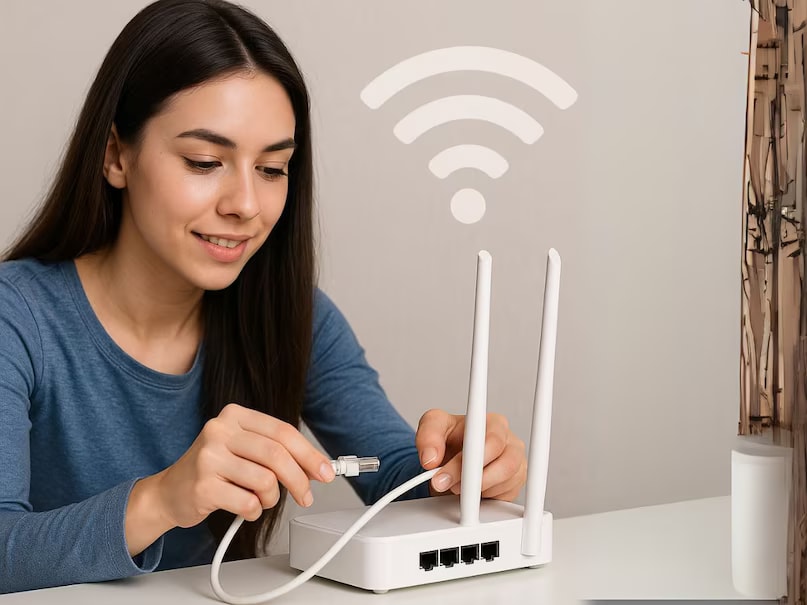
Swapping your router’s antennas with stronger ones can improve WiFi range and signal strength. This simple upgrade fits most budget routers and boosts connection quality. Better antennas help reduce dead spots and provide more stable internet throughout your space.
Boosting your Wi-Fi signal can often feel like a daunting task, especially if you’re working with a budget router. However, upgrading the antennas can provide a significant improvement without breaking the bank. Antennas play a crucial role in determining the strength and reach of your Wi-Fi signal. By optimizing them, you can enjoy faster speeds and a more reliable connection.Choose Compatible High-gain Antennas
When considering an upgrade, it’s vital to select antennas that are compatible with your router model. High-gain antennas are designed to enhance the signal strength and extend the coverage area. They are available in various dBi ratings, which measure the antenna’s power. For example, if your current antenna is 2 dBi, upgrading to a 5 dBi or higher can make a noticeable difference. Make sure to research the specifications of your router before purchasing. Not all routers support external antennas. If you’re unsure, check the manufacturer’s website or user manual for guidance.Diy Antenna Boosters
If you’re feeling crafty and adventurous, creating a DIY antenna booster could be your next weekend project. Household items like aluminum foil or a soda can can be repurposed to amplify your Wi-Fi signal. This method is not only cost-effective but also surprisingly effective. Simply form the foil or can into a parabolic shape and position it behind the antenna. This DIY hack helps to focus the signal in a specific direction, improving the coverage in that area. It’s a great temporary fix while you consider other upgrades. Have you ever tried boosting your Wi-Fi signal with a DIY solution? Share your experiences in the comments below!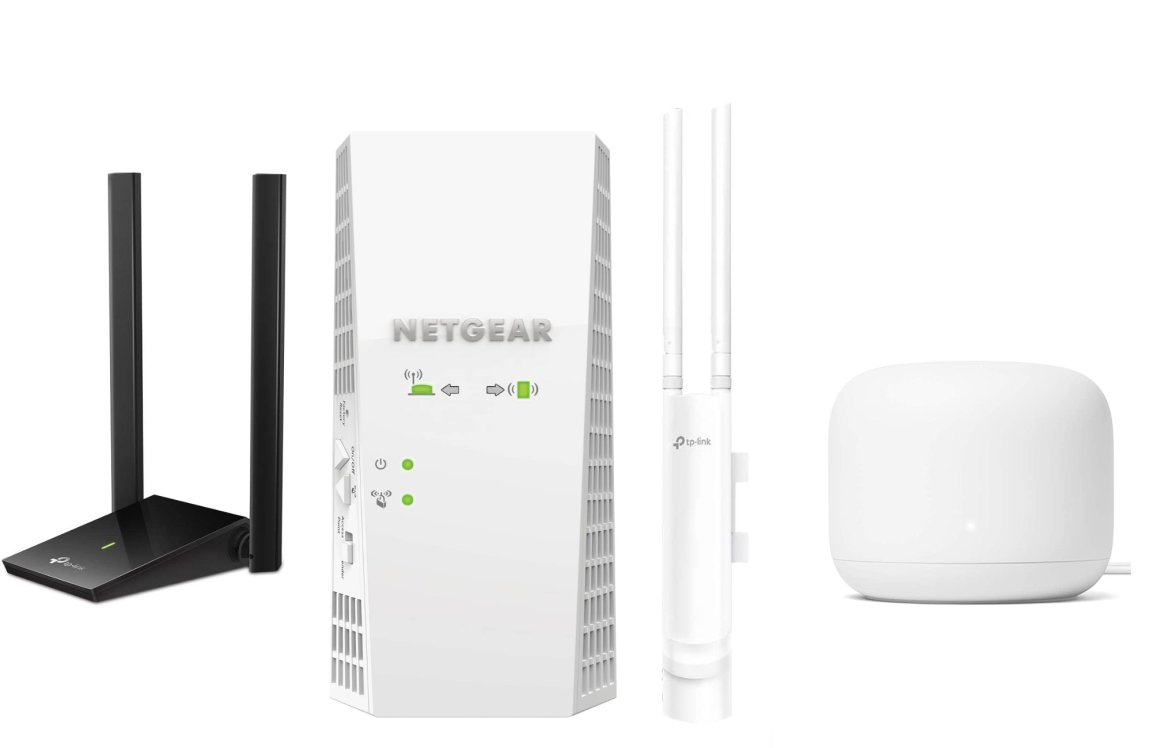
Credit: www.popsci.com
Frequently Asked Questions
How Can I Improve Wifi On A Budget Router?
Place the router centrally and away from obstacles. Update its firmware regularly. Adjust antenna position for better coverage. Use 2. 4 GHz band for longer range and reduce connected devices.
Does Changing Router Antennas Boost Wifi Signal?
Yes, upgrading to high-gain antennas can enhance signal strength. They focus the WiFi signal better, improving range and stability, especially in larger spaces.
Can Wifi Extenders Help Budget Routers?
WiFi extenders amplify your existing signal, expanding coverage. They are cost-effective and easy to set up, ideal for budget routers with limited range.
Is Router Firmware Update Important For Wifi Speed?
Absolutely. Firmware updates fix bugs and optimize performance. Keeping your router updated ensures better speed, security, and overall WiFi reliability.
Conclusion
Boosting WiFi on a budget router is simple and effective. Small changes can improve your signal and speed. Try moving your router to a central spot in your home. Keep it away from walls and other electronics. Changing the channel can reduce interference.
Using a WiFi extender helps cover dead zones. Regularly updating your router’s firmware keeps it working well. These easy steps make a big difference without extra cost. Enjoy better internet without buying new equipment. Better WiFi is possible, even on a budget.