Is your portable router running out of juice when you need it most? Knowing how to check the battery of your portable router can save you from unexpected interruptions and keep you connected wherever you go.
You’ll discover simple, effective ways to monitor your router’s battery health and ensure it’s always ready to power your internet needs. Keep reading to learn how to take control of your device’s battery life and avoid those frustrating moments of sudden disconnection.

Credit: shop.dlink.com.sg
Signs Of Battery Wear
Battery wear is common in portable routers after frequent use. It affects device performance and user experience. Identifying signs of battery wear helps prevent sudden shutdowns and keeps the router reliable. Watch for these key symptoms to check the health of your router’s battery.
Reduced Usage Time
One clear sign of battery wear is shorter usage time. The router may drain faster than before. Even with a full charge, it won’t last as long. This means the battery capacity has decreased. Expect to recharge more often and plan accordingly.
Slow Charging Issues
The battery may take longer to reach full charge. Charging might stop at a lower percentage than usual. This indicates the battery struggles to hold power. Slow charging also signals internal battery damage. Pay attention if the router charges unusually slow.
Overheating Symptoms
Overheating is a serious sign of battery wear. The router feels hot during use or charging. Excess heat can damage internal components and the battery itself. Continuous overheating may shorten battery life further. Avoid using the router if it becomes too hot.
Methods To Check Battery Health
Knowing how to check the battery health of your portable router can save you from unexpected downtime and keep your connection reliable. Battery performance can decline over time, affecting your router’s usability. Let’s look at practical ways you can monitor the battery status effectively.
Using Built-in Router Tools
Many portable routers come with built-in software that shows battery status. You can usually access this by logging into the router’s web interface or using its official mobile app. These tools often display battery percentage, estimated runtime, and sometimes even battery health indicators.
Checking the battery through the router interface is quick and doesn’t require extra apps. Have you ever noticed your router’s battery icon suddenly dropping faster than usual? That’s a sign to check these built-in tools regularly.
Third-party Battery Apps
If your router supports it, third-party battery monitoring apps can provide deeper insights. These apps often offer detailed graphs of battery usage, temperature monitoring, and alerts for abnormal battery behavior. Make sure the app you choose is compatible with your router’s model and firmware.
Using third-party apps can feel like having a personal battery expert in your pocket. However, not all routers support this option, so it’s worth verifying before downloading. Have you checked if your router works with these apps yet?
Physical Inspection Tips
Battery health isn’t only about software readings; physical signs matter too. Look for swelling, corrosion on the battery contacts, or any leakage around the battery compartment. These issues often indicate a failing battery that needs replacement.
Regularly cleaning the contacts and ensuring the battery fits snugly can prevent performance drops. If your router’s battery life suddenly shortens, a physical inspection can reveal hidden problems that software tools might miss. When was the last time you physically checked your router’s battery?
Steps To Maximize Battery Life
Maximizing the battery life of your portable router helps keep your device running longer. Efficient battery use means fewer charges and more reliable internet access. Small changes in how you use and care for your router can make a big difference. Follow these steps to extend your router’s battery life effectively.
Optimizing Router Settings
Adjust your router settings to reduce power use. Lower the screen brightness or turn it off if possible. Disable unused features like GPS or Bluetooth. Set the Wi-Fi signal to a lower strength if you do not need full coverage. Limit the number of connected devices to reduce battery drain. Use power-saving modes if your router offers them.
Proper Charging Habits
Charge the battery fully but avoid overcharging. Unplug the router once it reaches 100%. Use the original charger or one with the correct voltage. Avoid charging from low-quality power sources. Charge the device regularly instead of letting the battery drop to zero. Store the router with a partial charge if not used for long periods.
Avoiding Extreme Temperatures
Keep the router away from heat sources like direct sunlight or heaters. Avoid using or storing the device in very cold places. Extreme temperatures can damage the battery and reduce its capacity. Store the router in a cool, dry place. Use protective cases to shield the device from temperature changes. Monitor battery health if the router faces harsh environments often.
When To Replace Your Battery
Your portable router is a key tool for staying connected on the go. But like any device, its battery won’t last forever. Recognizing the right moment to replace your router’s battery is crucial for maintaining uninterrupted connectivity. Understanding the signs of a failing battery, choosing the right replacement, and disposing of the old one safely can make a significant difference in your device’s longevity and performance.
Signs Replacement Is Needed
Is your router not holding a charge like it used to? This could be a telltale sign that the battery needs replacing. Frequent overheating, unexpected shutdowns, and a swollen battery are red flags. If you find yourself charging the device more often than usual, it’s probably time for a new battery.
Another indicator is the device’s performance. A sluggish connection can sometimes be traced back to a failing battery. Have you noticed any of these signs recently?
Choosing The Right Battery
Selecting the right battery can be a bit daunting with so many options available. Always check the specifications of your portable router. Ensure compatibility with voltage and capacity ratings.
Opt for batteries from reputable brands to avoid quality issues. Reading reviews and checking ratings can be an excellent way to gauge reliability. Have you considered the longevity and warranty of the battery before making a purchase?
Safe Battery Disposal
Replacing a battery is only part of the process; disposing of the old one safely is equally important. Batteries contain chemicals that can be harmful to the environment if not disposed of correctly.
Many local electronics stores offer recycling programs. You can also check with your local waste management service for guidelines on battery disposal. Have you found a convenient way to recycle your old batteries?
Maintenance Tips For Portable Routers
Keeping your portable router in top shape ensures not just longer battery life but also a smoother internet experience wherever you go. Maintenance isn’t just about fixing problems; it’s about preventing them before they start. Simple habits can make your device more reliable and extend its lifespan.
Regular Firmware Updates
Firmware updates are often overlooked, but they play a crucial role in maintaining your router’s performance. These updates can fix bugs that drain your battery faster or slow down your connection.
Check your router’s settings or the manufacturer’s website regularly for new firmware versions. Updating your device can also add new features and improve security, protecting your data on the go.
Cleaning And Storage Advice
Dust and dirt can clog the vents and ports of your portable router, leading to overheating and battery issues. Use a soft brush or compressed air to gently clean these areas every few weeks.
When you’re not using your router, store it in a cool, dry place. Avoid leaving it in direct sunlight or extremely hot environments, which can damage the battery and reduce overall performance.
Credit: www.daraz.pk

Credit: sincereonetech.com
Frequently Asked Questions
How Do I Check My Portable Router’s Battery Level?
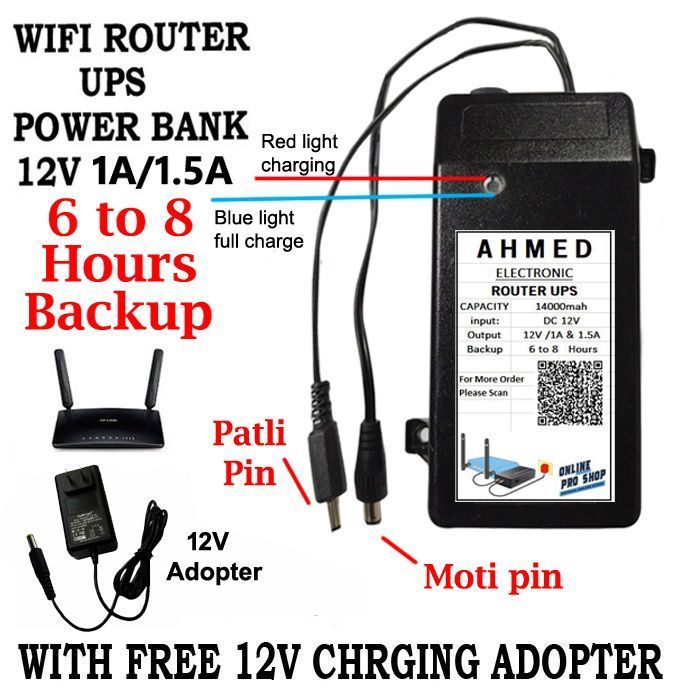
Most portable routers show battery status on the device screen or app. Check the indicator light or access the router’s settings page to view battery percentage easily.
Can I Check Battery Health On A Portable Router?
Yes, some routers provide battery health info in the settings or companion app. This helps monitor battery lifespan and performance over time.
What Are Signs Of A Weak Portable Router Battery?
A weak battery drains quickly, causes unexpected shutdowns, or fails to hold charge. These signs indicate it’s time to recharge or replace the battery.
Does Battery Status Affect Portable Router Performance?
Yes, low battery can reduce router performance or cause disconnections. Always maintain sufficient charge to ensure stable and reliable internet access.
Conclusion
Checking your portable router’s battery helps avoid sudden power loss. Use simple steps like checking the indicator lights or battery menu. Regularly monitor the battery level to keep your connection steady. Carry a charger or spare battery for longer use.
This small habit keeps your internet running smoothly anytime, anywhere. Stay connected without interruptions by knowing your battery status well.