Are you tired of slow internet and dead zones in your home? Choosing the right mesh WiFi system can change that, especially when you have multiple smart devices connected.
But how do you pick the best one for your unique setup? This guide will help you understand exactly what to look for so your smart devices work flawlessly. Keep reading to discover simple tips that make your WiFi faster, stronger, and smarter—just for you.

Credit: www.pcmag.com
Why Mesh Wifi Matters For Smart Devices
Smart devices need strong and steady internet to work well. Mesh wifi helps provide good coverage everywhere in your home.
Choosing the right mesh wifi system can improve your smart devices’ connection and performance.
Limitations Of Traditional Routers
Traditional routers send wifi from one place. This can cause weak signals in large homes or areas with many walls.
- Wifi signals may not reach all rooms
- Speed drops as distance from the router grows
- Many devices can slow down the network
- Dead zones where wifi does not work at all
Benefits Of Mesh Systems
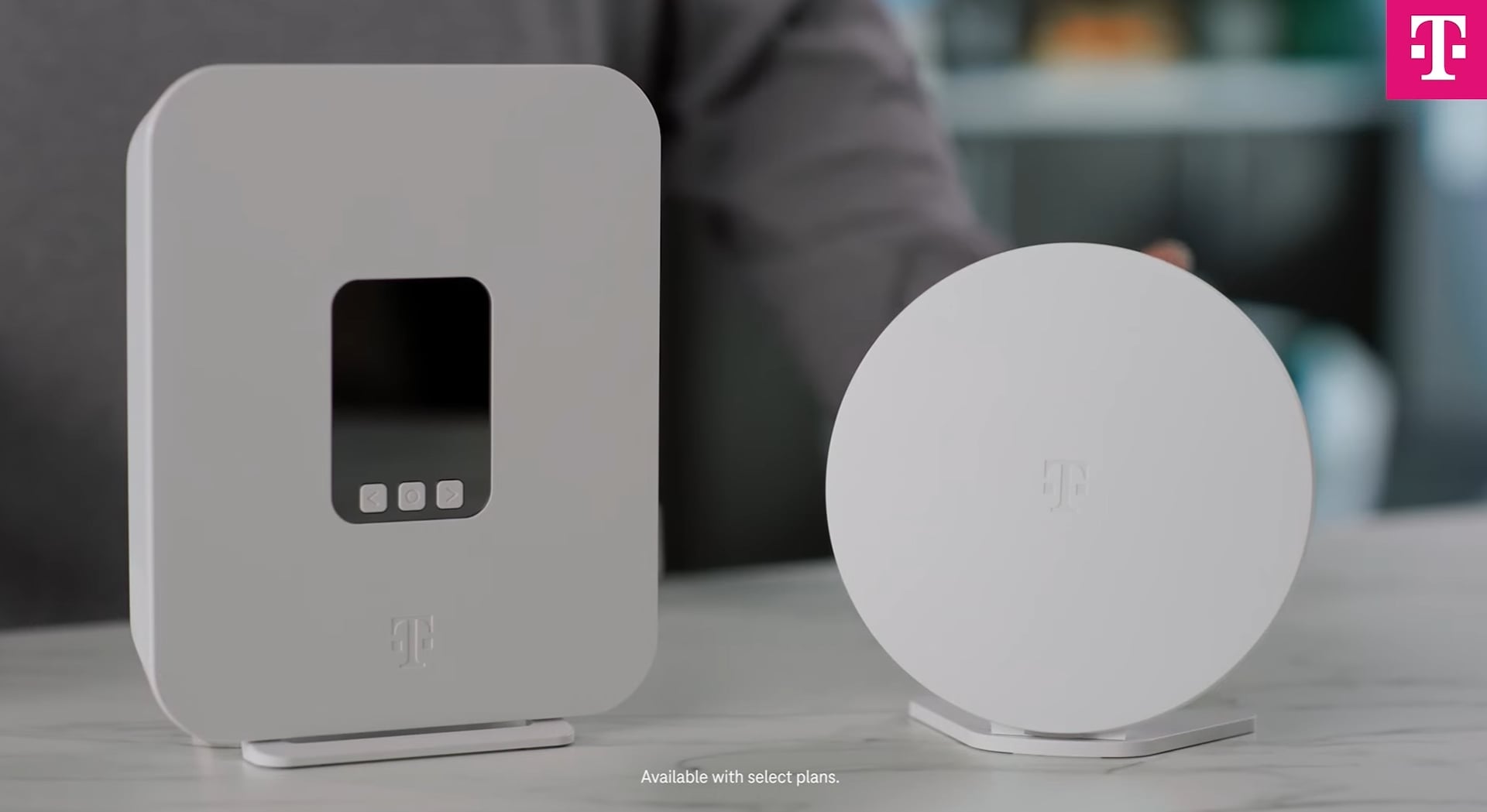
Mesh systems use several devices to spread wifi evenly. They create a strong network that covers the whole home.
| Feature | Benefit for Smart Devices |
| Multiple nodes | Better coverage and fewer dead zones |
| Automatic connection | Devices switch to the strongest signal |
| Easy expansion | Add nodes to cover larger areas |
| Consistent speed | Stable connection for many devices |
Assessing Your Smart Device Needs
Choosing the right mesh WiFi starts with understanding your smart devices. Each device uses WiFi differently. Knowing your needs helps you pick the best system.
Look at how many devices connect to your network. Think about the type and their WiFi demands. This will guide your mesh WiFi choice.
Counting Your Devices
Count every smart device you use at home. Include phones, tablets, smart TVs, and home assistants. Don’t forget smart appliances or security cameras.
- Smartphones and tablets
- Smart TVs and streaming devices
- Smart speakers and assistants
- Security cameras and doorbells
- Smart lights and thermostats
- Smart appliances like refrigerators and washers
Types Of Smart Devices And Their Requirements
Different devices need different WiFi speeds and coverage. Some use more data, some need steady connections. Knowing this helps balance your network.
| Device Type | WiFi Needs | Notes |
| Smartphones | Medium | Browsing and apps |
| Smart TVs | High | Streaming HD or 4K video |
| Security Cameras | High | Continuous video upload |
| Smart Lights | Low | Minimal data use |
| Smart Appliances | Medium | Data for monitoring and control |
| Smart Speakers | Medium | Voice commands and streaming |
Key Features To Look For
Choosing the right mesh WiFi system depends on your smart devices. Different devices need different network strengths and features. Knowing what to look for helps you pick the best system for your home or office.
This guide covers the main features to check. Focus on coverage, speed, device capacity, and security to get the best performance.
Coverage And Range
Coverage is how far the WiFi signal spreads. Range means how well the signal reaches all corners of your space. Both are important for smart devices spread across rooms.
Look for mesh WiFi systems with multiple nodes. More nodes mean wider coverage and fewer dead zones. Choose a system that covers your entire space without losing signal strength.
- Check the square footage the system covers
- Use extra nodes for large homes or offices
- Place nodes near device clusters for better signals
Speed And Bandwidth
Speed is how fast data moves through the network. Bandwidth is the total data capacity at one time. Both affect how well smart devices work, especially for streaming and gaming.
Choose mesh WiFi systems that support high speeds and wide bandwidth. Look for WiFi 5 or WiFi 6 standards for faster and more reliable connections.
- WiFi 6 supports more devices at higher speeds
- Look for systems with dual or tri-band options
- Higher bandwidth helps with multiple streaming devices
Device Capacity
Device capacity is the number of smart devices the system can handle at once. Homes with many smart devices need systems with higher capacity to avoid slowdowns.
Check the maximum device count for a mesh WiFi system. Choose one that can support all your current and future devices comfortably.
- Count all smart devices in your space
- Choose systems that support 50+ devices for busy homes
- Higher capacity reduces connection drops and lag
Security Features
Security keeps your smart devices safe from hackers. Look for mesh WiFi systems with strong encryption and regular updates to protect your network.
Features like guest networks and parental controls add extra safety and control over device access.
- Choose WPA3 encryption for better security
- Look for automatic firmware updates
- Use guest networks to separate visitors’ devices
- Parental controls help manage device access and time
Credit: www.t-mobile.com
Compatibility With Smart Home Ecosystems
Choosing the right mesh WiFi system means checking if it works with your smart home devices. Compatibility helps your devices run smoothly and stay connected.
Many smart homes use systems like Alexa, Google Home, or Apple HomeKit. Your mesh WiFi should support these for easy control and setup.
Integrating With Voice Assistants
Voice assistants like Alexa, Google Assistant, and Siri help control smart devices by voice. A mesh WiFi that supports these assistants makes managing devices simple.
Look for mesh WiFi systems that offer easy setup with voice assistant apps. This helps you add or control devices without extra steps.
- Check if the mesh system supports your voice assistant
- Ensure it allows device control via voice commands
- Verify compatibility with voice assistant apps
Support For Iot Protocols
IoT protocols connect many smart devices in your home. Your mesh WiFi should support popular protocols to keep devices working well.
Common protocols include Zigbee, Z-Wave, and Thread. A mesh WiFi that supports these helps your smart devices communicate better.
- Zigbee: Used by many smart bulbs and sensors
- Z-Wave: Common in security and automation devices
- Thread: Newer protocol for fast device communication
Installation And Management
Choosing the right mesh WiFi for your smart devices means thinking about installation and management. Easy setup helps you start fast. Good management tools keep your network smooth.
These features matter if you have many smart devices. They help you control and monitor your WiFi without trouble.
Ease Of Setup
Look for mesh WiFi systems that are quick to install. Simple instructions and guided steps save time. Some systems use mobile apps for setup.
Easy setup means less technical work. It suits all users, even if you are not a tech expert.
- Automatic device detection
- Step-by-step app guidance
- Plug and play design
- Minimal hardware connections
App And Control Options
The best mesh WiFi comes with a control app. It lets you manage devices and settings easily. You can check connected smart devices and their speeds.
Good apps offer parental controls and guest network options. They keep your network safe and organized.
- Real-time network monitoring
- Device prioritization
- Parental controls
- Guest access management
- Remote network access
Credit: www.techlidar.com
Budget Considerations
Choosing the right mesh WiFi system depends on your budget. It’s important to balance cost with performance.
Think about how many smart devices you have at home. The number of devices can impact your decision.
Balancing Cost And Performance
High performance often comes with a higher price. But not all homes need top-tier systems.
- Consider how many devices need WiFi.
- Think about the size of your home.
- Check the internet speed you require.
Long-term Value
Investing wisely in a mesh WiFi system can save money over time. Look for systems that offer updates and support.
| Feature | Importance |
| Software Updates | High |
| Customer Support | Medium |
| Warranty | High |
Top Mesh Wifi Brands For Smart Homes
Choosing the right mesh wifi system is key for smart home connectivity. Different brands offer unique features to suit various needs.
Understanding the strengths of popular mesh wifi options helps in making an informed decision.
Popular Options And Their Strengths
Many top brands provide reliable and fast internet coverage. Here are some popular choices and their strengths.
- Netgear Orbi: Known for its fast speeds and wide coverage.
- Google Nest Wifi: Offers easy setup and integration with Google Assistant.
- Eero Pro 6: Supports Wi-Fi 6 and provides great security features.
Customer Reviews And Reliability
Customer feedback is important when choosing a mesh wifi system. It provides insights into reliability and performance over time.
| Brand | Customer Rating | Reliability |
| Netgear Orbi | 4.5/5 | High |
| Google Nest Wifi | 4.3/5 | Moderate |
| Eero Pro 6 | 4.6/5 | High |
Frequently Asked Questions
What Factors Affect Mesh Wifi Choice For Smart Devices?
Consider device quantity, internet speed, and home size. Prioritize compatibility with smart devices and ease of setup. Also, check for strong signal coverage and security features in the mesh WiFi system.
How Many Smart Devices Can A Mesh Wifi Support?
Most mesh WiFi systems support 50+ devices. However, performance depends on router quality and network traffic. Choose a system that suits your device count to avoid slow connections or dropouts.
Is Mesh Wifi Better Than A Single Router For Smart Homes?
Yes, mesh WiFi offers better coverage and fewer dead zones. It ensures stable connections for multiple smart devices across large areas. Single routers may struggle with coverage in bigger homes.
Does Mesh Wifi Improve Smart Device Responsiveness?
Mesh WiFi reduces latency and maintains strong signals. This leads to faster response times for smart devices. It optimizes network traffic, enhancing overall smart home performance.
Conclusion
Choosing the right mesh WiFi depends on your smart devices. Consider the number and type of devices in your home. Check the coverage area to avoid dead zones. Think about speed needs for streaming and gaming. Look for easy setup and reliable connections.
A good mesh system keeps all devices online smoothly. This helps your home stay connected without interruptions. Take time to compare features before deciding. A thoughtful choice improves your internet experience daily.