Looking for a budget router can feel overwhelming. You want fast internet, strong signals, and reliable connections without spending a fortune.
But how do you pick the best one when there are so many options? This guide will help you cut through the noise and find a router that fits your needs and your wallet. By the end, you’ll feel confident making a choice that keeps your home online and your budget intact.
Let’s dive in and find the perfect router for you.
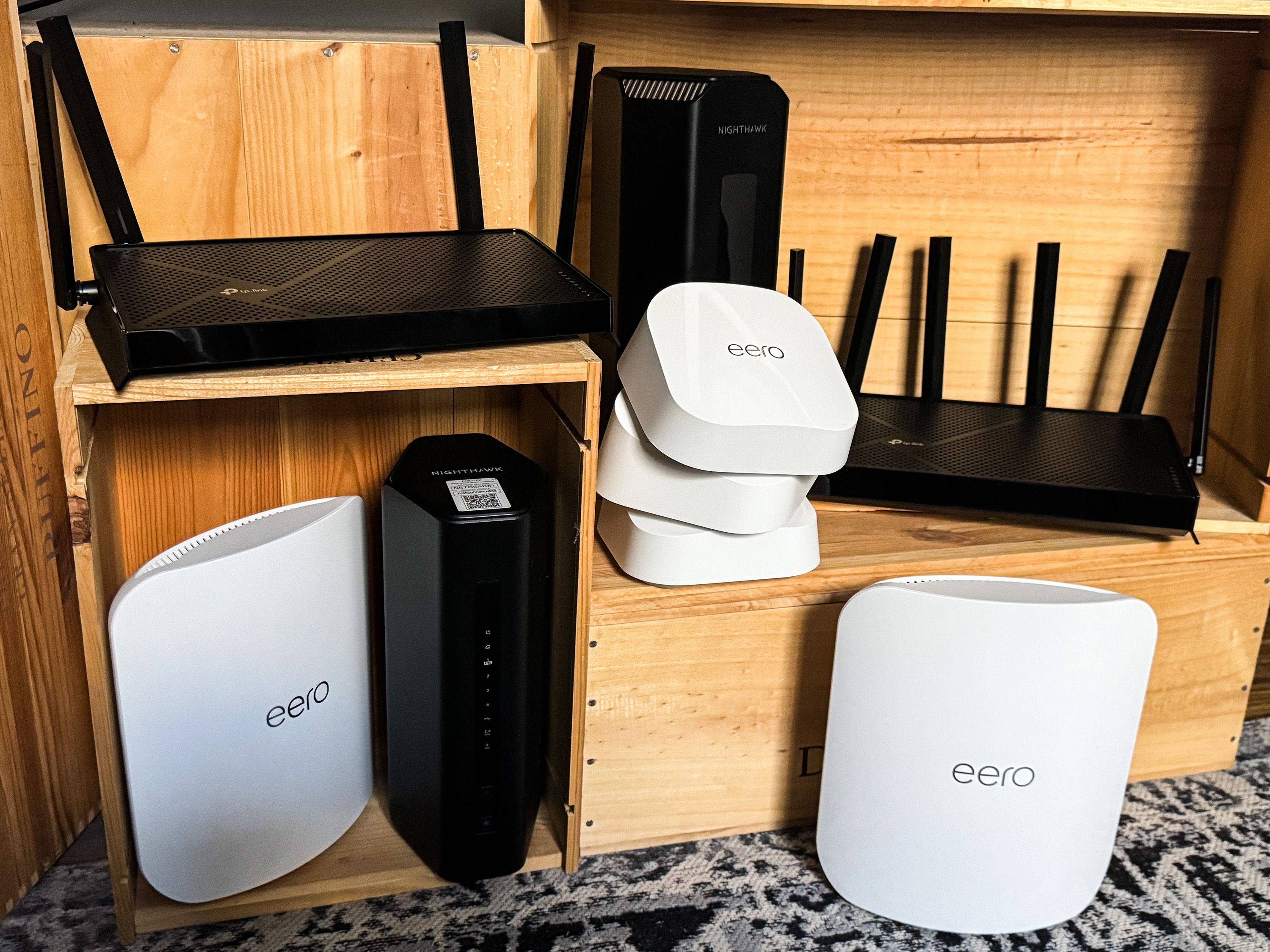
Credit: www.popularmechanics.com
Key Features To Consider
Choosing the right budget router means knowing what features matter most. Some features affect speed, others improve coverage or security. Understanding these key points helps find a router that fits your needs without overspending.
Speed And Performance
Speed is crucial for smooth internet use. Check the router’s maximum data rate, usually shown in Mbps or Gbps. Dual-band routers offer better performance by using two frequency bands.
Look for routers with good processor power and memory. These help handle multiple devices and tasks without slowing down.
Coverage And Range
Coverage shows how far the Wi-Fi signal can reach. Larger homes need routers with strong range to avoid dead spots.
Antennas affect range. External antennas often provide better coverage than internal ones. Some routers support mesh systems to extend Wi-Fi across bigger areas.
Security Features
Security protects your network from hackers. Look for routers with WPA3 encryption for the best safety.
Other features like guest networks and automatic firmware updates add extra layers of protection.
Ease Of Setup
Simple setup saves time and frustration. Many budget routers offer apps or web interfaces to guide you through installation.
Look for clear instructions and user-friendly controls. Some routers include setup wizards or QR codes for quick connection.
Compatibility With Devices
Check if the router supports your devices’ Wi-Fi standards, like 802.11ac or 802.11ax (Wi-Fi 6).
More compatibility means better connection with smartphones, laptops, and smart home gadgets.
Types Of Budget Routers
Budget routers come in various types to suit different needs. Understanding these types helps you find the right one. Each type has unique features and uses.
Single-band Vs Dual-band
Single-band routers use one frequency, usually 2.4 GHz. They cover larger areas but may be slower. Dual-band routers offer two frequencies: 2.4 GHz and 5 GHz. The 5 GHz band is faster but covers less distance. Dual-band routers reduce interference and improve speed for multiple devices.
Wired Vs Wireless Routers
Wired routers connect devices using Ethernet cables. They offer stable and fast connections. Wireless routers use Wi-Fi to connect devices without cables. They provide flexibility and convenience. Some budget models combine both wired and wireless options for better versatility.
Mesh Systems On A Budget
Mesh systems use multiple units to cover large areas evenly. They create a seamless Wi-Fi network with strong signals. Budget mesh systems offer affordable coverage for bigger homes. These systems are easy to set up and expand as needed.
Top Brands And Models In 2025
The router you pick in 2025 can drastically affect your internet experience, especially when you’re on a budget. Leading brands have stepped up their game, offering routers packed with features that were once exclusive to high-end models. Knowing which ones stand out helps you avoid wasted money and frustration.
Let’s look at the top brands and models that deliver excellent performance without breaking the bank. These picks fit different needs, whether you want smooth gaming, uninterrupted streaming, or reliable coverage in a compact space.
Best Overall Budget Router
The TP-Link Archer AX20is a strong contender here. It supports Wi-Fi 6, which means faster speeds and better handling of multiple devices. I’ve used this router at home, and it kept my whole family connected without lag during work and video calls.
It also offers easy setup through a mobile app, making it perfect if you want solid performance without the tech headache. Its price point makes it accessible, but it doesn’t skimp on features.
Best For Gaming
If gaming is your priority, the ASUS RT-AX56Ushould be on your radar. It provides low latency and stable connections, which are essential for competitive play. When I switched to this router, my online matches felt smoother, and I noticed fewer disconnects.
This model includes QoS (Quality of Service) settings that let you prioritize gaming traffic. This means your game won’t suffer when others start streaming or downloading on the same network.
Best For Streaming
Buffering ruins the movie night vibe, but the NETGEAR Nighthawk R6700helps avoid that. It delivers strong, consistent speeds that keep 4K streaming smooth. I tested this router with multiple streaming devices, and it managed to handle all without hiccups.
It also supports beamforming technology, which directs the signal to your device, improving streaming quality. At its price, it’s a reliable choice for anyone who loves online entertainment.
Best For Small Apartments
Living in a small space means you don’t need a giant router, but you still want good coverage. The Google Nest Wifi Routerfits perfectly. It’s compact, blends into your décor, and covers up to 1,600 square feet efficiently.
I used this in a studio apartment, and the signal strength was impressive everywhere—from the kitchen to the balcony. Plus, the mesh capability lets you add points if you move to a bigger place later.

Credit: www.vsolcn.com
Where To Buy And What To Avoid
Choosing the best budget router involves more than just looking at the price tag. It’s about finding a reliable source and avoiding common pitfalls that could lead to buyer’s remorse. In this section, we’ll explore where to buy your router and what to steer clear of, ensuring you make a smart and informed purchase.
Trusted Retailers And Online Stores
When purchasing a budget router, the choice of retailer can make all the difference. Consider shopping from trusted retailers like Best Buy, Walmart, or Target, as they often offer competitive prices along with the reassurance of a physical location if issues arise. Online giants like Amazon and Newegg are also excellent choices due to their wide selection and user reviews, which can help you gauge the performance and reliability of a router before buying.
Smaller, specialized electronics stores can also be a treasure trove for deals. They might offer personalized advice and support, which can be invaluable, especially if you are new to tech shopping. Do you have a local tech store that you trust?
Common Pitfalls In Budget Router Shopping
It’s easy to be lured by routers with flashy features and rock-bottom prices. However, these often come with hidden costs such as poor performance or short lifespan. Avoid routers with consistently negative reviews about their speed and reliability.
Another common trap is buying outdated models. While they may be cheaper, they might not support the latest standards, leaving you with slow internet speeds. Always check the technical specifications and ensure they match your needs.
Warranty And Customer Support
Warranties are crucial, especially for budget electronics that may not have the same build quality as premium models. A good warranty can save you a lot of trouble and money if your router fails. Look for at least a one-year warranty, which is a standard offering by most reputable brands.
Customer support is another key factor to consider. Brands like TP-Link, ASUS, and NETGEAR are known for providing reliable customer support. Having access to responsive support can be a lifesaver when you face technical issues. Do you have experience with exceptional customer service that has saved the day?
Tips For Maximizing Router Performance
Maximizing your router’s performance doesn’t just depend on the hardware you buy. Small adjustments and regular maintenance can make a huge difference in your Wi-Fi speed and reliability. Let’s look at some practical tips that can boost your router’s efficiency and give you a smoother online experience.
Optimal Placement In Your Home
Where you place your router affects the strength and reach of your Wi-Fi signal. Avoid putting it near thick walls, metal objects, or electronics that cause interference, like microwaves or cordless phones.
Try to position your router in a central, elevated spot. This helps the signal spread evenly across your home. Have you noticed better signal strength when your router is out in the open rather than hidden away?
Regular Firmware Updates
Firmware updates are like software updates for your router. They fix bugs, improve security, and sometimes even enhance performance. Skipping these updates can leave your network vulnerable or running slower than it should.
Check your router’s admin panel regularly or set it to update automatically if available. It only takes a few minutes and can prevent many frustrating connectivity issues.
Managing Connected Devices
Too many devices connected at once can slow down your network. Each device takes a share of your bandwidth, and some, like streaming or gaming devices, use more than others.
Review your device list and disconnect anything you don’t need online. You can also limit bandwidth for less important devices to keep your main tasks running smoothly.
Using Quality Of Service Settings
Quality of Service (QoS) settings let you prioritize certain devices or types of traffic. This means your video calls or online games can get more bandwidth than background downloads or updates.
Explore your router’s QoS options to assign priority based on what you use most. Have you tried QoS before? It can be a game-changer for busy households with many users.

Credit: cybernews.com
Frequently Asked Questions
What Features Matter Most In A Budget Router?
Key features include speed, range, security, and ease of setup. Look for dual-band support and WPA3 encryption. These ensure fast, secure, and reliable connections for everyday use without overspending.
How To Check Router Compatibility With Internet Plans?
Verify your router supports your ISP’s speed and connection type. Check for DOCSIS or DSL compatibility if needed. Confirming compatibility avoids slow speeds and connectivity issues.
Can Budget Routers Handle Multiple Devices Efficiently?
Yes, many budget routers support multiple devices via dual-band Wi-Fi. However, high traffic may reduce speed. Choose routers with MU-MIMO technology for better simultaneous connections.
Is A Wired Connection Better Than Wi-fi For Budget Routers?
Wired connections offer faster, more stable speeds and lower latency. Use Ethernet cables for gaming or streaming. Wi-Fi is more convenient but may face interference and slower speeds.
Conclusion
Choosing the best budget router can feel tricky. Focus on speed, range, and security first. Check user reviews to see real experiences. A good router supports your devices well. Don’t pick just by price alone. Think about your internet needs and home size.
A reliable router keeps your connection steady. Spend time comparing features before buying. This helps you avoid common mistakes. A smart choice saves money and frustration. Your internet works better with the right router. Simple steps lead to better online time.